What is the workstation self-assessment form template?
Most desk-based staff never think about their set-up until something starts to ache. A short self-assessment, filled in when someone joins, moves desk or starts working from home, catches the easy fixes early: a low screen, a chair that doesn't adjust, a laptop used all day without a keyboard.
This template lets each employee check their own workstation in about ten minutes. It asks where the workstation is and how much time they spend at a screen, then walks through the chair, the screen, and the desk, keyboard and mouse as three short grids answered Yes, Partly or No. Home workers get one extra question about where they usually work, and anyone who mentions aches, pains or eye strain is asked where they notice it.
Each completed assessment is filed as a PDF in your FileIt vault, together with any photo of the workstation, so whoever looks after equipment and workplace comfort has a record of what was flagged and what was asked for.
- Best for
- Employers with office, hybrid or fully remote desk-based staff
- Filled in by
- The employee, sitting at the workstation they're assessing
- Time to complete
- About 10 minutes
- Includes
- Three set-up grids, follow-up questions for home workers and discomfort, an equipment wish list and an optional photo
Who uses a workstation self-assessment form?
- Asking every new starter to assess their desk in their first week
- Checking the home set-up of employees moving to hybrid or remote working
- Re-assessing after an office move, a desk change or new equipment
- Giving staff a simple way to ask for a monitor, chair or footrest with a reason attached
- Running a yearly round of workstation checks across a whole team
Questions on this workstation self-assessment form
23 questions over 4 pages · includes file upload, conditional questions, multiple pages, consent checkbox, ratings.
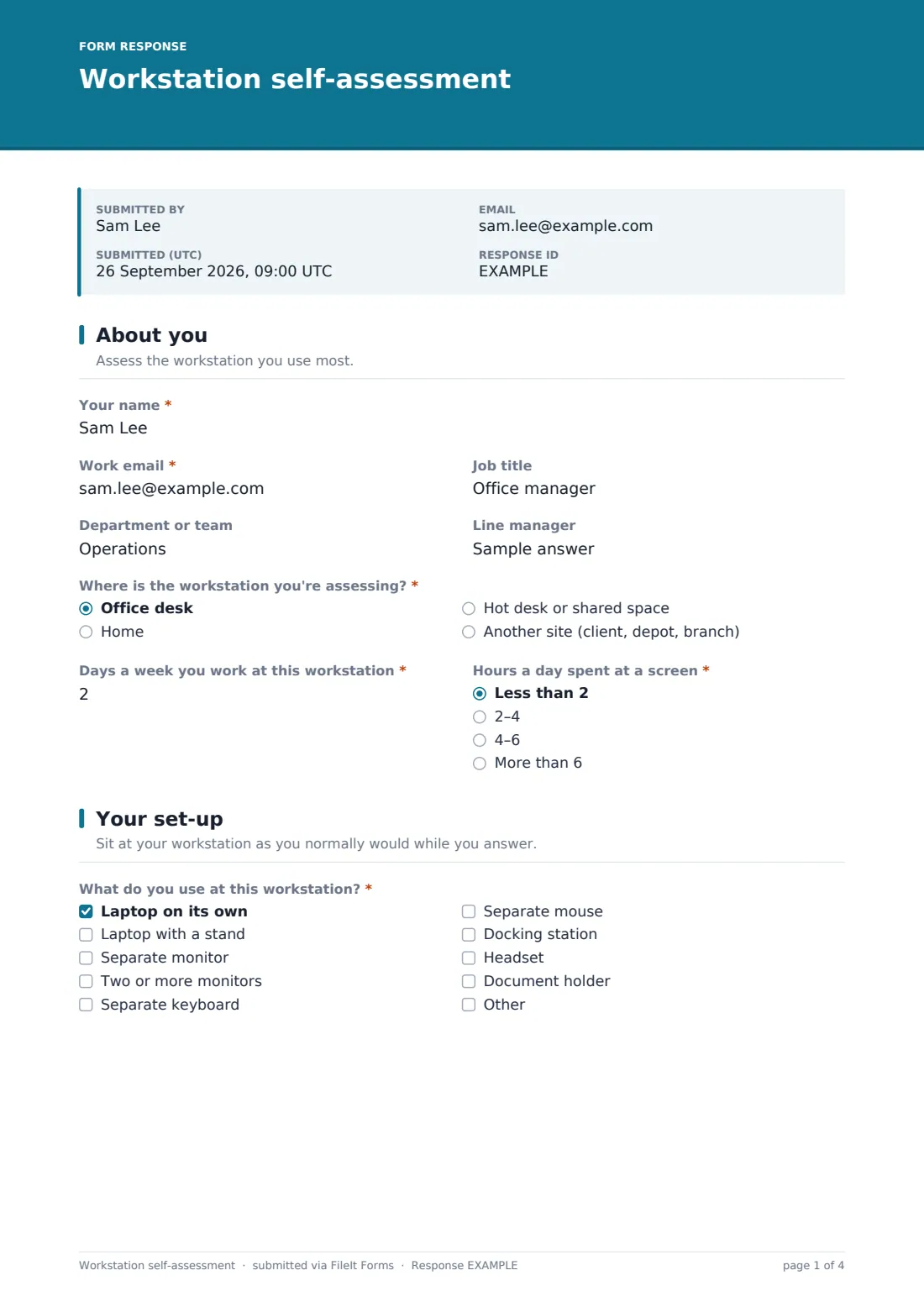
1 About you
- Your name*
- Work email*
- Job title
- Department or team
- Line manager
- Where is the workstation you're assessing?* Office desk · Home · Hot desk or shared space · Another site (client, depot, branch)
- Days a week you work at this workstation*
- Hours a day spent at a screen* Less than 2 · 2–4 · 4–6 · More than 6
2 Your set-up
- What do you use at this workstation?* Laptop on its own · Laptop with a stand · Separate monitor · Two or more monitors · Separate keyboard · Separate mouse · Docking station · Headset · Document holder
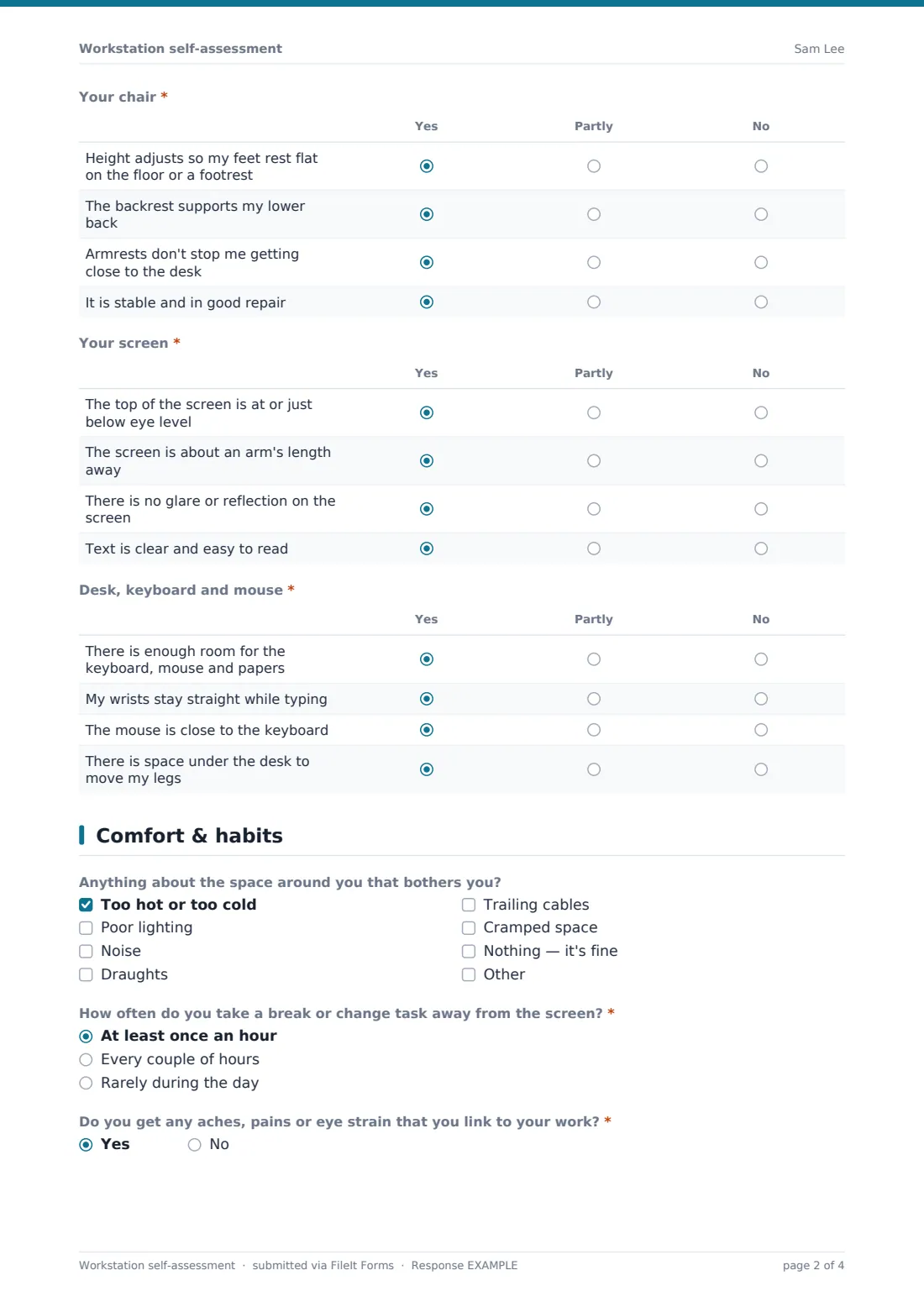
- Your chair* Yes · Partly · No
- Your screen* Yes · Partly · No
- Desk, keyboard and mouse* Yes · Partly · No
3 Comfort & habits
- Anything about the space around you that bothers you? Too hot or too cold · Poor lighting · Noise · Draughts · Trailing cables · Cramped space · Nothing — it's fine
- Where do you usually work at home?* asked only when it applies A dedicated desk or room · A shared table (kitchen, dining room) · Sofa or bed · It varies
- How often do you take a break or change task away from the screen?* At least once an hour · Every couple of hours · Rarely during the day
- Do you get any aches, pains or eye strain that you link to your work?*
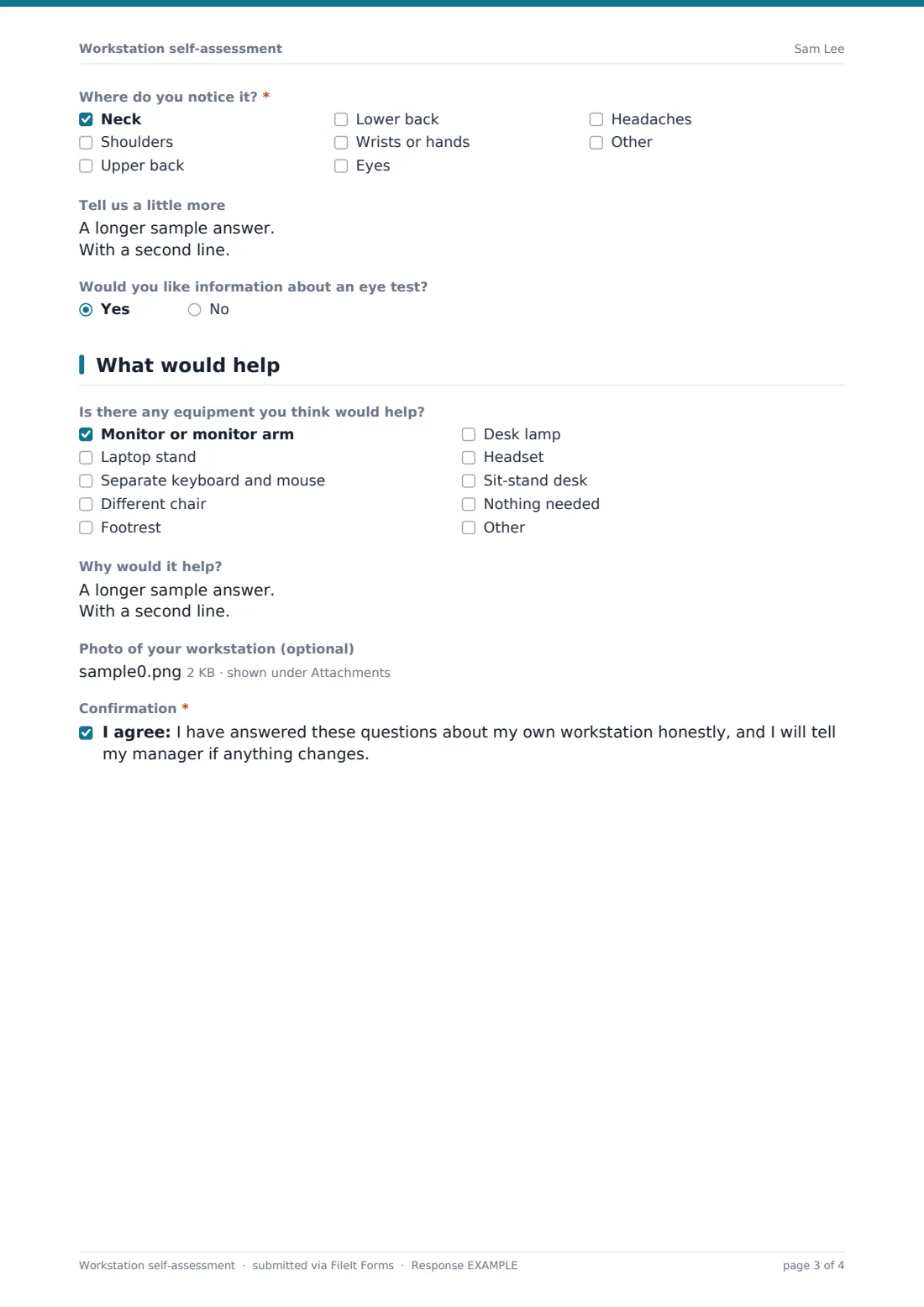
- Where do you notice it?* asked only when it applies Neck · Shoulders · Upper back · Lower back · Wrists or hands · Eyes · Headaches
- Tell us a little more asked only when it applies
- Would you like information about an eye test?
4 What would help
- Is there any equipment you think would help? Monitor or monitor arm · Laptop stand · Separate keyboard and mouse · Different chair · Footrest · Desk lamp · Headset · Sit-stand desk · Nothing needed
- Why would it help? asked only when it applies
- Photo of your workstation (optional)
- Confirmation*
The workstation self-assessment form, page by page
1 About you
The employee gives their name, work email, job title, department or team and line manager. They then say where the workstation they're assessing is: an office desk, home, a hot desk or shared space, or another site. Two quick questions set the context: the days a week they work at this workstation, and the hours a day spent at a screen, from less than 2 to more than 6.
2 Your set-up
A checklist asks what they use at this workstation: a laptop on its own or with a stand, one or more separate monitors, a separate keyboard and mouse, a docking station, a headset or a document holder.
Three grids follow, each answered Yes, Partly or No. Your chair covers height, lower-back support, armrests and whether it's stable and in good repair. Your screen covers its height, its distance, glare and how readable the text is. Desk, keyboard and mouse covers desk space, straight wrists, mouse position and legroom.
3 Comfort & habits
The employee ticks anything about the space around them that bothers them, such as temperature, lighting, noise, draughts, trailing cables or a cramped space. If they chose Home on the first page, the form also asks where they usually work at home, from a dedicated desk to the sofa.
They say how often they take a break away from the screen, then answer whether they get any aches, pains or eye strain that they link to their work. A Yes opens two follow-ups: where they notice it, and a box to tell you a little more. A last question asks if they'd like information about an eye test.
4 What would help
A wish list covers the usual fixes: a monitor or monitor arm, a laptop stand, a separate keyboard and mouse, a different chair, a footrest, a desk lamp, a headset or a sit-stand desk. Once anything is ticked, a Why would it help? box appears so requests arrive with a reason. An optional photo of the workstation, side-on and seated, helps the reviewer picture the set-up. The form closes with a confirmation that the answers are honest and that the employee will say if anything changes.
Make the template yours
- Replace the equipment list with the items you actually stock or are willing to buy
- Remove the location question and the home-working follow-up if everyone works on site
- Add your own questions, for example about standing desks or shared-desk booking
- File assessments into a folder per office or team so reviews are easy to find
- Add the person who handles equipment requests to the notification emails
Tips for a better workstation self-assessment form
- Ask people to fill it in while sitting at the workstation, not from memory
- Follow up on every No in the grids, even if it's a small fix like moving a screen
- Treat the discomfort question as a prompt for a conversation, not a diagnosis
- Re-send the form when someone moves desk, changes role or starts working from home
- Be clear in your cover text about who reads the answers and what happens next
Every response becomes a PDF in your vault
When the employee submits, FileIt files the assessment as a PDF in the vault folder you chose, named after the employee and dated, with any workstation photos attached to the document. The owner is notified by email. With an emailed copy switched on, the employee gets the same PDF for their records.
The Responses table lists every assessment in one place. Export it to CSV to see which grid rows most often come back No, or which equipment is most requested.
- Start from this template. It opens in the FileIt Forms designer — change any question, add pages, set the rules for when questions appear.
- Share it. Turn on a public link, or send it to people by email, each with their own link. They don’t need a FileIt account.
- Get the answers as PDFs. Each response is saved as a PDF in the vault folder you choose, with uploaded files attached — and listed in a Responses table you can export to CSV.
Workstation self-assessment form: frequently asked questions
Is this workstation self-assessment template free?
Yes. It's one of the starter templates in FileIt's Forms app, and every question can be edited, removed or added to.
Does it work for people who work from home?
Yes. Choosing Home as the location adds a question about where they usually work at home, and the rest of the checks apply to any desk.
Does this form meet our legal duties for display screen equipment?
It's a practical starting point, not a statement of what any law requires. Check the rules that apply to you and adjust the questions to match.
Will employees have to share medical information?
No. The discomfort questions only ask where they notice it and when, and the help text says no medical details are needed.
Can I send it to the whole team at once?
Yes. Send it by email to a list of people and FileIt tracks who has opened and submitted it, with reminders for anyone who hasn't.