What is the workplace adjustment request form template?
Asking for help at work can be hard, especially when it touches on health, disability or faith. A clear, low-pressure form makes the first step easier. It tells employees what information is useful, makes plain they don't need to share a diagnosis, and gives the employer a consistent starting point for the conversation.
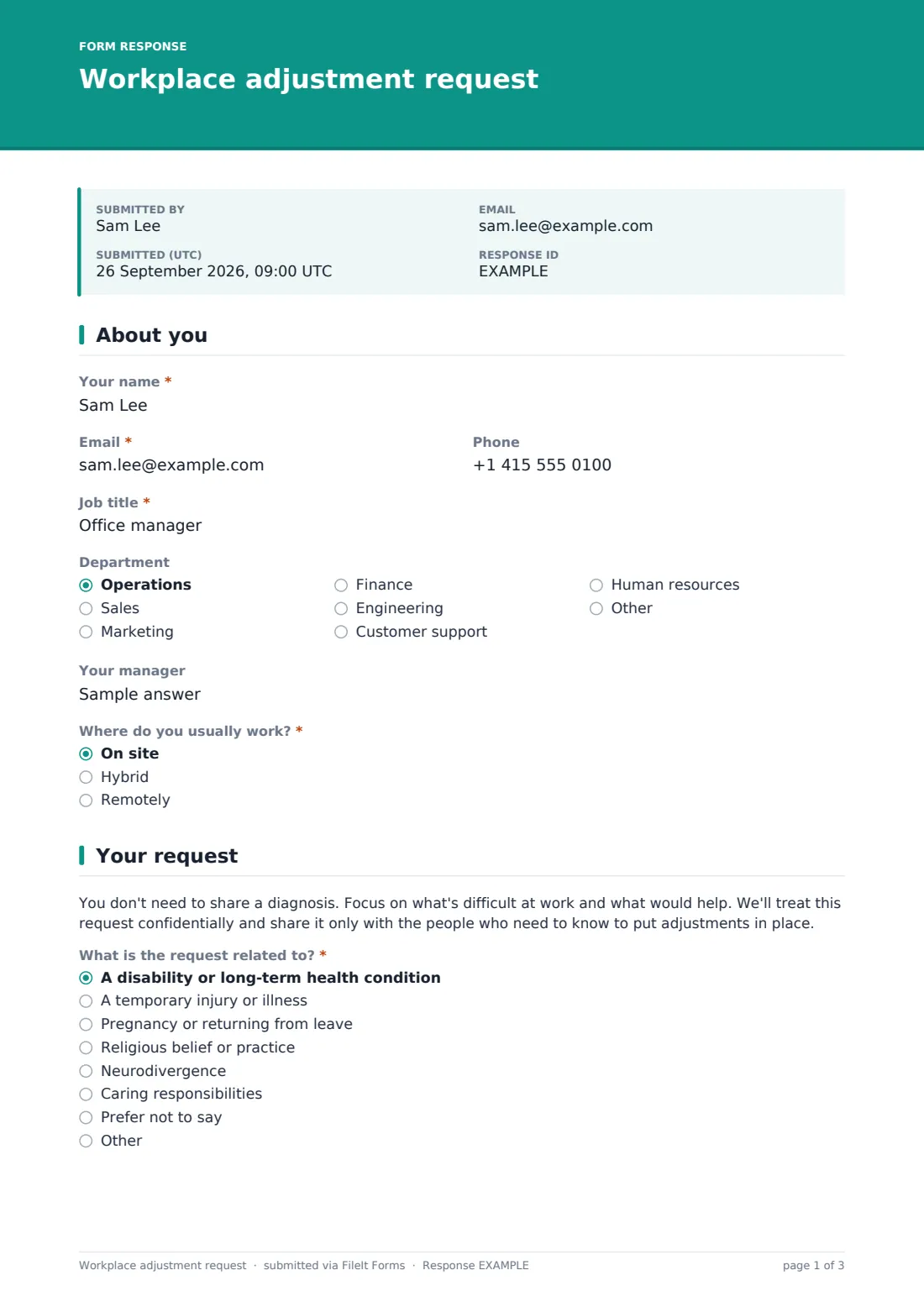
This template centres on the practical questions: what's difficult at the moment, which areas an adjustment could cover, and what the employee thinks would help. It covers disability and long-term conditions, temporary injuries, pregnancy, religious practice, neurodivergence and caring needs, with a prefer-not-to-say option. Urgent needs are flagged separately, so safety issues and return-to-work dates get picked up first.
The employee chooses who the request can be discussed with and how they'd like to meet, and the request is saved as a signed PDF in your FileIt vault.
- Best for
- Employers of any size who want a consistent, respectful adjustments process
- Filled in by
- The employee, or someone helping them with their agreement
- Time to complete
- About 10 minutes
- Includes
- A barrier-focused request, adjustment areas, urgency flag, sharing preferences and signed consent
Who uses a workplace adjustment request form?
- An employee with a long-term condition asking for changes to equipment or working hours
- Planning a phased return to work after an injury or illness
- Requesting prayer breaks, time off for religious observance or dress code flexibility
- A neurodivergent employee asking for changes to communication or the work environment
- Supporting pregnant employees with duties, breaks or seating
- Giving HR a consistent record of every adjustment request and how it was handled
Questions on this workplace adjustment request form
25 questions over 3 pages · includes signature, file upload, conditional questions, multiple pages, consent checkbox.
1 About you
- Your name*
- Email*
- Phone
- Job title*
- Department Operations · Sales · Marketing · Finance · Engineering · Customer support · Human resources · Other
- Your manager
- Where do you usually work?* On site · Hybrid · Remotely
2 Your request
- What is the request related to?* A disability or long-term health condition · A temporary injury or illness · Pregnancy or returning from leave · Religious belief or practice · Neurodivergence · Caring responsibilities · Prefer not to say
- What's difficult at the moment?*
- Which areas could an adjustment cover?* Workstation, equipment or software · Working hours or pattern · Work location or working from home · Duties or workload · Breaks or rest · Building access or parking · Communication or meeting formats · Uniform or dress code · Time off for appointments or observance · Lighting, noise or temperature
- What adjustments would help?*
- How long do you expect to need them?* Ongoing · For a limited time · Not sure yet
- Until roughly when? asked only when it applies
- Have you had adjustments before, here or elsewhere?
- What worked, and what didn't? asked only when it applies
- Is anything urgent, such as a risk to your safety or a return-to-work date?*
- What's urgent, and by when?* asked only when it applies
3 Next steps & consent
- Are you willing to provide supporting information if it's needed? Yes · I'd like to discuss it first · I don't think it applies
- Would you be happy to be referred to occupational health, if we have that service?
- Supporting documents
- Who may we discuss this with?* HR and my manager · HR only, for now · HR, my manager, and my team where it helps
- How would you like to talk it through?* In person · Video call · Phone · In writing
- Anything you need for that meeting?
- Consent*
- Signature*
The workplace adjustment request form, page by page
1 About you
The employee gives Your name, an Email (which can be a personal address), Phone, Job title, Department, Your manager and whether they work on site, hybrid or remotely.
2 Your request
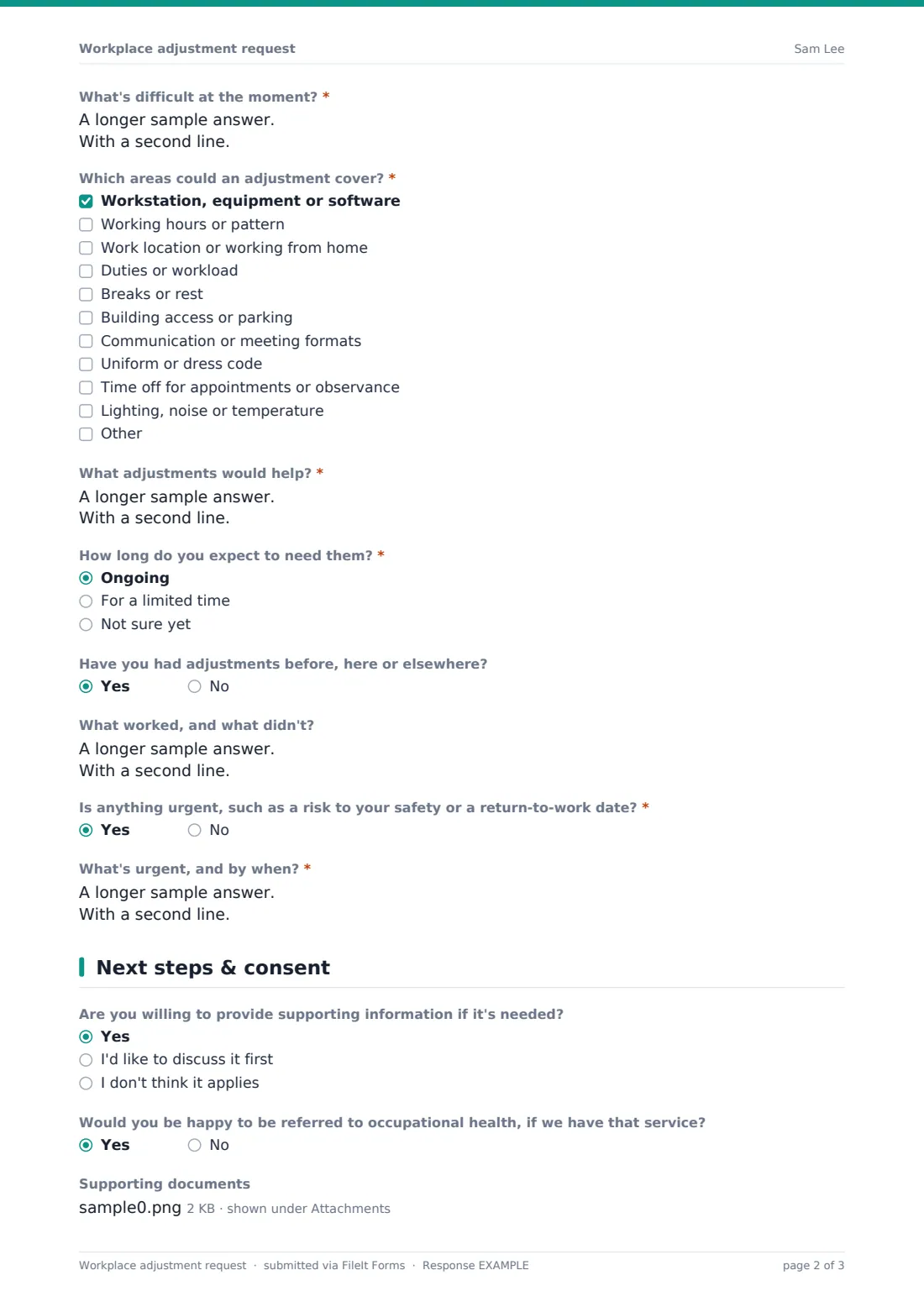
A short note explains that no diagnosis is needed and that the request is handled confidentially. The employee picks what the request relates to, including Prefer not to say. They then describe What's difficult at the moment?, tick which areas an adjustment could cover (from equipment and hours to lighting and noise) and suggest what would help. They say how long they expect to need the adjustments, with an end date if temporary, and whether they've had adjustments before and what worked. A required question flags anything urgent and asks what and by when.
3 Next steps & consent
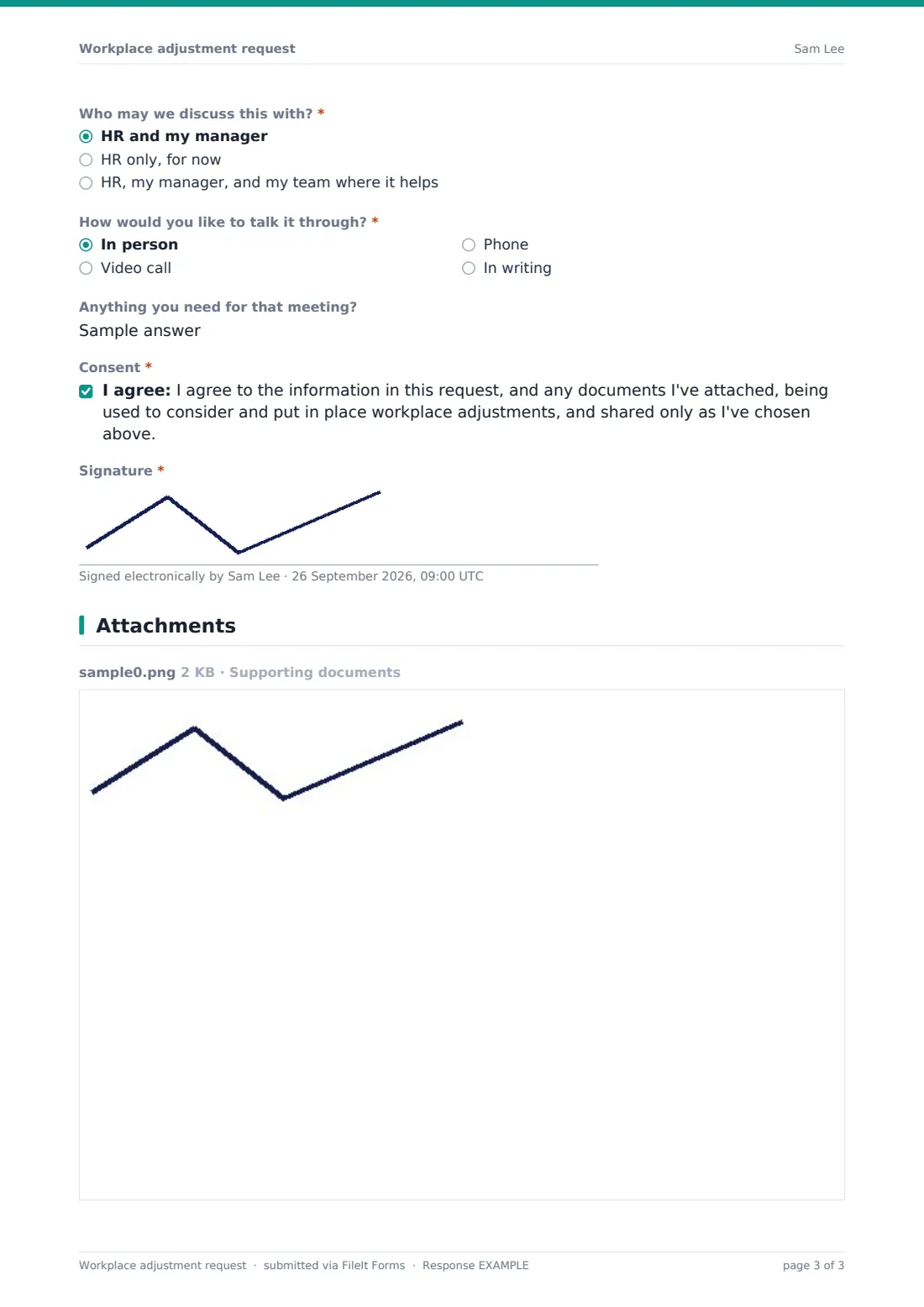
Optional questions ask whether the employee is willing to provide supporting information if needed and whether they're happy to be referred to occupational health. They can upload supporting documents. They choose who the request may be discussed with (HR and manager, HR only, or including their team) and how they'd like to talk it through, noting anything they need for that meeting. They consent to the information being used to consider adjustments and sign.
Make the template yours
- Add your HR contact or employee assistance details to the cover text
- Remove the occupational health question if you don't have that service
- Limit notifications to HR only, so managers don't see requests before the employee agrees
- File requests into a restricted vault folder that only HR can access
- Add a link to your adjustments or accommodation policy in the page description
- Rename "adjustment" to "accommodation" throughout if that's the term your staff know
Tips for a better workplace adjustment request form
- Respond quickly, even if only to acknowledge the request and set up a conversation
- Start from the employee's own suggestions. They usually know best what will help
- Ask for medical evidence only when you genuinely need it to decide
- Record what was agreed and review it after a few weeks to check it's working
- Keep requests confidential and share only what others need to know to make the adjustment
Every response becomes a PDF in your vault
When the request is submitted, FileIt saves it as a PDF, with any documents attached, in your vault and notifies the form owner. The employee receives a copy.
HR usually contacts the employee in the way they asked, discusses the options, and records what's agreed. Because each request is filed and dated, it's easy to follow up, review adjustments later, and show that requests were handled consistently.
- Start from this template. It opens in the FileIt Forms designer — change any question, add pages, set the rules for when questions appear.
- Share it. Turn on a public link, or send it to people by email, each with their own link. They don’t need a FileIt account.
- Get the answers as PDFs. Each response is saved as a PDF in the vault folder you choose, with uploaded files attached — and listed in a Responses table you can export to CSV.
Workplace adjustment request form: frequently asked questions
Is this workplace adjustment request template free?
Yes. It's included in FileIt's Forms app on every account, including the free plan, and you can edit every question.
Do employees need a FileIt account to make a request?
No. You share the form as a link and employees fill it in and submit it without an account.
Do employees have to disclose a diagnosis?
No. The form says clearly that no diagnosis is needed and focuses on what's difficult and what would help. The reason question includes Prefer not to say.
Does the form decide what adjustments are reasonable?
No. It gathers the information for a conversation. What's reasonable depends on your circumstances and local law, and is decided by you with the employee.
Who can see the request?
Whoever you give access to the form's responses and the vault folder it files into. The employee also states who they're happy for it to be discussed with.
Can it be used for religious accommodation?
Yes. Religious belief or practice is one of the listed reasons, and the adjustment areas include time off for observance and dress code.