What is the flexible working request form template?
A flexible working request is easier to say yes to when it's well thought through, and this template is built to help employees do exactly that: describe their current pattern, propose the change clearly, and think ahead to how any effect on the team could be managed — before their manager even reads it.
An online form works better than an email or a verbal ask because it captures the same structure every time: what's changing, from when, whether it's permanent or temporary, and what impact and mitigation the employee has already considered. That consistency makes it much easier for managers and HR to compare requests fairly and respond within any timeframe your policy sets out.
Every submitted request, complete with the employee's signature, is saved as a PDF in your FileIt vault — a clear record of exactly what was asked for and when, useful if the request needs to be referred to again during the conversation that follows.
- Best for
- Employers handling formal requests to change working patterns
- Filled in by
- The employee making the request
- Time to complete
- About 8–10 minutes
- Includes
- Conditional pattern questions, impact and mitigation, trial period, signature
Who uses a flexible working request form?
- A parent requests reduced hours to fit around childcare
- An employee proposes a hybrid pattern with two fixed days working from home
- Two colleagues propose a formal job share arrangement for one role
- An employee returning from leave asks for a temporary pattern change for a set period
- Someone requests a flexible adjustment connected to a disability or health condition
- A team member proposes compressed hours, working the same total hours over fewer days
Questions on this flexible working request form
25 questions over 5 pages · includes signature, conditional questions, multiple pages, consent checkbox.
1 About you
- Your name*
- Work email*
- Job title*
- Line manager
- Department Operations · Sales · Marketing · Finance · Engineering · Customer support · Human resources · Other
- Have you made a flexible working request in the last 12 months?*
- When was it made? asked only when it applies
2 Your current pattern
- Your current working pattern*
- Contracted hours per week
3 What you're asking for
- What kind of change are you asking for?* Reduced hours / part-time · Compressed hours (same hours, fewer days) · Flexitime (flexible start and finish) · Staggered hours (different fixed times) · Working from home / hybrid · Job share · Term-time working · Annualised hours
- Your requested working pattern*
- Requested hours per week
- Home-working days per week asked only when it applies
- Do you have a job-share partner in mind, and how would you split the role? asked only when it applies
- Preferred start date*
- Is this change…* Permanent · Temporary, for a set period
- Until* asked only when it applies
- Reason for the request (optional)
4 Impact & trial
- What effect, if any, could this have on your work, colleagues or customers?*
- How could any effects be dealt with?*
- Would you be open to a trial period first?*
- Trial length you'd suggest asked only when it applies 4 weeks · 6 weeks · 3 months · 6 months · Happy to discuss
- Is this request connected to a disability or health condition?
5 Declaration
- Declaration*
- Signature*
The flexible working request form, page by page
1 About you
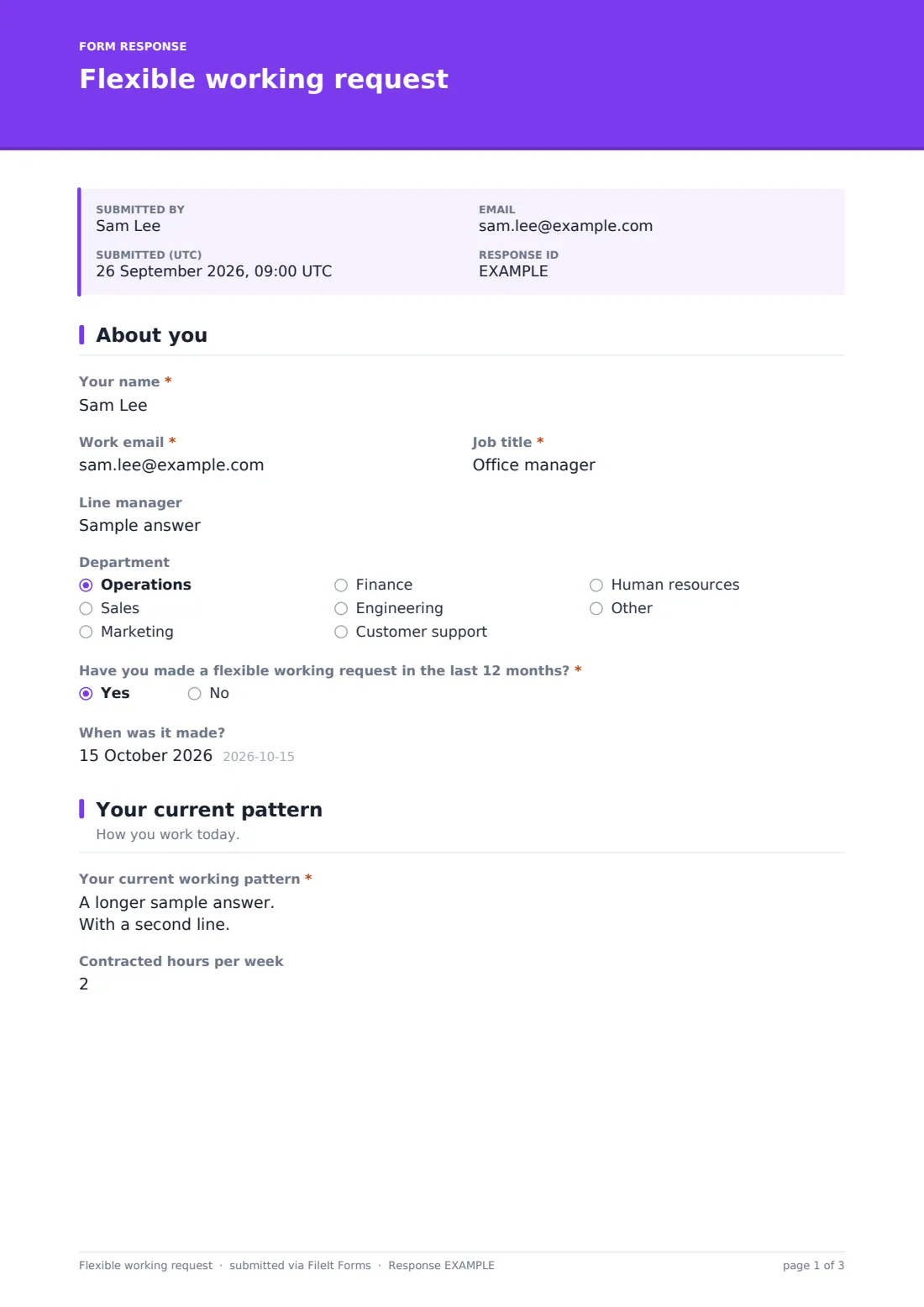
The form opens with Your name, Work email, Job title, Line manager and Department, plus a required yes/no on whether the employee has made a flexible working request in the last 12 months — revealing a date field if so, since many policies limit how often a formal request can be made.
2 Your current pattern
A Your current working pattern box asks for days, start and finish times and where the employee works today, alongside an optional Contracted hours per week — the baseline the rest of the request is measured against.
3 What you're asking for
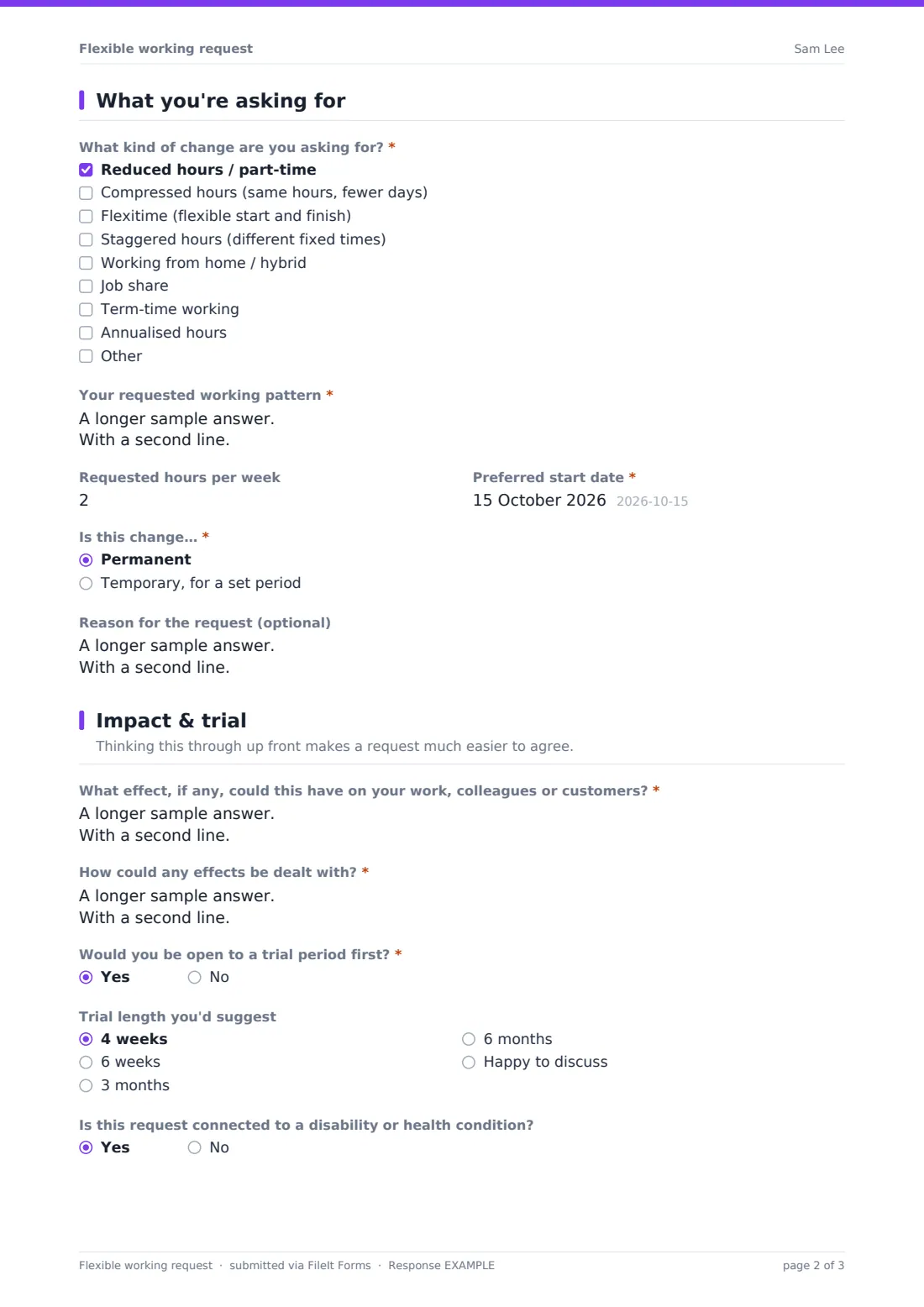
A checklist of change types covers reduced hours, compressed hours, flexitime, staggered hours, working from home or hybrid, job share, term-time working or annualised hours, with room to describe more than one. A Your requested working pattern box asks for the same level of specific detail as the current pattern, and Requested hours per week captures any change in total hours. Choosing 'working from home' reveals a question about home-working days per week, and choosing 'job share' reveals a question about a potential partner and how the role might split. A Preferred start date is required, and choosing whether the change is permanent or temporary reveals an end date for temporary requests, plus an optional Reason for the request, since many places don't require one but context can still help.
4 Impact & trial
Two required boxes ask What effect, if any, could this have on your work, colleagues or customers and How could any effects be dealt with — pushing the employee to think through cover, core hours or how they'll stay reachable before their manager has to ask. A yes/no on being open to a trial period reveals a suggested length (4 weeks, 6 weeks, 3 months, 6 months, or happy to discuss), and an optional question flags whether the request is connected to a disability or health condition, which may also make it a request for a reasonable adjustment.
5 Declaration
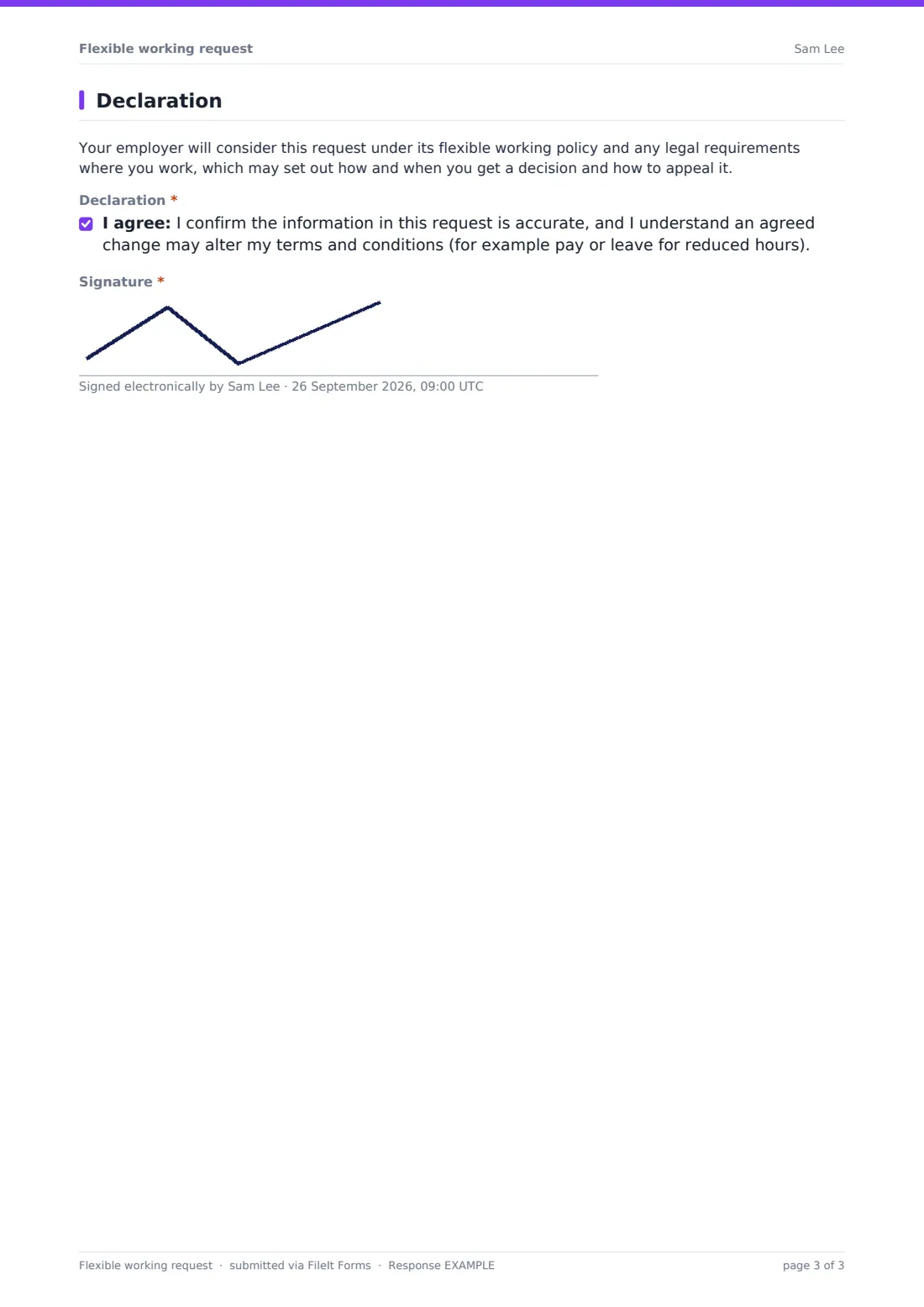
A plain note explains the request will be considered under the employer's flexible working policy and any relevant legal requirements, which may set out how and when a decision is given and how to appeal it. A declaration confirms the information is accurate and that an agreed change may affect terms such as pay or leave, and the employee signs to close the request.
Make the template yours
- Adjust the policy note to reference your own flexible working policy and statutory framework where you operate
- Change the trial length options to match what your organisation typically offers
- Add a field for the employee's preferred way to be told the outcome (meeting, email, letter)
- Set the vault folder so requests file under HR records for that employee
- Add a question asking who else has been consulted informally, such as a team huddle, before the formal request
- Turn on notification to both the line manager and HR so nobody misses a new request
Tips for a better flexible working request form
- Respond to requests within whatever timeframe your policy or local law sets out — delay is one of the most common causes of frustration
- Read the impact and mitigation sections carefully; a well-thought-out request deserves a considered, specific reply, not a form rejection
- Offer a trial period where reasonable — it de-risks saying yes and gives both sides real evidence to review later
- Keep a consistent process regardless of the reason given, since in many places employees don't have to justify a request at all
- This template and its policy note are a starting point, not legal advice — check the wording against local employment law and your own policy before relying on it
Every response becomes a PDF in your vault
The moment an employee submits their signed request, FileIt saves it as a PDF and files it in the vault folder you've set up for HR records, with an immediate email notification so the manager or HR contact can start the process without delay.
From there, most employers arrange the conversation the confirmation message promises, referring back to the specific pattern, impact and trial details the employee described. Because the whole request is saved as a signed PDF, it's easy to revisit exactly what was proposed when documenting the outcome or, if needed, an appeal.
- Start from this template. It opens in the FileIt Forms designer — change any question, add pages, set the rules for when questions appear.
- Share it. Turn on a public link, or send it to people by email, each with their own link. They don’t need a FileIt account.
- Get the answers as PDFs. Each response is saved as a PDF in the vault folder you choose, with uploaded files attached — and listed in a Responses table you can export to CSV.
Flexible working request form: frequently asked questions
Is this flexible working request form template free?
Yes, it's included in the Forms app on every FileIt account, including the free plan, and every question can be edited to match your policy.
Does an employee need a FileIt account to submit a request?
No. Share the form by link or email and the employee fills it in and signs it without needing their own account.
How do we get flexible working requests as PDFs?
Every submission, including the employee's signature, is automatically saved as a PDF in the vault folder you set up for this form.
Does this form guarantee the request will be approved?
No — it only structures how the request is made. The decision still follows your own flexible working policy and any applicable local employment law.
Can an employee request a temporary rather than permanent change?
Yes, choosing 'temporary, for a set period' reveals a field for the date the change should run until.
Is this template legal advice on flexible working rights?
No — it's a starting point for structuring a request. Review the policy note and process against employment law and your own policy where you operate.
Can two employees propose a job share using this form?
Yes, choosing job share in the change types reveals a question about a potential partner and how they'd split the role, though each employee would typically submit their own request.