What is the exit interview form template?
An exit interview form gives a departing employee a structured, confidential way to explain why they're leaving, rate their experience, and offer advice — feedback that's often more candid and more useful than what surfaces while someone is still employed. It covers the practical details of their departure alongside their reflections on management, pay, workload and culture.
A verbal exit conversation is easy to forget details from and hard to compare across leavers over time. A written, online form captures the same structured information every time, only shows follow-up questions when they're relevant (for example, asking what would have made things better only from someone who rated their overall experience poorly), and gives HR a consistent record to spot patterns in why people leave.
Built with FileIt's Forms app, this template can be sent as a personal email invitation to each leaver or shared by link — no FileIt account is needed on their end. Every completed interview becomes a PDF, filed automatically into your FileIt vault, ready to review alongside other HR records.
- Best for
- HR teams and managers gathering structured feedback from a departing employee
- Filled in by
- The leaving employee, with no account needed
- Time to complete
- About 10 minutes, as noted on the cover
- Includes
- Conditional follow-up questions, a satisfaction rating grid, and an eNPS-style recommendation score
Who uses a exit interview form?
- HR collecting a consistent exit record for every departure, whether resignation, retirement or redundancy
- A manager wanting honest feedback on their own management style before the employee leaves
- A company tracking recurring reasons for turnover (pay, workload, culture) across many exits over time
- A team building a handover note by asking a leaver for advice for whoever takes over their role
- An organisation that wants a private, written record in case a leaver later wants to raise a concern formally
- A business benchmarking how likely leavers are to recommend it as an employer, to compare against new-hire and engagement survey scores
Questions on this exit interview form
21 questions over 4 pages · includes conditional questions, multiple pages, consent checkbox, ratings.
1 About your role
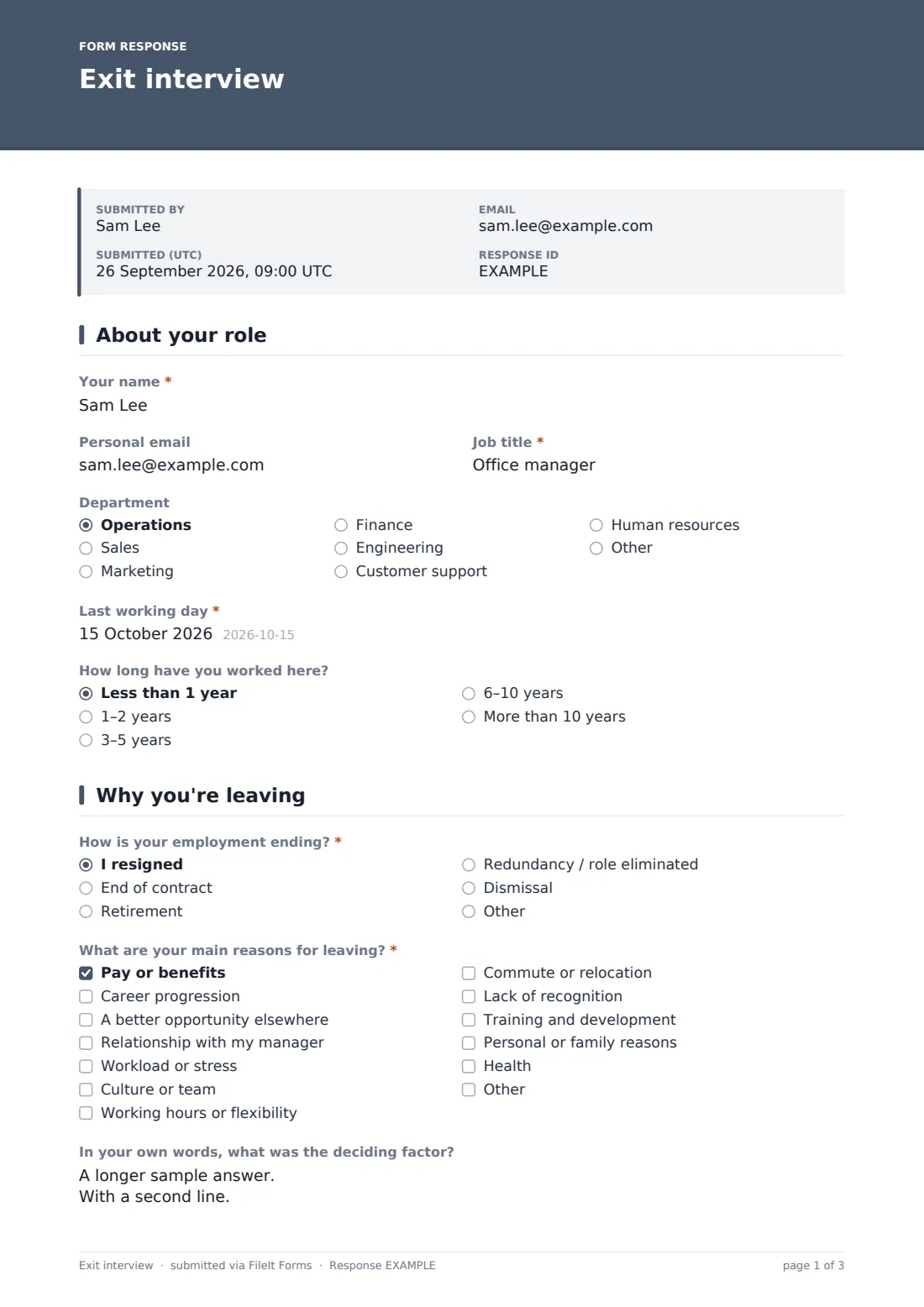
- Your name*
- Personal email
- Job title*
- Department Operations · Sales · Marketing · Finance · Engineering · Customer support · Human resources · Other
- Last working day*
- How long have you worked here? Less than 1 year · 1–2 years · 3–5 years · 6–10 years · More than 10 years
2 Why you're leaving
- How is your employment ending?* I resigned · End of contract · Retirement · Redundancy / role eliminated · Dismissal
- What are your main reasons for leaving?* Pay or benefits · Career progression · A better opportunity elsewhere · Relationship with my manager · Workload or stress · Culture or team · Working hours or flexibility · Commute or relocation · Lack of recognition · Training and development · Personal or family reasons · Health
- In your own words, what was the deciding factor?
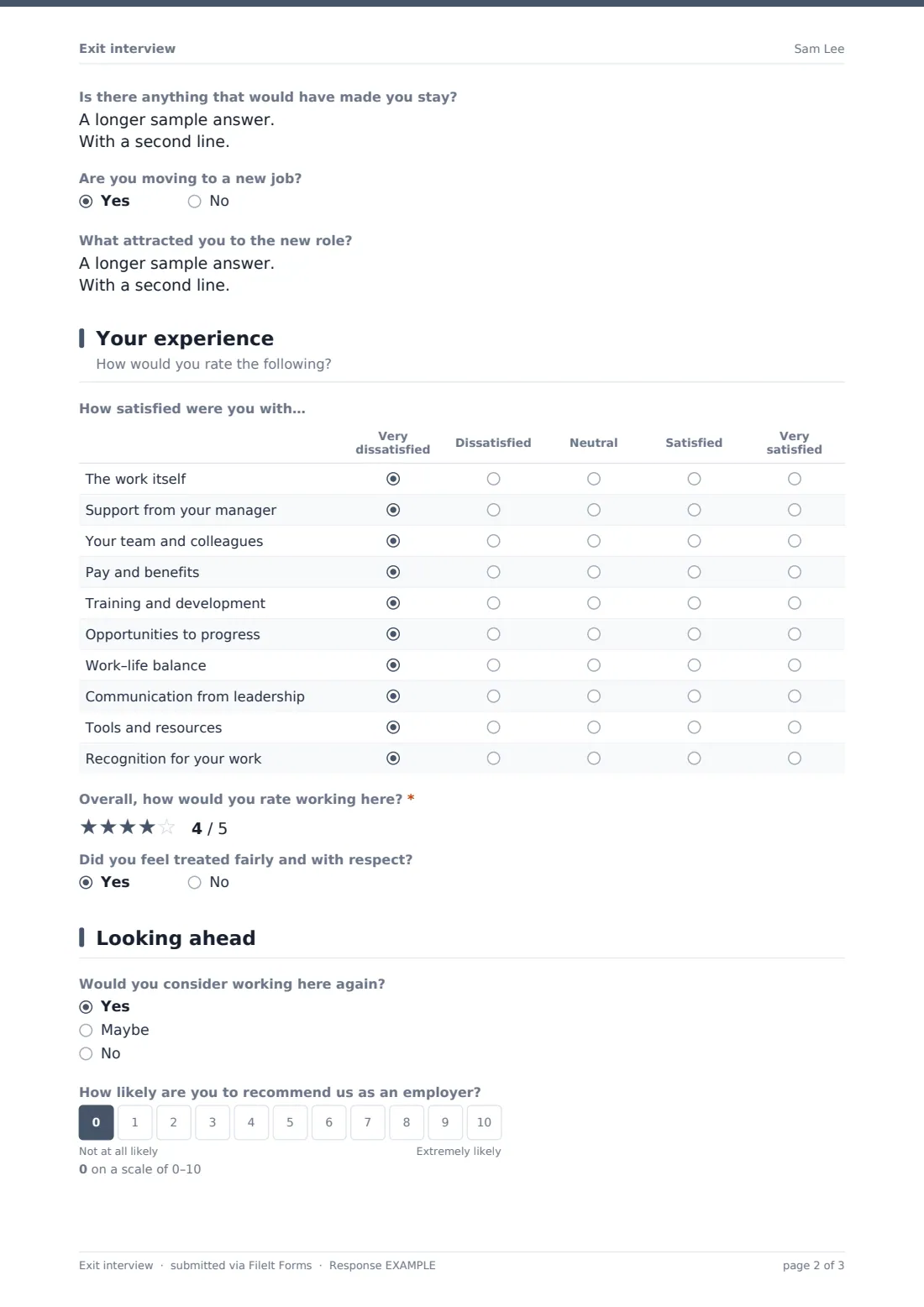
- Is there anything that would have made you stay?
- Are you moving to a new job?
- What attracted you to the new role? asked only when it applies
3 Your experience
- How satisfied were you with… Very dissatisfied · Dissatisfied · Neutral · Satisfied · Very satisfied
- Overall, how would you rate working here?*
- What would have made it better? asked only when it applies
- Did you feel treated fairly and with respect?
- Please tell us more asked only when it applies
4 Looking ahead
- Would you consider working here again? Yes · Maybe · No
- How likely are you to recommend us as an employer?
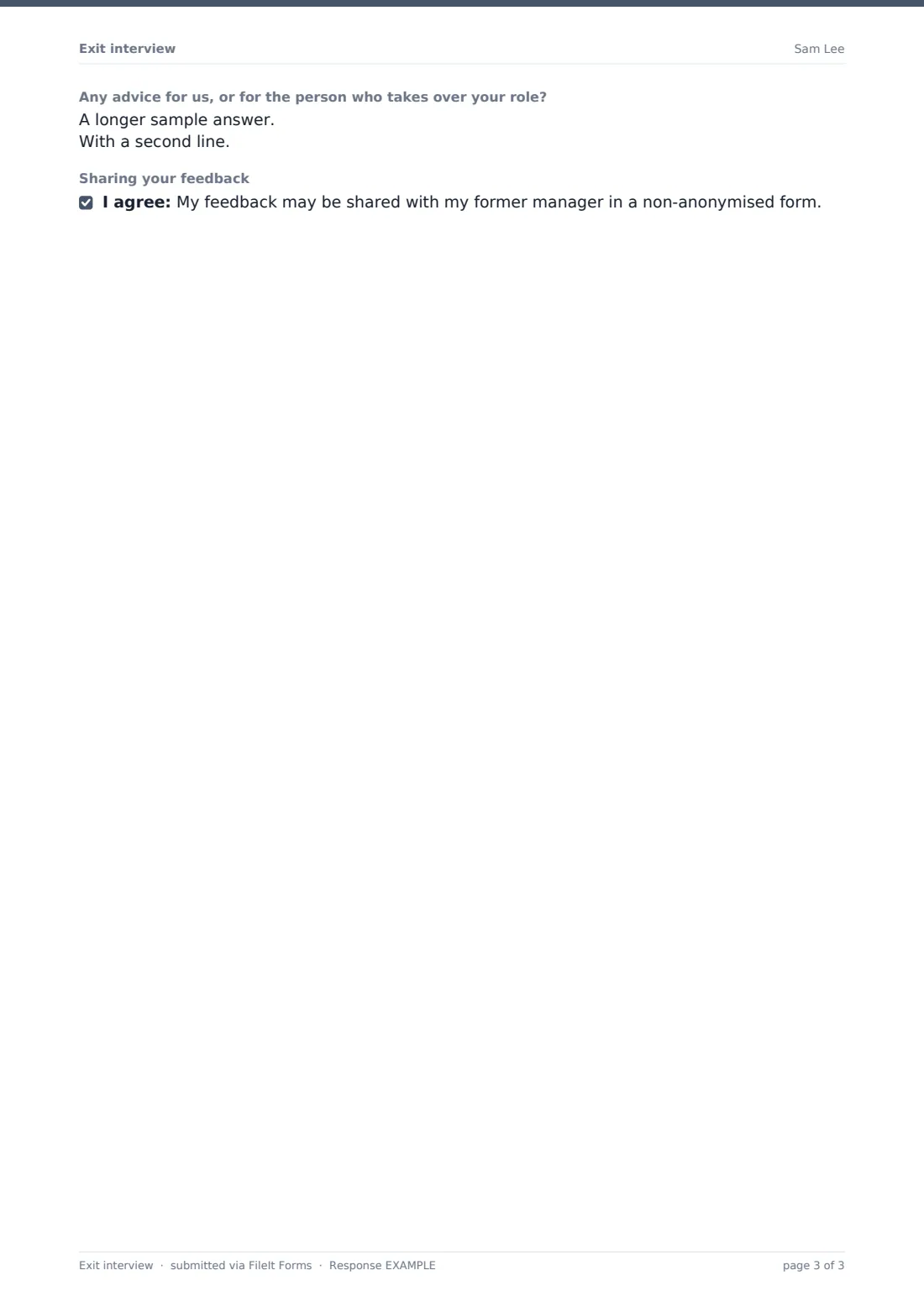
- Any advice for us, or for the person who takes over your role?
- Sharing your feedback
The exit interview form, page by page
1 About your role
The form opens with Your name, an optional Personal email (noted as useful for sending a copy or staying in touch), Job title, Department, and the required Last working day. How long have you worked here? rounds out the page, giving HR context for interpreting the answers that follow — a two-month hire and a ten-year veteran often leave for very different reasons.
2 Why you're leaving
How is your employment ending? covers resignation, end of contract, retirement, redundancy or dismissal, with room to specify something else. What are your main reasons for leaving? is a multi-select checklist spanning pay or benefits, career progression, a better opportunity elsewhere, relationship with a manager, workload or stress, culture or team, working hours or flexibility, commute or relocation, lack of recognition, training and development, personal or family reasons, and health.
Two open questions follow: In your own words, what was the deciding factor? and Is there anything that would have made you stay? — giving space for nuance beyond the checkboxes. A yes/no question, Are you moving to a new job?, reveals What attracted you to the new role? when answered yes, which the form notes helps the organisation see what it could offer to be more competitive.
3 Your experience
A satisfaction matrix, How satisfied were you with…, rates ten areas from Very dissatisfied to Very satisfied: the work itself, manager support, team and colleagues, pay and benefits, training and development, progression opportunities, work-life balance, leadership communication, tools and resources, and recognition. Overall, how would you rate working here? uses a five-point rating; scoring below 3 reveals What would have made it better?, turning a low score into specific, actionable feedback.
Did you feel treated fairly and with respect? is a direct yes/no, and answering no opens a confidential follow-up field, with a note that this will be handled confidentially and an invitation to raise a formal concern if the leaver wants to.
4 Looking ahead
Would you consider working here again? offers Yes, Maybe or No, and How likely are you to recommend us as an employer? uses the same 0–10 scale style as an employee Net Promoter Score. Any advice for us, or for the person who takes over your role? invites practical handover thoughts, and the form closes with an optional consent statement asking whether the leaver is comfortable having their feedback shared with their former manager in a non-anonymised form — giving them control over how candid they can be.
Make the template yours
- Adjust the reasons-for-leaving checklist to reflect categories that matter most to your organisation
- Make the consent-to-share question required if your process always needs a clear answer either way
- Add a department-specific question for teams with unique handover needs
- Set the vault folder so exit interviews file automatically into an HR or offboarding folder
- Turn on an emailed PDF copy to the leaver's personal email so they keep a copy of what they submitted
- Send the form automatically as part of your offboarding checklist rather than manually to each leaver
- Add or remove rows in the satisfaction matrix to track new areas you care about this year
Tips for a better exit interview form
- Send the interview close to the last working day, while impressions are still fresh
- Make clear whether responses will be shared with the departing employee's manager, since the form's own consent question depends on that being genuine
- Read low overall ratings and their follow-up comments carefully — they're often the most candid feedback a company gets
- Look at reasons for leaving in aggregate over several exits, not just as one-off comments, to spot real patterns
- Take any "treated unfairly" answers seriously and follow your organisation's process for handling concerns raised this way
- Use the advice question to genuinely inform handover documents for the next person in the role
Every response becomes a PDF in your vault
Once the leaver submits the form, FileIt saves their answers as a PDF in the HR folder you've set up in your vault, and you receive an email notification for each new response. If you've turned on the optional copy, the employee can also receive their own PDF at the personal email they provided.
Every exit interview appears in your Responses table, where you can filter by department, leaving reason or rating, open individual PDFs, or export the full set to CSV for turnover analysis — useful for spotting trends across a quarter or year and for building talking points for leadership on retention.
- Start from this template. It opens in the FileIt Forms designer — change any question, add pages, set the rules for when questions appear.
- Share it. Turn on a public link, or send it to people by email, each with their own link. They don’t need a FileIt account.
- Get the answers as PDFs. Each response is saved as a PDF in the vault folder you choose, with uploaded files attached — and listed in a Responses table you can export to CSV.
Exit interview form: frequently asked questions
Is this exit interview form template free?
Yes. It's one of over 160 ready-made templates included in FileIt's Forms app on every account, including the free plan, and every question can be edited.
Does the departing employee need a FileIt account?
No. They can complete the form from an emailed link or a shared link without creating an account.
How confidential are the answers?
The form asks the leaver directly whether they're comfortable having their feedback shared with their former manager in a non-anonymised form — how you actually handle confidentiality is up to your organisation's own policy.
How do I collect and review exit interview responses?
Each submission is saved automatically as a PDF in your FileIt vault and also appears in a Responses table you can filter and export to CSV.
Can I customize the reasons-for-leaving options?
Yes, every checklist, question and page in the template is fully editable in FileIt's drag-and-drop designer.
Does this form handle legal or HR compliance requirements for offboarding?
No, it's a feedback and record-keeping tool, not legal or HR advice — for anything with formal HR or legal implications, check it fits your organisation's own policies and local rules.
Can I send this automatically as part of offboarding?
You can send a personal link by email to each leaver as part of your own offboarding process; the form itself doesn't trigger automatically from another system.
What if someone says they were treated unfairly?
The form gives them a confidential space to explain more and mentions the option to raise a formal concern — your organisation should have its own process for following up on this.