What is the disciplinary meeting record form template?
Whoever chairs a disciplinary hearing, or takes notes at one, needs to capture the same things every time: who was there, exactly what was said on both sides, and what was decided — written down as soon as possible, before memory starts to fade. This template is built around that sequence, from the meeting's basic details through to the outcome and the employee's right to appeal.
Filling it in online, right after the meeting, beats typing up scattered notes later from memory or a notepad: the structure prompts the note-taker for details that are easy to forget under pressure, like whether the employee was told about the allegations in writing beforehand, or whether they were accompanied. Conditional questions only ask for extra detail where it applies — for example, a companion's role, or the reasons for a decision, only appear once the relevant earlier answer is given.
Once completed, FileIt saves the record as a PDF in the vault folder you choose, giving HR a dated, consistent file for every stage of the process — investigation, hearing and any appeal.
- Best for
- HR teams and meeting chairs documenting disciplinary or investigation meetings
- Filled in by
- The person chairing the meeting, or the note-taker
- Time to complete
- About 10 minutes, plus time to write out the fuller responses
- Includes
- Conditional questions, signature, several long-text fields for factual detail
Who uses a disciplinary meeting record form?
- HR teams standardizing how disciplinary and investigation meetings are recorded across the organization
- Managers who chair a meeting themselves and need a consistent format to write it up afterward
- Organizations building a dated file that tracks an employee through investigation, hearing and appeal stages
- Teams that want to confirm, on the record, whether procedural steps — written notice, the right to be accompanied — actually happened
- Anyone who needs a factual account of both the allegations and the employee's response, kept separate from the eventual decision
Questions on this disciplinary meeting record form
33 questions over 4 pages · includes signature, conditional questions, multiple pages, consent checkbox.
1 Meeting details
- Employee's name*
- Employee's job title
- Department Operations · Sales · Marketing · Finance · Engineering · Customer support · Human resources · Other
- Type of meeting* Investigation meeting · Disciplinary hearing · Appeal hearing
- Date*
- Start time
- Held In person · By video call · By phone
- Location
- Chaired by (name and role)*
- Notes taken by
- Others present
- Was the employee told in writing, before the meeting, about the meeting and the allegations?*
- Date notice was given asked only when it applies
- Was the employee accompanied?*
- Companion's name asked only when it applies
- Companion was a… asked only when it applies Colleague · Trade union representative
2 Allegations & response
- Allegations discussed*
- Evidence presented
- The employee's response*
- Mitigating circumstances raised
- Was the meeting adjourned (e.g. for further investigation)?
- Why, and what happens next? asked only when it applies
3 Outcome
- Outcome* Decision to follow in writing · No further action · Informal action / management advice · First written warning · Final written warning · Dismissal
- Decision expected by asked only when it applies
- Reasons for the decision* asked only when it applies
- Improvement expected, support offered and review period asked only when it applies
4 Right to appeal & sign-off
- Was the employee told of their right to appeal?*
- Appeal deadline asked only when it applies
- Appeals to be sent to asked only when it applies
- Has the employee been offered a copy of these notes?
- Your email (person completing this record)*
- Record*
- Signature of chair or note-taker*
The disciplinary meeting record form, page by page
1 Meeting details
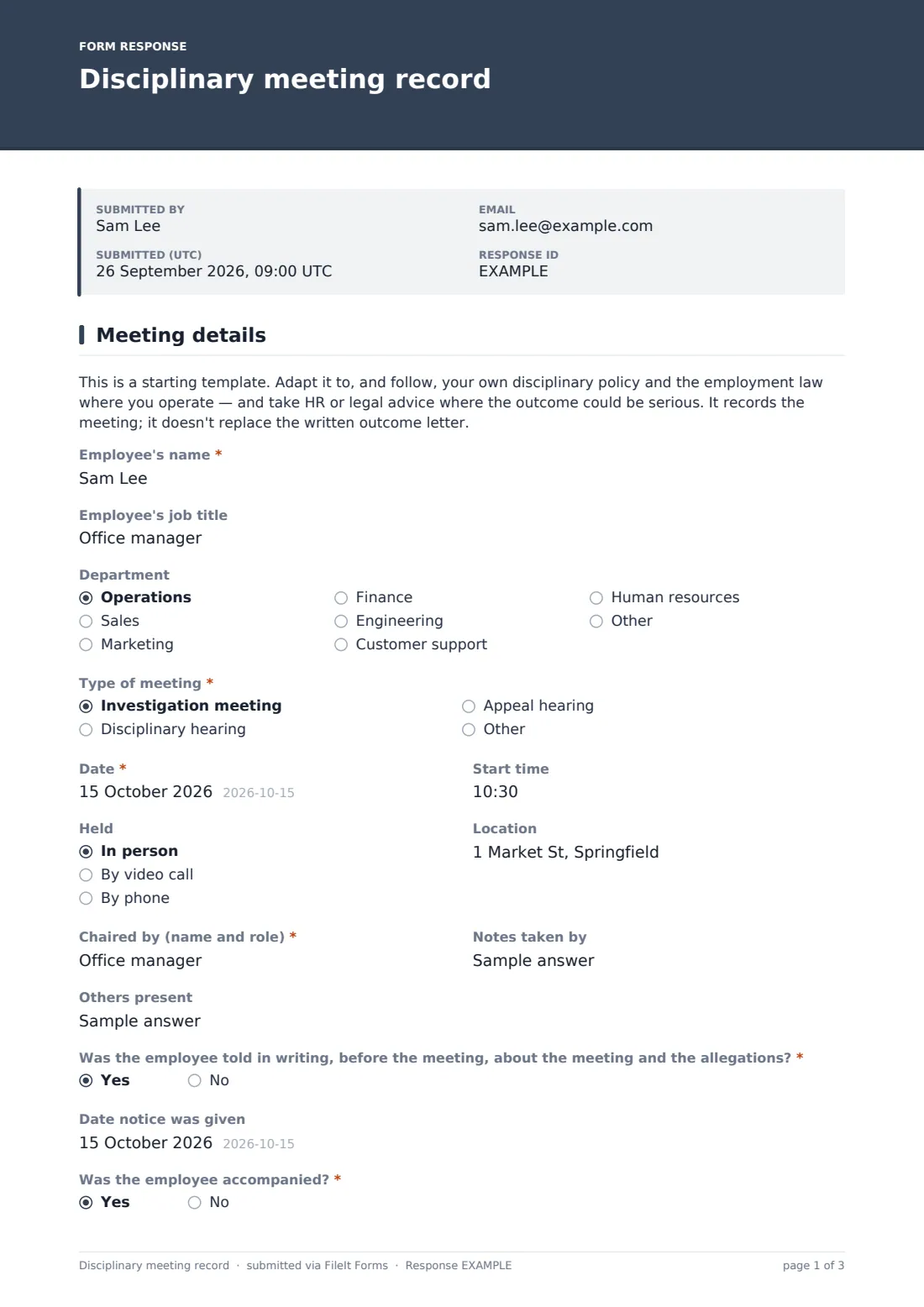
This page opens with a reminder that the template is a starting point to be adapted to your own disciplinary policy, and that it records the meeting rather than replacing the written outcome letter. It then works through the practical facts: the employee's name, job title and department; the Type of meeting — investigation, hearing or appeal; date, time and format (in person, video or phone); who chaired it and who took notes; and any others present.
Two yes/no questions matter for a fair process: Was the employee told in writing, before the meeting, about the meeting and the allegations?, which reveals a date field if answered yes, and Was the employee accompanied?, which opens fields for the companion's name and whether they attended as a colleague or a trade union representative.
2 Allegations & response
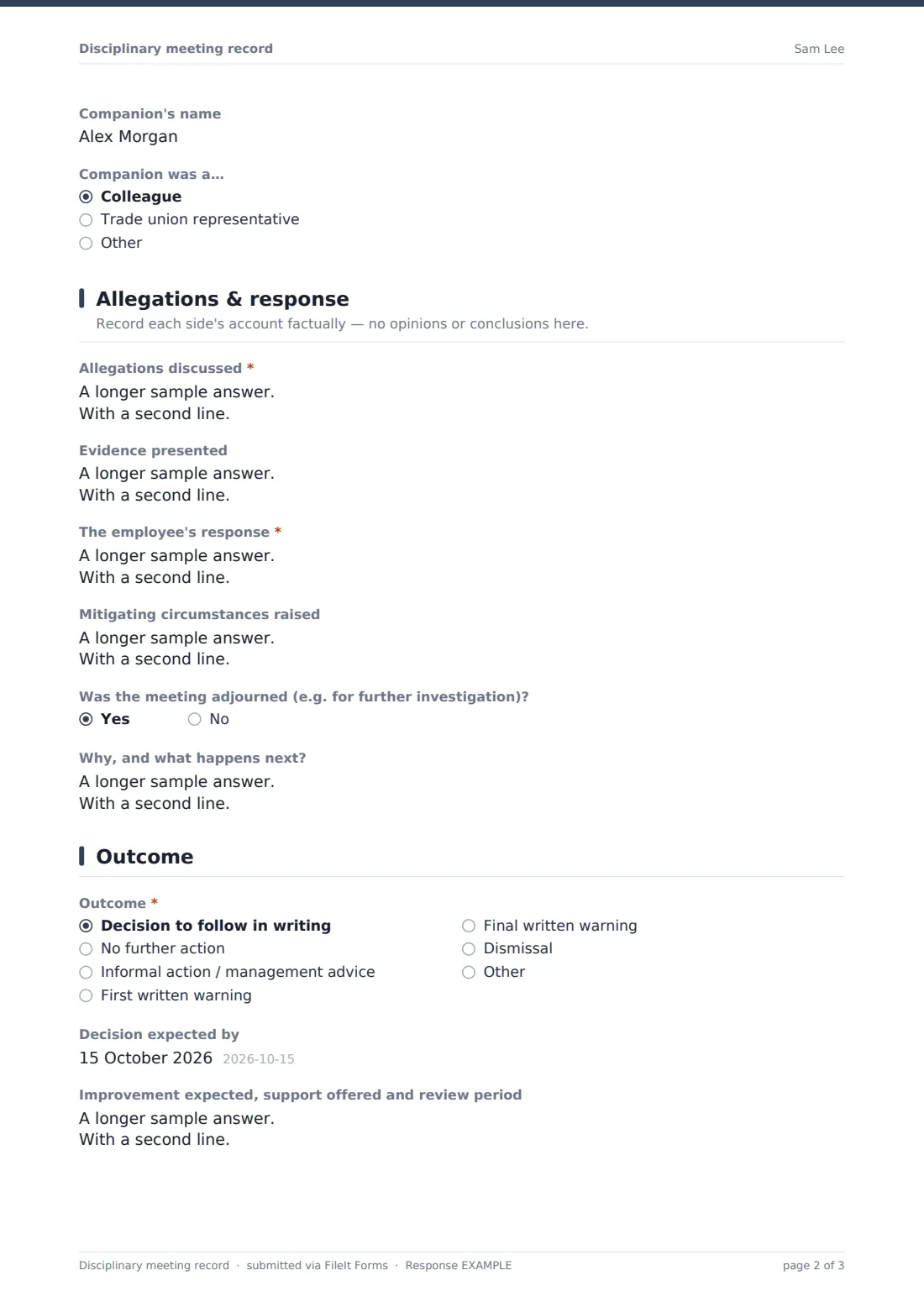
This page is deliberately kept factual — its description reminds whoever's filling it in to record each side's account without opinions or conclusions. Allegations discussed captures what was put to the employee, as set out in the invitation letter, and an optional Evidence presented field notes any documents or records referred to. The employee's response records their account in their own words as far as possible, including anything they disputed or accepted, and an optional Mitigating circumstances raised field captures anything they offered in their defense.
If the meeting didn't reach a conclusion on the spot, Was the meeting adjourned? opens a field for why, and what happens next — useful when further investigation is needed before a decision can be made.
3 Outcome
Outcome offers a set of standard results — decision to follow in writing, no further action, informal action, a first or final written warning, or dismissal — with room to describe another outcome if none of those fit. Choosing decision to follow in writing opens a field for when the decision is expected; choosing anything else requires Reasons for the decision, so the record always explains why a result was reached, not just what it was. An optional field for improvement expected, support offered and review period appears for every outcome except no further action.
4 Right to appeal & sign-off
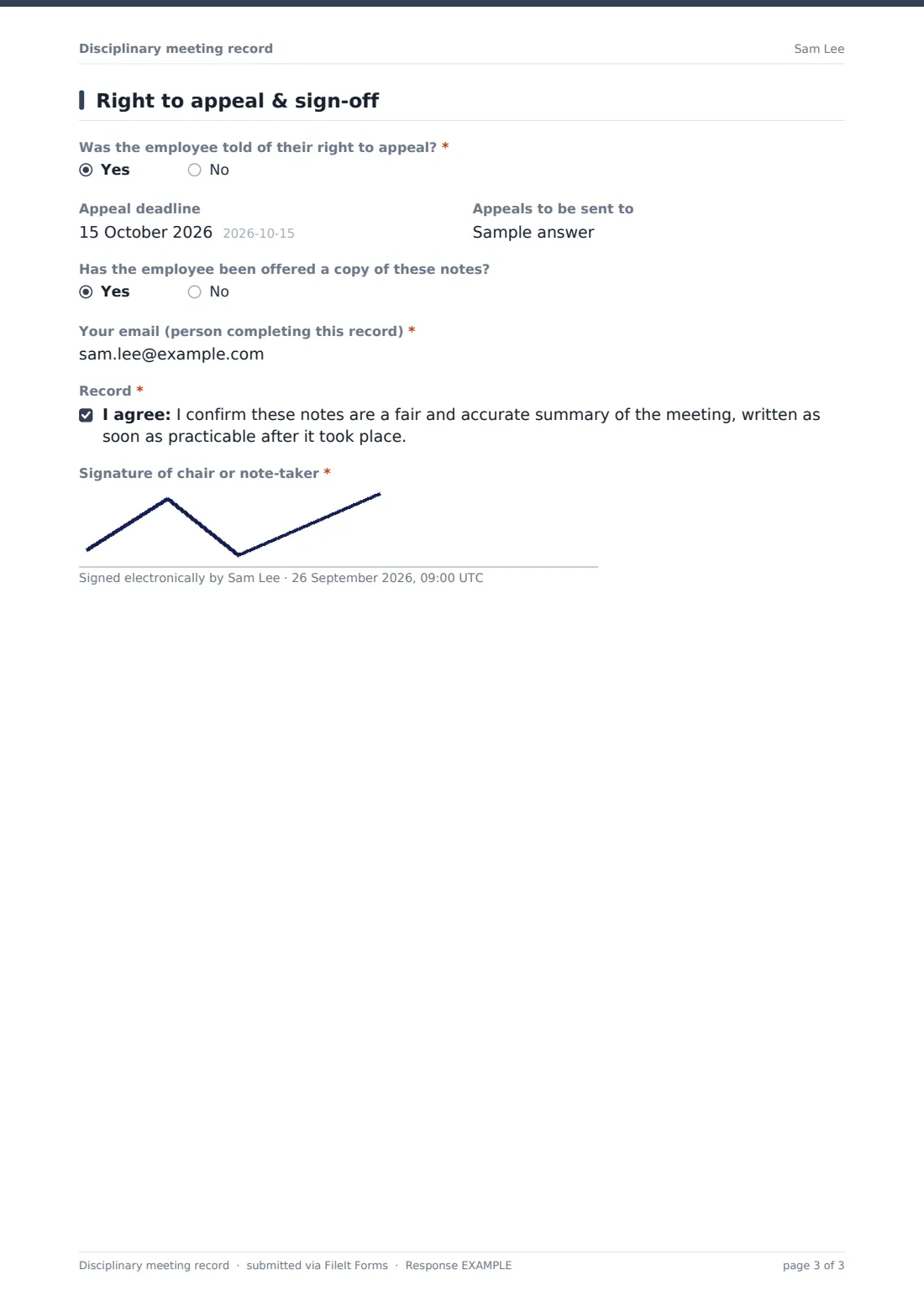
The last page confirms whether the employee was told of their right to appeal, and if so, captures the appeal deadline and who appeals should be sent to. It also records whether the employee has been offered a copy of the notes, and takes the email of whoever completed the record. A closing declaration confirms the notes are a fair and accurate summary written as soon as practicable after the meeting, followed by the chair or note-taker's signature.
Make the template yours
- Adapt the outcome options and warning stages to match your own disciplinary policy
- Add fields for a case or reference number if you track disciplinary matters in another system
- Restrict the vault folder these records are filed into to HR and the relevant manager only
- Add a question capturing which policy or procedure the meeting was conducted under
- Turn off emailed copies for this template, since disciplinary records are usually kept internal rather than sent out automatically
- Add a follow-up review date field if your process includes a formal check-in after a warning
Tips for a better disciplinary meeting record form
- Write the record up as soon as possible after the meeting, while the details are still fresh
- Keep the allegations and response sections strictly factual — save any analysis or reasoning for the outcome section
- Record procedural steps explicitly, such as written notice given or the right to be accompanied offered, rather than assuming they'll be remembered later
- Follow your own disciplinary policy and the employment law that applies to you, and get HR or legal advice where the outcome could be serious — this template is a starting point for note-taking, not a substitute for that policy or advice
- Keep these records restricted to the people who need them, since they typically contain sensitive information about an individual employee
Every response becomes a PDF in your vault
As soon as the record is submitted, FileIt saves it as a PDF in the vault folder you've set up for HR or disciplinary records, and notifies whoever you've configured to receive new submissions — typically HR. Because it's a signed, dated PDF from the moment it's created, it stands as a fixed record of what was discussed and decided at that stage of the process.
From there, HR typically uses the record to draft the written outcome letter the employee is separately entitled to, and files it alongside any earlier investigation notes so the full history of the case is in one place. If an appeal follows, the same template can be used again for that meeting, and the Responses table makes it easy to find every record relating to one employee.
- Start from this template. It opens in the FileIt Forms designer — change any question, add pages, set the rules for when questions appear.
- Share it. Turn on a public link, or send it to people by email, each with their own link. They don’t need a FileIt account.
- Get the answers as PDFs. Each response is saved as a PDF in the vault folder you choose, with uploaded files attached — and listed in a Responses table you can export to CSV.
Disciplinary meeting record form: frequently asked questions
Is this disciplinary meeting record template free to use?
Yes. It's part of FileIt's template library, included on every account including the free plan, with no extra cost for the template or the Forms designer.
Does the employee fill in any part of this form themselves?
No. It's designed to be completed by whoever chairs the meeting or takes the notes, as a record of what happened, not something sent to the employee to fill in.
How do I get the completed record as a PDF?
Every submission is automatically saved as a signed PDF in the vault folder you chose when setting up the form, and can be opened any time from the Responses table.
Does this form replace the written outcome letter sent to the employee?
No. The template itself notes that it records the meeting; sending a separate written outcome to the employee remains a step in your own process.
Is this template legally compliant with disciplinary procedure requirements?
No form can guarantee that on its own. This template is a starting point for note-taking — adapt it to your own disciplinary policy and the employment law that applies to you, and get advice where the situation is serious.
Can I use the same template for investigation meetings, hearings and appeals?
Yes. The Type of meeting question covers all three, so you can reuse one template throughout a case.
Who should have access to these records?
That's your choice — you pick which vault folder each response is filed into, so you can route disciplinary records to a folder restricted to HR and the relevant manager.
Can I edit the list of possible outcomes?
Yes. The outcome options, along with every other question, can be edited, reordered or removed in the designer to match your own policy.