What is the probation review form template?
A probation review form gives a line manager a consistent structure to follow after meeting a new starter to discuss how their first weeks or months have gone. Instead of a free-form email or a review that lives only in someone's memory, it walks through ratings, objectives, strengths and a clear recommendation in the same order every time.
Doing this on paper or in a generic document means every manager records a different level of detail, and outcomes can be hard to compare or defend later if a decision is challenged. A form keeps every review to the same standard, captures the evidence behind a recommendation, and makes sure the employee's own comments are recorded alongside the manager's.
This template is part of FileIt's Forms app, available on every FileIt account including the free plan. Fill it in yourself after the review meeting — the employee doesn't need a FileIt account, and if you'd rather send it to another manager to complete, they don't need one either. Every completed review becomes a PDF saved automatically in your vault.
- Best for
- Line managers and HR teams reviewing a new starter's probation
- Filled in by
- The reviewing manager, after meeting the employee
- Time to complete
- About 10–15 minutes
- Includes
- Competency rating matrix, conditional recommendation logic, manager signature
Who uses a probation review form?
- An interim check-in partway through a new hire's probation period
- The final review that decides whether an employee is confirmed in post
- A review at the end of an extended probation period
- A manager documenting an agreed action plan when there are early concerns
- HR building a consistent record across every manager's probation reviews
- A manager preparing evidence before a difficult decision not to confirm someone in post
Questions on this probation review form
27 questions over 4 pages · includes signature, conditional questions, multiple pages, consent checkbox, ratings.
1 Employee & review
- Employee's name*
- Job title*
- Department Operations · Sales · Marketing · Finance · Engineering · Customer support · Human resources · Other
- Start date*
- Probation due to end*
- Reviewing manager*
- Manager's email*
- Which review is this?* Interim / mid-probation review · Final probation review · End of an extended probation
2 Performance
- How is the employee performing on…* Unsatisfactory · Needs improvement · Meets expectations · Exceeds expectations
- How far have the objectives set for probation been met?* All met · Most met · Some met · Few or none met · No objectives were set
- Strengths and achievements*
- Areas to improve
- Any concerns about attendance or timekeeping?*
- Please give details* asked only when it applies
- Training and support given so far
3 Recommendation
- Your recommendation* Interim review — on track, continue · Interim review — concerns, action plan agreed · Confirm in post — probation passed · Extend probation · Do not confirm — end employment
- Action plan: what must improve, by when, and the support you'll give* asked only when it applies
- Confirmed in post from asked only when it applies
- Extend by* asked only when it applies 1 month · 2 months · 3 months · 6 months
- What must improve during the extension, and what support will be given?* asked only when it applies
- Next review date asked only when it applies
- Reasons for not confirming* asked only when it applies
4 Discussion & sign-off
- Has this review been discussed with the employee?*
- Date discussed asked only when it applies
- Employee's comments asked only when it applies
- Confirmation*
- Manager's signature*
The probation review form, page by page
1 Employee & review
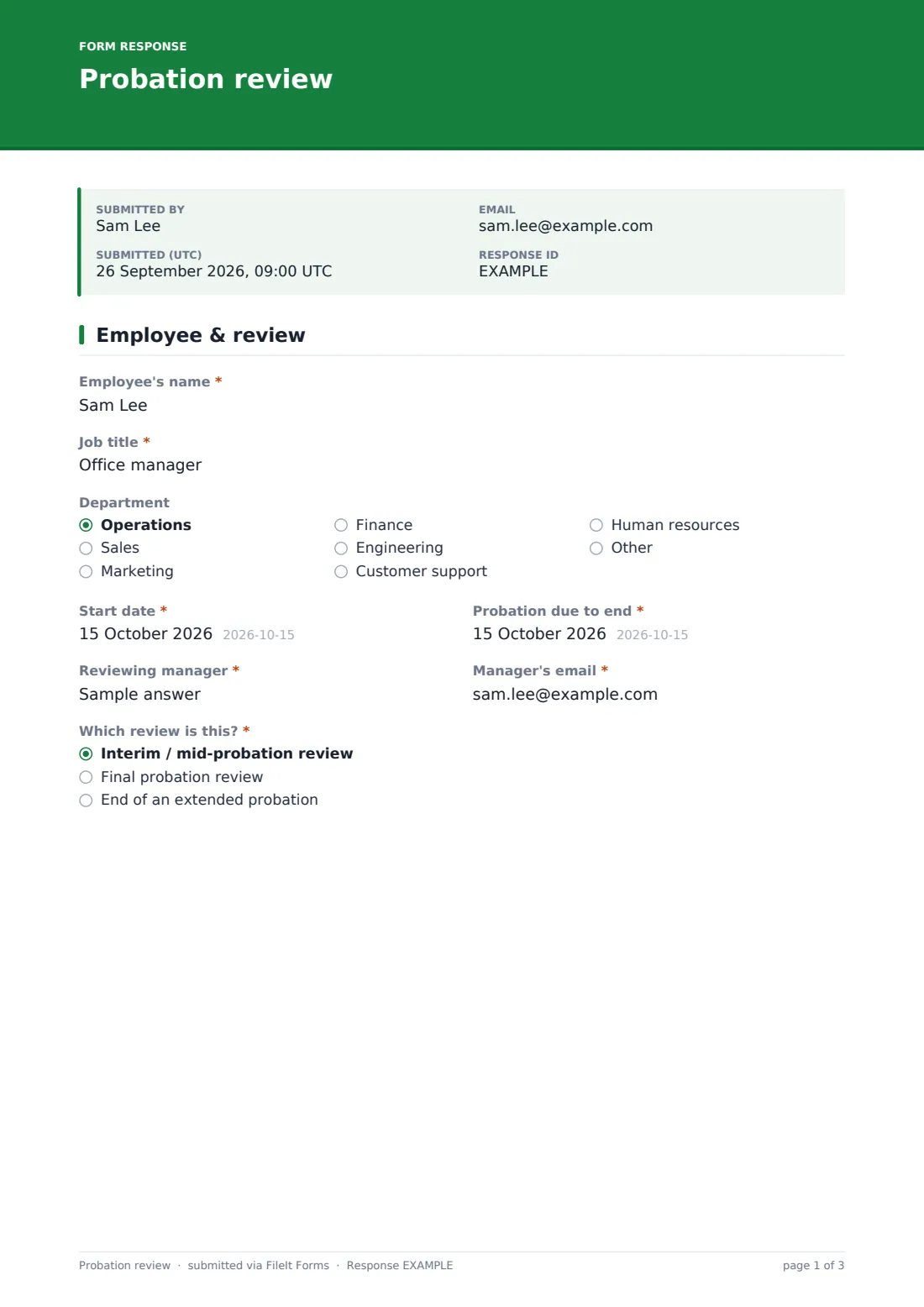
The form opens with the basics — Employee's name, Job title, Department, Start date and Probation due to end — alongside the Reviewing manager's name and email. Which review is this? then sets the tone for everything that follows, offering Interim / mid-probation review, Final probation review, or End of an extended probation.
2 Performance
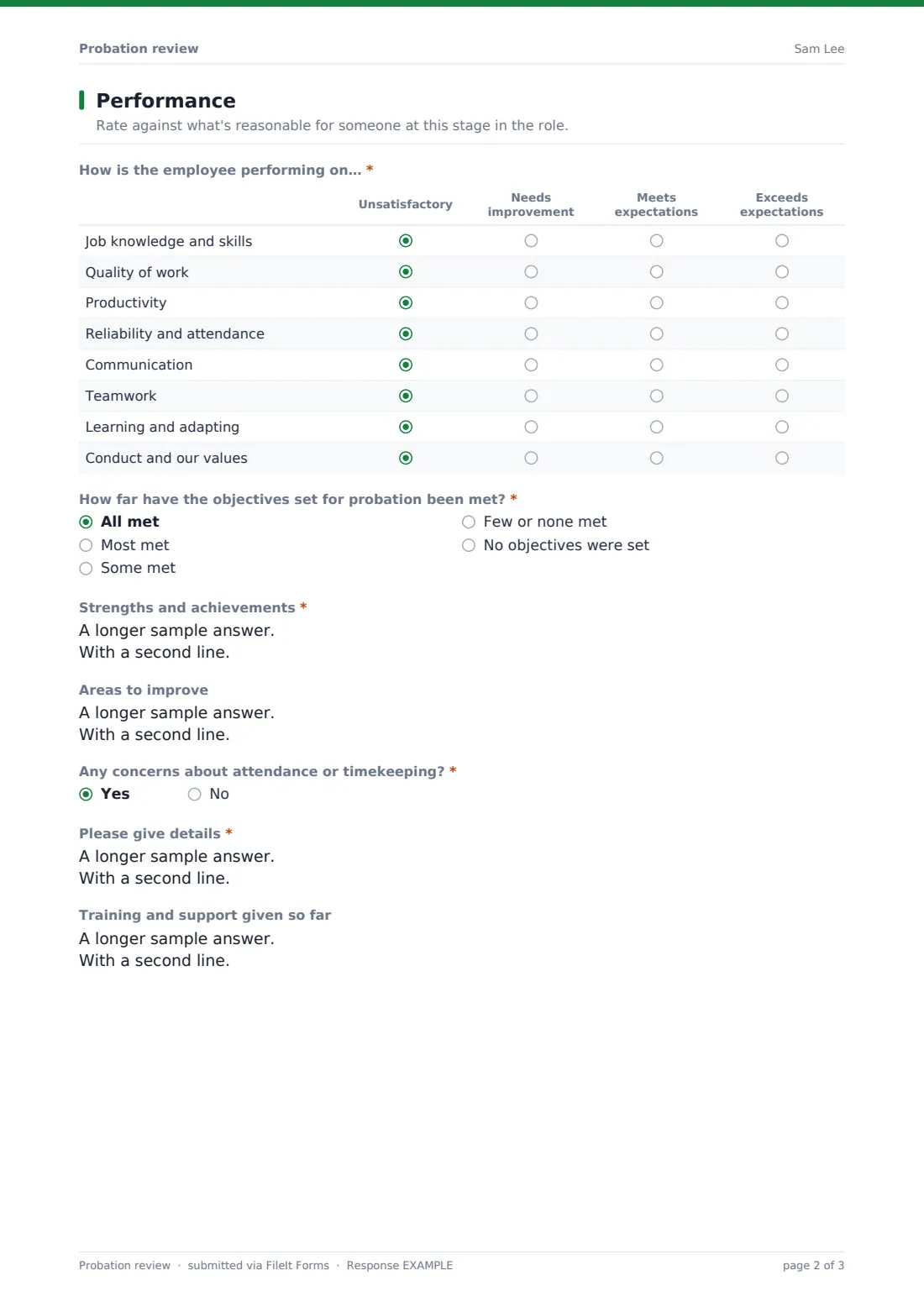
How is the employee performing on… is a rating matrix covering eight areas from job knowledge and quality of work through to communication, teamwork and conduct, each rated Unsatisfactory through Exceeds expectations. How far have the objectives set for probation been met? sits alongside open questions on Strengths and achievements and Areas to improve, so the recommendation that follows is backed by specific evidence rather than a general impression.
Any concerns about attendance or timekeeping? only opens a details field when the answer is yes, and Training and support given so far records what the employee has already been offered — useful context if the recommendation later turns out to be an extension.
3 Recommendation
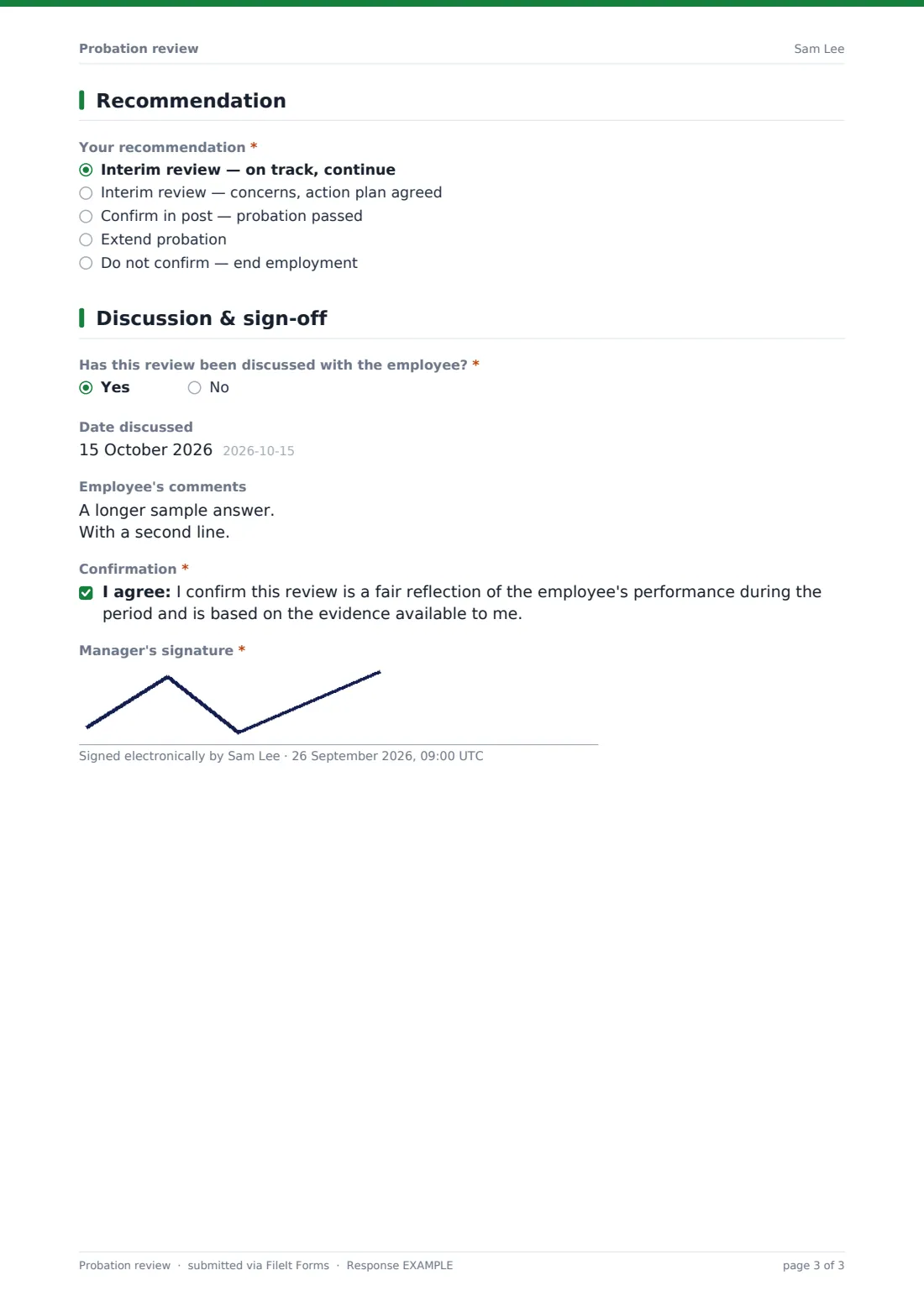
Your recommendation is the pivot point of the whole form, with five options: on track, concerns with an agreed action plan, confirm in post, extend probation, or do not confirm. Each choice reveals only the fields that matter — an action plan for concerns, a confirmation date for a pass, an extension length and fresh goals for an extension, or a required reasons field for not confirming, which is followed by a plain reminder to check your probation policy, the employee's contract and local employment law, and to take HR advice before ending anyone's employment.
4 Discussion & sign-off
Has this review been discussed with the employee? opens a date field and space for the employee's own comments whenever the answer is yes, so their perspective is captured on the same document. The manager then confirms the review is a fair reflection of the evidence available and signs it with a drawn signature before it's filed.
Make the template yours
- Adjust the competency list in the rating matrix to match your own job families or appraisal framework
- Add conditional logic so an extension automatically prompts for HR sign-off before it's finalised
- Route each review into a private folder per department or per manager in your vault
- Change the wording of the not-confirm warning to reference your own probation policy by name
- Add a field for the employee's manager one level up to countersign longer extensions
- Set a maximum number of responses if this form is only meant to be used once per employee per stage
Tips for a better probation review form
- Base every rating on specific examples you can point back to, not general impressions
- Record concerns as soon as they arise, rather than saving them all for the final review
- Give the employee a genuine chance to comment before the review is treated as final
- Keep any decision not to confirm someone in post proportionate to the evidence gathered
- Check your local employment law and internal policy before ending anyone's employment, and get HR advice
- Store every review in one place so patterns across the team are easy to spot
Every response becomes a PDF in your vault
As soon as a manager submits the review, FileIt saves it as a PDF named after the employee and files it in the vault folder you've set up — often a private HR or line-management folder. Because owner notification is switched on by default, HR or a senior manager can be alerted the moment a review is completed, which matters most for extend or do-not-confirm outcomes.
From there, most teams use the Responses table to track which reviews are due, filter by recommendation, and open the underlying PDF whenever they need the full evidence trail. The manager typically follows up by confirming the outcome to the employee in writing, exactly as the confirmation message on this template reminds them to do.
- Start from this template. It opens in the FileIt Forms designer — change any question, add pages, set the rules for when questions appear.
- Share it. Turn on a public link, or send it to people by email, each with their own link. They don’t need a FileIt account.
- Get the answers as PDFs. Each response is saved as a PDF in the vault folder you choose, with uploaded files attached — and listed in a Responses table you can export to CSV.
Probation review form: frequently asked questions
Is this probation review form template free?
Yes. It's included in the Forms app on every FileIt account, including the free plan, with no extra cost.
Does the employee need a FileIt account to be reviewed?
No. This form is completed by the manager, and even if you send it to another manager to fill in, they don't need a FileIt account either — just the link.
How do I get completed reviews as PDFs?
Each submission is automatically turned into a PDF and saved in the vault folder you choose, and the full history is browsable and exportable to CSV from the Responses table.
Can this form legally confirm or end someone's employment?
No. FileIt doesn't provide legal advice, and this template only records the manager's assessment and recommendation — any decision to extend or end employment should follow your own policy, contract terms and local employment law, ideally with HR involved.
Can I use this for more than one review stage?
Yes — the Which review is this? question covers interim, final and end-of-extension reviews, so the same template works across the whole probation period.
Can employees see or comment on the review?
The form includes a field for the employee's comments once the review has been discussed with them, so you can capture their perspective as part of the same record.
Can I add my own rating scale or competencies?
Yes. Every question, including the rating matrix's rows and scale, can be edited in the designer to match your own performance framework.
What if I recommend extending probation?
Choosing "Extend probation" reveals fields for how long, what must improve, the support you'll give, and a next review date, so the extension is documented as clearly as any other outcome.