What is the reference check form template?
A reference check form gives a referee a clear, consistent set of questions to answer about a job candidate, instead of a phone call that's hard to schedule or a vague email asking "what did you think of them?" It covers the working relationship, specific ratings, strengths, any concerns, and a direct rehire question, in that order.
Reference calls are notoriously hard to arrange around two busy diaries, and notes taken during a call can miss detail or context. A form lets a referee answer in their own time, gives every candidate the same structured assessment, and creates a written record that's easy to refer back to during a hiring decision.
This template runs on FileIt's Forms app, part of every FileIt account including the free plan. Referees fill it in without ever needing a FileIt account of their own. Every completed reference becomes a PDF, automatically filed in your vault under whichever hiring folder you choose.
- Best for
- HR teams and hiring managers checking references before an offer
- Filled in by
- A candidate's former manager, colleague or other referee
- Time to complete
- About 10 minutes
- Includes
- Working-relationship context, an 8-item rating matrix, conditional rehire follow-up questions
Who uses a reference check form?
- A hiring manager checking a reference before extending a job offer
- HR collecting references as part of a standard pre-employment process
- A recruitment agency gathering references on behalf of a client company
- A referee who managed the candidate directly giving a detailed, confidential assessment
- A referee flagging a conduct or performance concern that needs following up before hire
- A company comparing overall recommendation ratings across several candidates for the same role
Questions on this reference check form
23 questions over 4 pages · includes conditional questions, multiple pages, consent checkbox, ratings.
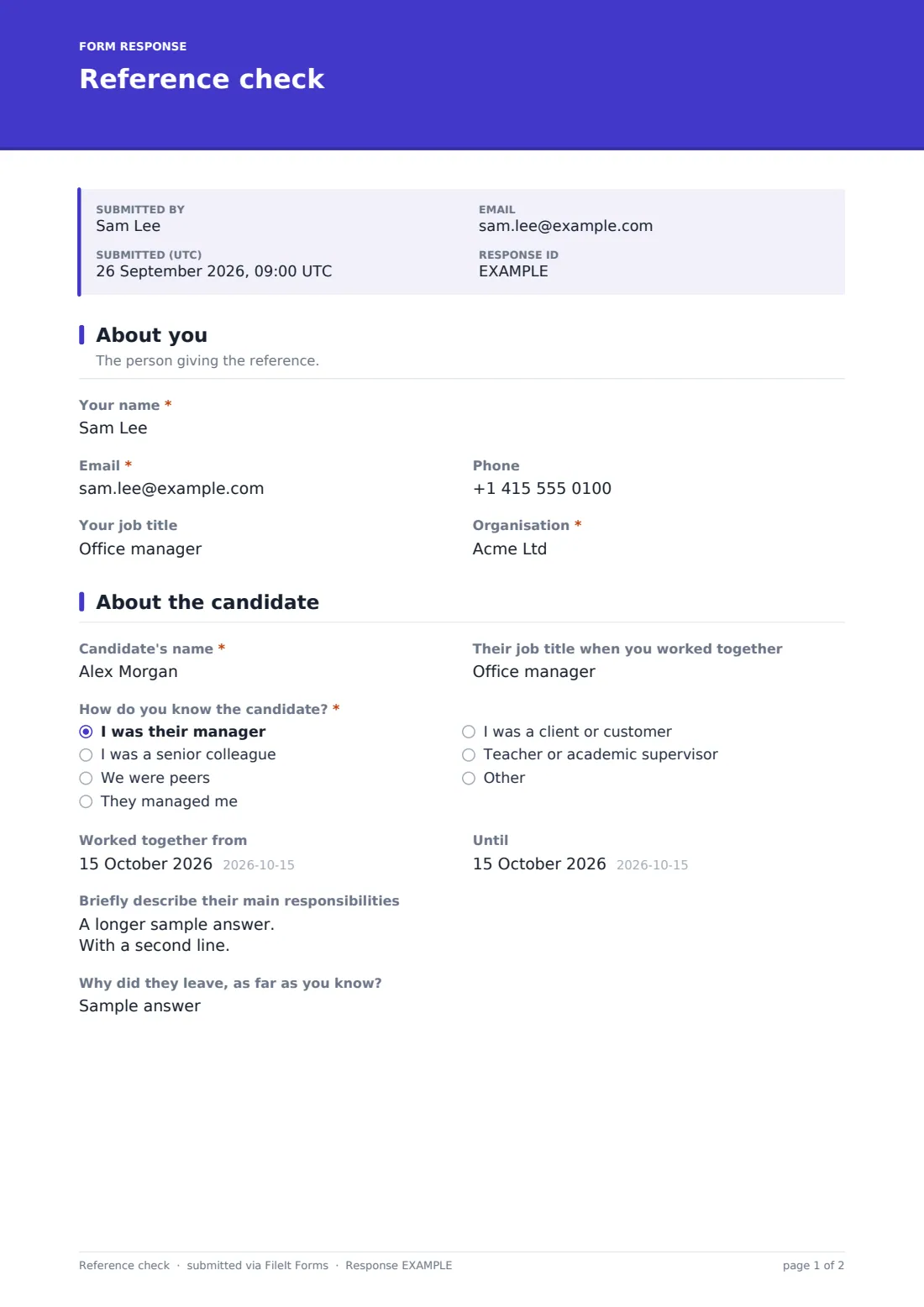
1 About you
- Your name*
- Email*
- Phone
- Your job title
- Organisation*
2 About the candidate
- Candidate's name*
- Their job title when you worked together
- How do you know the candidate?* I was their manager · I was a senior colleague · We were peers · They managed me · I was a client or customer · Teacher or academic supervisor
- Worked together from
- Until
- Briefly describe their main responsibilities
- Why did they leave, as far as you know?
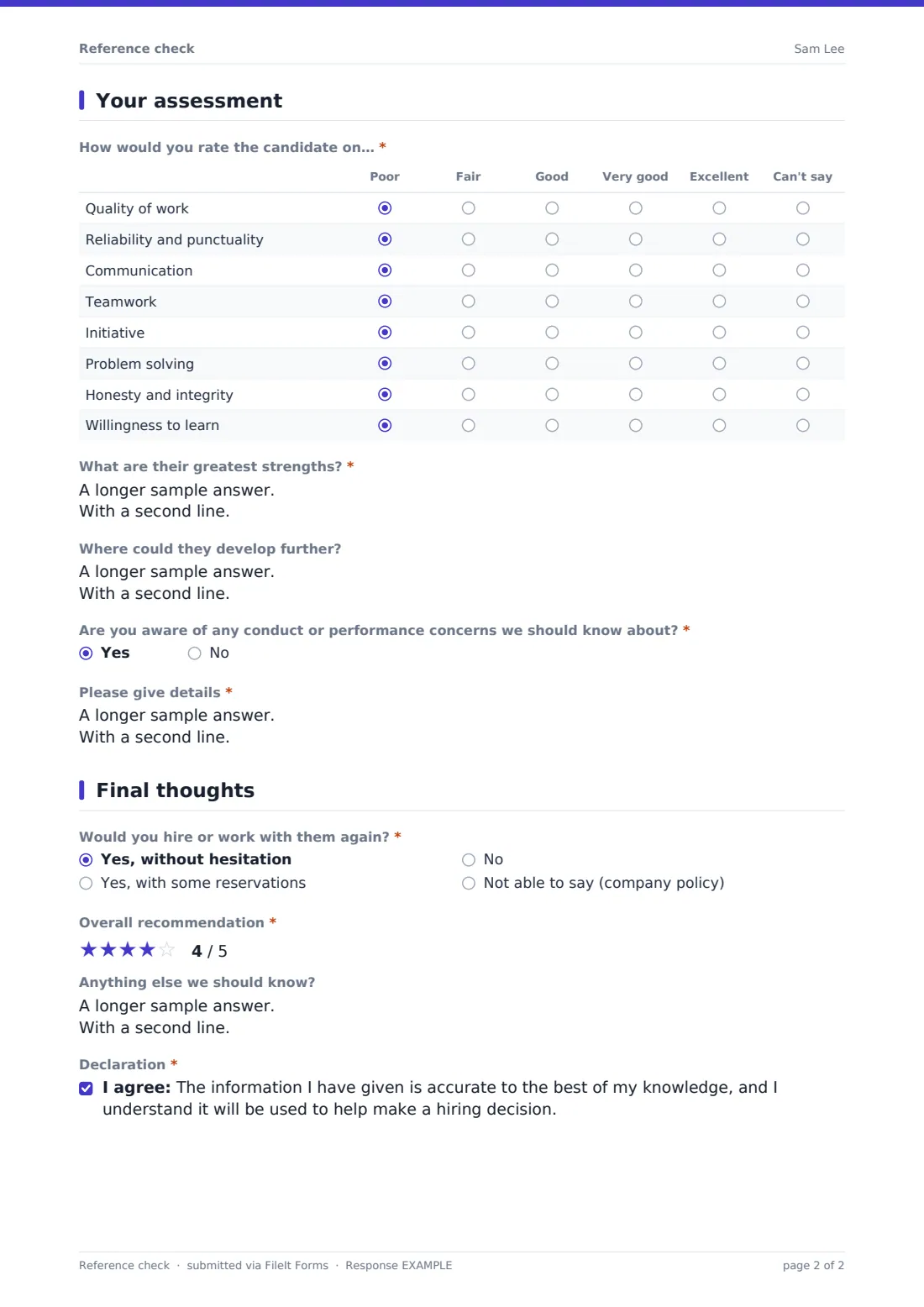
3 Your assessment
- How would you rate the candidate on…* Poor · Fair · Good · Very good · Excellent · Can't say
- What are their greatest strengths?*
- Where could they develop further?
- Are you aware of any conduct or performance concerns we should know about?*
- Please give details* asked only when it applies
4 Final thoughts
- Would you hire or work with them again?* Yes, without hesitation · Yes, with some reservations · No · Not able to say (company policy)
- Could you tell us why? asked only when it applies
- What are your reservations? asked only when it applies
- Overall recommendation*
- Anything else we should know?
- Declaration*
The reference check form, page by page
1 About you
The referee starts by giving Your name, Email, optional Phone, Your job title and Organisation — establishing who is providing the reference and their standing to do so, which matters when the reference is later reviewed alongside the candidate's application.
2 About the candidate
Candidate's name and Their job title when you worked together set the context, and How do you know the candidate? — manager, senior colleague, peer, direct report, client or academic supervisor — shapes how much weight the reference carries. Worked together from and Until (left blank if still current), Briefly describe their main responsibilities, and Why did they leave, as far as you know? give the hiring team a fuller picture of the relationship being assessed.
3 Your assessment
How would you rate the candidate on… is an eight-row matrix covering quality of work, reliability, communication, teamwork, initiative, problem solving, integrity and willingness to learn, rated from Poor to Excellent or Can't say. What are their greatest strengths? and Where could they develop further? add open, qualitative detail behind the ratings. Are you aware of any conduct or performance concerns we should know about? is required, and a yes opens a mandatory details field, so nothing serious can be glossed over.
4 Final thoughts
Would you hire or work with them again? offers without hesitation, with reservations, no, or unable to say due to company policy, with a follow-up asking why whenever the answer is no or reservations exist. Overall recommendation is a five-star rating, and Anything else we should know? leaves room for anything not already covered. The referee finishes with a declaration confirming the information given is accurate and will be used to help make a hiring decision.
Make the template yours
- Adjust the rating matrix to reflect the specific skills that matter for the role being hired
- Add a question about eligibility to work if that's part of your standard reference process
- Route completed references into a private, restricted-access folder in your vault
- Send this as a personal email link to each named referee, with their name and email prefilled
- Turn off the referee's own copy if your policy is to keep completed references confidential from them
- Add a closing date once a hiring decision has been made so no further references come in
Tips for a better reference check form
- Send the reference request as soon as you have the candidate's referee details, since replies can take time
- Ask the candidate to give referees a heads-up so the form doesn't arrive as a surprise
- Treat a "not able to say due to company policy" answer as neutral, not negative — many employers restrict what managers can say
- Follow up personally on any flagged concerns rather than relying only on the written answer
- Compare ratings across referees for the same candidate rather than relying on just one reference
- Keep completed references confidential and share them only with people directly involved in the hiring decision
Every response becomes a PDF in your vault
As soon as a referee submits their reference, FileIt saves it as a PDF titled with the referee's name and files it in the vault folder you've set up for that candidate's hiring process. With owner notification and a copy to the referee both switched on by default, your HR team hears about it right away and the referee has a record of what they submitted.
From there, most hiring teams use the Responses table to see which references are still outstanding, open each PDF alongside the candidate's application, and export details to CSV to compare ratings across candidates. The typical next step is factoring the reference into the final hiring decision alongside interviews and any other checks.
- Start from this template. It opens in the FileIt Forms designer — change any question, add pages, set the rules for when questions appear.
- Share it. Turn on a public link, or send it to people by email, each with their own link. They don’t need a FileIt account.
- Get the answers as PDFs. Each response is saved as a PDF in the vault folder you choose, with uploaded files attached — and listed in a Responses table you can export to CSV.
Reference check form: frequently asked questions
Is this reference check form template free?
Yes. It's included with the Forms app on every FileIt account, including the free plan.
Does the referee need a FileIt account to give a reference?
No. Referees fill in and submit the form using only the link or personal email invitation you send — no FileIt account is needed.
How do I get completed references as PDFs?
Every submission is automatically saved as a PDF in the vault folder you choose, and the full set is browsable and exportable to CSV from the Responses table.
Can I send this to a specific referee rather than sharing a public link?
Yes — Forms lets you email a personal link to a named referee, with their name and email address prefilled.
Are the answers kept confidential from the candidate?
FileIt encrypts answers at rest and gives you full control over who can open the response in your vault; whether you share it with the candidate is a decision for your own hiring and privacy policy.
Can I change the rating scale or questions?
Yes. Every question, including the rating matrix rows and rehire options, can be edited in the designer.
What happens if a referee flags a concern?
Answering "yes" to the concerns question opens a required details field, so any conduct or performance issue the referee wants to raise is captured in writing.
Can I collect more than one reference for the same candidate?
Yes. Allowing multiple responses lets you send the same form to several referees and compare their answers side by side.