What is the job application form template?
A job posting that just says "email your CV" leaves every application in a slightly different format, with different information included or left out. This template gives every candidate the same structured form to fill in — their details, the role they're applying for, salary expectations, right to work, experience, a cover letter, and a CV upload — so applications are easy to compare and nothing important gets missed.
The form only asks what's relevant to each candidate: someone without the right to work in the country is asked whether they'd need visa sponsorship, and someone who heard about the role through a referral is asked who referred them. Everything else stays the same length regardless of the answer, so the form doesn't feel longer than it needs to be.
Every completed application — cover letter, CV and any certificates or portfolio samples — is saved as a single PDF in your FileIt vault the moment it's submitted, so hiring managers can review, shortlist and store candidates without a separate inbox full of attachments to manage.
- Best for
- Employers hiring for any role, from a first posting through to shortlisting
- Filled in by
- The candidate
- Time to complete
- About 10-15 minutes
- Includes
- Conditional visa sponsorship question, CV and portfolio uploads, and a signed declaration
Who uses a job application form?
- A small business posting an open role on its own website and collecting applications through one link
- A hiring manager who wants every candidate's cover letter and CV filed the same way, ready to review side by side
- A company that needs to ask about right to work and possible visa sponsorship as part of every application
- A recruiter tracking where candidates found the job posting, to see which channels bring in the best applicants
- An employer collecting salary expectations up front to avoid a mismatch later in the process
- A business accepting rolling applications for multiple open roles using the same reusable form
Questions on this job application form
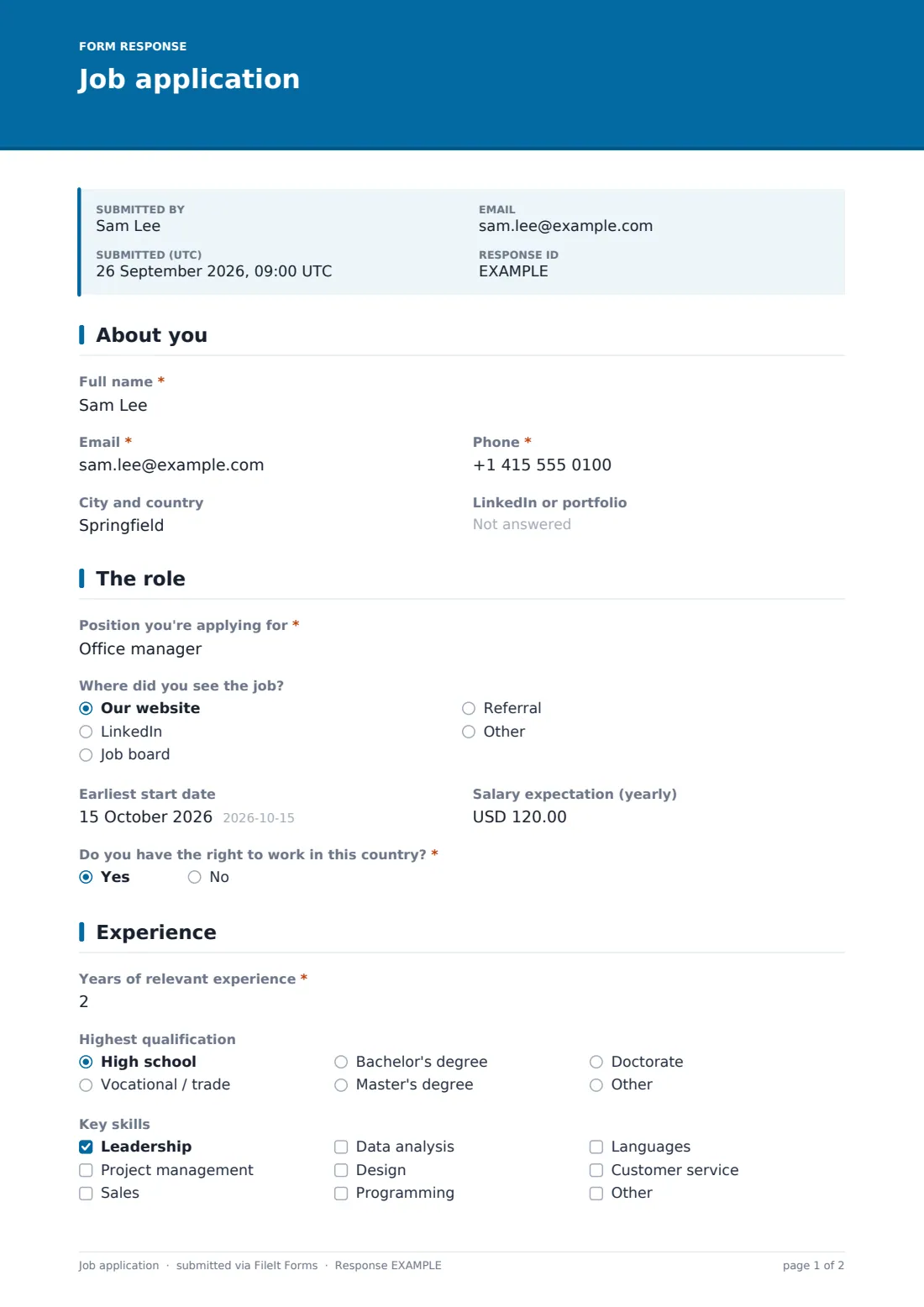
20 questions over 4 pages · includes signature, file upload, conditional questions, multiple pages, consent checkbox.
1 About you
- Full name*
- Email*
- Phone*
- City and country
- LinkedIn or portfolio
2 The role
- Position you're applying for*
- Where did you see the job? Our website · LinkedIn · Job board · Referral · Other
- Who referred you? asked only when it applies
- Earliest start date
- Salary expectation (yearly)
- Do you have the right to work in this country?*
- Will you need visa sponsorship?* asked only when it applies
3 Experience
- Years of relevant experience*
- Highest qualification High school · Vocational / trade · Bachelor's degree · Master's degree · Doctorate · Other
- Key skills Leadership · Project management · Sales · Data analysis · Design · Programming · Languages · Customer service
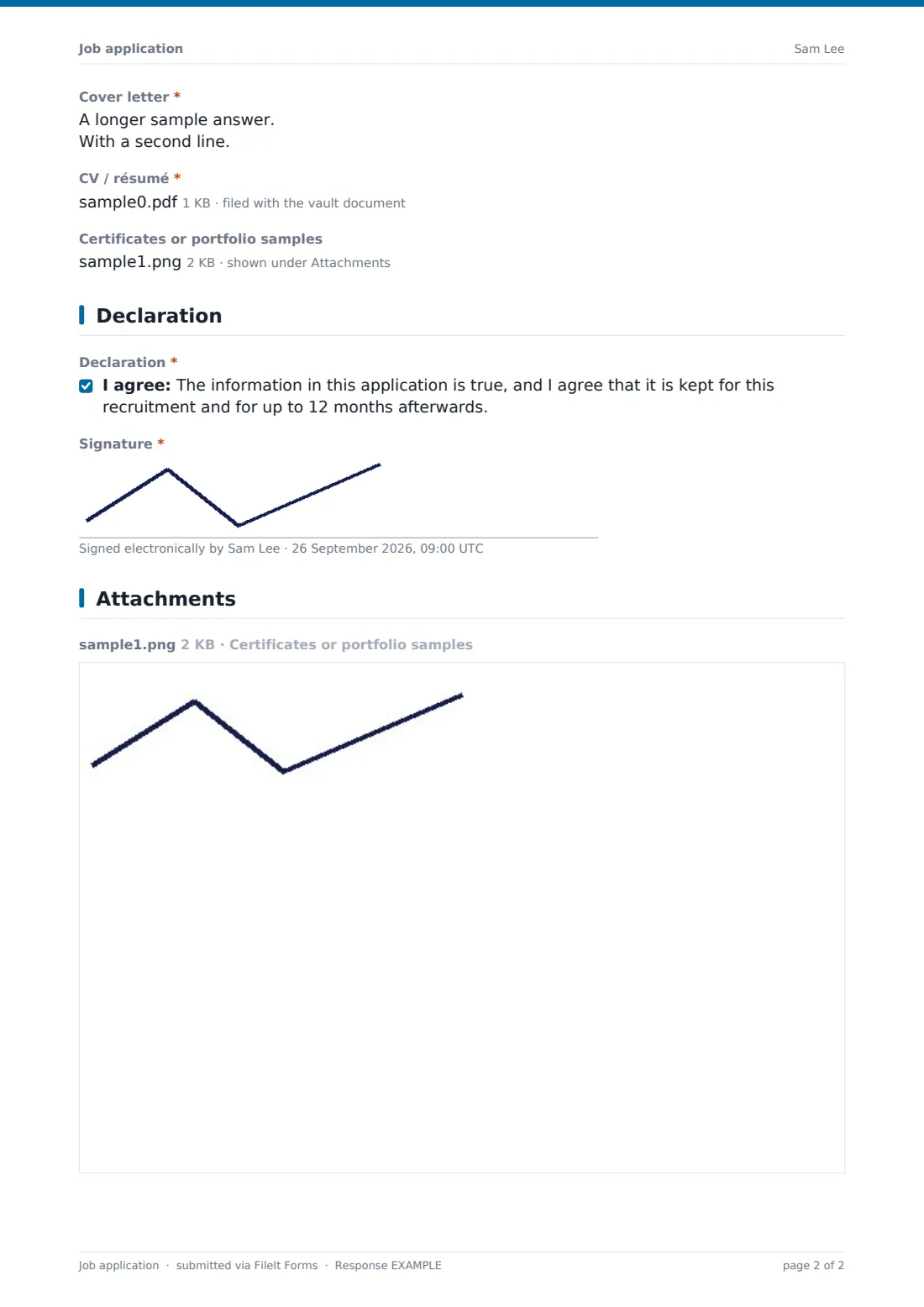
- Cover letter*
- CV / résumé*
- Certificates or portfolio samples
4 Declaration
- Declaration*
- Signature*
The job application form, page by page
1 About you
The form opens with the candidate's full name, email, phone, city and country, and an optional LinkedIn or portfolio link — enough to identify and contact them without asking for anything they wouldn't put on a CV anyway.
2 The role
Candidates state the position they're applying for and where they saw the job — the company website, LinkedIn, a job board, a referral, or something else — with a referral answer opening a field asking who referred them. An earliest start date and a yearly salary expectation are both optional, giving hiring managers an early read on fit without making either question a hard requirement.
A right-to-work yes/no question closes the page, and answering No opens a further question asking whether the candidate would need visa sponsorship, so that conversation can start early rather than after an offer is made.
3 Experience
This page asks for years of relevant experience, highest qualification, and a checklist of key skills — leadership, project management, sales, data analysis, design, programming, languages, customer service, or something else the candidate wants to add. The cover letter box invites a few paragraphs on why this role and why them, and the form requires a CV or résumé upload, with an optional slot for certificates or portfolio samples.
4 Declaration
The application closes with a declaration that the information given is true, and that it will be kept for this recruitment and for up to 12 months afterwards, followed by a signature drawn on screen to confirm the application.
Make the template yours
- Add a role-specific question, such as a coding challenge link or a portfolio requirement for creative roles
- Set a closing date so the form stops accepting applications once your hiring round ends
- Set a maximum number of responses if you can only realistically review a fixed number of applicants
- Route notifications to the specific hiring manager for each open role rather than one shared inbox
- File applications into a vault folder per role or per hiring round for easy shortlisting later
- Adjust the data-retention period in the declaration to match your own recruitment policy
- Duplicate the template for different departments so each has its own tailored version
Tips for a better job application form
- Only ask for a signed declaration and CV once — repeating the same request across multiple pages just adds friction
- Keep the cover letter prompt specific ("why this role, and why you") so answers are easier to compare across candidates
- Ask about right to work early and honestly rather than discovering a mismatch after an offer is made
- Set a closing date and a clear confirmation message so candidates know roughly when to expect to hear back
- Review salary expectations against your budget before investing time in a full interview process
- Keep the retention period in your declaration accurate to what you actually do with applications afterwards
Every response becomes a PDF in your vault
As soon as a candidate submits their application, FileIt saves it as a PDF in your chosen vault folder, with the CV, cover letter and any other documents attached, and the hiring team is notified by email. If an emailed copy to the respondent is switched on, the candidate also receives their own PDF confirming what they submitted.
From there, most hiring managers use the Responses table to filter and shortlist candidates, opening each PDF to review the full application, and export the list to CSV to share with other interviewers or bring into a wider hiring process.
- Start from this template. It opens in the FileIt Forms designer — change any question, add pages, set the rules for when questions appear.
- Share it. Turn on a public link, or send it to people by email, each with their own link. They don’t need a FileIt account.
- Get the answers as PDFs. Each response is saved as a PDF in the vault folder you choose, with uploaded files attached — and listed in a Responses table you can export to CSV.
Job application form: frequently asked questions
Is this job application form template free?
Yes. It's included in FileIt's Forms app on every plan, including free, and every question can be edited to match your own hiring process.
Do candidates need a FileIt account to apply?
No. Share the form by public link on a job posting or careers page, or email it directly — candidates don't need a FileIt account.
How do I get each application as a PDF?
Every submission is saved automatically as a PDF in your vault, with the CV and any other attachments included, and you can turn on an emailed copy for the candidate too.
Can I stop accepting applications after a certain date?
Yes — set a closing date or a maximum number of responses in the form's settings and it will stop accepting new applications automatically.
What if a candidate doesn't have the right to work in our country?
The form asks a follow-up question about whether they'd need visa sponsorship, so that's flagged early rather than discovered later in the process.
Is the signed declaration legally binding?
It's a plain confirmation that the application is truthful and that data will be retained for a stated period — check what's required under your own local employment and data rules before relying on it as a legal document.
Can I reuse this same form for multiple open roles?
Yes — the "position you're applying for" field lets one form collect applications for several roles, or you can duplicate the template per role if you'd rather keep them separate.