What is the performance self-review form template?
A performance review works best when it's a conversation about something both people have already thought about, not a manager filling in a form while the employee sits and waits. This template gives employees a structured way to reflect on the review period before the meeting: what they set out to do, what they achieved, how they'd rate their own competencies, and what they want to work on next.
A blank document or a vague "think about your year" email produces wildly inconsistent self-reviews — some employees write pages, others a paragraph. A structured form with the same competency grid and goal-tracking questions for everyone means every self-review covers the same ground, and managers can compare answers meaningfully across a team.
Once submitted, FileIt saves the self-review as a PDF in the employee's vault folder, with any supporting evidence attached, ready for the manager to read before the review meeting rather than during it.
- Best for
- Managers and HR teams running structured performance reviews
- Filled in by
- The employee, ahead of their review meeting
- Time to complete
- About 20-30 minutes for a thoughtful response
- Includes
- A goal-tracking section, a competency rating grid, and a development and career-goals page
Who uses a performance self-review form?
- A company running annual or biannual performance reviews across the whole team
- A manager who wants employees to reflect honestly before a one-to-one review conversation
- An HR team standardising self-review questions across departments and seniority levels
- A fast-growing company introducing a structured review process for the first time
- A team lead gathering upward feedback on their own management alongside the employee's self-assessment
- An organisation building a documented history of goals and development plans over time
Questions on this performance self-review form
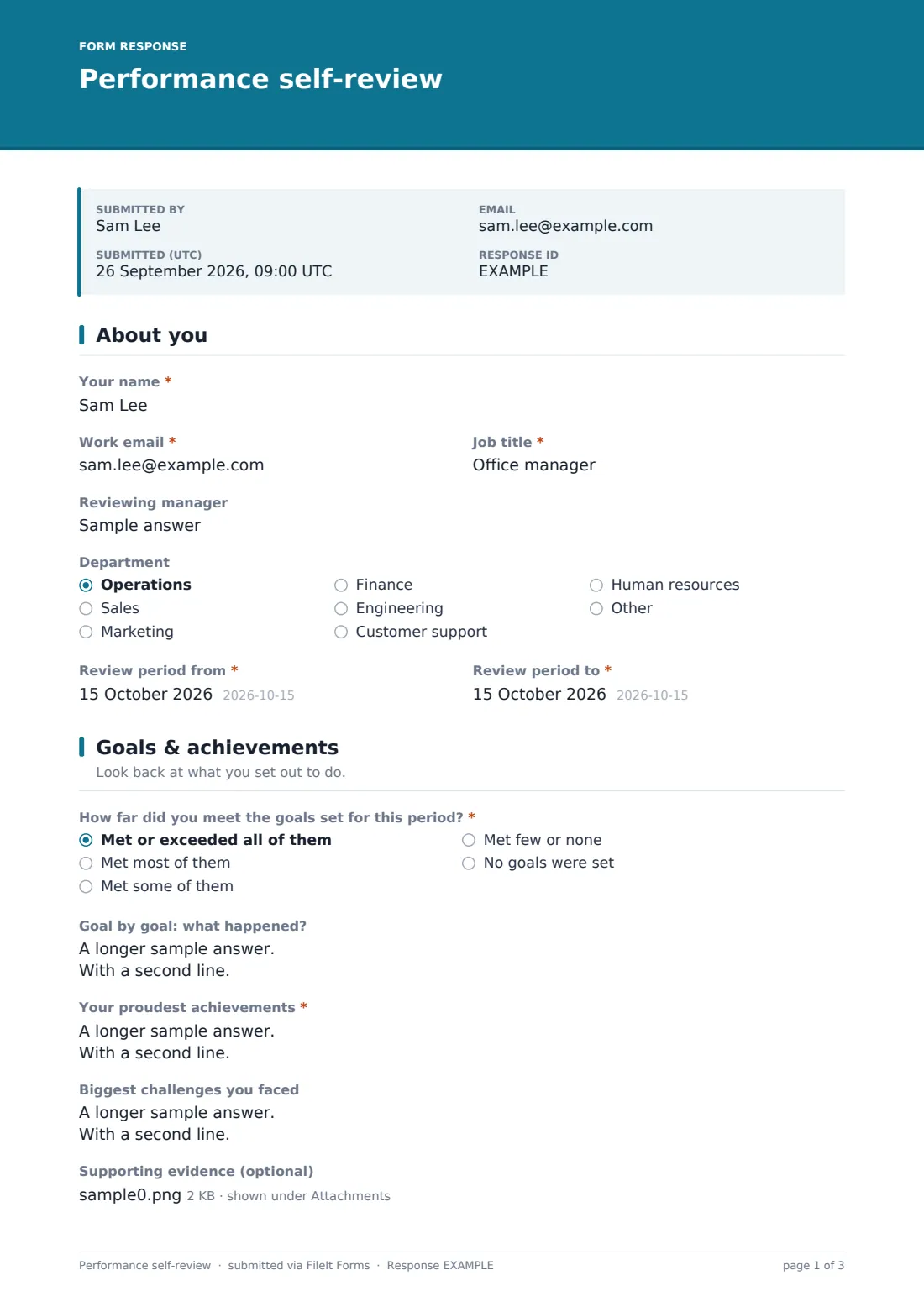
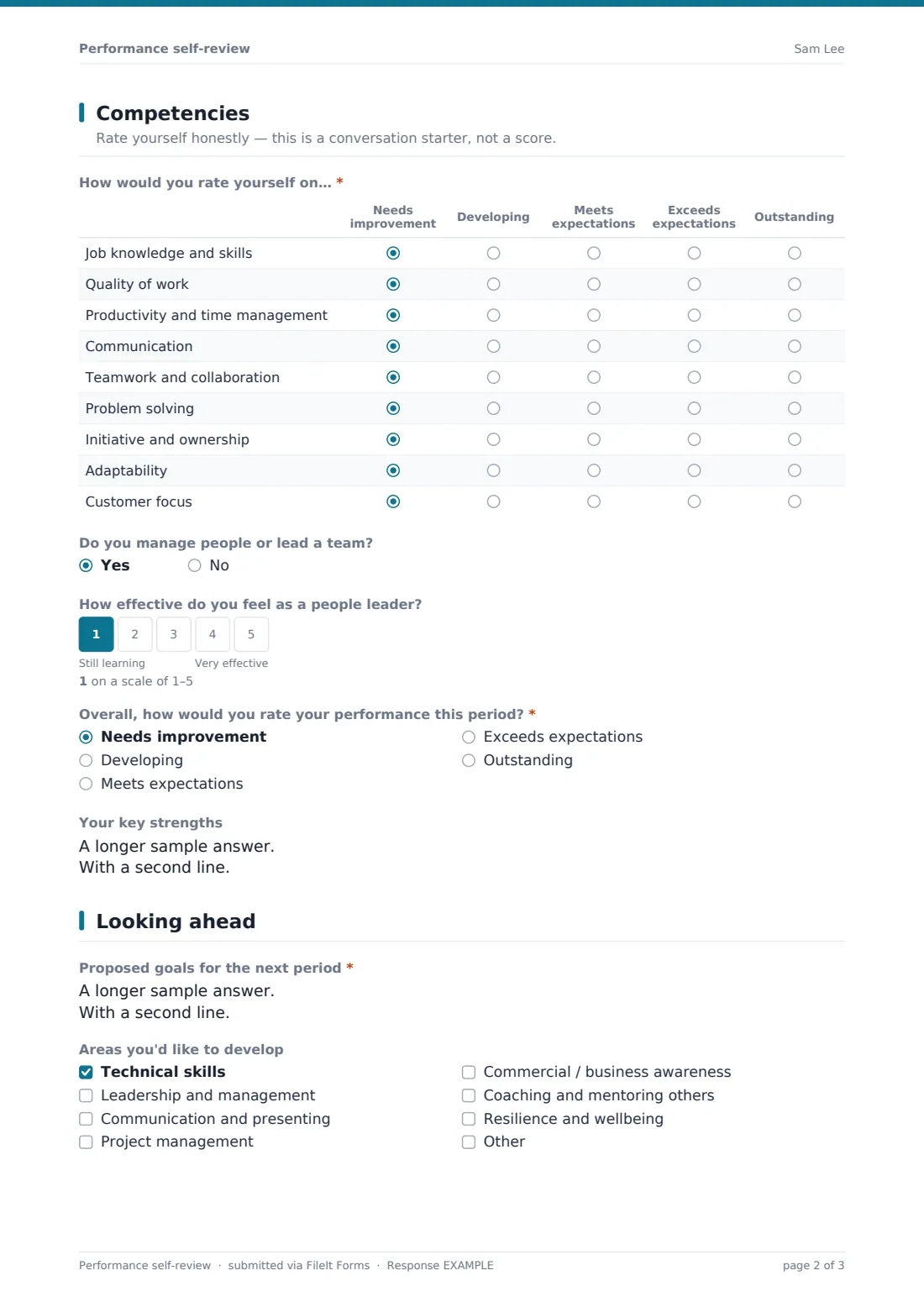
25 questions over 4 pages · includes signature, file upload, conditional questions, multiple pages, ratings.
1 About you
- Your name*
- Work email*
- Job title*
- Reviewing manager
- Department Operations · Sales · Marketing · Finance · Engineering · Customer support · Human resources · Other
- Review period from*
- Review period to*
2 Goals & achievements
- How far did you meet the goals set for this period?* Met or exceeded all of them · Met most of them · Met some of them · Met few or none · No goals were set
- Goal by goal: what happened? asked only when it applies
- What got in the way of the goals you didn't meet? asked only when it applies
- What got in the way, and what support would have helped? asked only when it applies
- Your proudest achievements*
- Biggest challenges you faced
- Supporting evidence (optional)
3 Competencies
- How would you rate yourself on…* Needs improvement · Developing · Meets expectations · Exceeds expectations · Outstanding
- Do you manage people or lead a team?
- How effective do you feel as a people leader? asked only when it applies
- Overall, how would you rate your performance this period?* Needs improvement · Developing · Meets expectations · Exceeds expectations · Outstanding
- Your key strengths
4 Looking ahead
- Proposed goals for the next period*
- Areas you'd like to develop Technical skills · Leadership and management · Communication and presenting · Project management · Commercial / business awareness · Coaching and mentoring others · Resilience and wellbeing
- What support, training or resources would help you?
- Where would you like your career to go in the next 1–3 years?
- Feedback for your manager
- Signature*
The performance self-review form, page by page
1 About you
The form opens with Your name, Work email, Job title, Reviewing manager, Department and the Review period dates. Recording the exact period being reviewed keeps the rest of the form anchored to a specific stretch of time rather than a vague sense of "lately."
2 Goals & achievements
Employees rate how far they met the goals set for the period, from "met or exceeded all of them" down to "no goals were set," then work through them goal by goal in a longer field with a sample format to guide the answer. Depending on the answer, follow-up questions ask what got in the way of goals that weren't met and what support would have helped. A required Your proudest achievements field and an optional Biggest challenges field round out the reflection, and employees can attach supporting evidence — reports, feedback or examples of their work.
3 Competencies
A rating grid covers job knowledge, quality of work, productivity, communication, teamwork, problem solving, initiative, adaptability and customer focus, each rated from Needs improvement to Outstanding. Anyone who manages people also rates their own effectiveness as a leader, and everyone gives an Overall rating for the period and lists their Key strengths — framed clearly as a conversation starter, not a final score.
4 Looking ahead
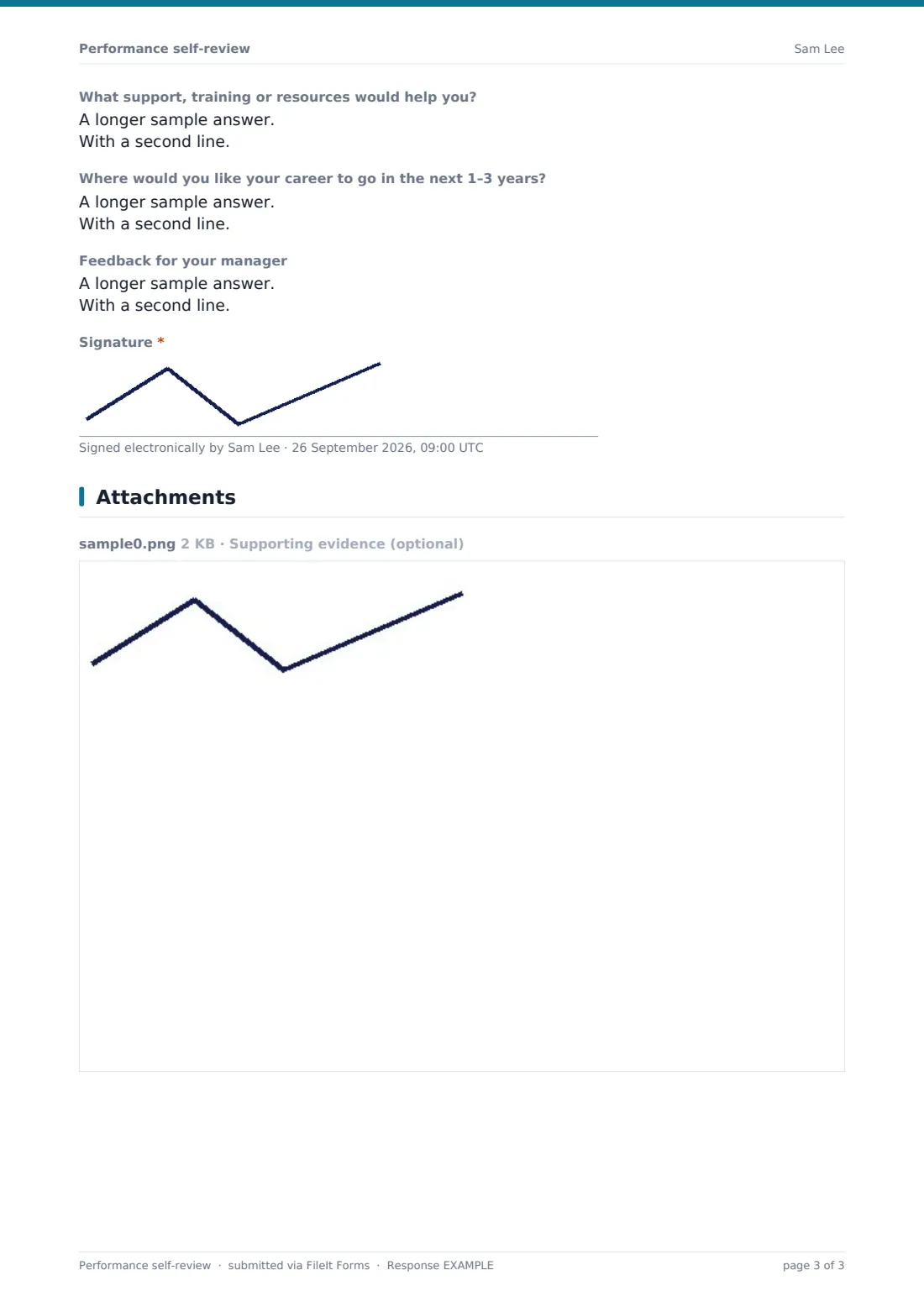
The final page is forward-looking: Proposed goals for the next period, areas the employee wants to develop, what support or training would help, where they'd like their career to go in the next 1-3 years, and optional feedback for their manager. A signature confirms the self-review is complete and ready for discussion.
Make the template yours
- Adjust the competency list to match your organisation's actual values or leadership framework
- Add role-specific goals or metrics fields for teams that track quantitative targets, like sales quotas
- Make the manager feedback question anonymous or route it separately if you want more candid input
- File self-reviews under each employee's own vault folder so a career history builds up over successive review periods
- Add a required field confirming the employee has discussed their self-review with their manager before submitting
- Set the confirmation message to include next steps, like when the review meeting will be scheduled
Tips for a better performance self-review form
- Give employees enough notice to reflect properly — a self-review filled in five minutes before the meeting rarely helps either side
- Encourage specific examples and numbers in the achievements section rather than general statements
- Read the self-review before the meeting, not during it, so the conversation can go deeper than repeating what's already written
- Treat the competency ratings as a starting point for discussion, not a final verdict — the goal is alignment, not a score
- Follow up on development and career goals at the next check-in, not just once a year at review time
Every response becomes a PDF in your vault
Once an employee submits their self-review, FileIt saves it as a PDF — with any attached evidence — in their vault folder, and their manager gets a notification. Because the review is submitted ahead of the meeting, the manager has time to read it properly and prepare their own thoughts before sitting down together.
Most managers work from the PDF directly during the review conversation, using the goals, achievements and competency sections as a shared starting point rather than starting from scratch. Because responses are saved and searchable in the Responses table, it's also straightforward to look back at a previous period's self-review when discussing progress or setting new goals.
- Start from this template. It opens in the FileIt Forms designer — change any question, add pages, set the rules for when questions appear.
- Share it. Turn on a public link, or send it to people by email, each with their own link. They don’t need a FileIt account.
- Get the answers as PDFs. Each response is saved as a PDF in the vault folder you choose, with uploaded files attached — and listed in a Responses table you can export to CSV.
Performance self-review form: frequently asked questions
Is this performance self-review form template free?
Yes, it's included in FileIt's Forms app on every account, including the free plan, and every question can be edited to match your review process.
Does the employee need a FileIt account to complete it?
No. You share the form internally as a link, and employees fill it in and submit it without needing an account.
Do we get a record of every self-review?
Yes, each submission is automatically saved as a PDF in your FileIt vault, and all reviews are browsable and exportable from the Responses table.
Can employees attach supporting evidence?
Yes, there's a file upload field for reports, feedback or examples of work that support their self-assessment.
Does the competency grid adjust for people who manage others?
Yes — anyone who answers yes to managing people or leading a team is also asked to rate their own effectiveness as a leader.
Can we change the competencies being rated?
Yes, the entire competency grid is editable in the designer, so you can replace the default list with your organisation's own framework.
Is the self-review shared with the manager automatically?
Yes, the manager receives a notification when it's submitted and can review the PDF ahead of the review meeting.
Can employees give feedback on their manager in the same form?
Yes, there's an optional field for feedback for the manager, asking what they could do more or less of to help.