What is the employee engagement survey form template?
An employee engagement survey helps a manager or HR team understand how staff really feel — about their day-to-day work, their manager and team, their growth and wellbeing, and whether they'd recommend the organisation as a place to work. Done well, it gives leadership a clear, comparable read on morale rather than relying on hallway conversations or annual reviews alone.
Running this on paper or by hand-counted email replies makes it hard to keep answers anonymous and even harder to analyse. An online survey can be designed to collect no names or email addresses by default, group answers only by broad categories like team or tenure, and still let a small number of people opt in to a follow-up conversation if they want one.
This template is built in FileIt's Forms app: no respondent needs a FileIt account, and every completed survey becomes a PDF that's automatically filed into your FileIt vault. You can share it by a single public link so nobody's identity is tied to a personal invitation.
- Best for
- HR teams, people managers and small business owners running a staff engagement or culture check
- Filled in by
- Employees, anonymously by default — no account needed
- Time to complete
- About 8 minutes, as noted on the cover
- Includes
- Matrix rating grids, an eNPS scale, conditional follow-up questions, and optional identifying contact
Who uses a employee engagement survey form?
- An HR team running a quarterly or annual company-wide engagement pulse
- A manager checking in on morale after a reorganisation or a period of heavy workload
- A small business owner gathering honest feedback without the cost of an external survey tool
- A growing company measuring how engagement differs across teams or work locations (on-site, hybrid, remote)
- An organisation tracking an eNPS score over time to see if changes are moving the needle
- A leadership team preparing talking points for an all-hands meeting based on real themes
Questions on this employee engagement survey form
17 questions over 5 pages · includes conditional questions, multiple pages, ratings.
1 About you (optional)
- Your area Operations · Sales · Marketing · Finance · Engineering · Customer support · Human resources · Other
- How long you've worked here Less than 1 year · 1–2 years · 3–5 years · More than 5 years
- Where you mostly work On-site · Hybrid · Remote
2 Your work
- How much do you agree?* Strongly disagree · Disagree · Neutral · Agree · Strongly agree
3 Your manager & team
- How much do you agree?* Strongly disagree · Disagree · Neutral · Agree · Strongly agree
4 Growth & wellbeing
- How much do you agree?* Strongly disagree · Disagree · Neutral · Agree · Strongly agree
- My workload is usually…* Too light · About right · Heavy but manageable · Too heavy
- What's driving it? (optional) asked only when it applies
- How often do you feel stressed or drained by work?* Never · Rarely · Sometimes · Often · Almost always
5 Recommend & comment
- How likely are you to recommend working here to a friend?*
- What would need to change for you to give a higher score? asked only when it applies
- What do you value most about working here? asked only when it applies
- The best thing about working here
- If you could change one thing, what would it be?
- Anything else you'd like to tell us?
- Would you like someone to follow up with you about your answers?
- Your email* asked only when it applies
The employee engagement survey form, page by page
1 About you (optional)
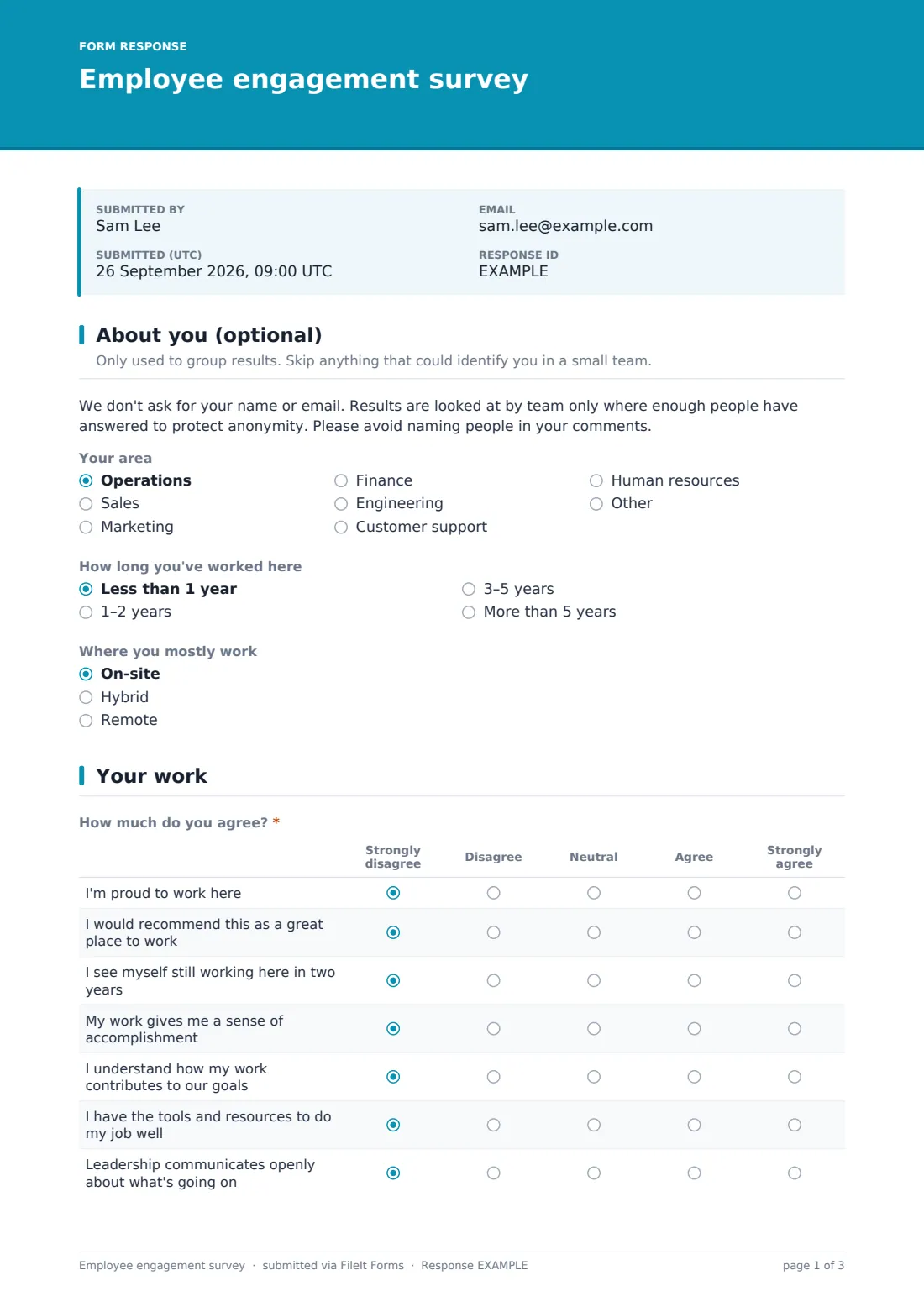
A short paragraph sets expectations before any questions: no name or email is collected, results are only reviewed once enough people have answered to protect anonymity, and respondents are asked not to name individual colleagues in their comments. From there, three optional grouping questions follow — Your area (a dropdown of departments like Operations, Sales, Engineering or Human resources), How long you've worked here (from under a year to more than five), and Where you mostly work (on-site, hybrid or remote) — used only to spot patterns across groups, not to identify anyone.
2 Your work
This page is a single agreement matrix, How much do you agree?, rated from Strongly disagree to Strongly agree across seven statements: being proud to work there, recommending it as a great place to work, expecting to still be there in two years, finding work meaningful, understanding how their work connects to company goals, having the right tools and resources, and feeling leadership communicates openly. Grouping these in one grid makes the page quick to complete while still covering the core drivers of engagement.
3 Your manager & team
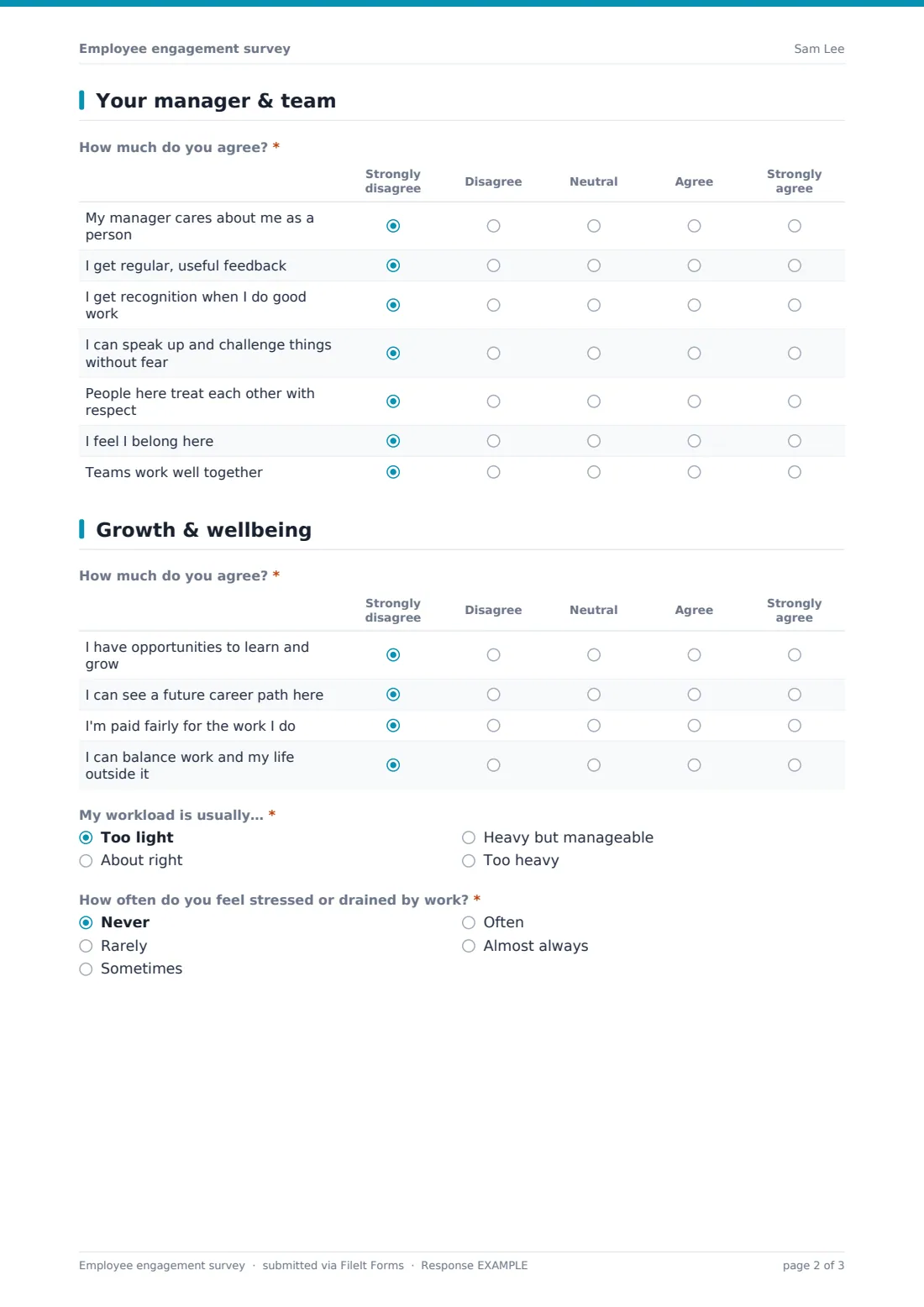
A second agreement matrix focuses on the immediate working relationship: whether their manager cares about them as a person, whether they get regular, useful feedback and recognition, whether they can speak up and challenge things without fear, and whether people treat each other with respect, feel they belong, and collaborate well across teams.
4 Growth & wellbeing
A third matrix covers opportunities to learn and grow, a visible career path, fair pay, and work-life balance. My workload is usually… offers four options from too light to too heavy; choosing "Too heavy" reveals an optional follow-up, What's driving it?, so a generic complaint about workload can turn into something actionable. How often do you feel stressed or drained by work? closes the page with a five-point frequency scale from Never to Almost always.
5 Recommend & comment
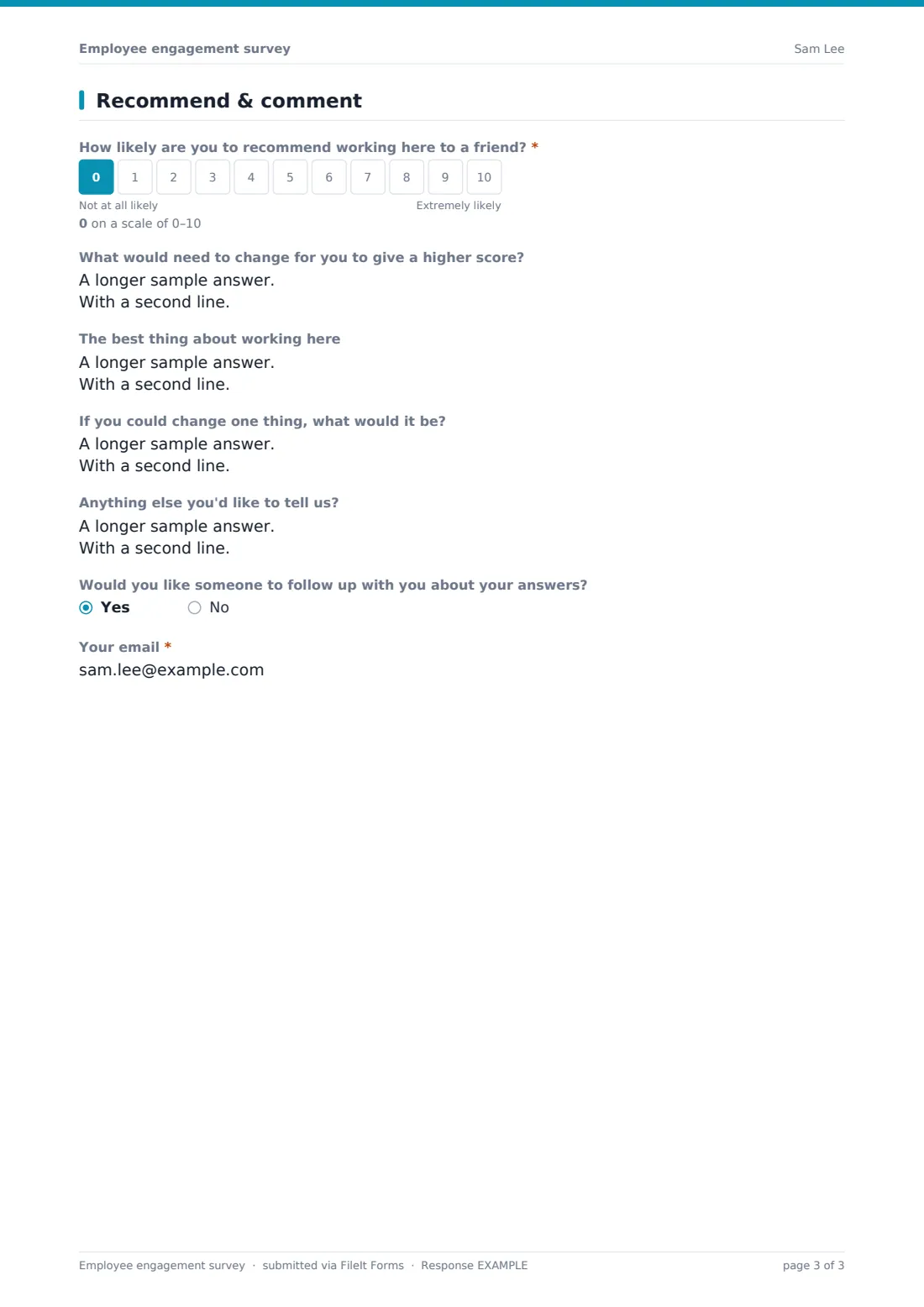
The employee Net Promoter Score question — How likely are you to recommend working here to a friend? — uses a 0–10 scale. Scoring below 7 shows a follow-up asking what would need to change for a higher score, while scoring above 8 instead asks what they value most — so the form tailors its next question to whether someone is a detractor or a promoter. Open questions on the best thing about working there, one thing they'd change, and any other comments follow, and the survey ends with an optional Would you like someone to follow up with you? — answering yes reveals a required email field, the only way a response becomes identifiable, and entirely the respondent's choice.
Make the template yours
- Adjust the department list in "Your area" to match your actual org structure
- Add or remove statements in any of the three agreement matrices to focus on what matters most this cycle
- Change AllowMultiple in Settings if you want to let the same person respond more than once across cycles
- Set a closing date so the survey window matches your engagement cycle, then reopen it next quarter as a fresh form
- Turn off the optional follow-up email question entirely if you want the survey to stay fully anonymous
- Route responses to a specific vault folder per survey round so results from different quarters don't mix
- Adjust the eNPS thresholds' surrounding questions' wording to match your own internal terminology
Tips for a better employee engagement survey form
- Keep the anonymity promise real — avoid sharing team-level results if the group is small enough to identify individuals
- Communicate results back to staff, even briefly, so people see their answers led to something
- Watch the workload and stress questions closely; they often surface issues before they show up as turnover
- Use the optional area and tenure questions to spot patterns, not to single out individuals
- Run the same core questions each time so you can track trends, and only vary the extra questions
- Treat the eNPS score as a trend indicator, not the whole picture — read the open comments together with it
Every response becomes a PDF in your vault
When someone submits the survey, FileIt saves their answers as a PDF in the vault folder you've set up, and you receive an email notification for each new response (this template has the respondent copy turned off by default, matching its anonymous design). No respondent contact details are attached unless they explicitly opted in to follow-up.
All responses also appear in your Responses table, where you can filter by team, tenure or work mode, open individual PDFs, or export everything to CSV for deeper analysis — useful for calculating your eNPS score, spotting themes in the open comments, and preparing a summary to share back with the team.
- Start from this template. It opens in the FileIt Forms designer — change any question, add pages, set the rules for when questions appear.
- Share it. Turn on a public link, or send it to people by email, each with their own link. They don’t need a FileIt account.
- Get the answers as PDFs. Each response is saved as a PDF in the vault folder you choose, with uploaded files attached — and listed in a Responses table you can export to CSV.
Employee engagement survey form: frequently asked questions
Is this employee engagement survey template free?
Yes. It's included in FileIt's Forms app on every account, including the free plan, along with more than 160 other ready-made templates. All questions can be edited.
Do employees need a FileIt account to respond?
No. Anyone with the survey link can respond without creating an account, which helps keep the process anonymous.
Is the survey really anonymous?
By default it collects no name or email. The only way a response becomes identifiable is if the respondent opts in at the end to being contacted, which reveals their email for that one response.
How do I see the survey results?
Each response is saved as a PDF in your FileIt vault and also appears in a Responses table you can filter and export to CSV for analysis.
What is eNPS and how is it calculated here?
Employee Net Promoter Score is based on the 0–10 "how likely are you to recommend working here" question. You calculate the score yourself from the exported responses; the form collects the raw answers.
Can I run this survey every quarter?
Yes. Many teams reuse the same template each cycle, optionally setting a closing date so each round has a clear window, then reviewing results before opening the next one.
Can I change the statements in the rating grids?
Yes, every row and option in the matrix questions can be edited, added to, or removed in the designer to match what your organisation wants to track.
Will this tell me who said what?
No, unless a respondent chooses to leave their email for follow-up. Treat comments as coming from the group as a whole, not any one person.