What is the work from abroad request form template?
Requests to work from abroad for a few weeks — to visit family, extend a holiday or follow a partner — are increasingly common. The difficulty is what sits behind them: whether the person can legally work there, whether the role works across a time difference, whether data is secure on a hotel network, and whether tax or social security is affected.
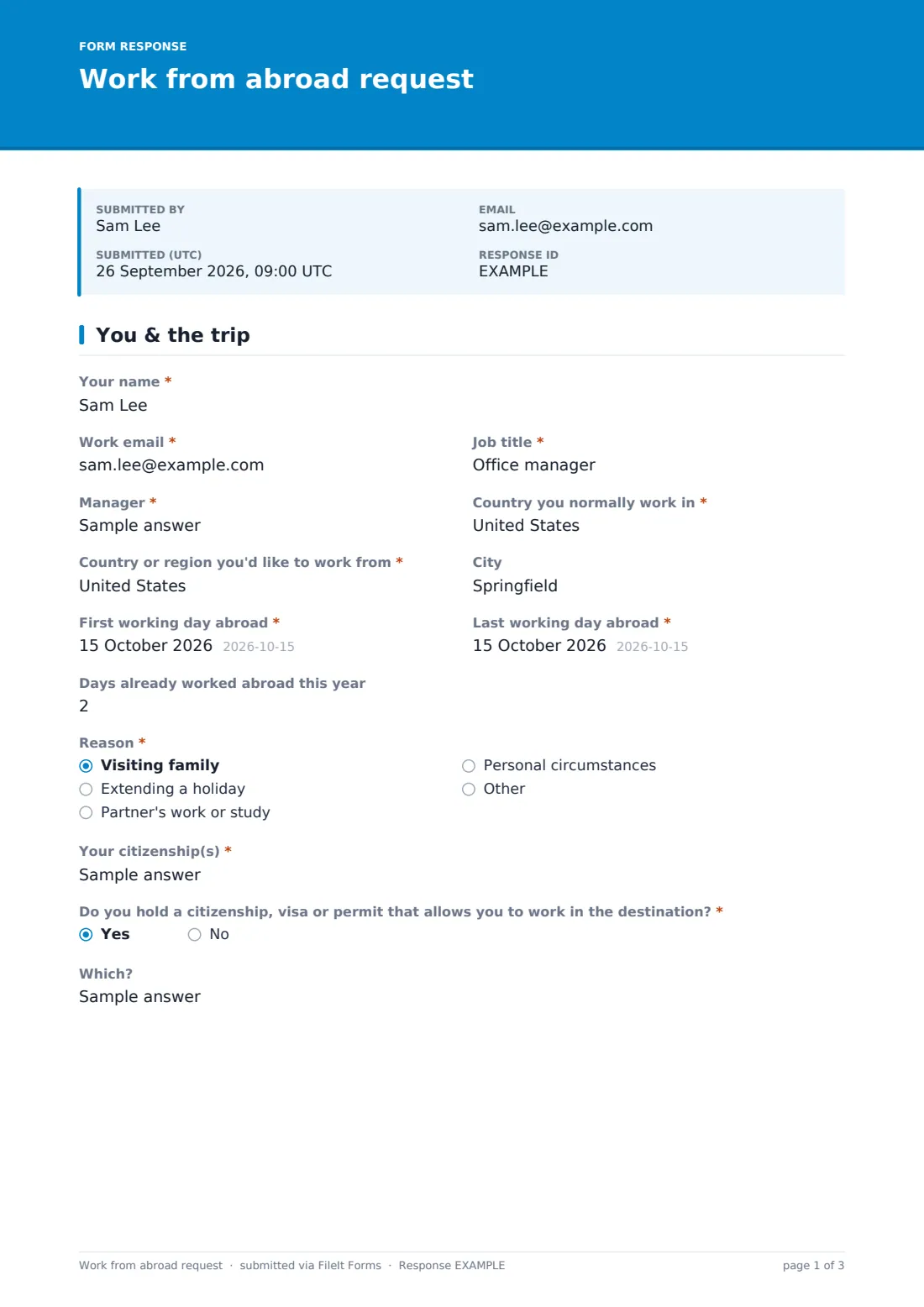
This template gathers those facts in one request. The employee gives the destination, dates, days already worked abroad this year, the reason, their citizenship and whether they can work in the destination. They say whether the role can be done remotely, who would cover anything that can't, whether they meet customers or sign contracts, the time difference and how they'll cover core hours.
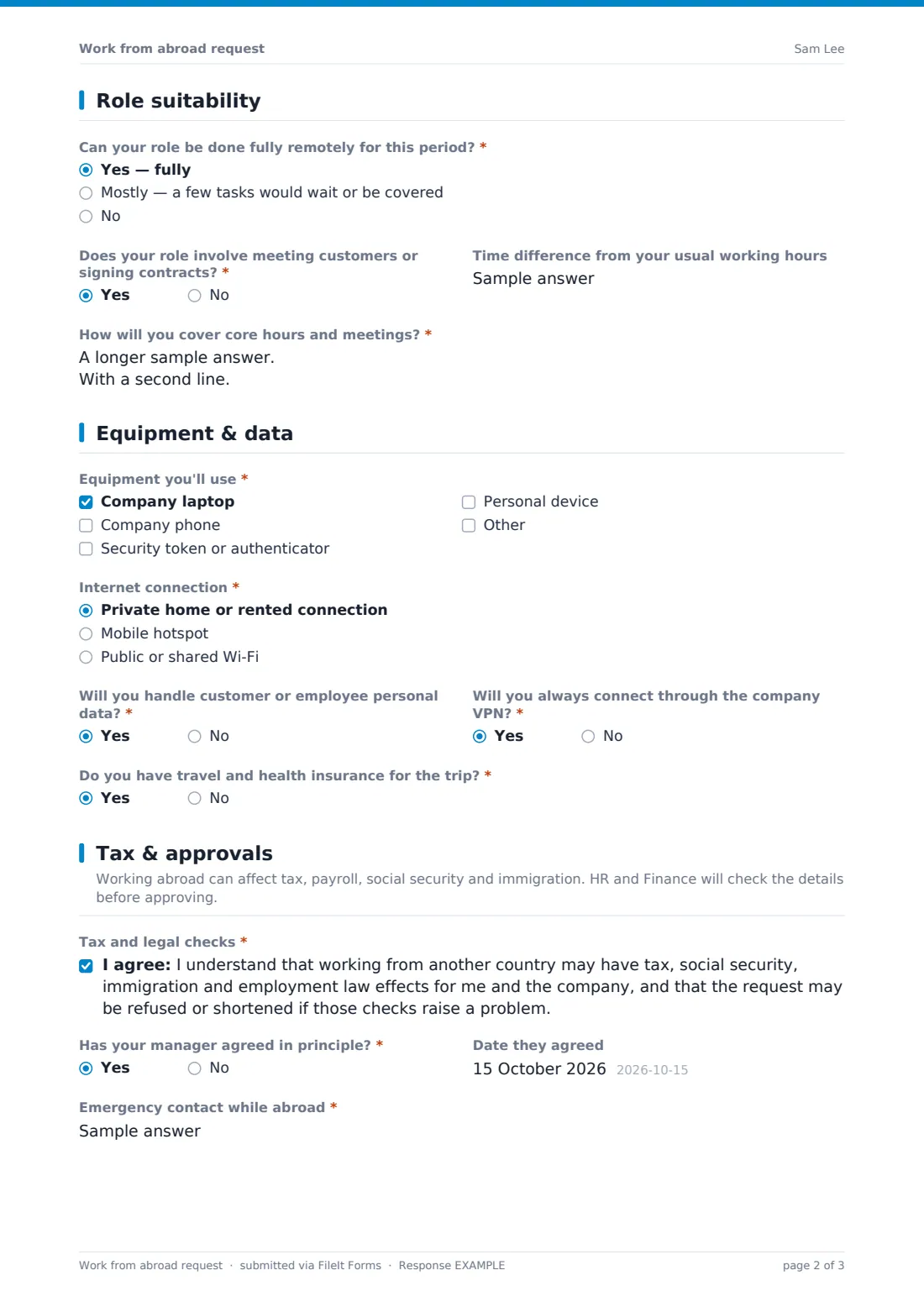
An equipment and data page records devices, the type of internet connection, whether personal data is involved and VPN use, plus travel insurance. The employee acknowledges that tax and legal checks may change the answer, confirms manager agreement and gives an emergency contact and address abroad before signing. Every request is saved as a PDF in your FileIt vault.
- Best for
- HR, IT and finance teams in organisations with remote or hybrid work
- Filled in by
- The employee who wants to work abroad
- Time to complete
- About 8 minutes
- Includes
- Days-abroad count, right-to-work check, role suitability, connection and data questions, tax acknowledgement and signature
Who uses a work from abroad request form?
- An employee extending a family visit by working remotely for two weeks
- A team member following a partner's temporary posting
- A company introducing a work-from-anywhere allowance of days per year
- IT checking connection and device security before travel
- Finance tracking days worked in each country
- A manager approving a short working stay during the holidays
Questions on this work from abroad request form
31 questions over 4 pages · includes signature, conditional questions, multiple pages, consent checkbox.
1 You & the trip
- Your name*
- Work email*
- Job title*
- Manager*
- Country you normally work in*
- Country or region you'd like to work from*
- City
- First working day abroad*
- Last working day abroad*
- Days already worked abroad this year
- Reason* Visiting family · Extending a holiday · Partner's work or study · Personal circumstances
- Your citizenship(s)*
- Do you hold a citizenship, visa or permit that allows you to work in the destination?*
- Which? asked only when it applies
2 Role suitability
- Can your role be done fully remotely for this period?* Yes — fully · Mostly — a few tasks would wait or be covered · No
- Which tasks can't be done remotely, and who would cover them?* asked only when it applies
- Does your role involve meeting customers or signing contracts?*
- Time difference from your usual working hours
- How will you cover core hours and meetings?*
3 Equipment & data
- Equipment you'll use* Company laptop · Company phone · Security token or authenticator · Personal device
- Internet connection* Private home or rented connection · Mobile hotspot · Public or shared Wi-Fi
- Will you handle customer or employee personal data?*
- Will you always connect through the company VPN?*
- Do you have travel and health insurance for the trip?*
4 Tax & approvals
- Tax and legal checks*
- Has your manager agreed in principle?*
- Date they agreed asked only when it applies
- Emergency contact while abroad*
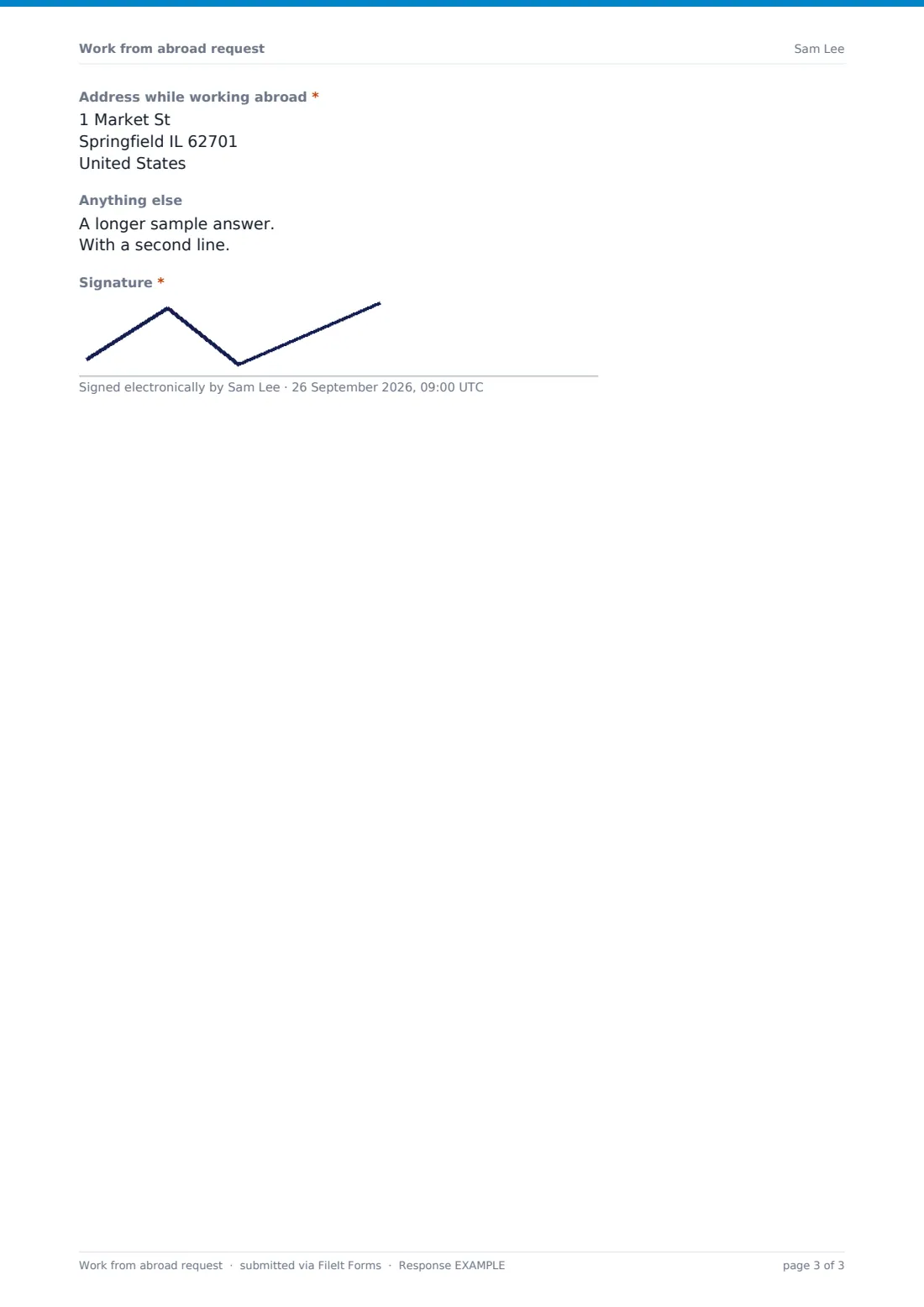
- Address while working abroad*
- Anything else
- Signature*
The work from abroad request form, page by page
1 You & the trip
The employee gives their name, work email, job title, manager and the country they normally work in, then the destination, city and first and last working days abroad. They note days already worked abroad this year, the reason, their citizenship(s) and whether they hold a citizenship, visa or permit that allows them to work there.
2 Role suitability
Can your role be done fully remotely? If not fully, the employee lists the tasks that can't be done and who would cover them. They say whether the role involves meeting customers or signing contracts, give the time difference and explain how they'll cover core hours and meetings.
3 Equipment & data
The employee ticks the equipment they'll use and chooses the type of internet connection; public or shared Wi-Fi shows a note about VPNs and hotspots. They say whether they'll handle personal data, whether they'll always use the VPN and whether they have travel and health insurance.
4 Tax & approvals
The employee acknowledges that working abroad may have tax, social security, immigration and employment law effects and that the request may be refused or shortened. They confirm manager agreement and when it was given, provide an emergency contact and address abroad, add notes and sign.
Make the template yours
- Add your annual limit on days abroad to the help text
- List countries your organisation won't approve in the cover text
- Add IT and payroll to notifications so checks start straight away
- Add an approval page if HR records decisions on the same form
- Route requests into a vault folder per year to track days abroad
- Remove the city question if you don't need that level of detail
Tips for a better work from abroad request form
- Publish a clear policy with day limits before opening the form
- Ask for requests well in advance — tax and immigration checks take time
- Count days per country and per year, not just per trip
- Get advice for each destination rather than assuming short stays are fine
- Make the VPN mandatory for anyone handling personal data
- Confirm every decision in writing, including any conditions
Every response becomes a PDF in your vault
Each request is saved as a signed PDF in your vault and the employee gets a copy. With notifications on, HR knows straight away and can bring in IT and Finance.
Export requests to a CSV to track destinations, dates and days abroad across the year — useful for spotting when someone is approaching a limit.
- Start from this template. It opens in the FileIt Forms designer — change any question, add pages, set the rules for when questions appear.
- Share it. Turn on a public link, or send it to people by email, each with their own link. They don’t need a FileIt account.
- Get the answers as PDFs. Each response is saved as a PDF in the vault folder you choose, with uploaded files attached — and listed in a Responses table you can export to CSV.
Work from abroad request form: frequently asked questions
Is this work from abroad request form free?
Yes. It's included in the FileIt Forms app on every plan, including the free plan.
Does the form tell us whether there's a tax issue?
No. It collects the facts and an acknowledgement from the employee. Tax, social security and immigration effects need to be checked by your HR, Finance or professional advisers.
Does submitting the request approve it?
No. The cover text and confirmation make clear the request is reviewed before a decision is confirmed in writing.
Can we limit the number of days per year?
The form asks how many days the employee has already worked abroad this year. Add your limit to the help text and check it during review.
Is it only for international trips?
It's written for working from another country, but also works for another region or state where different rules apply.
Can IT see the device and connection answers?
Yes. Add IT to the notification emails, or share the PDF from your vault.