What is the relocation assistance request form template?
Relocation requests tend to arrive as long email threads: a new hire mentions a partner and two children, then a removal quote, then a question about temporary housing a week before they start. This template collects it all at once, in the same order every time, so HR can see the whole picture before agreeing anything.
It asks about the new role and start date, where the person is moving from and who is moving with them, and which kinds of support they want, from removals and travel to temporary accommodation, house-hunting, school search and visa support. The form only asks follow-ups that apply: nights of temporary accommodation only when that's ticked, lease end dates only for renters, visa questions only for international moves.
Each request is filed as a PDF in your FileIt vault, with removal quotes and the offer or transfer letter attached.
- Best for
- Employers offering relocation support to new hires or transferring staff
- Filled in by
- The employee or new hire who is moving
- Time to complete
- About 10–15 minutes
- Includes
- Conditional follow-ups for housing, removals and visas, quote uploads, and a signed acknowledgement
Who uses a relocation assistance request form?
- Sending a relocation request form with every offer that includes a moving package
- Handling internal transfers between offices or countries in a consistent way
- Collecting removal quotes before approving a budget
- Planning temporary accommodation and start dates for a group of new hires
- Keeping one record per move that HR and finance can both refer back to
Questions on this relocation assistance request form
28 questions over 4 pages · includes signature, file upload, conditional questions, multiple pages, consent checkbox.
1 You & the new role
- Your name*
- Email*
- Phone
- You are* A new hire · An existing employee moving role or location
- Job title at the new location*
- Start date at the new location*
- Hiring or line manager
- Cost centre, if known
2 The move
- Current home address*
- New work location (city and country)*
- Approximate distance of the move (km)
- Is this an international move?*
- Will you need a visa or work permit for the new country?* asked only when it applies
- People moving with you (not counting yourself)*
- Are pets moving with you?
- Anything we should know about your household?
3 Support you need
- Which kinds of support are you asking for?* Removal of household goods · Travel to the new location · Temporary accommodation · House-hunting trip · Help finding a rental · Costs of selling or buying a home · School search for children · Visa and immigration support · Language or cultural training · Storage
- Nights of temporary accommodation needed* asked only when it applies
- Preferred moving date asked only when it applies
- Roughly how much are you moving? asked only when it applies A few boxes · A studio or one-bedroom home · Two to three bedrooms · Four bedrooms or more
- Your current home* I rent · I own · I live with family or in shared housing
- When can your lease end? asked only when it applies
4 Costs & documents
- Estimated total cost, if you know it
- Removal quotes or other estimates
- Offer or transfer letter mentioning relocation
- Anything else you'd like us to consider?
- Repayment terms*
- Signature*
The relocation assistance request form, page by page
1 You & the new role
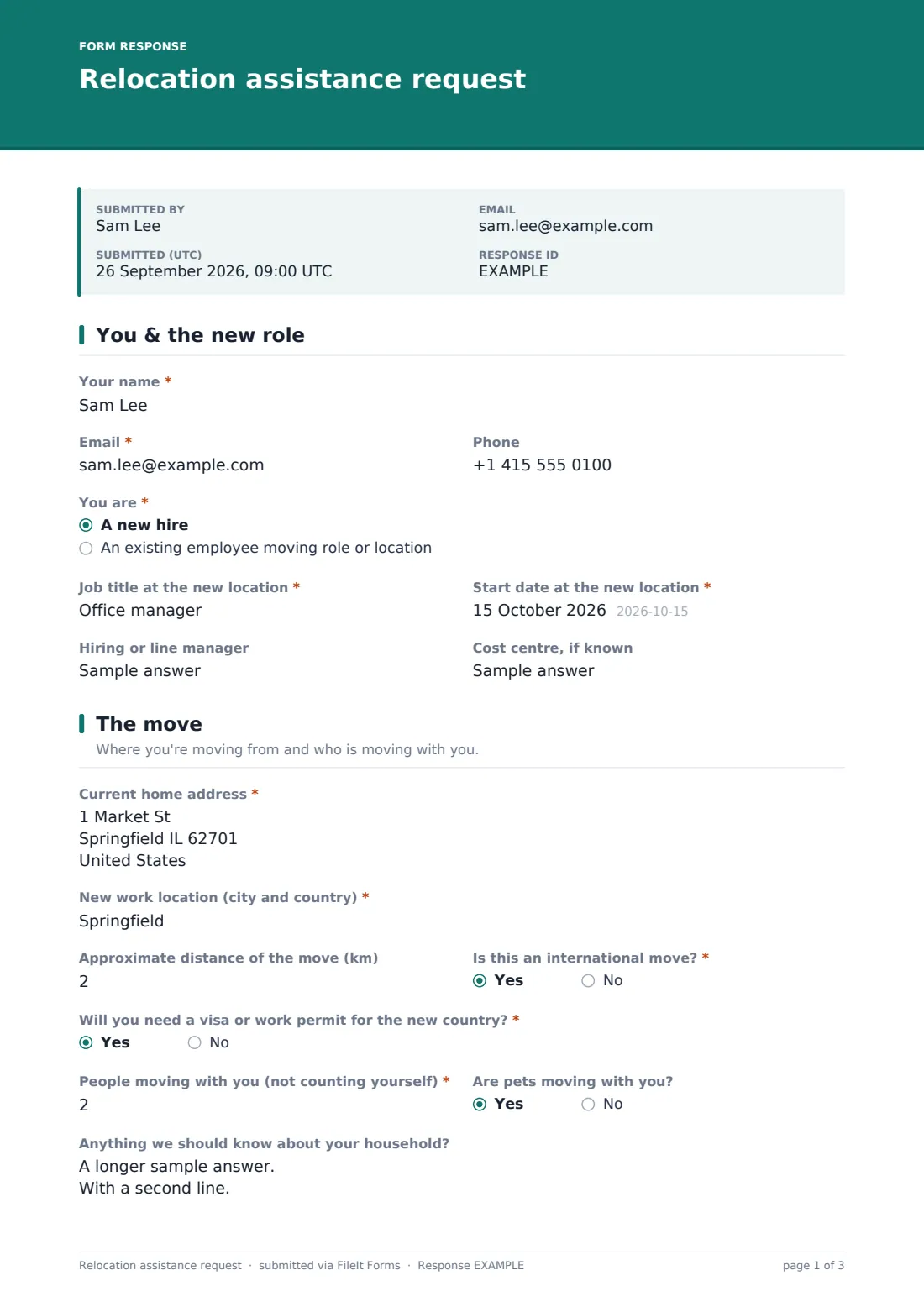
The person gives their name, email and phone, and says whether they're a new hire or an existing employee moving role or location. They add the job title and start date at the new location, plus the hiring or line manager and the cost centre if they know it.
2 The move
The page asks for the Current home address, the new work location, the approximate distance in kilometres, and whether this is an international move. A Yes opens a required question about whether they will need a visa or work permit.
They give the number of people moving with them and whether pets are coming too. An optional box asks about the household, with examples such as school-age children, a partner who will look for work, or accessibility needs.
3 Support you need
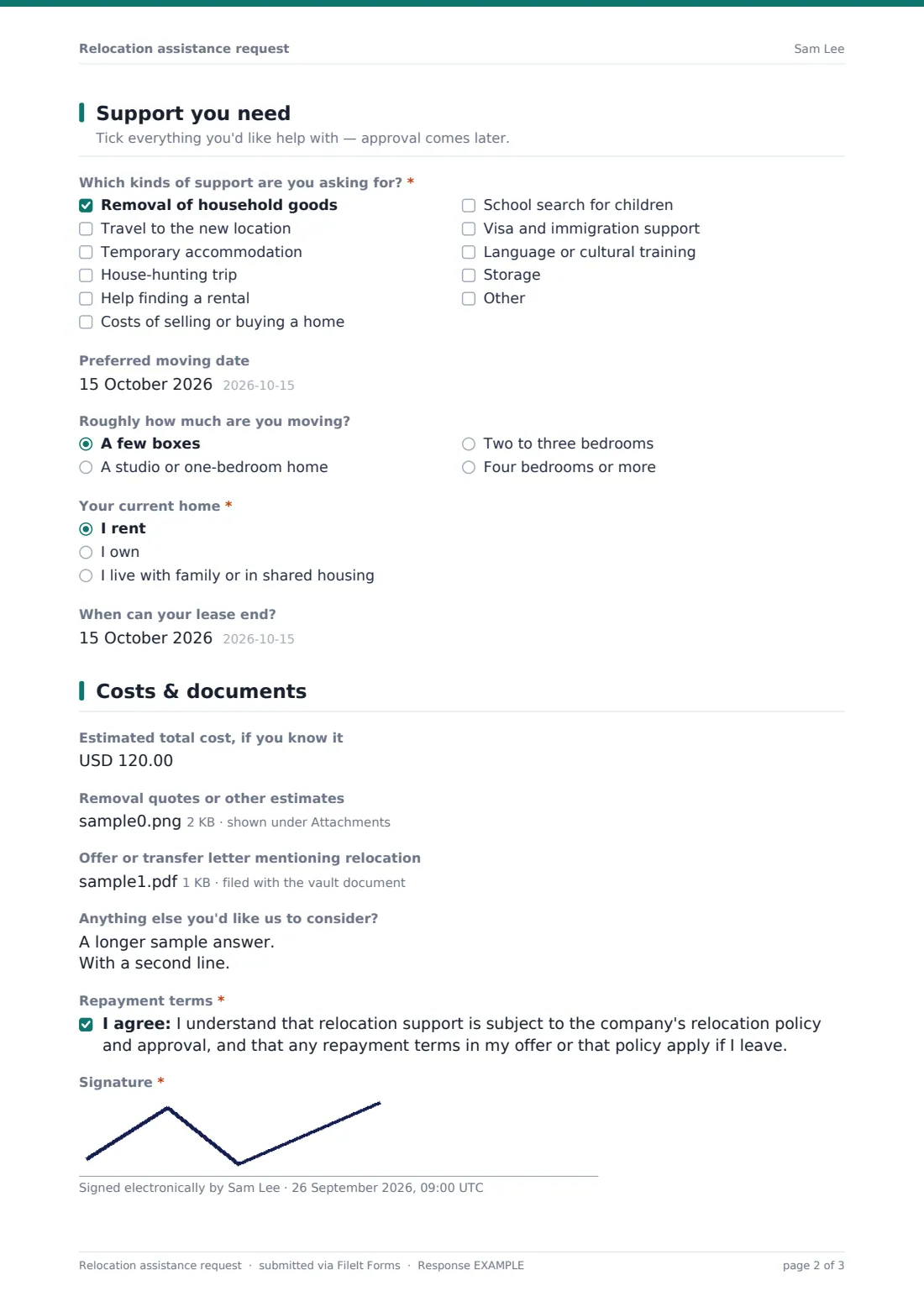
Which kinds of support are you asking for? lists removals, travel, temporary accommodation, a house-hunting trip, help finding a rental, costs of selling or buying a home, school search, visa and immigration support, language or cultural training, and storage. At least one must be ticked.
Ticking temporary accommodation asks for the number of nights needed. Ticking removals asks for a preferred moving date and roughly how much is being moved, from a few boxes to four bedrooms or more. A question about the current home follows, and renters are asked when their lease can end.
4 Costs & documents
The last page asks for an estimated total cost if they know it, uploads for removal quotes or other estimates (up to five files) and the offer or transfer letter that mentions relocation. After any further comments, the person ticks an acknowledgement that support depends on the relocation policy and approval, and that any repayment terms apply if they leave, then signs.
Make the template yours
- Change the currency and the distance unit to match where you operate
- Replace the support list with exactly what your relocation policy offers
- Rewrite the acknowledgement to quote your own policy's name and repayment terms
- Add a finance address to the notifications so budget holders see each request
- Remove the international questions if all your moves are domestic
Tips for a better relocation assistance request form
- Send the form with the offer, before the person starts making arrangements
- Ask for at least two removal quotes so costs are easy to compare
- Agree temporary accommodation dates early, since they're often the hardest to change
- Keep your relocation policy short and link to it in the form's description
- Have the acknowledgement checked by whoever writes your employment terms
Every response becomes a PDF in your vault
FileIt files each request as a PDF in your chosen vault folder, titled with the person's name, and attaches every quote and letter they uploaded to that document. You get an email when a request arrives, and with an emailed copy switched on, the employee receives the same PDF.
From the Responses table you can open any request, search by name or destination, and export the answers to CSV to track moves, dates and estimated costs in one sheet.
- Start from this template. It opens in the FileIt Forms designer — change any question, add pages, set the rules for when questions appear.
- Share it. Turn on a public link, or send it to people by email, each with their own link. They don’t need a FileIt account.
- Get the answers as PDFs. Each response is saved as a PDF in the vault folder you choose, with uploaded files attached — and listed in a Responses table you can export to CSV.
Relocation assistance request form: frequently asked questions
Is this relocation request form free?
Yes. It's a starter template in FileIt's Forms app, and every question and option can be changed.
Does the form approve relocation costs?
No. It collects the request, household details and quotes. Approval happens through your own process, using the PDF as the record.
Can new hires fill it in before they have a FileIt account?
Yes. Respondents never need an account. Send it by email to the new hire or share the public link.
Is the repayment acknowledgement enforceable?
The template's wording is a plain starting point. Check it against your own policy and employment terms, and the local rules that apply, before relying on it.
Can people upload several quotes?
Yes. The quotes question takes up to five files, and each one is attached to the filed document in your vault.
What happens to questions that don't apply?
They stay hidden. Someone renting sees the lease question, for example, and a homeowner doesn't.