
What is the business travel request form template?
Business travel is expensive and easy to book in a hurry. A pre-approval step means someone checks the trip is worthwhile and within budget before the non-refundable flights are bought. This template gives that step a consistent shape.
The traveller sets out where and when, the purpose, what the trip will achieve and whether it could be done virtually. They estimate the costs line by line, from transport and accommodation to meals and event fees, and can ask for a travel advance. The last page covers what needs booking and by whom, visa and passport checks for international trips, and an emergency contact.
Every request is saved as a signed PDF in your FileIt vault. Approvers see the whole case at once, and finance has the estimate on file to compare with the expense claim afterwards.
- Best for
- Organisations that want business trips approved before they're booked
- Filled in by
- The traveller, or someone booking on their behalf
- Time to complete
- About 10 minutes
- Includes
- A line-by-line cost estimate, a travel advance option, and visa, passport and emergency contact checks
Who uses a business travel request form?
- A company requiring manager approval for all overnight or international travel
- Sending staff to a conference or trade show and estimating the full cost up front
- A sales team visiting clients, with costs recharged to the client
- An office manager or travel team who books trips once they're approved
- A nonprofit keeping travel spending within grant budgets
- Checking passport validity and visa needs before anyone books an international flight
Questions on this business travel request form
36 questions over 4 pages · includes signature, conditional questions, multiple pages, consent checkbox.
1 Traveller
- Traveller's name*
- Work email*
- Mobile number*
- Job title
- Department* Operations · Sales · Marketing · Finance · Engineering · Customer support · Human resources · Other
- Approving manager*
- Cost centre or project code
2 The trip
- Where are you going?* Within the country · Abroad
- Destination city*
- Country* asked only when it applies
- Departure date*
- Return date*
- Purpose of the trip* Client or customer meeting · Sales or business development · Conference or trade show · Training course · Site visit or installation · Internal meeting or team event
- What's the trip for, and what will it achieve?*
- Could this be done virtually instead?*
- Why is travelling the better option?* asked only when it applies
- Are the costs rechargeable to a client?
- Which client?* asked only when it applies
3 Estimated costs
- Flights, rail or coach
- Accommodation
- Car hire, taxis and local transport
- Meals and daily allowances
- Conference or course fees
- Other costs
- Total estimated cost*
- Do you need a cash or travel advance?
- Advance needed* asked only when it applies
4 Bookings & safety
- What needs booking?* Flights · Rail · Hotel · Car hire · Conference or course place · Nothing — already booked or not needed
- Who will book it?* asked only when it applies The travel team / office manager · I'll book it myself · Our travel agency
- Travel preferences
- Do you need a visa or travel authorisation?* asked only when it applies No · Yes, and I have it · Yes, and I still need to apply · Not sure
- Passport expiry date* asked only when it applies
- Emergency contact name*
- Emergency contact phone*
- Declaration*
- Signature*
The business travel request form, page by page
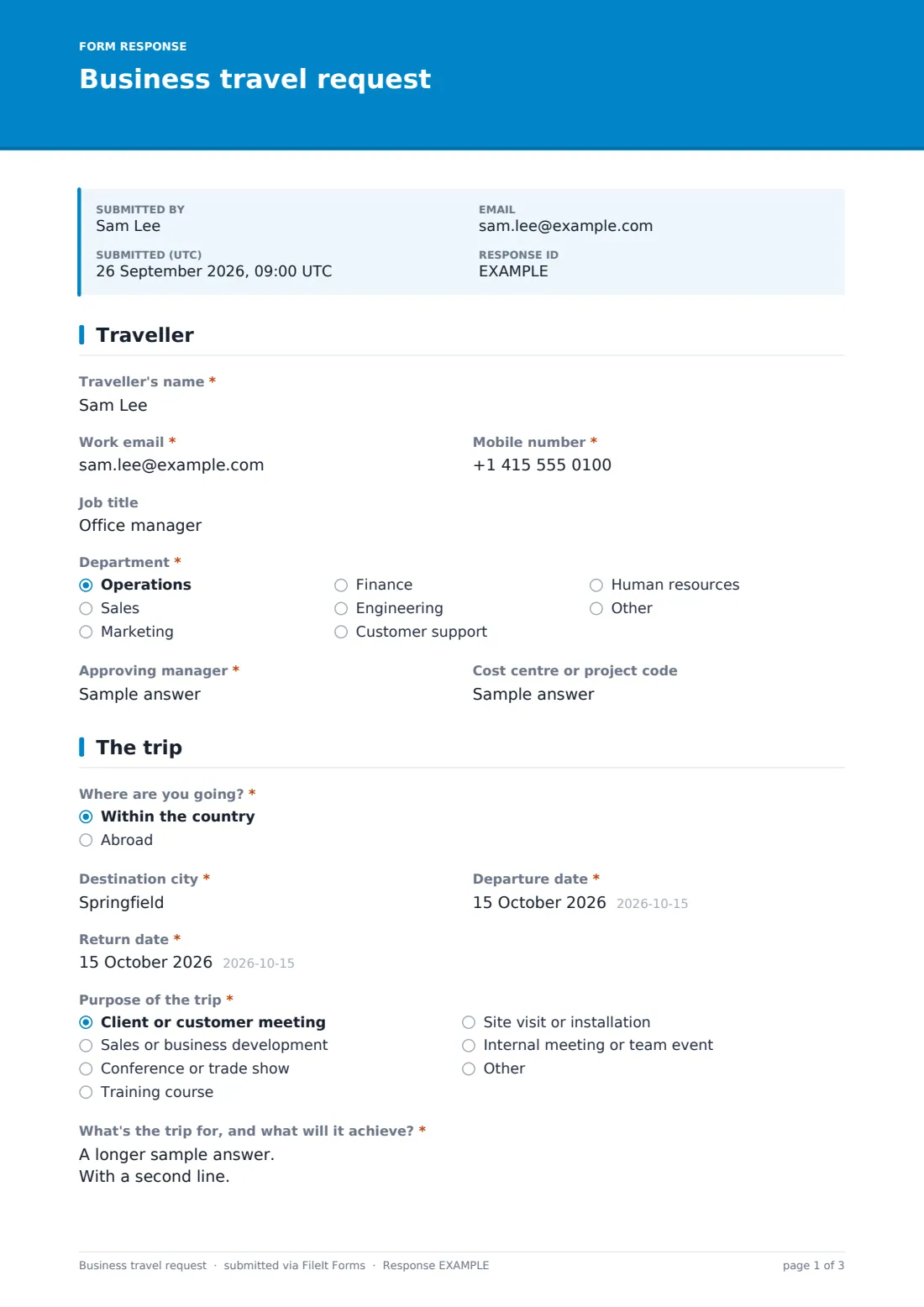
1 Traveller
The form collects the Traveller's name as it appears on their passport or ID, Work email, Mobile number, Job title, Department, Approving manager and an optional cost centre or project code.
2 The trip
The traveller says whether the trip is within the country or abroad, with a country field for trips abroad. They give the destination city, departure and return dates, and the Purpose of the trip: a client meeting, sales, a conference, training, a site visit, an internal meeting or something else. They describe what the trip will achieve. Answering yes to Could this be done virtually instead? asks why travelling is still the better option. If costs are rechargeable, the form asks which client.
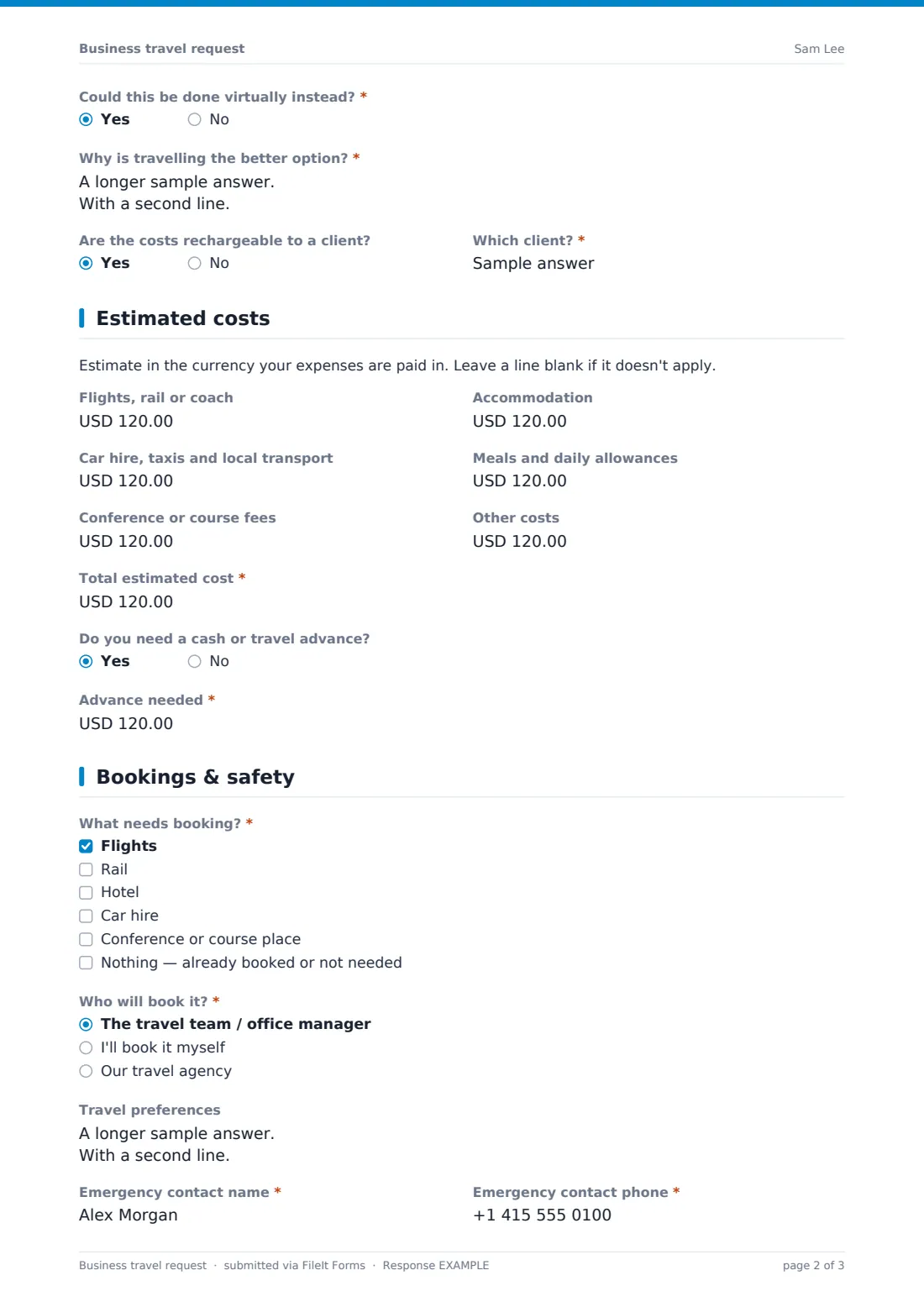
3 Estimated costs
Six optional lines cover transport, accommodation, local transport, meals and allowances, conference or course fees and other costs, followed by a required Total estimated cost. A yes/no question lets the traveller ask for a cash or travel advance and say how much.
4 Bookings & safety
The traveller ticks what needs booking and says who will book it: the travel team, themselves, or your agency. They can add travel preferences such as times, seats, loyalty numbers or accessibility needs. For trips abroad, the form asks about visas and the passport expiry date. Everyone gives an emergency contact, accepts a declaration that they won't book before approval, and signs.
Make the template yours
- Set the currency on the cost fields to your reimbursement currency
- Add your travel policy's limits, such as hotel caps or class of travel, to the page descriptions
- Add the travel team or office manager to notifications so approved trips can be booked quickly
- Add a field for the booking reference, or file the approved request alongside the booking confirmations in the vault
- Require a cost centre if every trip must be charged to a budget
- Remove the advance question if you don't offer travel advances
Tips for a better business travel request form
- Ask for requests with enough notice to book sensible fares, since last-minute bookings usually cost more
- Check passport expiry against the destination's entry rules before approving, not after booking
- Compare the estimate with the final expense claim to improve future budgets
- Keep emergency contacts current for everyone who travels, and know where people are while they're away
- Challenge whether a trip could be virtual, and accept a good reason when there is one
Every response becomes a PDF in your vault
When a request is submitted, FileIt saves the signed PDF in your vault and emails the form owner. The traveller gets a copy for their records.
Approvers usually review requests in the Responses table, looking at the purpose, total estimate and dates together, then reply to the traveller. Once approved, whoever is booking works from the same PDF, and finance can later match the expense claim against the estimate on file.
- Start from this template. It opens in the FileIt Forms designer — change any question, add pages, set the rules for when questions appear.
- Share it. Turn on a public link, or send it to people by email, each with their own link. They don’t need a FileIt account.
- Get the answers as PDFs. Each response is saved as a PDF in the vault folder you choose, with uploaded files attached — and listed in a Responses table you can export to CSV.
Business travel request form: frequently asked questions
Is this business travel request template free?
Yes. It's included in FileIt's Forms app on every account, including the free plan, and you can edit every question.
Does the traveller need a FileIt account?
No. You share the form as a link and staff fill it in and submit it without an account.
Does the form add up the costs?
No. The traveller enters each cost line and the total themselves, so approvers should check the total.
Does submitting the form book the trip?
No. It's a request for approval. The declaration asks the traveller not to book until it's approved, and booking happens outside the form.
Does the form check visa requirements?
No. For international trips it asks whether a visa or travel authorisation is needed and when the passport expires, so these get checked before anything is booked.
Can we use it for domestic trips too?
Yes. The visa and passport questions only appear for trips abroad.
Can I change the currency?
Yes. Each cost field has its own currency setting in the designer.