What is the group travel registration form template?
Organising a group trip — a school tour, a retreat, an incentive trip or a pilgrimage — means collecting the same set of exact details from every single traveller: passport information for flight and hotel bookings, a rooming preference, dietary and medical needs, and someone to call in an emergency. This group travel registration template gathers all of it in one form per traveller, instead of a rooming spreadsheet, a separate medical form and an email chain about seat preferences.
Getting this online matters because airline and hotel bookings need names and passport numbers exactly as printed, and a typed form is far less error-prone than transcribing handwriting from a paper slip. Conditional logic keeps the form efficient too: rooming questions only appear if the traveller isn't taking a single room, and travel insurance questions only expand once someone confirms they have a policy.
Each traveller's registration becomes its own PDF in your FileIt vault the moment it's submitted, so a trip leader has a complete, individual record for every person on the trip — easy to search when a query comes up about one traveller's dietary needs or passport expiry.
- Best for
- Tour operators, schools, faith groups and organisations running group trips
- Filled in by
- Each individual traveller
- Time to complete
- About 8–10 minutes, with a passport to hand
- Includes
- Passport details, rooming preferences, confidential medical page, signature
Who uses a group travel registration form?
- A school registers every student and chaperone travelling on an overseas trip
- A faith organisation collects details for a group pilgrimage
- A company registers employees travelling together on an incentive trip
- A tour operator gathers passport and rooming details ahead of booking flights and hotels
- A retreat organiser collects dietary and medical needs confidentially for the trip leaders
- A group travel coordinator builds a rooming list based on each traveller's preference
Questions on this group travel registration form
32 questions over 5 pages · includes signature, file upload, conditional questions, multiple pages, consent checkbox.
1 Traveller
- Name exactly as in your passport*
- Preferred name
- Date of birth*
- Gender Female · Male · X / non-binary · Prefer not to say
- Email*
- Mobile*
- Home address
2 Passport and travel documents
- Nationality*
- Passport number*
- Issuing country*
- Passport expiry date*
- Copy of your passport photo page
- Visa for this trip Not needed for my nationality · I already have one · I'll need one · Not sure
- Frequent flyer number
3 Rooming
- Room type* Single room (a supplement may apply) · Twin share · Double share
- Who would you like to share with? asked only when it applies
- If we pair you, you'd prefer to share with asked only when it applies Women · Men · Anyone
- Seat preference on flights and coaches Window · Aisle · No preference
4 Health, diet and insurance
- Dietary requirements Vegetarian · Vegan · Pescatarian · Gluten-free · Dairy-free · Halal · Kosher · Nut allergy · Shellfish allergy
- Any medical conditions, allergies or medication the group leader should know about?*
- Please give details* asked only when it applies
- Mobility or accessibility needs
- Do you have travel insurance for this trip?*
- Insurer* asked only when it applies
- Policy number* asked only when it applies
- Insurer's emergency assistance number asked only when it applies
5 Emergency contact and declaration
- Emergency contact name*
- Relationship* Partner / spouse · Parent · Sibling · Child · Friend · Colleague · Other
- Phone*
- Declaration*
- Signature*
The group travel registration form, page by page
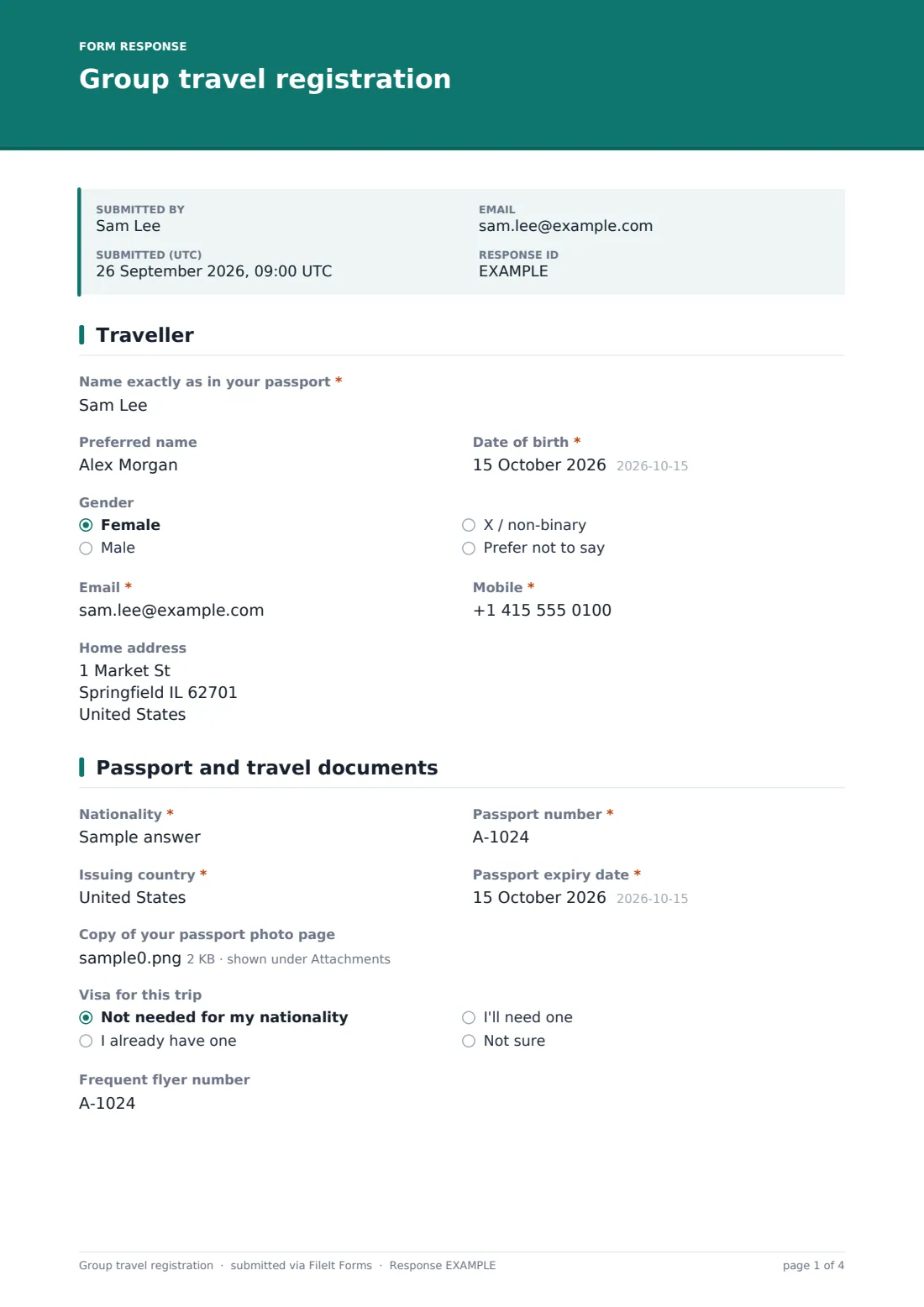
1 Traveller
The form opens with Name exactly as in your passport, an optional Preferred name, Date of birth, Gender (noted as sometimes required by airlines and hotels), Email, Mobile — the number the traveller will carry while travelling — and an optional Home address.
2 Passport and travel documents
Nationality, Passport number, Issuing country and Passport expiry date (with a note that many countries require at least six months' validity after return) capture what's needed for bookings, alongside an optional upload of the passport photo page. A Visa question (not needed, already have one, will need one, or not sure) and an optional Frequent flyer number round out the page.
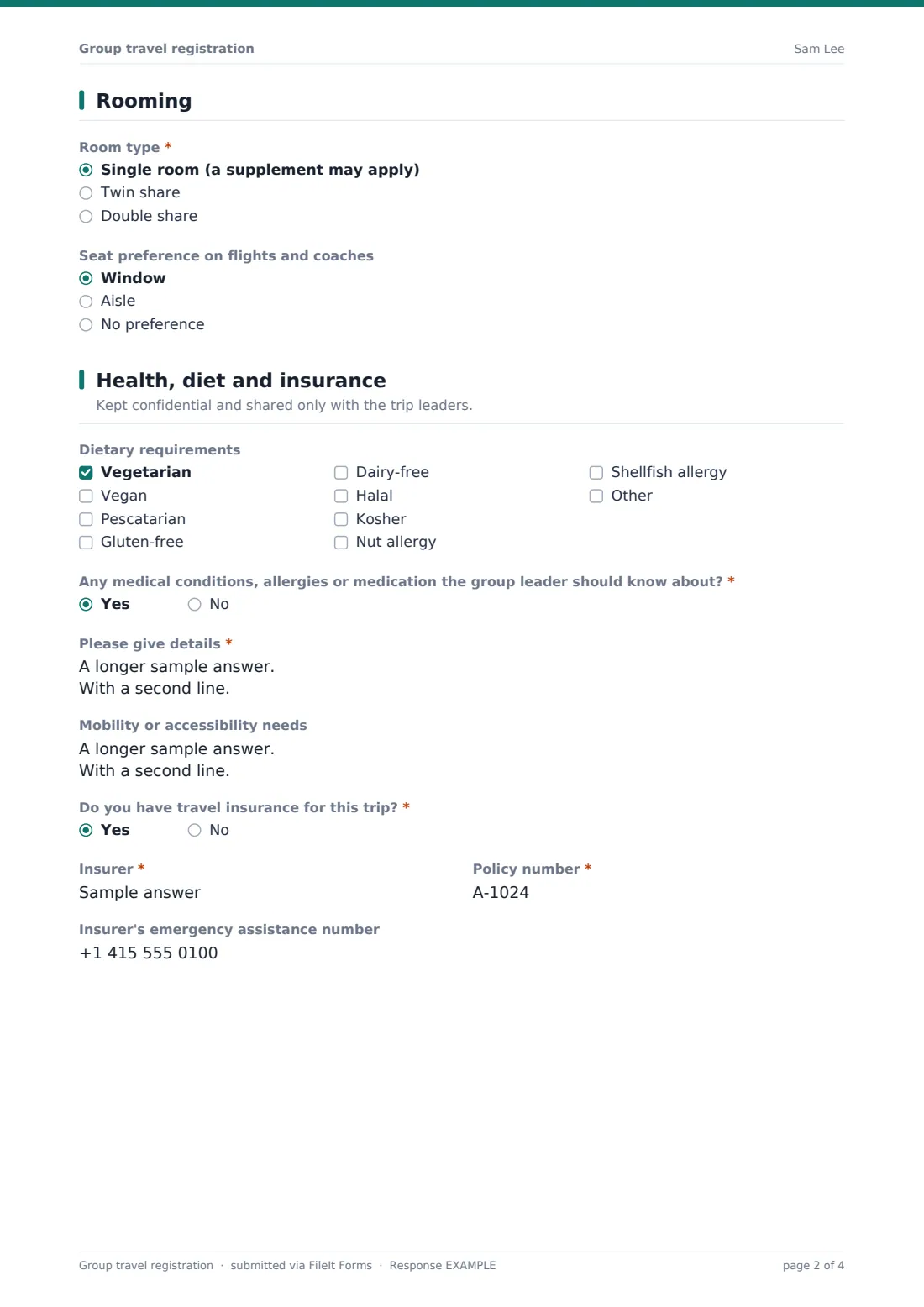
3 Rooming
A required Room type choice — single, twin share or double share — decides what's asked next: anything but single reveals a field for who the traveller would like to share with, and leaving that blank reveals a preference for being paired with women, men or anyone. An optional Seat preference for flights and coaches (window, aisle or no preference) is also collected here.
4 Health, diet and insurance
This page is marked as confidential, shared only with the trip leaders. A checklist covers common dietary requirements and allergies, and a required yes/no on medical conditions, allergies or medication reveals a box for detail, including what to do in an emergency. An optional Mobility or accessibility needs box covers long walks, stairs, heat or altitude, and a required yes/no on travel insurance reveals fields for the insurer, policy number and an optional emergency assistance number.
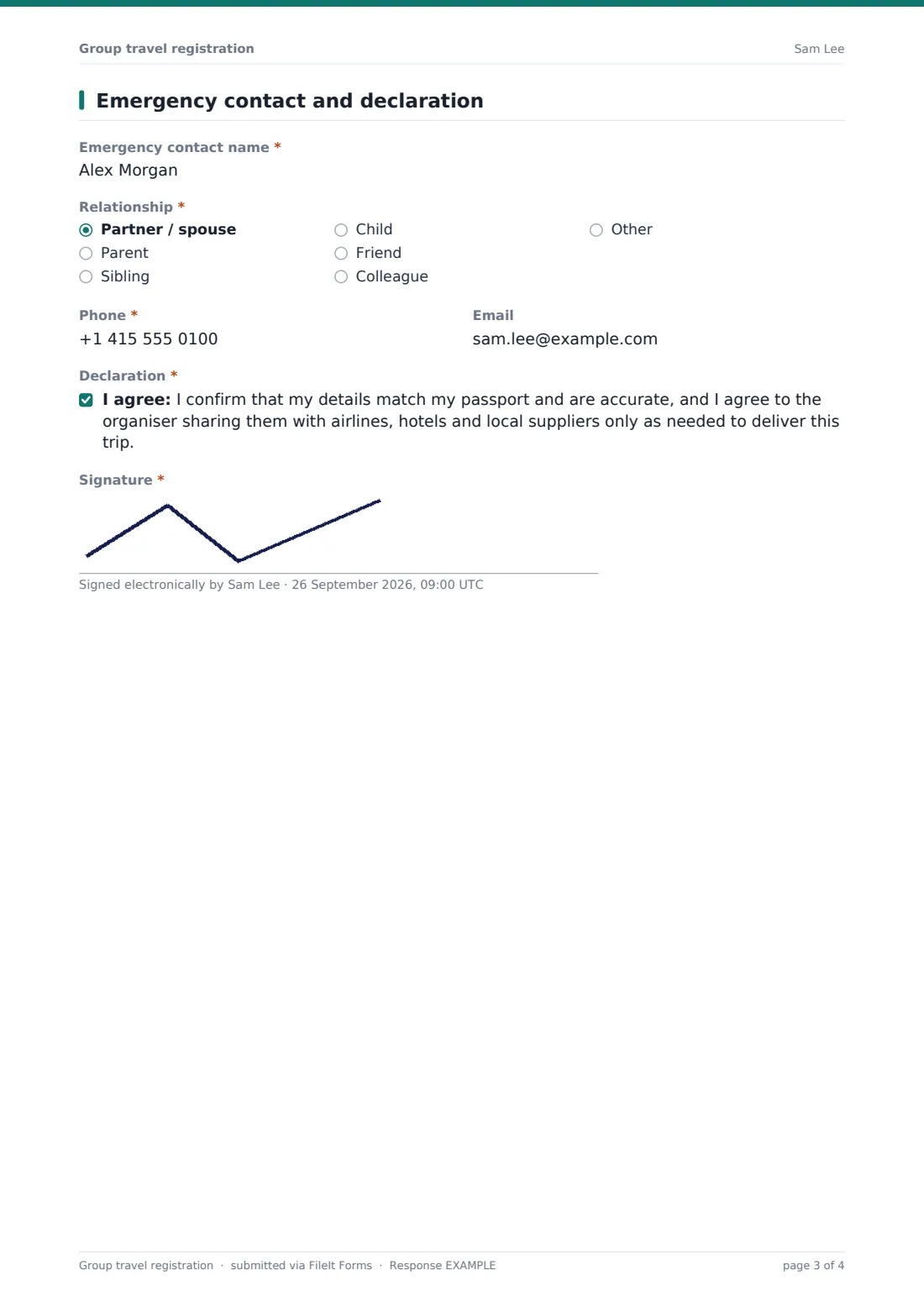
5 Emergency contact and declaration
The traveller gives an Emergency contact name, relationship, phone and optional email — someone not travelling with the group — before a declaration confirming their details match their passport and agreeing to the organiser sharing them with airlines, hotels and local suppliers only as needed, closed with a signature.
Make the template yours
- Add a question about a preferred excursion or add-on if your trip offers optional extras
- Set a closing date well ahead of your ticketing deadline so late registrations don't hold up bookings
- Restrict access to the vault folder given the sensitive medical and passport information collected
- Add a payment or deposit reference field if you track that separately from registration
- Adjust the rooming options if your trip uses different configurations, such as family rooms
- Export responses to CSV to build the rooming list and passport manifest for your travel agent
Tips for a better group travel registration form
- Remind travellers in your invitation to have their passport to hand before they start the form
- Double-check passport expiry dates against your destination's entry requirements well before departure
- Keep medical and health answers restricted to trip leaders only, in line with the page's own confidentiality note
- Chase down missing insurance details early — it's easier to fix a gap weeks before travel than at the airport
- This form collects information for planning purposes only; it isn't visa, immigration or medical advice, so direct travellers with specific questions to the relevant authority or a professional
Every response becomes a PDF in your vault
As soon as a traveller submits their registration, FileIt saves it as a signed PDF — including any passport scan — in the vault folder you've set up for the trip, with an immediate email notification so the organiser can start building the manifest straight away.
Trip leaders typically use the Responses table to build a rooming list, check dietary and medical needs before catering is finalised, and export traveller details to CSV to share with airlines, hotels or a travel agent. Because every traveller's registration is preserved as its own PDF, it's simple to check back on a single person's details without searching through everyone else's.
- Start from this template. It opens in the FileIt Forms designer — change any question, add pages, set the rules for when questions appear.
- Share it. Turn on a public link, or send it to people by email, each with their own link. They don’t need a FileIt account.
- Get the answers as PDFs. Each response is saved as a PDF in the vault folder you choose, with uploaded files attached — and listed in a Responses table you can export to CSV.
Group travel registration form: frequently asked questions
Is this group travel registration form template free?
Yes, it's included in the Forms app on every FileIt account, including the free plan, and every question can be edited.
Do travellers need a FileIt account to register?
No. Each traveller fills in and submits their own registration from a shared link or emailed invitation, with no account needed.
How do we get each traveller's registration as a PDF?
Every submission is automatically saved as a PDF, including any uploaded passport scan, in the vault folder you choose for this form.
Is medical information on this form kept confidential?
The page is labelled as shared only with the trip leaders, and you control who has access to the vault folder the responses are filed in.
Can we collect rooming preferences as part of registration?
Yes — travellers choose a room type and, unless they're in a single room, can name a preferred roommate or a general pairing preference.
Does this form handle visa applications for travellers?
No — it only records whether a traveller expects to need a visa. Applying for one remains the traveller's own responsibility, or the organiser's if they're coordinating that separately.
Can we require travel insurance details before someone is confirmed?
The form asks whether a traveller has insurance and, if so, for the policy details; making it a hard requirement to travel is a decision for your own trip policy.