What is the group rooming list form template?
A group block isn't ready for arrival until the hotel has a rooming list: who is in which room, who is sharing, who arrives early or leaves late and who pays. Lists sent as email attachments with no totals, missing dates and no billing instructions cause most of the last-minute problems at a group check-in.
This form asks organisers for everything reservations needs on four pages: the group and organiser, main dates and room counts by type, the rooming list itself (typed in or attached as a spreadsheet) with any different dates, and billing and special requests.
Each rooming list is filed as a PDF in your FileIt vault with the attached spreadsheet, so the reservations team has one place to check it against the block before the deadline.
- Best for
- Hotels, resorts and venues with group blocks, and travel and event organisers
- Filled in by
- The group organiser, planner or tour leader
- Time to complete
- 5 to 15 minutes depending on the size of the group
- Includes
- Room counts by type, typed list or spreadsheet upload, different dates follow-up, billing and requests
Who uses a group rooming list form?
- A conference hotel collecting rooming lists from event organisers
- A wedding venue receiving the room block list from the couple
- A sports team manager sending room assignments for an away tournament
- A tour operator sending passenger names for each hotel on an itinerary
- A school trip leader assigning students and staff to rooms
- A film production coordinator booking crew accommodation
Questions on this group rooming list form
30 questions over 4 pages · includes file upload, conditional questions, multiple pages, consent checkbox.
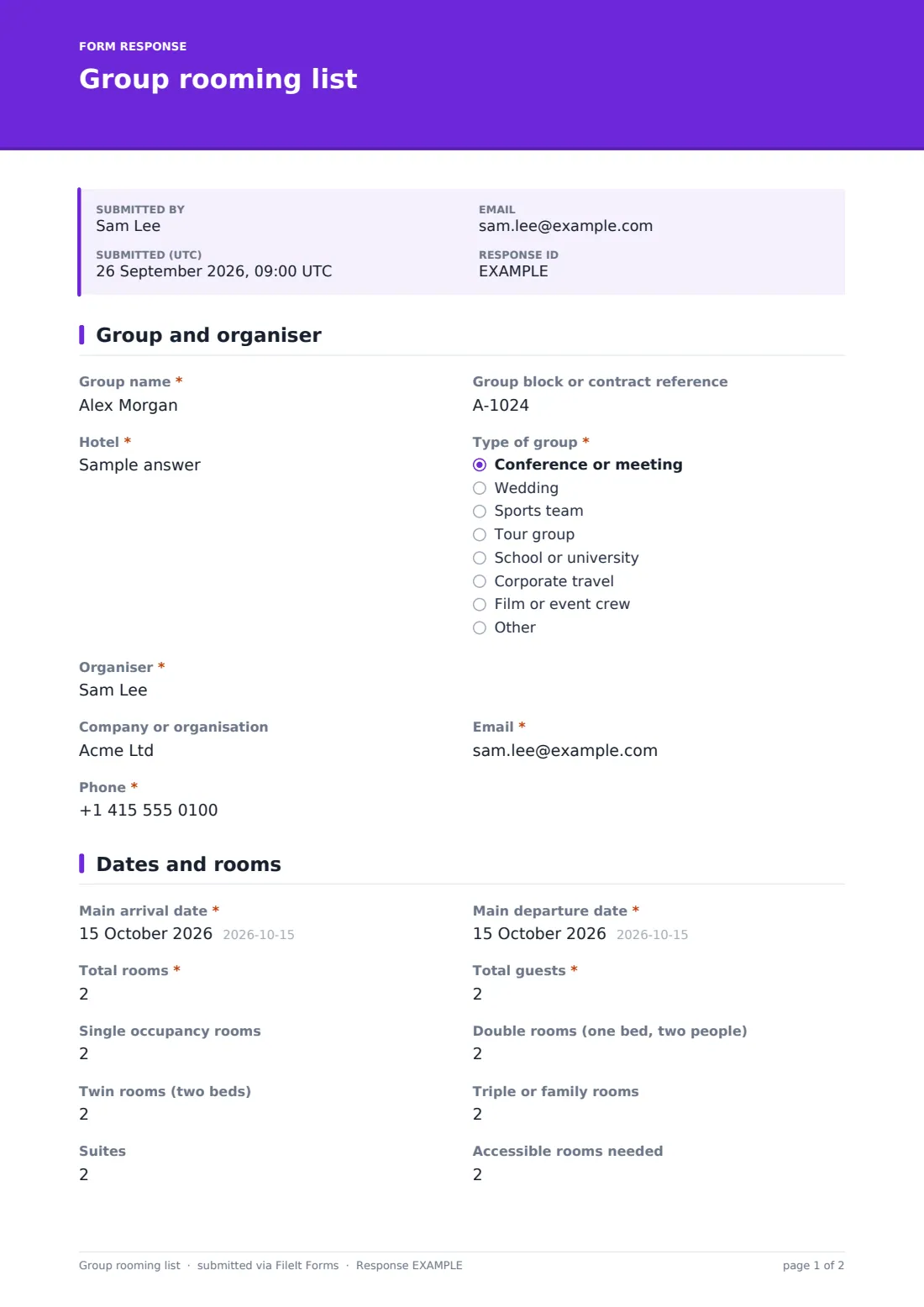
1 Group and organiser
- Group name*
- Group block or contract reference
- Hotel*
- Type of group* Conference or meeting · Wedding · Sports team · Tour group · School or university · Corporate travel · Film or event crew · Other
- Organiser*
- Company or organisation
- Email*
- Phone*
2 Dates and rooms
- Main arrival date*
- Main departure date*
- Total rooms*
- Total guests*
- Single occupancy rooms
- Double rooms (one bed, two people)
- Twin rooms (two beds)
- Triple or family rooms
- Suites
- Accessible rooms needed
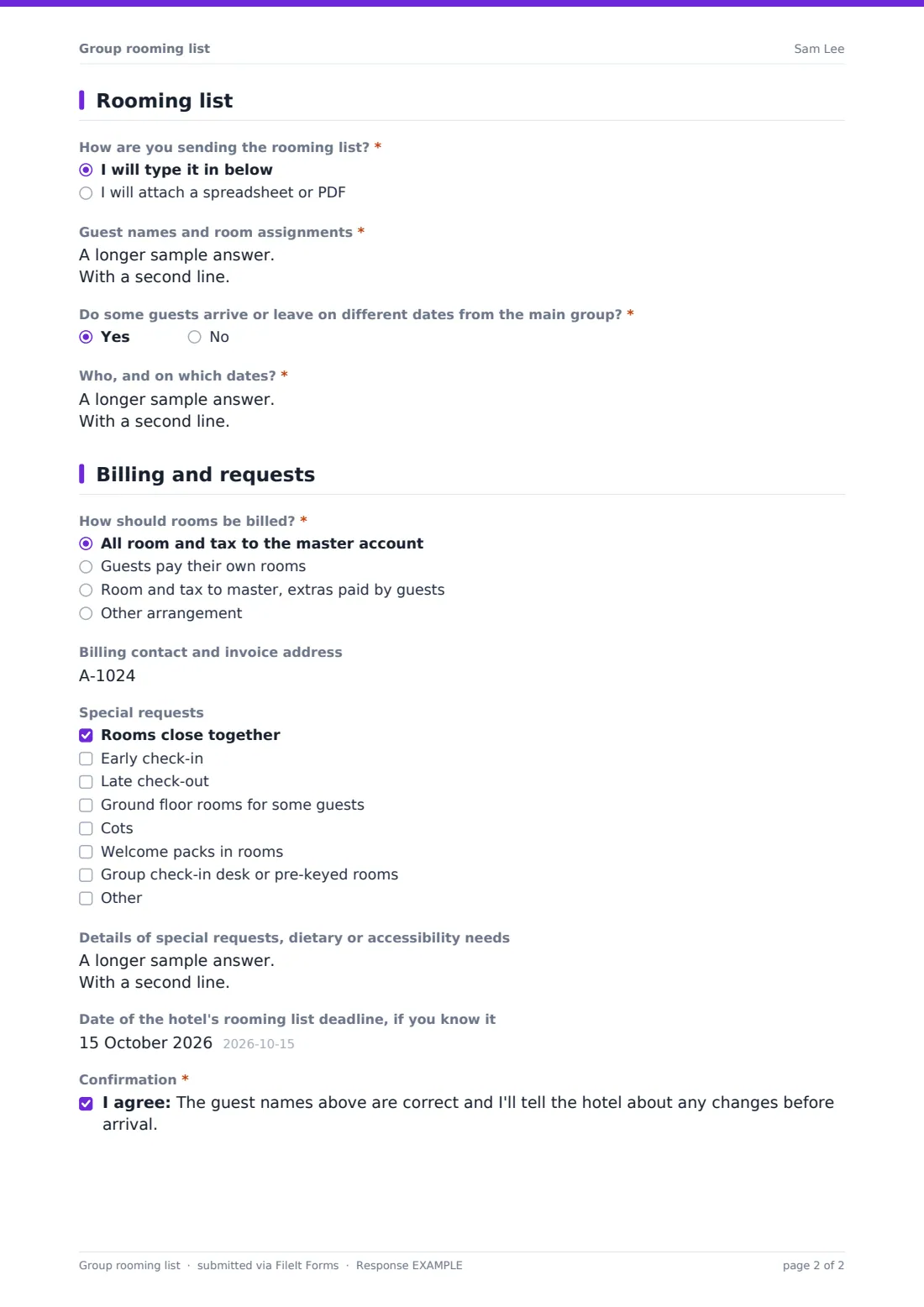
3 Rooming list
- How are you sending the rooming list?* I will type it in below · I will attach a spreadsheet or PDF
- Guest names and room assignments* asked only when it applies
- Rooming list file* asked only when it applies
- Do some guests arrive or leave on different dates from the main group?*
- Who, and on which dates?* asked only when it applies
4 Billing and requests
- How should rooms be billed?* All room and tax to the master account · Guests pay their own rooms · Room and tax to master, extras paid by guests · Other arrangement
- Explain the billing arrangement* asked only when it applies
- Billing contact and invoice address asked only when it applies
- Special requests Rooms close together · Early check-in · Late check-out · Ground floor rooms for some guests · Cots · Welcome packs in rooms · Group check-in desk or pre-keyed rooms
- Details of special requests, dietary or accessibility needs
- Date of the hotel's rooming list deadline, if you know it
- Confirmation*
The group rooming list form, page by page
1 Group and organiser
Record the group name, block or contract reference, hotel, type of group and the organiser's name, company, email and phone.
2 Dates and rooms
Enter the main arrival and departure dates, total rooms and total guests, and the number of single, double, twin, triple or family rooms, suites and accessible rooms needed.
3 Rooming list
Organisers choose whether to type the list, one room per line with guest names, room type, dates and requests, or attach it as a spreadsheet or PDF. If some guests arrive or leave on different dates, the form asks who and when.
4 Billing and requests
Choose how rooms are billed: all to a master account, guests paying their own, room and tax to master with extras paid by guests, or another arrangement, which opens a box to explain it. Unless guests pay their own rooms, add a billing contact and invoice address. Tick special requests such as rooms close together, early check-in or cots, add details and the rooming list deadline, and confirm the names are correct.
Make the template yours
- Add your own room type names, such as deluxe king or garden twin
- Attach a rooming list spreadsheet template to the cover text for organisers to download
- Set a closing date to match the block's rooming list deadline
- Send lists to your groups or reservations inbox
- Add a credit card authorisation step using a separate form if you need one
- File lists into a vault folder per event or group
Tips for a better group rooming list form
- Ask organisers to use guests' names exactly as they appear on their ID
- Check the room counts against the block before keying the list into your system
- Send the organiser a reminder a week before the rooming list deadline
- Confirm billing instructions in writing before arrival day
- Ask for late changes by email so they're logged against the same group
Every response becomes a PDF in your vault
Each rooming list is saved as a PDF in your FileIt vault with the attached spreadsheet, and the reservations team can be emailed straight away. The organiser can receive a copy of what they sent.
Use the Responses table to see all groups arriving by date and export the details to CSV for planning.
- Start from this template. It opens in the FileIt Forms designer — change any question, add pages, set the rules for when questions appear.
- Share it. Turn on a public link, or send it to people by email, each with their own link. They don’t need a FileIt account.
- Get the answers as PDFs. Each response is saved as a PDF in the vault folder you choose, with uploaded files attached — and listed in a Responses table you can export to CSV.
Group rooming list form: frequently asked questions
Is this group rooming list form free?
Yes. It's included in the FileIt Forms app on every account, including the free plan.
Can organisers upload a spreadsheet instead?
Yes. They can attach the list as an Excel, CSV or PDF file, or type it into the form.
Does it connect to our property management system?
No. The rooming list is saved as a PDF and attachment for your team to enter into your own system.
Can the organiser change the list later?
They can submit an updated list, which is filed separately with its own date, so you can see the latest version.
When are billing details asked for?
The billing contact is asked for unless guests are paying for their own rooms.
Do organisers need a FileIt account?
No. Send them the form link and they can fill it in without signing in.