What is the hotel group room block request form template?
A group enquiry that starts with "we need about twenty rooms in June" turns into a week of emails: which nights, how many on the busiest night, twins or doubles, who's paying, will guests book themselves? This hotel group room block request form asks all of that up front, so your sales team can check the inventory and send a real quote on the first reply.
The form follows the way hotels actually price a block. It separates the rooms needed on the busiest night from the total number of guests, records the room types wanted, and asks who pays — individual guests, one master account, or a split where the organiser covers room and tax. It also asks how guests will book: a rooming list from the organiser, or a group code they use themselves. Meeting space, group meals and coach parking only open up when the group needs them.
Each request is saved as a PDF in your FileIt vault the moment it arrives, so the group file starts with a complete brief rather than a forwarded email chain.
- Best for
- Hotels, resorts, B&Bs and venues with rooms that take group bookings
- Filled in by
- The group organiser — a planner, coach, couple or company contact
- Time to complete
- About 6 minutes
- Includes
- Peak-night rooms, room mix, billing and booking method, meeting space, a quote-only consent
Who uses a hotel group room block request form?
- A wedding couple asking for a block of rooms for guests over a long weekend
- A sports team manager booking twin rooms and coach parking for an away fixture
- A conference organiser who needs rooms plus a plenary room and coffee breaks
- A school or tour operator sending a rooming list for a coach group
- A family reunion that wants connecting rooms and a group dinner
- A sales team logging every group enquiry in one place, won or lost
Questions on this hotel group room block request form
29 questions over 3 pages · includes conditional questions, multiple pages, consent checkbox.
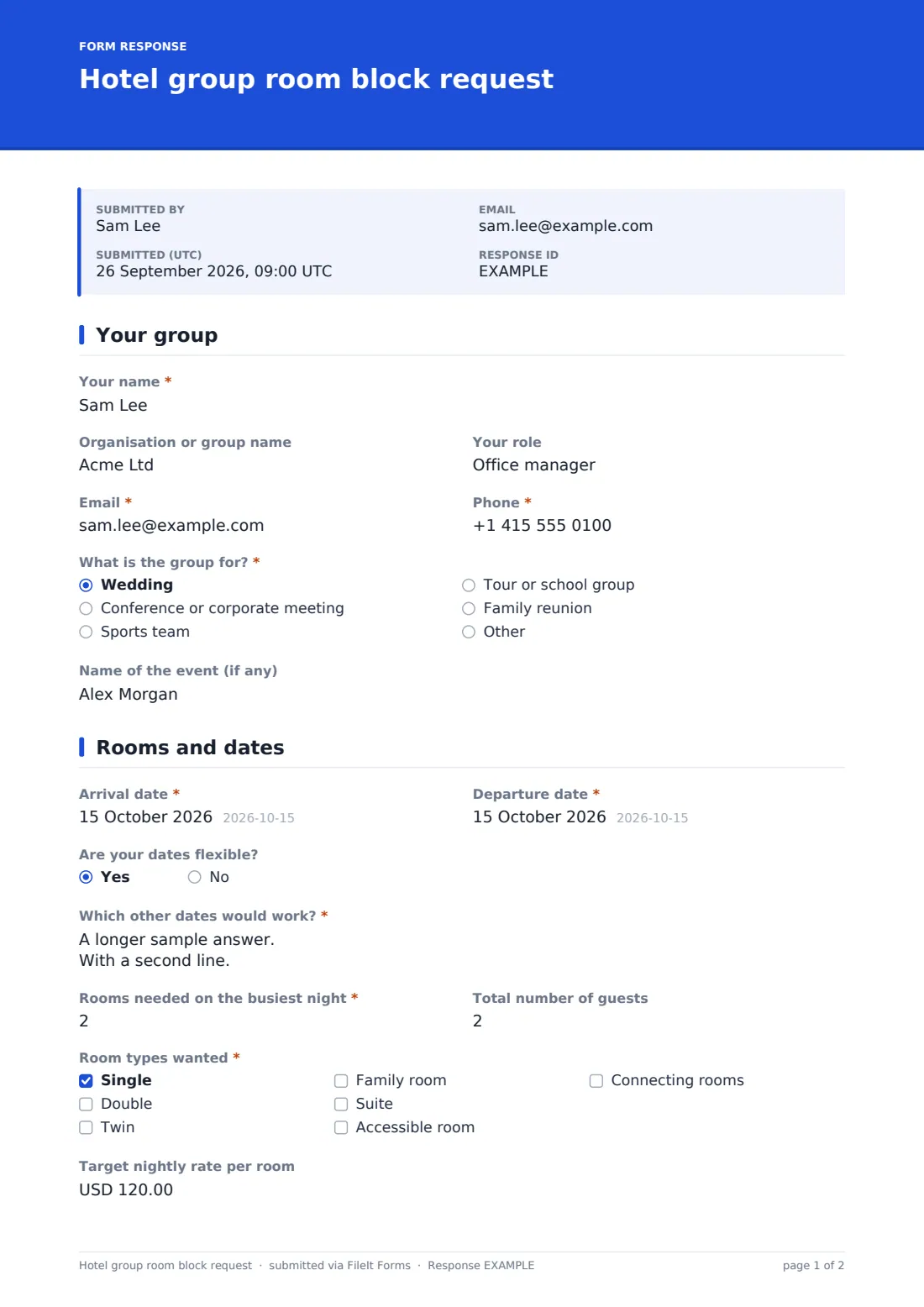
1 Your group
- Your name*
- Organisation or group name
- Your role
- Email*
- Phone*
- What is the group for?* Wedding · Conference or corporate meeting · Sports team · Tour or school group · Family reunion
- Name of the event (if any)
2 Rooms and dates
- Arrival date*
- Departure date*
- Are your dates flexible?
- Which other dates would work?* asked only when it applies
- Rooms needed on the busiest night*
- Total number of guests
- Room types wanted* Single · Double · Twin · Family room · Suite · Accessible room · Connecting rooms
- How many accessible rooms?* asked only when it applies
- Target nightly rate per room
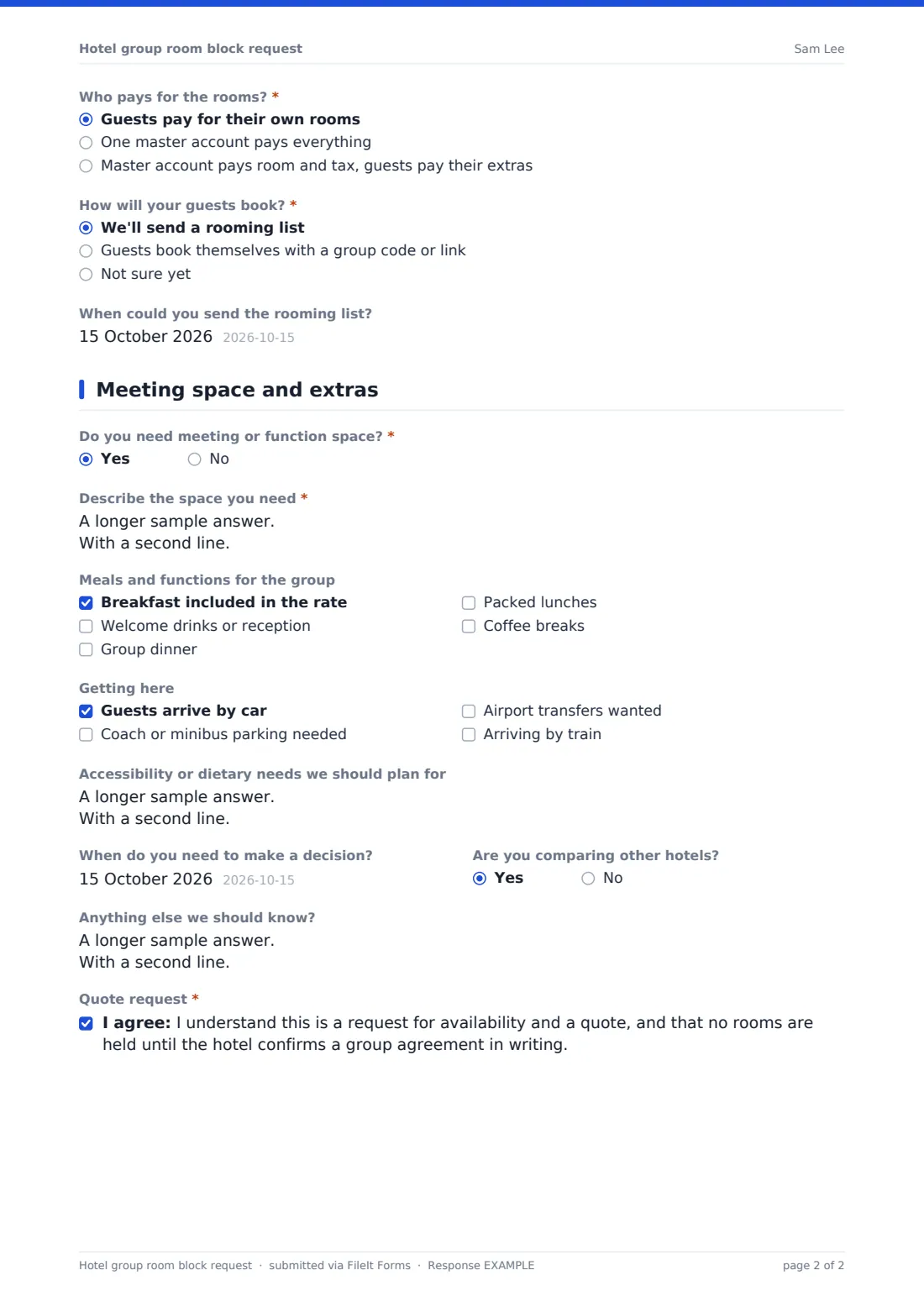
- Who pays for the rooms?* Guests pay for their own rooms · One master account pays everything · Master account pays room and tax, guests pay their extras
- How will your guests book?* We'll send a rooming list · Guests book themselves with a group code or link · Not sure yet
- When could you send the rooming list? asked only when it applies
3 Meeting space and extras
- Do you need meeting or function space?*
- Describe the space you need* asked only when it applies
- Meals and functions for the group Breakfast included in the rate · Welcome drinks or reception · Group dinner · Packed lunches · Coffee breaks
- Getting here Guests arrive by car · Coach or minibus parking needed · Airport transfers wanted · Arriving by train
- How many coaches or minibuses? asked only when it applies
- Accessibility or dietary needs we should plan for
- When do you need to make a decision?
- Are you comparing other hotels?
- Anything else we should know?
- Quote request*
The hotel group room block request form, page by page
1 Your group
The organiser gives their name, organisation or group name, role, email and phone, then answers "What is the group for?" — a wedding, a conference or corporate meeting, a sports team, a tour or school group, a family reunion, or their own answer. An optional field takes the name of the event.
2 Rooms and dates
The organiser enters the arrival and departure dates. Answering yes to "Are your dates flexible?" opens "Which other dates would work?". Two numbers follow: "Rooms needed on the busiest night" and "Total number of guests".
"Room types wanted" lists single, double, twin, family room, suite, accessible room and connecting rooms. Ticking accessible room asks how many are needed. An optional target nightly rate comes next, and help text says to leave it blank for your best group rate. "Who pays for the rooms?" covers guests paying their own way, one master account, or a split. "How will your guests book?" offers a rooming list, a group code or link, or not sure yet. Choosing the rooming list asks when they could send it.
3 Meeting space and extras
A yes to "Do you need meeting or function space?" opens a box for the sessions, numbers, layout and AV. "Meals and functions for the group" covers breakfast in the rate, welcome drinks, a group dinner, packed lunches and coffee breaks. "Getting here" covers cars, coaches or minibuses, airport transfers and trains, and choosing coach parking asks how many vehicles. The organiser can add accessibility or dietary needs, when they need to decide, and whether they're comparing other hotels. The form ends with a consent: it's a request for availability and a quote, and no rooms are held until the hotel confirms a group agreement in writing.
Make the template yours
- Swap the room types for your hotel's real room categories
- Change the currency on the target nightly rate
- Remove the meeting space page questions if you have no function rooms
- Edit the confirmation message to state your real reply time
- Add the sales manager's address to the notification emails so enquiries reach the right desk
- File responses into a group sales folder in your vault, one PDF per enquiry
Tips for a better hotel group room block request form
- Quote against the busiest night, not the total guest count — that's the number that blocks inventory
- Ask about the decision date before you spend time on a detailed proposal
- Agree the rooming list deadline in the contract, not just on the form
- When guests book with a group code, check pick-up regularly and release unused rooms on time
- Note whether the group is comparing hotels so you can follow up promptly
Every response becomes a PDF in your vault
When the organiser submits, FileIt saves the request as a PDF in the vault folder you chose and emails you a notice. If the organiser gave an email address, they receive a copy of their answers too, which helps when they're chasing several hotels at once.
The Responses table lists every enquiry with search across the answers, so you can find a group by name or event. Export to CSV to keep a simple pipeline of enquiries, quotes sent and groups confirmed.
- Start from this template. It opens in the FileIt Forms designer — change any question, add pages, set the rules for when questions appear.
- Share it. Turn on a public link, or send it to people by email, each with their own link. They don’t need a FileIt account.
- Get the answers as PDFs. Each response is saved as a PDF in the vault folder you choose, with uploaded files attached — and listed in a Responses table you can export to CSV.
Hotel group room block request form: frequently asked questions
Is this group room block form free?
Yes. It's one of the ready-made templates in the Forms app on every FileIt account, including the free plan, and you can change any question in the designer.
Does submitting the form reserve rooms?
No. The form says plainly that it's a request for availability and a quote, and that nothing is held until the hotel confirms a group agreement in writing.
Can organisers fill it in on their phone?
Yes. The form works on phones and computers, and it remembers answers in progress on that browser if the organiser steps away.
Why ask for rooms on the busiest night separately?
Group blocks are usually priced and held per night. The busiest night tells you how much inventory the group really needs; the total guest count helps with meals and meeting space.
Can I add our group terms or a deposit policy?
Yes. Edit the consent statement, or add a paragraph with your policy, in the designer before you publish.
Where does each enquiry end up?
Every submission becomes a PDF filed in your FileIt vault, and the Responses tab keeps the full list with search and CSV export.