What is the corporate card request form template?
Handing out company cards without a clear application process makes it hard to answer basic questions later. Who asked for this card, what was it for, and what did they agree to? This template gets those answers before the card is issued.
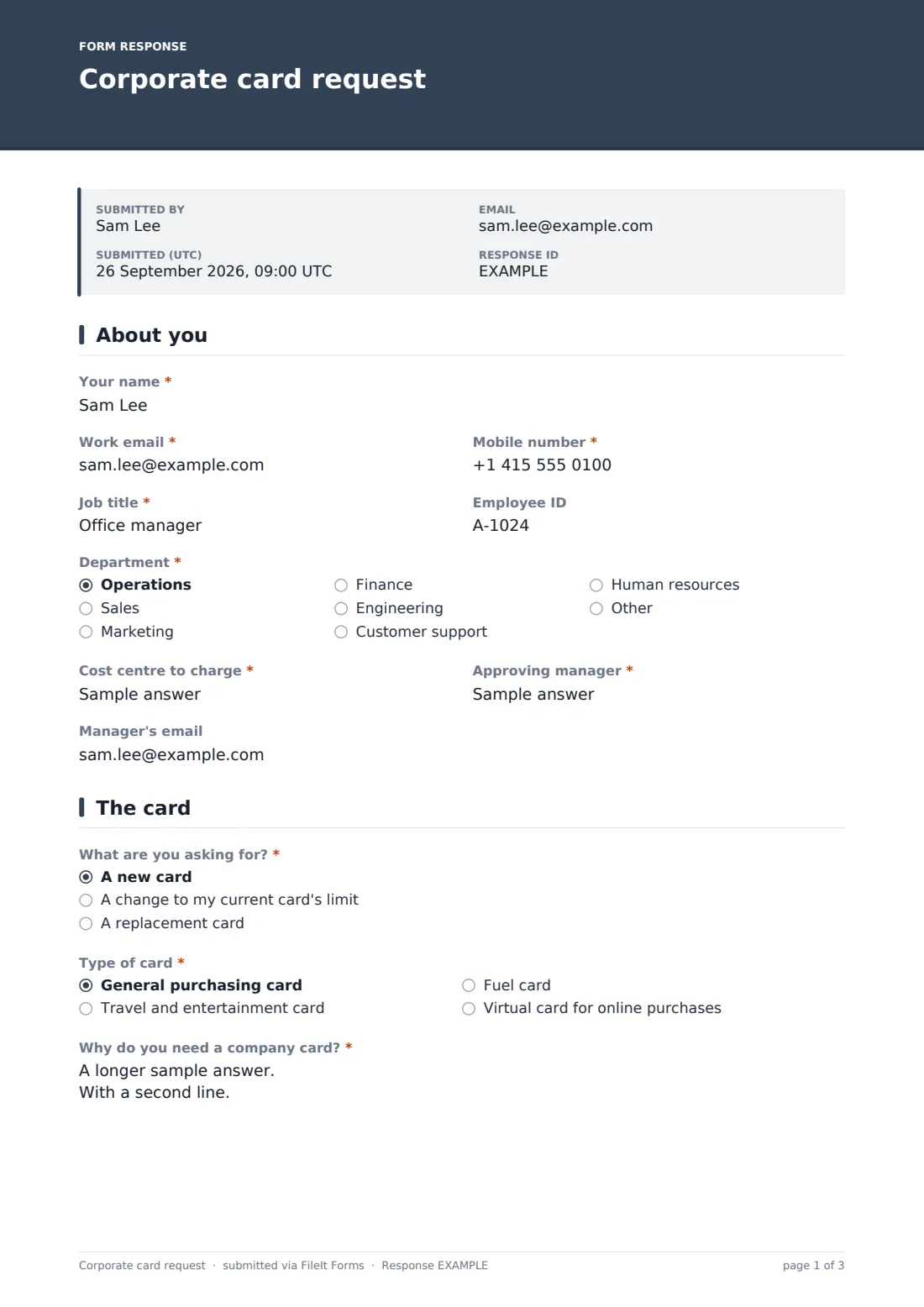
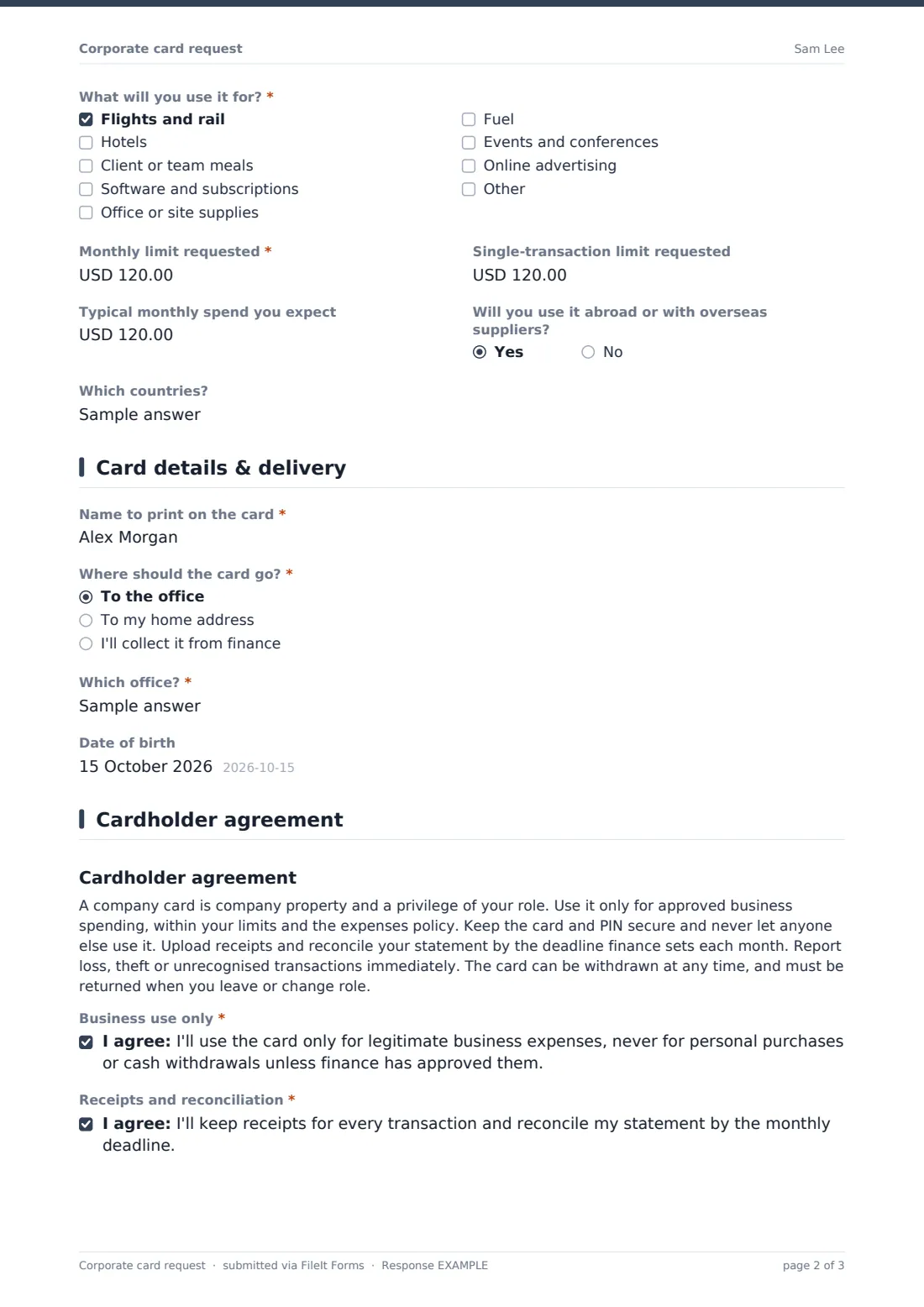
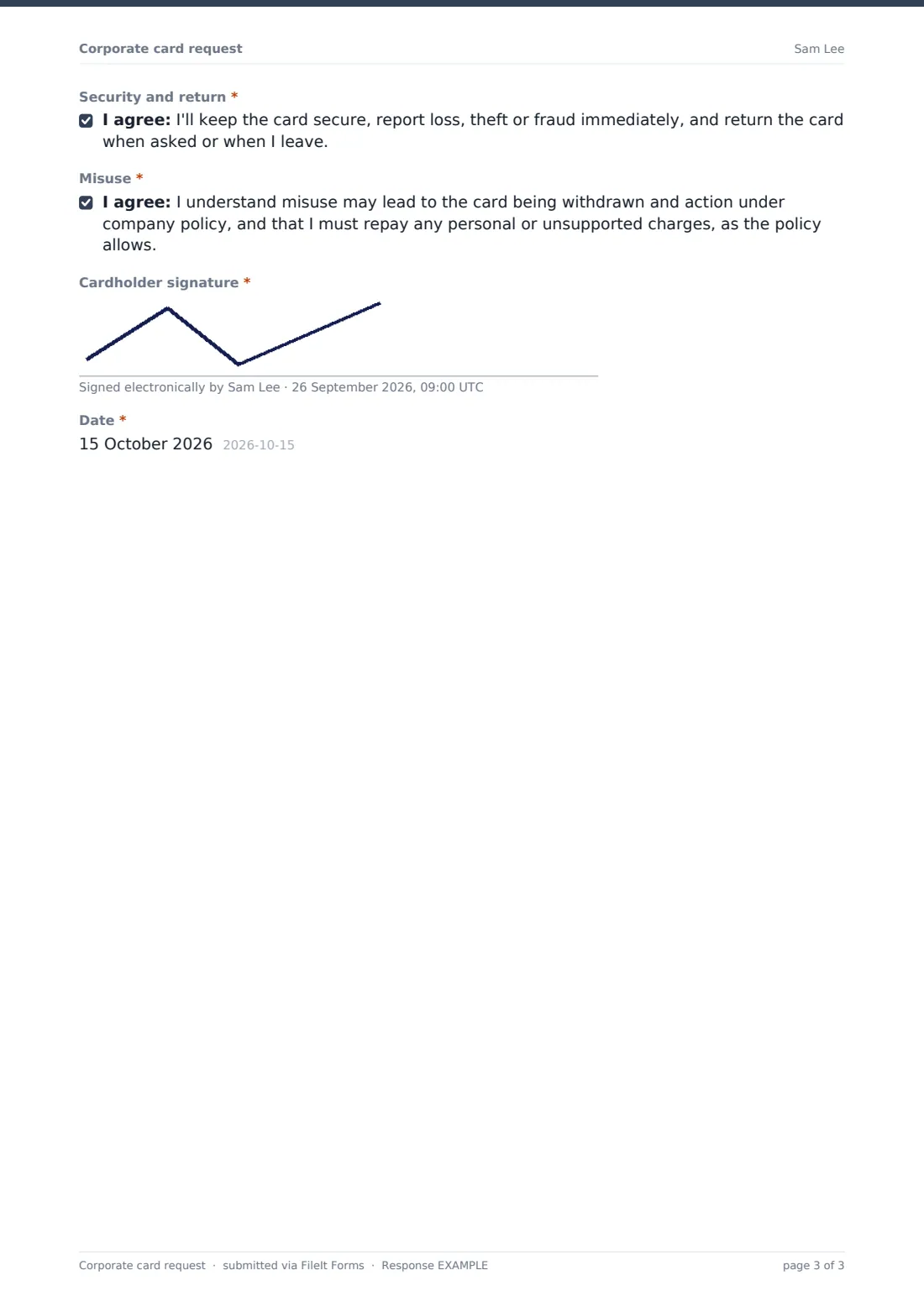
The applicant says whether they want a new card, a limit change or a replacement, and picks the card type: general purchasing, travel and entertainment, fuel, or virtual. They explain why they need it, tick what they'll spend on, and request monthly and per-transaction limits. The last page sets out the cardholder terms and asks for four separate agreements and a signature.
Each request is saved as a signed PDF in your FileIt vault, so the terms a cardholder agreed to are always on file if spending is ever questioned.
- Best for
- Finance teams issuing and managing company credit, purchasing, fuel or virtual cards
- Filled in by
- The employee who needs the card
- Time to complete
- About 10 minutes
- Includes
- New, limit-change and replacement requests, limit fields, and a four-part signed cardholder agreement
Who uses a corporate card request form?
- Issuing travel cards to staff who travel regularly for work
- Giving office managers a purchasing card for supplies and subscriptions
- Setting up fuel cards for field staff and drivers
- Issuing virtual cards for online advertising or software spend
- Handling requests to raise an existing card's limit with a written justification
- Replacing lost, stolen or damaged cards with a record of what happened
Questions on this corporate card request form
31 questions over 4 pages · includes signature, conditional questions, multiple pages, consent checkbox.
1 About you
- Your name*
- Work email*
- Mobile number*
- Job title*
- Employee ID
- Department* Operations · Sales · Marketing · Finance · Engineering · Customer support · Human resources · Other
- Cost centre to charge*
- Approving manager*
- Manager's email
2 The card
- What are you asking for?* A new card · A change to my current card's limit · A replacement card
- Why does it need replacing?* asked only when it applies Lost · Stolen · Damaged · Name change · Expiring
- Type of card* General purchasing card · Travel and entertainment card · Fuel card · Virtual card for online purchases
- Why do you need a company card?*
- What will you use it for?* Flights and rail · Hotels · Client or team meals · Software and subscriptions · Office or site supplies · Fuel · Events and conferences · Online advertising
- Current monthly limit* asked only when it applies
- Monthly limit requested*
- Single-transaction limit requested
- Typical monthly spend you expect
- Will you use it abroad or with overseas suppliers?
- Which countries? asked only when it applies
3 Card details & delivery
- Name to print on the card*
- Where should the card go?* asked only when it applies To the office · To my home address · I'll collect it from finance
- Which office?* asked only when it applies
- Home address* asked only when it applies
- Date of birth
4 Cardholder agreement
- Business use only*
- Receipts and reconciliation*
- Security and return*
- Misuse*
- Cardholder signature*
- Date*
The corporate card request form, page by page
1 About you
The applicant gives Your name, Work email, Mobile number, Job title, Employee ID, Department, the Cost centre to charge, and their Approving manager with an optional email.
2 The card
The applicant chooses a new card, a limit change or a replacement. Replacements ask why. Lost or stolen cards show a reminder to call the card provider to block the card and tell finance first, and a limit change asks for the current monthly limit. They pick the Type of card, explain Why do you need a company card?, and tick what they'll use it for, such as travel, hotels, meals, software, supplies, fuel, events or advertising. They then enter a requested monthly limit, an optional single-transaction limit and their typical monthly spend. Overseas use asks which countries.
3 Card details & delivery
The applicant enters the Name to print on the card. For physical cards they choose delivery to the office, their home address or collection from finance, with the matching office or address field. Date of birth is optional, for card providers that need it to verify cardholders.
4 Cardholder agreement
A short summary of the cardholder rules is followed by four required agreements: business use only, receipts and reconciliation, security and return of the card, and what happens on misuse. The cardholder signs and dates the agreement.
Make the template yours
- Replace the agreement text with your own corporate card policy wording
- Set the currency on the limit fields to the one your cards are issued in
- Add the receipt deadline, such as within five working days of month-end, to the agreement
- Add finance's email to notifications so they see every request as it comes in
- Remove card types you don't offer, or add your provider's names for them
- File signed agreements into each cardholder's vault folder so they're easy to find at renewal or offboarding
Tips for a better corporate card request form
- Set limits based on the expected spend, not the maximum anyone might ever need
- Ask for the manager's approval before finance orders the card
- Review cards and limits periodically and cancel cards that aren't being used
- Collect cards back as part of offboarding, alongside laptops and building passes
- Make sure cardholders know exactly who to call if the card is lost, day or night
Every response becomes a PDF in your vault
When the request is submitted, FileIt saves the signed PDF in your vault and emails the form owner. The applicant gets a copy of the terms they agreed to.
Finance usually reviews requests in the Responses table, checks the limits and manager approval, then orders the card from the provider. The signed agreement stays on file for as long as the card is active and after, in case a transaction is ever disputed.
- Start from this template. It opens in the FileIt Forms designer — change any question, add pages, set the rules for when questions appear.
- Share it. Turn on a public link, or send it to people by email, each with their own link. They don’t need a FileIt account.
- Get the answers as PDFs. Each response is saved as a PDF in the vault folder you choose, with uploaded files attached — and listed in a Responses table you can export to CSV.
Corporate card request form: frequently asked questions
Is this corporate card request template free?
Yes. It's included in FileIt's Forms app on every account, including the free plan, and you can edit every question.
Does the applicant need a FileIt account?
No. You share the form as a link and employees fill it in and submit it without an account.
Does submitting the form issue a card?
No. It records the request and the signed agreement. Finance orders the card from your provider once it's approved.
Can I use my own cardholder terms?
Yes. The agreement summary and the four consent statements are editable text in the designer.
Can employees request a higher limit on an existing card?
Yes. They choose A change to my current card's limit and explain why in the same form.
Does the form collect card numbers?
No. It doesn't ask for card numbers, PINs or security codes, and it shouldn't be changed to do so.
Where are the signed agreements kept?
Each submission is saved as a PDF in your FileIt vault and listed in the form's Responses table.