
What is the mileage reimbursement claim form template?
Mileage claims are small individually, but they add up, and they're one of the expense types auditors and finance teams look at most closely. A claim that just says "September mileage: 212 miles" leaves nobody able to check it. This template records each journey properly: the date, where from, where to, why, and how far.
It starts with the vehicle: type, fuel, registration and whether the claimant's insurance covers business use. If it doesn't, the form shows a note explaining why that matters. The claimant chooses miles or kilometres and enters your policy rate, then logs up to three journeys with a mileage log upload for the rest. It closes with totals, passengers and a signed declaration that commuting has been deducted.
Every claim is filed as a PDF in your FileIt vault with its attachments, ready for approval and payment.
- Best for
- Employers reimbursing staff who drive or ride their own vehicle for work
- Filled in by
- The employee, monthly or after each business trip
- Time to complete
- About 5-10 minutes
- Includes
- Vehicle and insurance checks, per-journey entries, a mileage log upload and a signed declaration
Who uses a mileage reimbursement claim form?
- Sales staff visiting clients in their own cars
- Care workers and community staff travelling between home visits
- Engineers or surveyors driving to sites that aren't their usual workplace
- Staff cycling between offices on business, where your policy pays a cycling rate
- Volunteers or trustees claiming mileage for charity business
- A finance team that wants every mileage claim in the same checkable format
Questions on this mileage reimbursement claim form
39 questions over 4 pages · includes signature, file upload, conditional questions, multiple pages, consent checkbox.
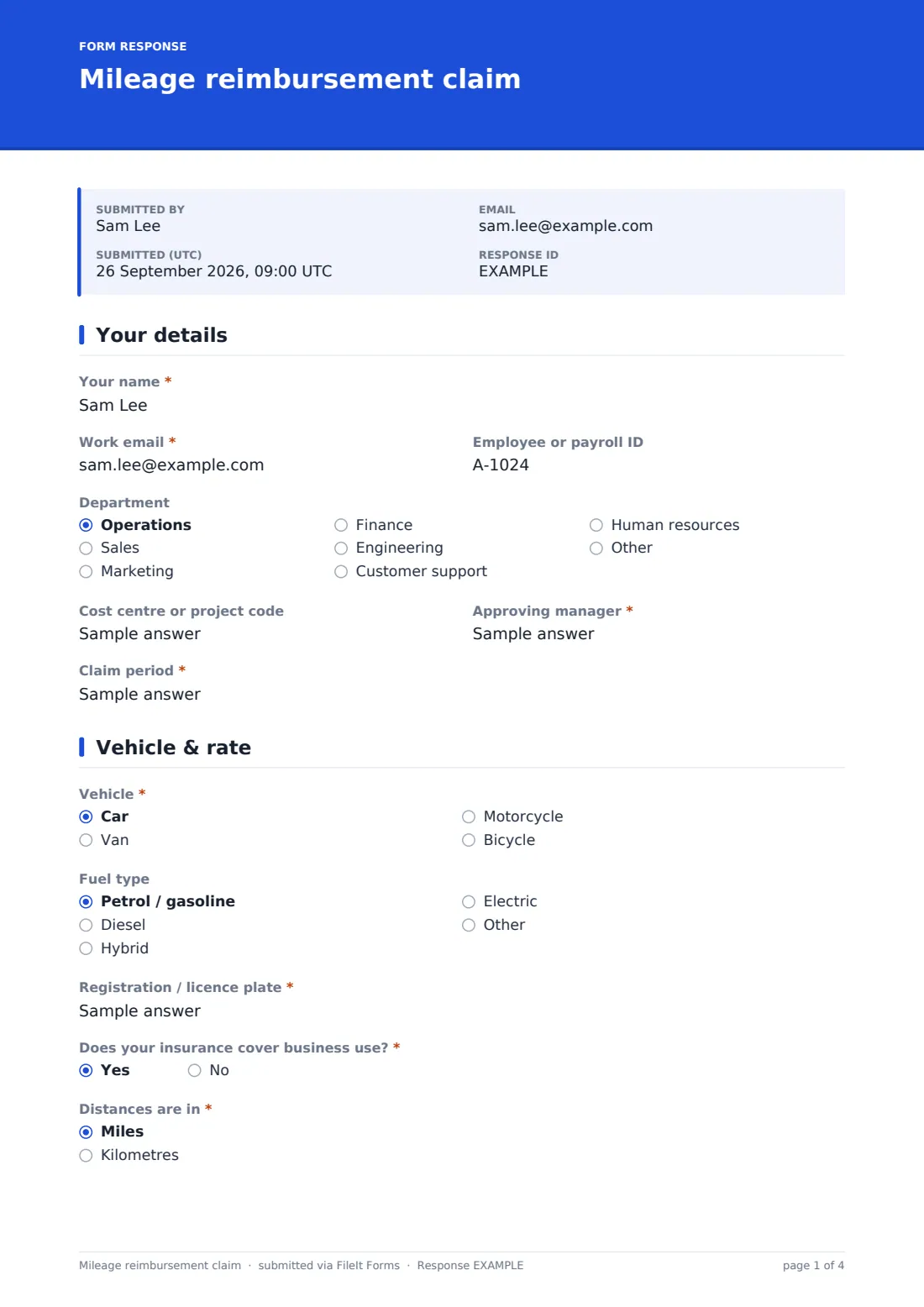
1 Your details
- Your name*
- Work email*
- Employee or payroll ID
- Department Operations · Sales · Marketing · Finance · Engineering · Customer support · Human resources · Other
- Cost centre or project code
- Approving manager*
- Claim period*
2 Vehicle & rate
- Vehicle* Car · Van · Motorcycle · Bicycle
- Fuel type asked only when it applies Petrol / gasoline · Diesel · Hybrid · Electric · Other
- Registration / licence plate* asked only when it applies
- Does your insurance cover business use?* asked only when it applies
- Distances are in* Miles · Kilometres
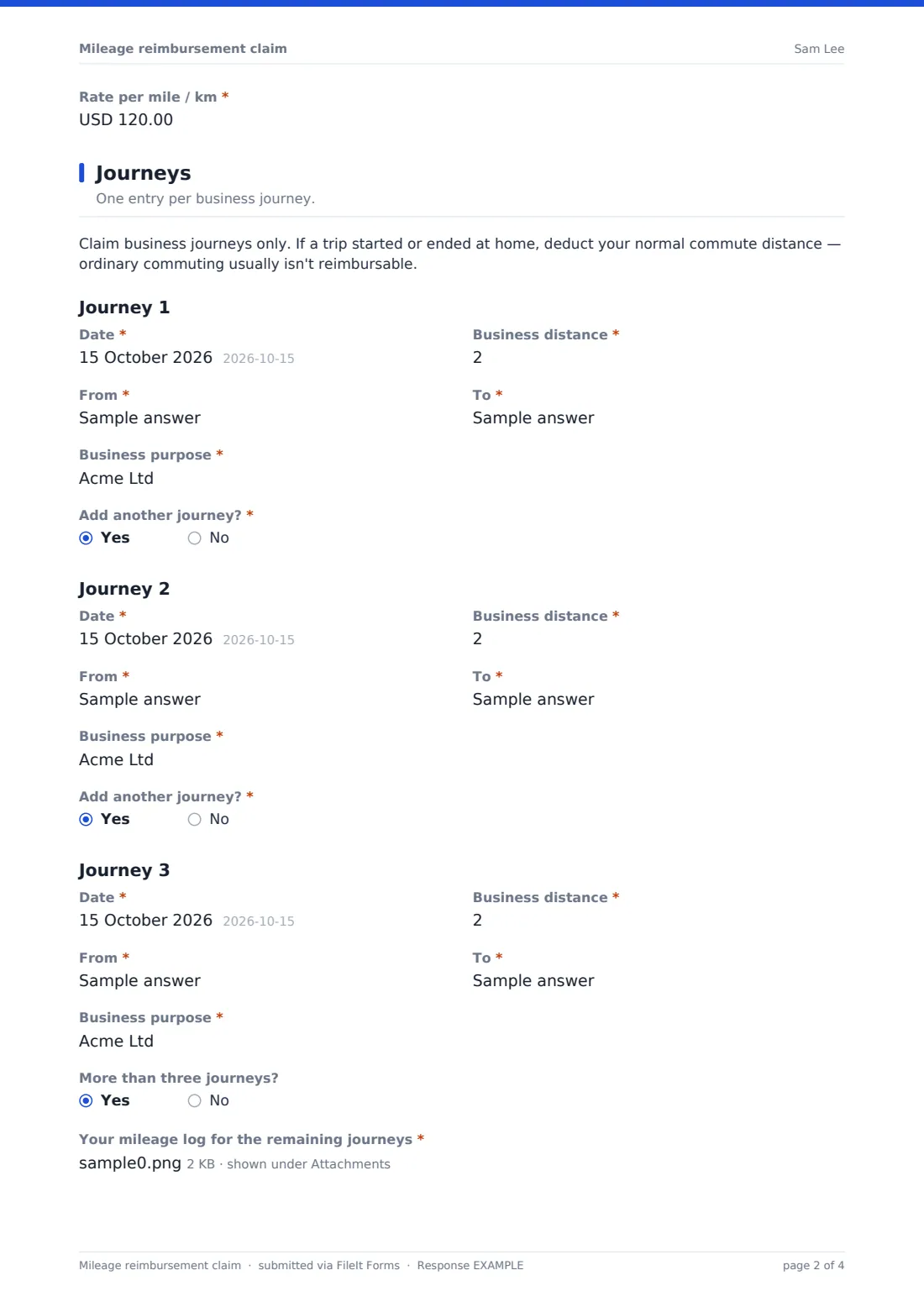
- Rate per mile / km*
3 Journeys
- Date*
- Business distance*
- From*
- To*
- Business purpose*
- Add another journey?*
- Date* asked only when it applies
- Business distance* asked only when it applies
- From* asked only when it applies
- To* asked only when it applies
- Business purpose* asked only when it applies
- Add another journey?* asked only when it applies
- Date* asked only when it applies
- Business distance* asked only when it applies
- From* asked only when it applies
- To* asked only when it applies
- Business purpose* asked only when it applies
- More than three journeys? asked only when it applies
- Your mileage log for the remaining journeys* asked only when it applies
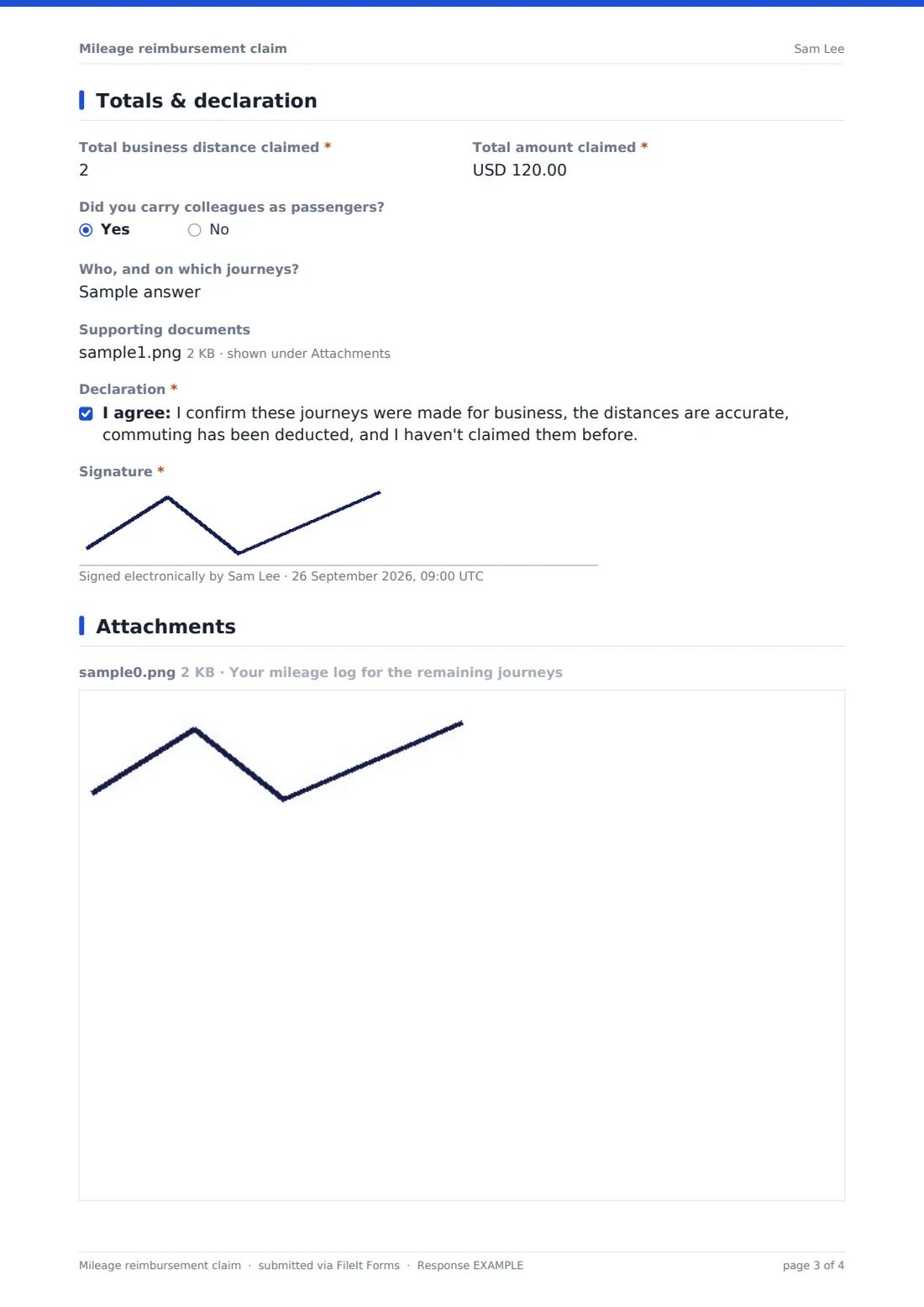
4 Totals & declaration
- Total business distance claimed*
- Total amount claimed*
- Did you carry colleagues as passengers?
- Who, and on which journeys? asked only when it applies
- Supporting documents
- Declaration*
- Signature*
The mileage reimbursement claim form, page by page
1 Your details
The claimant gives Your name, Work email, Employee or payroll ID, Department, Cost centre or project code, Approving manager and the Claim period.
2 Vehicle & rate
The claimant chooses car, van, motorcycle or bicycle. For anything but a bicycle, the form asks for fuel type, registration and whether their insurance covers business use. Answering no shows a note suggesting they check with their insurer. They then pick miles or kilometres and enter the Rate per mile / km from your expenses policy.
3 Journeys
A reminder at the top says to claim business journeys only and to deduct normal commuting from trips that start or end at home. Each journey has a Date, Business distance, From, To and Business purpose. Add another journey? opens a second and third. Anyone with more than three uploads a mileage log for the rest.
4 Totals & declaration
The claimant enters the Total business distance and Total amount claimed, says whether they carried colleagues as passengers and, if so, who and on which journeys. They can attach route printouts or other supporting documents. The page closes with a declaration covering business purpose, accurate distances, deducted commuting and no double claims, and a signature.
Make the template yours
- Set the currency on the rate and total fields to the one you reimburse in
- Put your standard rate in the help text, or in the confirmation message, so claimants don't have to look it up
- Add a field for passenger miles if your policy pays an extra rate for carrying colleagues
- Remove the bicycle option, or add others like electric scooter, to match your policy
- Add finance's email to notifications so every submitted claim reaches them as well as the approver
- File claims into one folder per month to make each payment run easy to reconcile
Tips for a better mileage reimbursement claim form
- Publish your mileage rate and what counts as commuting in the policy, and link it from the form's cover text
- Ask for business insurance evidence once a year rather than on every claim
- Spot-check distances against a route planner for a sample of claims
- Claim parking and tolls on a separate expense claim with receipts, so mileage stays clean
- Encourage monthly claims. Journeys from three months ago are hard to remember accurately
Every response becomes a PDF in your vault
When the claim is submitted, FileIt saves it as a PDF with any uploaded log or documents and notifies the form owner. The claimant gets a copy.
Approvers typically check the journeys and totals in the Responses table, then pass approved claims to finance or payroll. Because every claim is filed with its journeys listed, it's straightforward to answer an audit or tax query about any payment later.
- Start from this template. It opens in the FileIt Forms designer — change any question, add pages, set the rules for when questions appear.
- Share it. Turn on a public link, or send it to people by email, each with their own link. They don’t need a FileIt account.
- Get the answers as PDFs. Each response is saved as a PDF in the vault folder you choose, with uploaded files attached — and listed in a Responses table you can export to CSV.
Mileage reimbursement claim form: frequently asked questions
Is this mileage reimbursement template free?
Yes. It's included in FileIt's Forms app on every account, including the free plan, and you can edit every question.
Do employees need a FileIt account to submit a claim?
No. You share the form as a link and employees fill it in and submit without an account.
Does the form calculate the amount automatically?
No. The claimant enters the total distance and amount themselves, using the rate they've entered, so approvers should check the arithmetic.
What mileage rate should we use?
That depends on your policy and local tax rules. The form has a rate field for the claimant to enter your policy rate, and you can put the rate in the help text.
Can claimants log more than three journeys?
Yes. After the third journey they can upload a mileage log, such as a spreadsheet or photo, covering the rest.
Why does the form ask about insurance?
Personal car insurance often excludes driving for work. The question prompts people to check before they drive on business. It doesn't stop the claim.
Can we export claims for payroll?
Yes. All submissions appear in the Responses table, which you can filter and export.