What is the weekly timesheet form template?
Paper timesheets get lost, spreadsheets get emailed around in five versions, and payroll ends up chasing people on the last day of the pay period. This template gives everyone the same simple weekly form, filled in on a phone or computer and filed automatically.
Employees enter their hours for each weekday, with a short detail box for start and finish times and what they worked on. Weekend days appear only if they worked the weekend. The totals page captures total and overtime hours, whether overtime was approved, any leave taken and an optional breakdown by project or cost code.
The employee signs and dates it, and FileIt saves it as a PDF in your vault. Every week's timesheet is then on record for payroll, for project costing and for any later query about hours.
- Best for
- Hourly staff, part-timers, contractors and any team that bills or costs time to projects
- Filled in by
- The employee, at the end of each week
- Time to complete
- About 5 minutes
- Includes
- Daily hours for all seven days, overtime and leave questions, a project breakdown and a signature
Who uses a weekly timesheet form?
- A small business paying hourly staff from weekly timesheets
- A retail or hospitality team whose hours change week to week
- An agency or consultancy costing staff time against client projects
- Contractors submitting signed weekly hours for approval before invoicing
- Recording overtime and leave alongside normal hours in one weekly record
- Replacing paper time cards at a site or warehouse with a form filled in on a phone
Questions on this weekly timesheet form
32 questions over 4 pages · includes signature, conditional questions, multiple pages, consent checkbox.
1 About you
- Your name*
- Work email*
- Employee or payroll ID
- Department Operations · Sales · Marketing · Finance · Engineering · Customer support · Human resources · Other
- Approving manager*
- Week commencing*
- How are you paid?* Hourly · Salaried · Contractor / agency
2 Daily hours
- Monday — hours worked
- Monday — start, finish and project
- Tuesday — hours worked
- Tuesday — start, finish and project
- Wednesday — hours worked
- Wednesday — start, finish and project
- Thursday — hours worked
- Thursday — start, finish and project
- Friday — hours worked
- Friday — start, finish and project
- Did you work at the weekend?*
- Saturday — hours worked asked only when it applies
- Saturday — start, finish and project asked only when it applies
- Sunday — hours worked asked only when it applies
- Sunday — start, finish and project asked only when it applies
3 Totals, leave & projects
- Total hours worked this week*
- Of which overtime
- Was the overtime approved in advance?* asked only when it applies Yes · No · Submitted on a separate overtime request
- Any leave or absence this week?* None · Vacation / annual leave · Sick leave · Public holiday · Unpaid leave · Other leave
- Which days, and how many hours? asked only when it applies
- Hours by project or cost code
- Anything else payroll or your manager should know?
4 Sign-off
- Declaration*
- Signature*
- Date*
The weekly timesheet form, page by page
1 About you
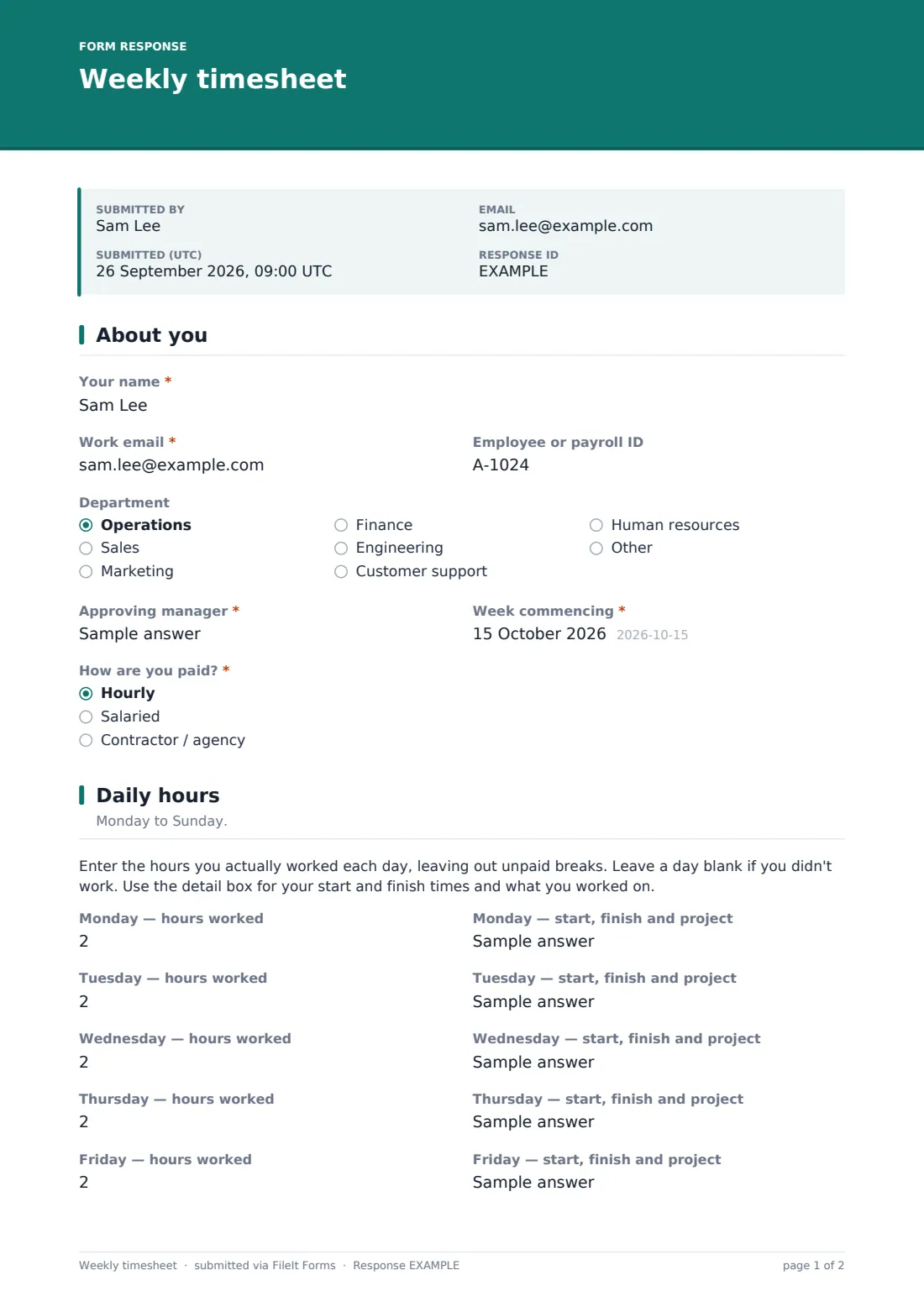
The employee gives Your name, Work email, an optional Employee or payroll ID, Department, Approving manager, the Week commencing date and how they're paid: hourly, salaried or contractor/agency.
2 Daily hours
For Monday to Friday there's an hours field (up to 24, in quarter-hour steps, excluding unpaid breaks) and a detail box for start, finish and project. Did you work at the weekend? opens the same two fields for Saturday and Sunday.
3 Totals, leave & projects
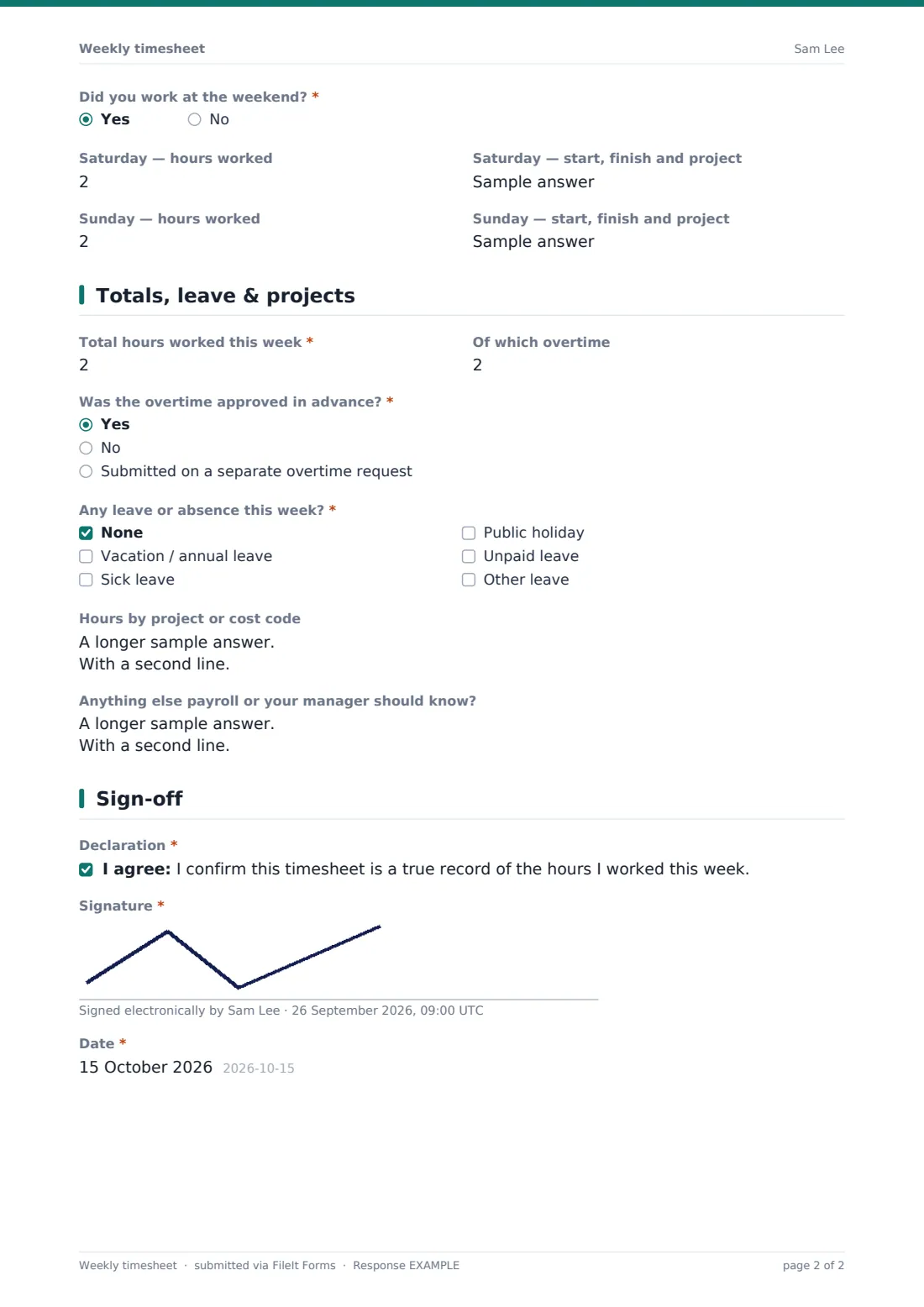
The employee enters Total hours worked this week and any overtime. If there's overtime, the form asks whether it was approved in advance or submitted on a separate overtime request. A required leave question covers vacation, sick leave, public holidays, unpaid and other leave. Choosing any leave asks which days and how many hours. Optional fields break hours down by project or cost code and take notes for payroll or the manager.
4 Sign-off
The employee confirms the timesheet is a true record of the hours they worked, signs and adds the date.
Make the template yours
- Rename the project field to match how you cost time, such as client, job number or cost centre
- Remove the weekend question if your staff never work weekends
- Add your payroll team's email to notifications so every submitted timesheet reaches them too
- File each employee's timesheets into their own vault folder, or into one folder per pay period
- Add a field for mileage or site location if staff move between locations
- Send the form as a weekly request to each employee so everyone gets a personal link
Tips for a better weekly timesheet form
- Ask people to fill in their timesheet on the last working day of the week, while the hours are fresh
- Check the daily hours add up to the total before approving
- Match overtime on the timesheet against any overtime requests before paying it
- Agree a clear deadline for timesheets each pay period and stick to it
- Keep past timesheets filed. Hours records are often needed for pay queries and audits
Every response becomes a PDF in your vault
When the employee submits, FileIt saves the signed timesheet as a PDF in your vault and notifies the form owner. The employee gets a copy for their own records.
Managers usually review the week's timesheets in the Responses table, where totals, overtime and leave sit side by side, and export them for payroll. The signed PDF stays filed if an hours query comes up later.
- Start from this template. It opens in the FileIt Forms designer — change any question, add pages, set the rules for when questions appear.
- Share it. Turn on a public link, or send it to people by email, each with their own link. They don’t need a FileIt account.
- Get the answers as PDFs. Each response is saved as a PDF in the vault folder you choose, with uploaded files attached — and listed in a Responses table you can export to CSV.
Weekly timesheet form: frequently asked questions
Is this weekly timesheet template free?
Yes. It's included in FileIt's Forms app on every account, including the free plan, and you can edit every question.
Do employees need a FileIt account to submit a timesheet?
No. You share the form as a link and employees fill it in and submit it without an account.
Does the form add up the hours automatically?
No. Employees enter their daily hours and their weekly total themselves, so the approving manager should check the total against the daily figures.
Can employees record leave on the timesheet?
Yes. A leave question covers vacation, sick leave, public holidays, unpaid and other leave, with a field for which days and how many hours.
Can we track hours by project?
Yes. Each day has a detail box, and the totals page has an optional field for hours by project or cost code.
Can the manager sign the timesheet too?
The template has the employee's signature. Add a second signature field in the designer if your process needs a manager signature on the same PDF.
Can I export timesheets for payroll?
Yes. All submissions appear in the Responses table, which you can filter and export.