What is the staff availability form form template?
Building a rota from text messages, sticky notes and memory is how people end up scheduled on the one evening they said they couldn't do. This template gives every shift worker the same short form for their usual week, their limits and their upcoming time off.
At its heart is a simple grid of the seven days of the week, marked as any time, mornings, afternoons, evenings, nights or not available. Around it sit earliest start and latest finish times, the minimum and maximum weekly hours, preferred shifts and whether they're happy to be called for short-notice cover. A final page picks up upcoming dates off and regular commitments like study or another job.
Each submission is saved as a dated PDF in your FileIt vault. When someone's availability changes, they submit again and you can see exactly what changed and from when.
- Best for
- Retail, hospitality, care, warehousing and any team working to a rota
- Filled in by
- Shift workers, when they start and whenever their availability changes
- Time to complete
- About 5 minutes
- Includes
- A day-by-day availability grid, hours and shift preferences, and upcoming unavailability
Who uses a staff availability form form?
- A café or restaurant building weekly rotas for part-time and casual staff
- A retail store collecting availability ahead of the holiday season
- A care provider planning cover across early, late and night shifts
- A warehouse onboarding seasonal workers who need to state their limits up front
- Student employees updating their availability each term around lectures and exams
- A manager keeping a dated record of what each person said they could work
Questions on this staff availability form form
22 questions over 3 pages · includes conditional questions, multiple pages, consent checkbox, ratings.
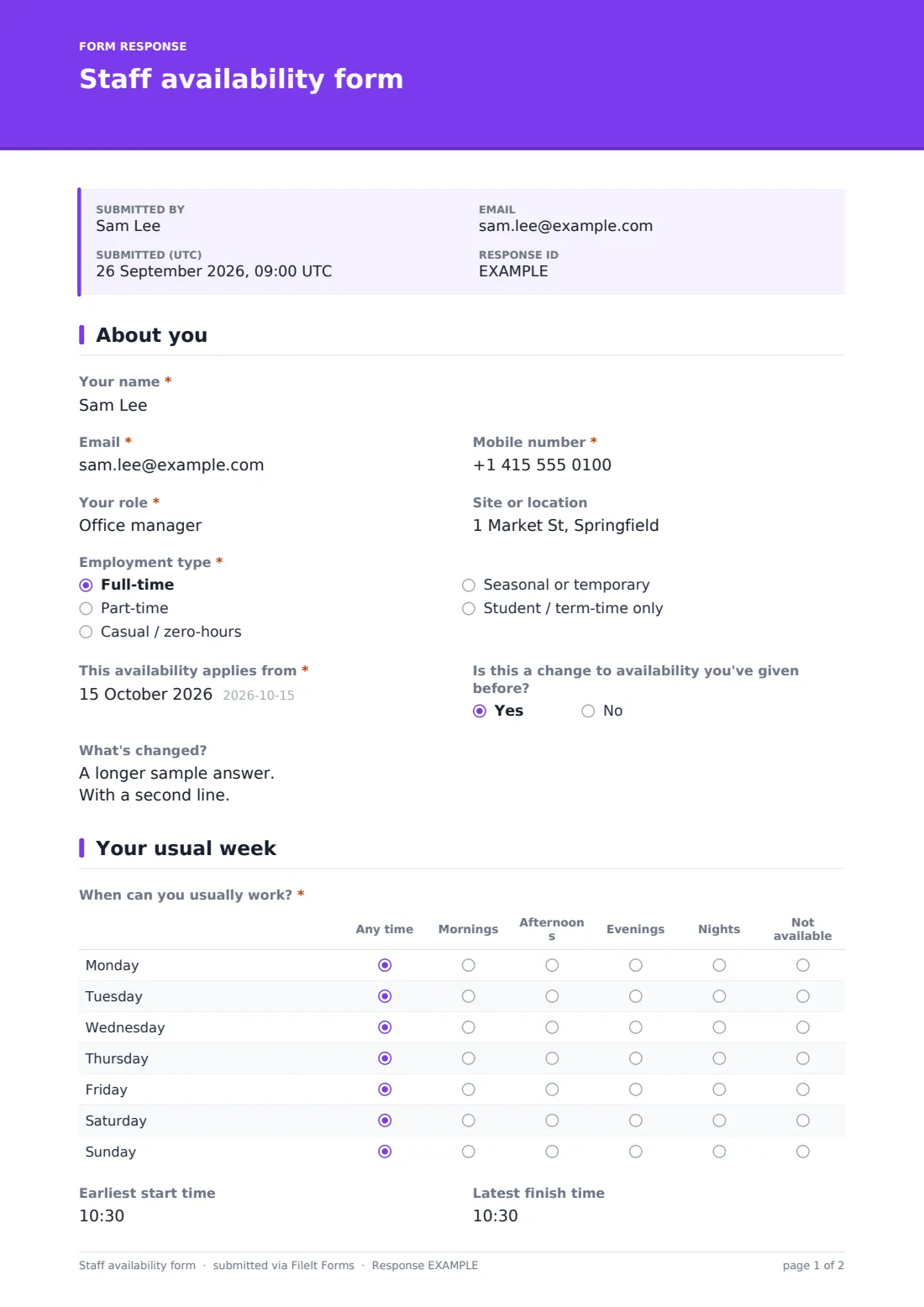
1 About you
- Your name*
- Email*
- Mobile number*
- Your role*
- Site or location
- Employment type* Full-time · Part-time · Casual / zero-hours · Seasonal or temporary · Student / term-time only
- This availability applies from*
- Is this a change to availability you've given before?
- What's changed? asked only when it applies
2 Your usual week
- When can you usually work?* Any time · Mornings · Afternoons · Evenings · Nights · Not available
- Earliest start time
- Latest finish time
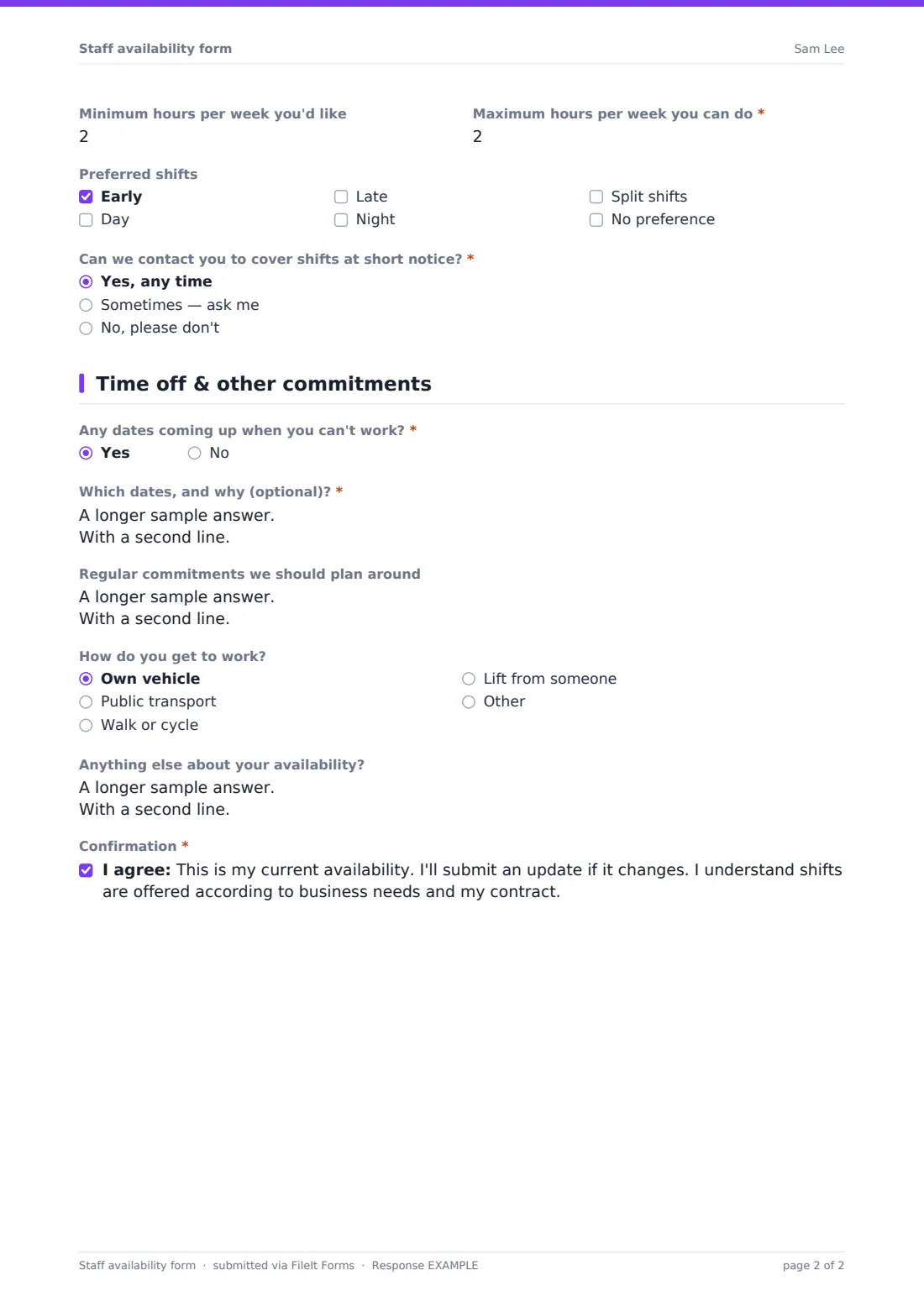
- Minimum hours per week you'd like
- Maximum hours per week you can do*
- Preferred shifts Early · Day · Late · Night · Split shifts · No preference
- Can we contact you to cover shifts at short notice?* Yes, any time · Sometimes — ask me · No, please don't
3 Time off & other commitments
- Any dates coming up when you can't work?*
- Which dates, and why (optional)?* asked only when it applies
- Regular commitments we should plan around
- How do you get to work? Own vehicle · Public transport · Walk or cycle · Lift from someone
- Anything else about your availability?
- Confirmation*
The staff availability form form, page by page
1 About you
The employee gives Your name, Email, Mobile number, Your role, Site or location and Employment type (full-time, part-time, casual, seasonal or student). They add the date the availability applies from. If it's a change to what they've given before, the form asks what's changed.
2 Your usual week
A required grid asks When can you usually work? for each day, Monday to Sunday: any time, mornings, afternoons, evenings, nights or not available. The employee can add earliest start and latest finish times, the minimum hours they'd like and the maximum they can do, and preferred shifts. They also say whether they can be contacted for short-notice cover.
3 Time off & other commitments
Any dates coming up when you can't work? opens a field for dates and, optionally, the reason. The employee can note regular commitments such as another job, study, caring or religious commitments, sharing only what they're comfortable with. They say how they get to work, and choosing public transport shows a short prompt to mention any timing limits. The page ends with a confirmation that they'll submit an update if things change.
Make the template yours
- Change the grid columns to your actual shift names, such as Early, Middle, Late and Night
- Add a site or department dropdown if you roster across several locations
- Set the form to close before each rota is built so late updates are easy to spot
- File each person's availability into their own vault folder to keep the history together
- Add a question about skills or certifications, such as first aid or bar service, that affect who can cover which shift
- Share the link in your team chat each season so everyone refreshes their availability
Tips for a better staff availability form form
- Ask for availability before the busy season starts, not the week it begins
- Treat upcoming unavailability as information for planning. People don't owe a reason for every date
- Respect the short-notice preference. Calling people who said no erodes trust quickly
- Check the maximum hours against contracts and any working-time rules before offering extra shifts
- Ask for a fresh form whenever someone's circumstances change, rather than relying on a chat message
Every response becomes a PDF in your vault
When someone submits, FileIt saves their availability as a PDF in your vault and emails the form owner. The employee gets a copy of what they told you.
Rota planners usually work from the Responses table, where every person's grid, hours and time off can be compared at a glance and exported. Because each update is dated, you can always see which availability was current when a rota was built.
- Start from this template. It opens in the FileIt Forms designer — change any question, add pages, set the rules for when questions appear.
- Share it. Turn on a public link, or send it to people by email, each with their own link. They don’t need a FileIt account.
- Get the answers as PDFs. Each response is saved as a PDF in the vault folder you choose, with uploaded files attached — and listed in a Responses table you can export to CSV.
Staff availability form form: frequently asked questions
Is this staff availability form template free?
Yes. It's included in FileIt's Forms app on every account, including the free plan, and you can edit every question.
Do staff need a FileIt account to fill it in?
No. You share the form as a link and staff fill it in on their phone or computer without an account.
Can I change the shift names in the grid?
Yes. The grid's columns and rows are editable in the designer, so you can use your own shift names.
What happens when someone's availability changes?
They submit the form again and answer yes to the change question, which asks what's changed. Each version is kept, dated, in your vault.
Does the form build the rota for me?
No. It collects availability in a consistent format. You build the rota from the responses, using the Responses table and export.
Do staff have to say why they're unavailable?
No. The reason is optional. The form asks only which dates they can't work.