What is the time off request form template?
Time off requests scattered across chat messages, sticky notes and half-remembered conversations make it hard to know who's actually covered and who isn't. This time off request form template gives employees one consistent way to ask for leave — the type, the exact dates, whether cover is arranged, and who to contact if something urgent comes up — so managers can approve or plan around it with everything they need in front of them.
The form keeps itself relevant to the type of leave requested: choosing sick leave opens a spot to attach a medical certificate, marking part of the request as a half or partial day asks exactly which day and which part, and saying cover isn't arranged prompts a note on what needs covering instead of leaving that gap unaddressed.
Every request becomes a PDF in your FileIt vault the moment it's submitted, so there's a dated, findable record of who asked for what, when — useful for tracking leave balances or resolving any question about whether a request was actually approved.
- Best for
- Small and mid-sized businesses managing employee time off without dedicated HR software
- Filled in by
- The employee requesting time off
- Time to complete
- About 3 minutes
- Includes
- Multiple leave types, conditional cover and medical certificate questions, a confirmation statement
Who uses a time off request form?
- An employee booking annual leave or vacation days in advance
- Reporting sick leave and, where required, attaching a medical certificate
- Requesting bereavement, family or parental leave through a consistent process
- Arranging cover and handover notes before a planned absence
- Recording whether an employee will be reachable, and how, while they're away
- Building a filed history of every leave request for a small team without full HR software
Questions on this time off request form
21 questions over 3 pages · includes file upload, conditional questions, multiple pages, consent checkbox.
1 About you
- Your name*
- Work email*
- Employee ID
- Department Operations · Sales · Marketing · Finance · Engineering · Customer support · Human resources · Other
- Line manager*
2 Your time off
- Type of leave* Annual leave / vacation · Sick leave · Personal day · Family or carer's leave · Bereavement leave · Parental leave · Unpaid leave · Study or exam leave
- First day off*
- Last day off*
- Is any of this a half or partial day?
- Which day(s), and which part?* asked only when it applies
- Total working days requested
- Date you'll be back at work
- Medical certificate or fit note asked only when it applies
- Anything your manager should know?
3 Cover & sign-off
- Will you be reachable while you're away?* No — please don't contact me · For urgent matters only · Yes, by phone or email
- Best number to reach you asked only when it applies
- Have you arranged cover for your work?*
- Who is covering?* asked only when it applies
- Handover notes asked only when it applies
- What needs covering, and what can wait? asked only when it applies
- Confirmation*
The time off request form, page by page
1 About you
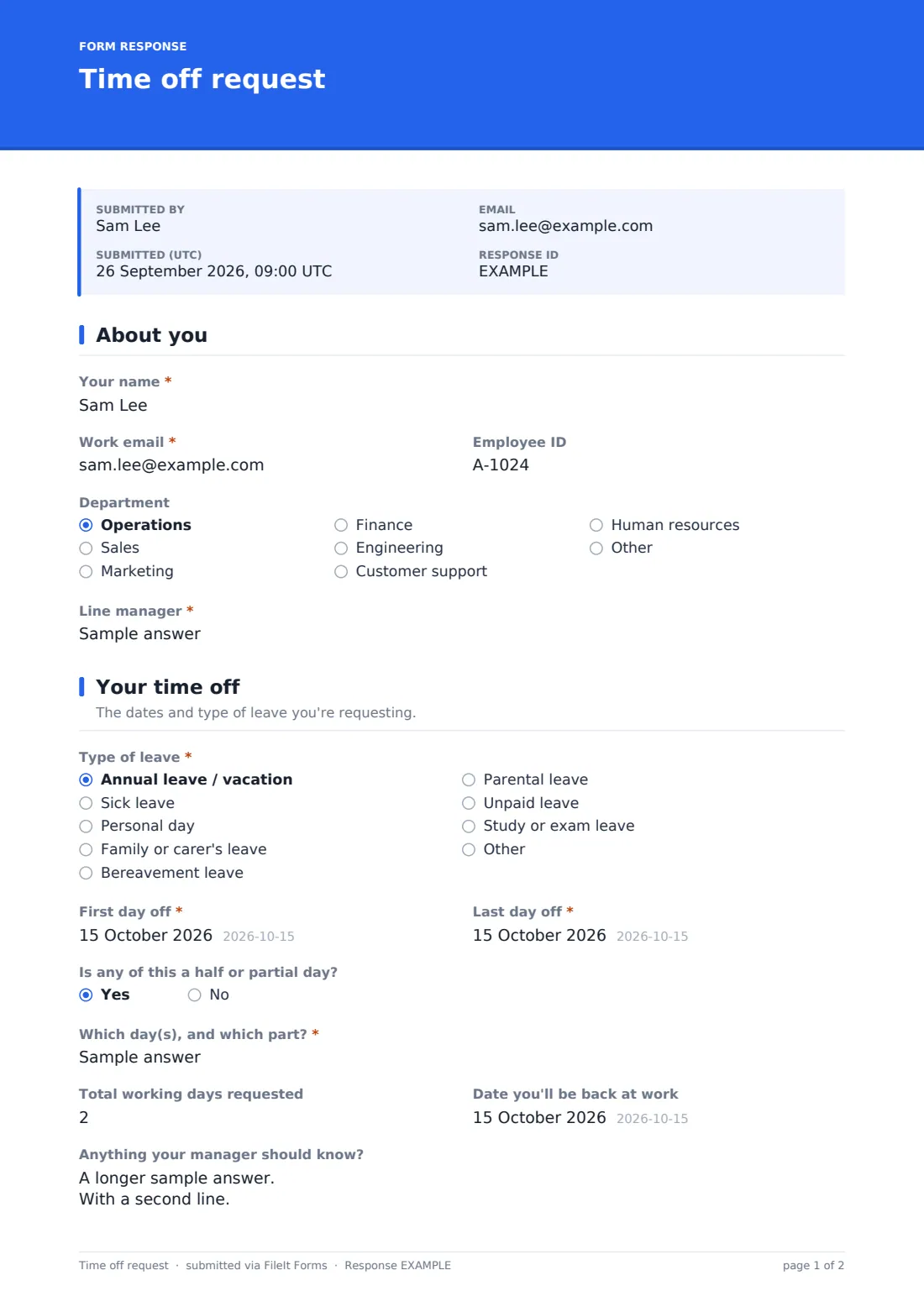
The form starts with the employee's name, work email, employee ID if they have one, department, and their line manager — enough for the request to be routed and understood immediately.
2 Your time off
Employees choose the type of leave — annual leave, sick leave, a personal day, family or carer's leave, bereavement, parental leave, unpaid leave, study leave, or their own option — and give the first and last day off. If any part of the request is a half or partial day, the form asks exactly which day and which part. It also records the total working days requested, an expected return date, and, for sick leave specifically, an optional upload for a medical certificate or fit note if the policy requires one. A final open field lets the employee add anything their manager should know, noting they don't have to give a reason for annual leave.
3 Cover & sign-off
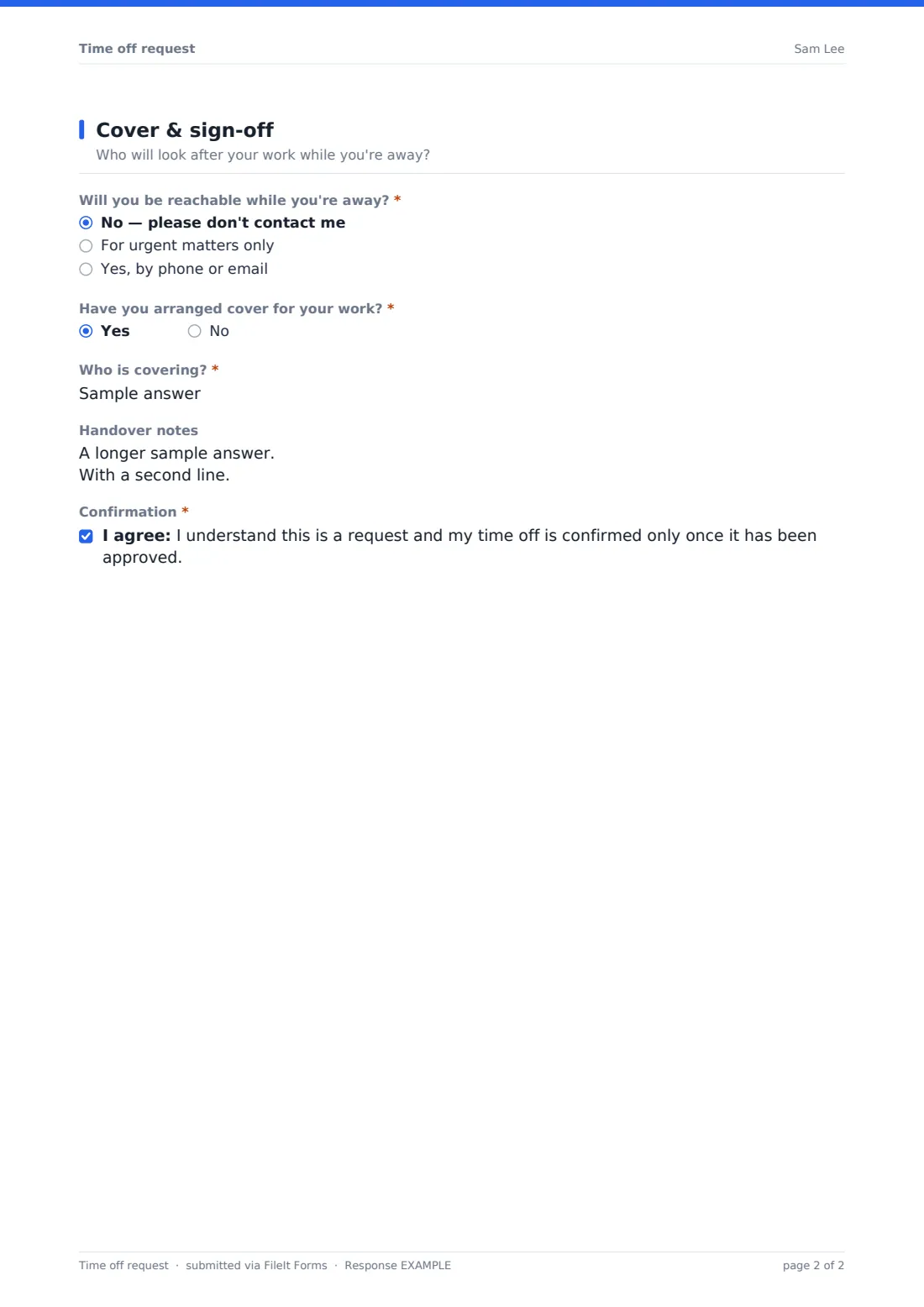
This page asks whether the employee will be reachable while away — not at all, for urgent matters only, or yes by phone or email — and, if so, the best number to reach them. It then asks directly whether cover has been arranged: if yes, who's covering and any handover notes on deadlines, open tasks or where to find things; if no, what needs covering and what can wait, so the manager can plan around the gap. The employee finishes by confirming they understand the leave is only confirmed once approved.
Make the template yours
- Add or remove leave types to match your company's actual policy categories
- Adjust the department dropdown to reflect your own org structure
- Set the vault folder so leave requests file automatically alongside each employee's HR records
- Add a running leave balance question if you want employees to reference their own records at the point of request
- Route notification emails to your HR team as well as the line manager, if approvals go through both
- Change the confirmation message to explain your typical approval turnaround time
Tips for a better time off request form
- Ask employees to submit requests as far in advance as your policy requires, especially around busy periods
- Keep the reason for annual leave optional, as the template does — employees shouldn't have to justify routine time off
- Confirm cover arrangements with the covering colleague directly, not just through the requester's word
- Respond to requests promptly so employees aren't left waiting to book travel or make plans
- Keep a simple running total of approved leave per employee so nothing is missed at the end of the year
Every response becomes a PDF in your vault
As soon as an employee submits a time off request, FileIt saves it as a PDF in your vault, with any medical certificate attached, and sends an email notification so the manager sees it right away. If you've turned on a copy for the respondent, the employee also gets their own PDF confirming what they submitted.
From there, managers typically use the Responses table to see requests at a glance, open individual PDFs to check cover arrangements before approving, and export the list to CSV to keep a running record of leave taken across the team.
- Start from this template. It opens in the FileIt Forms designer — change any question, add pages, set the rules for when questions appear.
- Share it. Turn on a public link, or send it to people by email, each with their own link. They don’t need a FileIt account.
- Get the answers as PDFs. Each response is saved as a PDF in the vault folder you choose, with uploaded files attached — and listed in a Responses table you can export to CSV.
Time off request form: frequently asked questions
Is this time off request form template free?
Yes — it's included with the Forms app on every FileIt account, including the free plan, alongside more than 160 other ready-made templates.
Do employees need a FileIt account to submit a request?
No. Share the form as a link on your intranet or by email, and employees complete and submit it without creating an account.
Where do submitted requests go?
Every request is saved automatically as a PDF in your FileIt vault, and you can review, filter and export all requests from the Responses table.
Does the form ask for a medical certificate for every type of leave?
No — the medical certificate upload only appears when "Sick leave" is selected, using conditional logic already built into the template.
Does submitting this form approve the leave automatically?
No. The form records the request and confirms the employee understands leave is only confirmed once approved — the actual approval is a decision your manager makes after reviewing the response.
Can I track cover arrangements through this form?
Yes — the form asks directly whether cover is arranged and records who's covering and any handover notes, or what needs covering if it isn't arranged yet.
Can this replace a full HR leave management system?
It won't calculate leave balances automatically, but for a small or mid-sized team it gives a clear, filed record of every request without needing dedicated HR software.