What is the volunteer hours log form template?
Recognising volunteers properly, and reporting your organisation's impact accurately, both depend on knowing exactly how many hours people gave and what they did. A paper sign-in sheet or a spreadsheet someone updates from memory tends to under-count hours and lose detail about what actually happened during a session. This template lets each volunteer log their own session right after it happens, while the details are fresh.
Because the form asks for a short description of the session alongside the hours, you end up with more than a number — you get a running record of what your volunteers actually did, which is often exactly what a funder or board report needs. Optional mileage and expense fields mean reimbursement requests travel with the log itself instead of arriving separately.
Every submission is saved as a PDF in your FileIt vault, and any receipts attached to an expense claim are filed with it, so a coordinator can see a volunteer's full history — and their expense claims — in one place.
- Best for
- Charities, nonprofits and community organisations that rely on volunteers
- Filled in by
- The volunteer, after each session
- Time to complete
- About 3-4 minutes
- Includes
- Conditional mileage and expense sections, receipt upload, incident reporting
Who uses a volunteer hours log form?
- A community kitchen asks volunteers to log their hours and a short description after every shift
- A charity shop tracks hours across several teams and locations using one shared form
- A youth programme records service hours for volunteers who need documented hours for school or certification requirements
- An organisation with driving volunteers collects mileage claims alongside the standard hours log
- A nonprofit reports total volunteer hours and people helped to its board or funders each quarter
- A coordinator uses the built-in incident question to catch anything from a minor accident to a wellbeing concern early
Questions on this volunteer hours log form
24 questions over 3 pages · includes file upload, conditional questions, multiple pages, consent checkbox, ratings.
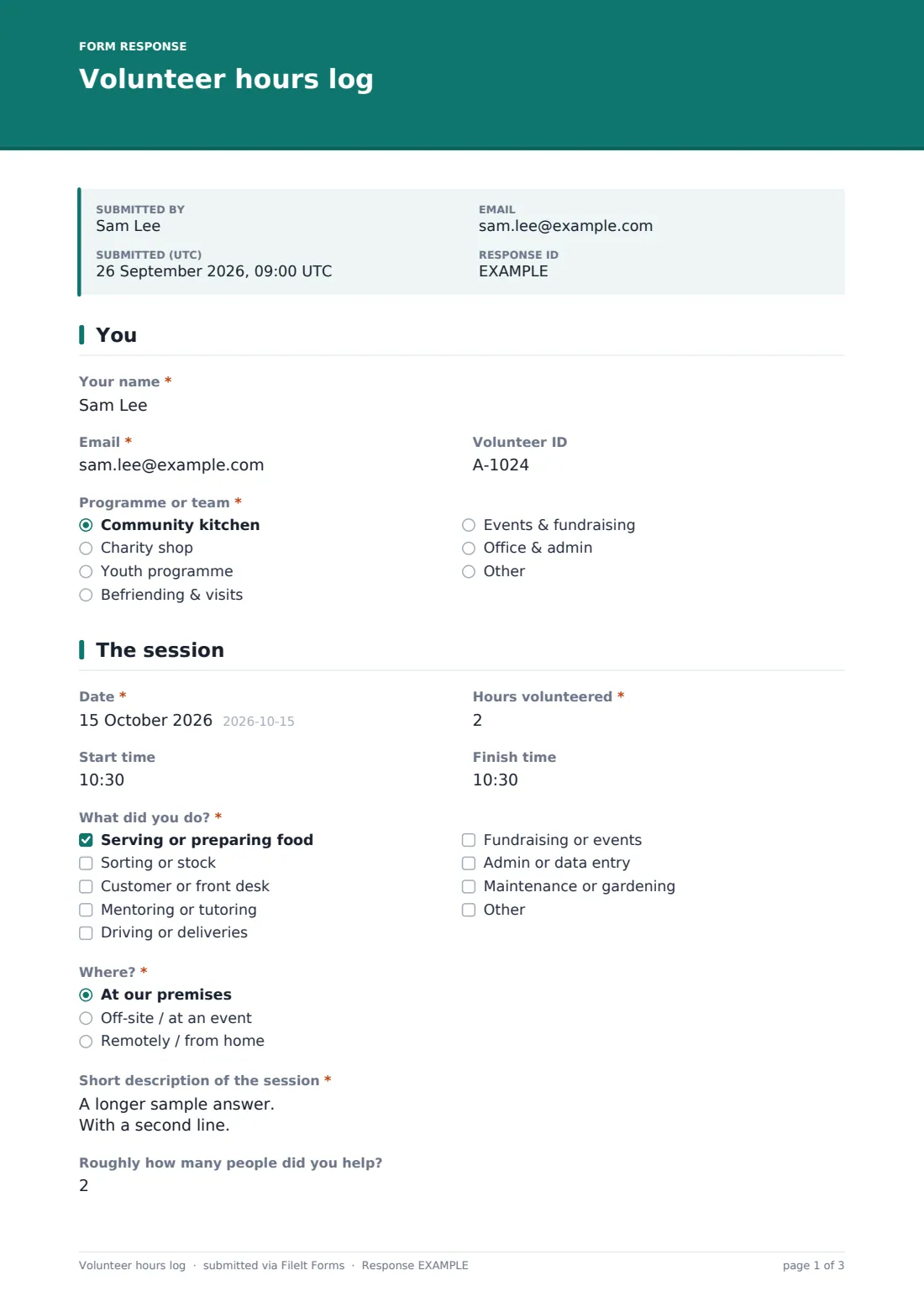
1 You
- Your name*
- Email*
- Volunteer ID
- Programme or team* Community kitchen · Charity shop · Youth programme · Befriending & visits · Events & fundraising · Office & admin
2 The session
- Date*
- Hours volunteered*
- Start time
- Finish time
- What did you do?* Serving or preparing food · Sorting or stock · Customer or front desk · Mentoring or tutoring · Driving or deliveries · Fundraising or events · Admin or data entry · Maintenance or gardening
- Where?* At our premises · Off-site / at an event · Remotely / from home
- Short description of the session*
- Roughly how many people did you help?
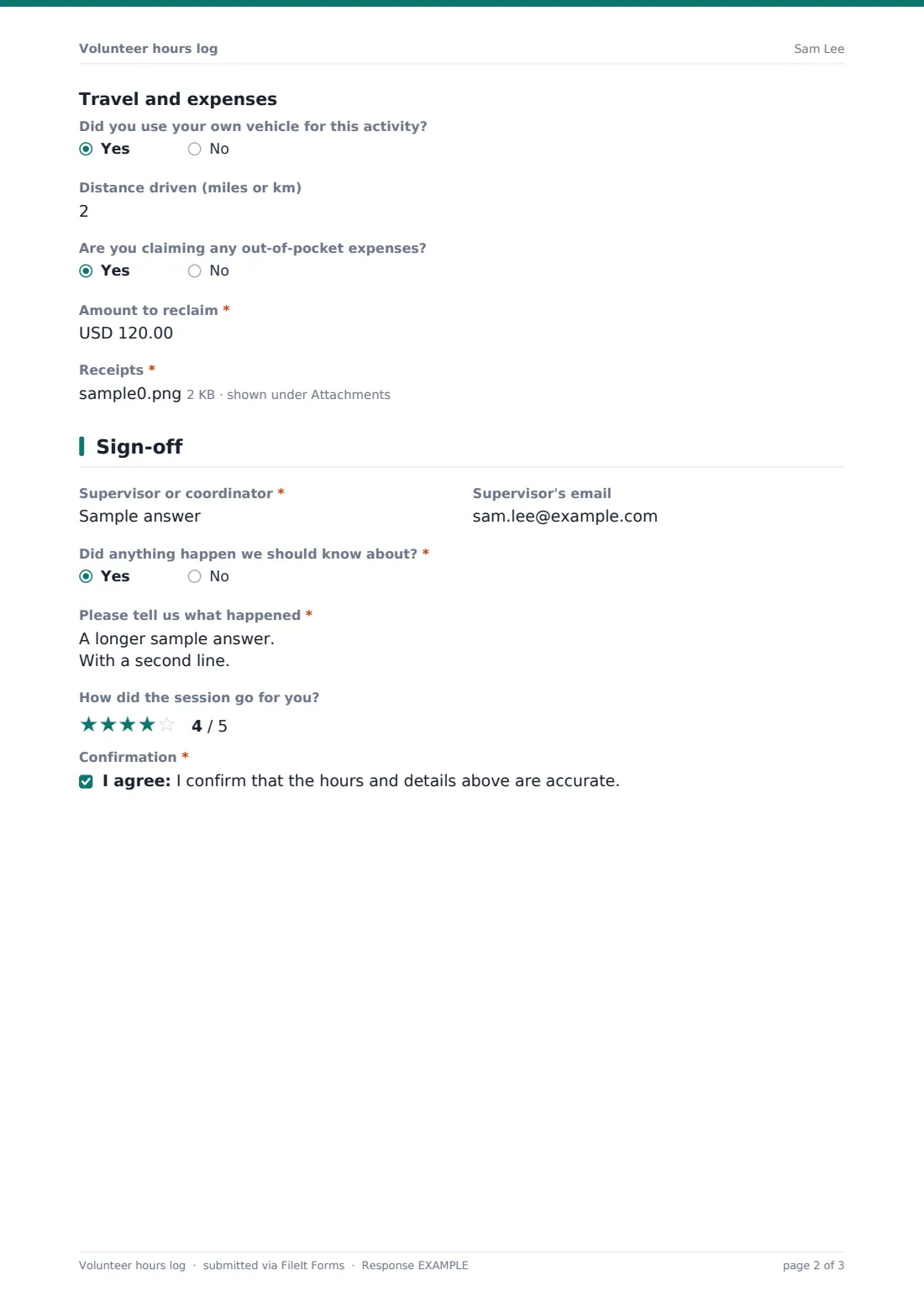
- Did you use your own vehicle for this activity?
- Distance driven (miles or km) asked only when it applies
- Are you claiming any out-of-pocket expenses?
- Amount to reclaim* asked only when it applies
- Receipts* asked only when it applies
3 Sign-off
- Supervisor or coordinator*
- Supervisor's email
- Did anything happen we should know about?*
- Please tell us what happened* asked only when it applies
- How did the session go for you?
- Sorry to hear that — what could we do better? asked only when it applies
- Confirmation*
The volunteer hours log form, page by page
1 You
The volunteer enters their name, email, and an optional volunteer ID if they've been given one. A programme or team question — community kitchen, charity shop, youth programme, befriending & visits, events & fundraising, or office & admin, with an "Other" option — tags each log to the right part of the organisation for reporting.
2 The session
The volunteer records the date, hours volunteered in quarter-hour increments, and optionally a start and finish time. A checklist of activity types — serving or preparing food, sorting or stock, customer or front desk, mentoring or tutoring, driving or deliveries, fundraising or events, admin or data entry, maintenance or gardening, with an "Other" option — captures what kind of work was actually done, alongside where it happened (on-site, off-site, or remote).
A short description field and an optional count of roughly how many people were helped add useful context for impact reporting. A Travel and expenses section then asks whether the volunteer used their own vehicle (revealing a distance field if so) and whether they're claiming any expenses — answering yes reveals a required amount and a required receipt upload, so a claim never arrives without supporting evidence.
3 Sign-off
The volunteer names a supervisor or coordinator who can confirm the hours, with an optional email for that person. A yes/no question, Did anything happen we should know about?, reveals a required description field if answered yes — covering anything from an accident to a wellbeing concern, which the coordinator follows up on separately. A rating of how the session went, and an optional "what could we do better" field that only appears for lower ratings, close out the feedback loop. A final confirmation checkbox states that the hours and details given are accurate.
Make the template yours
- Adjust the programme and activity checklists to match your organisation's own teams and typical tasks
- Change the mileage rate reference in your own records, since the form logs distance but doesn't calculate a mileage payment
- Add a supervisor approval step outside the form if hours need sign-off before they count toward a certificate or requirement
- Route submissions into a folder per volunteer, so their full history of sessions builds up in one place over time
- Set up a monthly or quarterly export from the Responses table to total hours for board or funder reporting
- Add a question for which specific event a session relates to, if your organisation runs regular one-off events
- Turn on extra notification emails so a coordinator hears immediately if a volunteer reports an incident
Tips for a better volunteer hours log form
- Encourage volunteers to log their hours the same day, while details like people helped and what they did are still fresh
- Keep the activity checklist short and specific to your organisation — a long generic list slows people down
- Review incident answers promptly, even minor ones, since small issues are easier to address before they recur
- Use the receipt upload requirement consistently, so every expense claim has supporting evidence on file
- Export logged hours regularly rather than waiting until a report is due, to catch any missing supervisor confirmations early
- Recognise volunteers using the actual descriptions they write, not just a total hours count — it means more to people
Every response becomes a PDF in your vault
As soon as a volunteer submits their log, FileIt saves it as a PDF in your vault, with any receipts attached, in the folder you've set up — often one per volunteer or one per programme. You get an email notification straight away, which matters especially if an incident has been flagged.
Coordinators typically use the Responses table to check hours against supervisor names, follow up on any incidents or expense claims, and export the data to CSV when it's time to total hours for a report or renew a volunteer's certificate. The confirmation message thanks the volunteer immediately, so there's no need to chase them separately just to say their hours were received.
- Start from this template. It opens in the FileIt Forms designer — change any question, add pages, set the rules for when questions appear.
- Share it. Turn on a public link, or send it to people by email, each with their own link. They don’t need a FileIt account.
- Get the answers as PDFs. Each response is saved as a PDF in the vault folder you choose, with uploaded files attached — and listed in a Responses table you can export to CSV.
Volunteer hours log form: frequently asked questions
Is this volunteer hours log form template free?
Yes. It's included in FileIt's Forms app on every plan, including the free plan, and every question can be edited to match your organisation.
Do volunteers need a FileIt account to log their hours?
No. Share a public link or send it as a personal invitation by email, and volunteers submit a log without creating an account.
How do we get the logged hours for reporting?
Every log is saved automatically as a PDF in your FileIt vault, and you can filter and export the full list of logs to CSV for totalling hours.
Can volunteers claim mileage or expenses through this form?
The form records the distance driven and an expense amount with a required receipt upload — it doesn't process any payment, so reimbursement is still handled by your organisation separately.
Can we require a supervisor to confirm hours before they count?
The form collects a supervisor's name and email so you know who to check with, but confirming or approving hours happens outside the form, as part of your own process.
What happens if a volunteer reports an incident?
The incident question reveals a required description field, and you can set up extra notification emails so a coordinator is alerted the moment it's submitted.
Can we track hours across multiple programmes or teams?
Yes, each log is tagged with a programme or team, so you can filter the Responses table by that field.
Can volunteers log a session from their phone?
Yes, the form works on any device with a browser, which is how most volunteers log a session right after it ends.