What is the grant progress report form template?
A funder asking several grantees for a progress report usually wants the same things from each of them: what was delivered, what changed for the people involved, how the budget was spent, and what's coming next. This grant progress report template asks for exactly that, in a consistent structure, instead of letting each organisation send back a differently formatted document.
An online form makes reports easier to compare across grantees, since the same fields — objectives, outputs, outcomes, budget against spend — appear in the same order every time. Conditional logic adjusts to report type: 'final' reveals a question about what happens after the grant ends, while interim reports instead ask about plans for the next period, and any budget variance over 10% opens a required explanation.
Every submitted report, together with its financial statement and any evidence, becomes a signed PDF automatically saved in your FileIt vault, building a complete, dated archive for each grant without a separate email thread or shared drive folder.
- Best for
- Foundations and grant-making organisations collecting grantee reports
- Filled in by
- The grantee organisation's project lead or finance contact
- Time to complete
- About 20–30 minutes
- Includes
- Objective progress matrix, budget variance logic, financial statement upload, signature
Who uses a grant progress report form?
- A nonprofit submits its quarterly progress report against a foundation grant
- A grantee submits a final report at the end of a multi-year grant, including sustainability plans
- A funder collects a consistent financial statement and narrative from every grantee in a cohort
- An organisation requests a change to budget or timeline as part of its regular reporting
- A grant officer reviews progress against numbered objectives from the original agreement
- A funder gathers permission-cleared stories of change to share in its own annual report
Questions on this grant progress report form
36 questions over 5 pages · includes signature, file upload, conditional questions, multiple pages, consent checkbox, ratings.
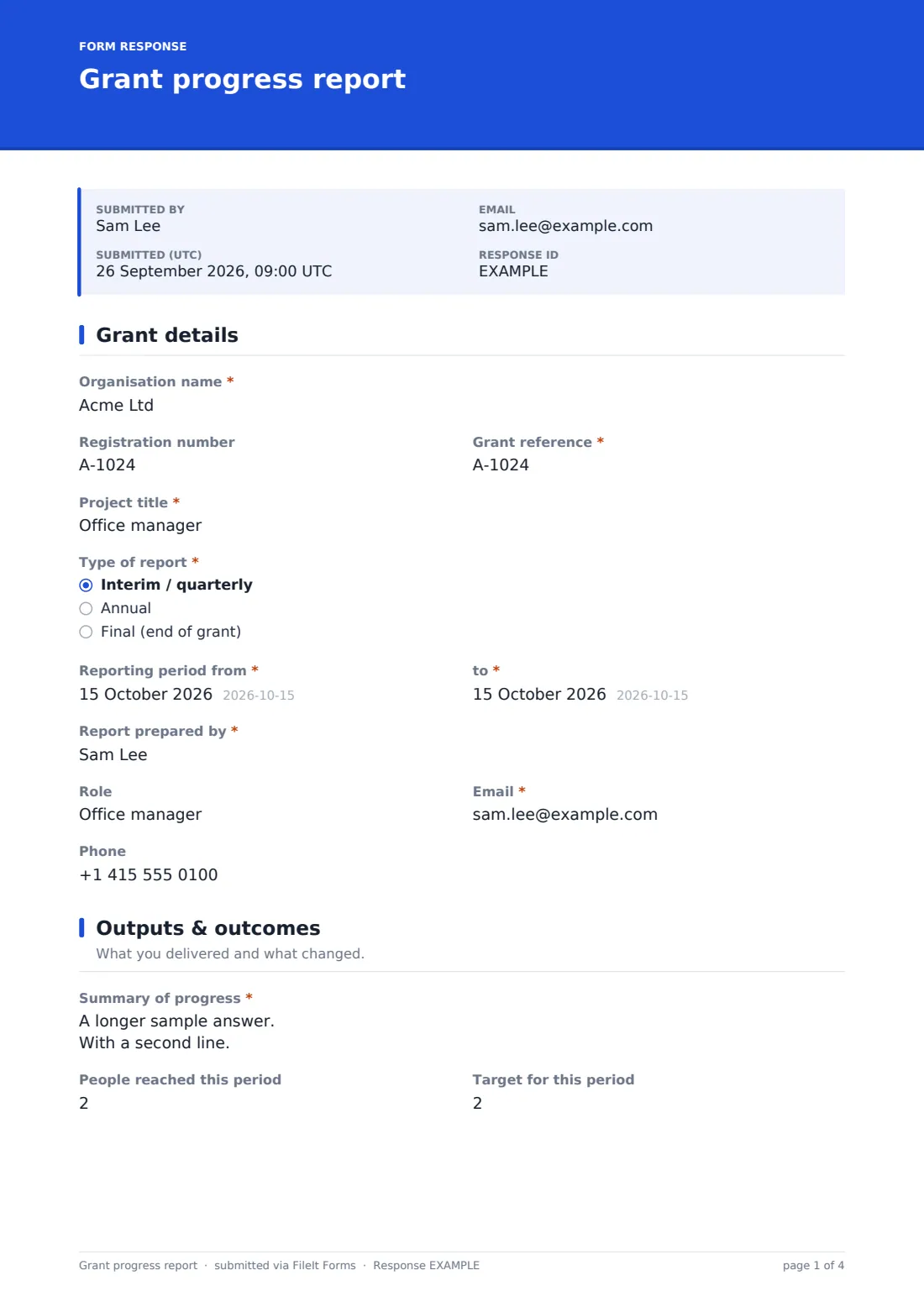
1 Grant details
- Organisation name*
- Registration number
- Grant reference*
- Project title*
- Type of report* Interim / quarterly · Annual · Final (end of grant)
- Reporting period from*
- to*
- Report prepared by*
- Role
- Email*
- Phone
2 Outputs & outcomes
- Summary of progress*
- People reached this period
- Target for this period
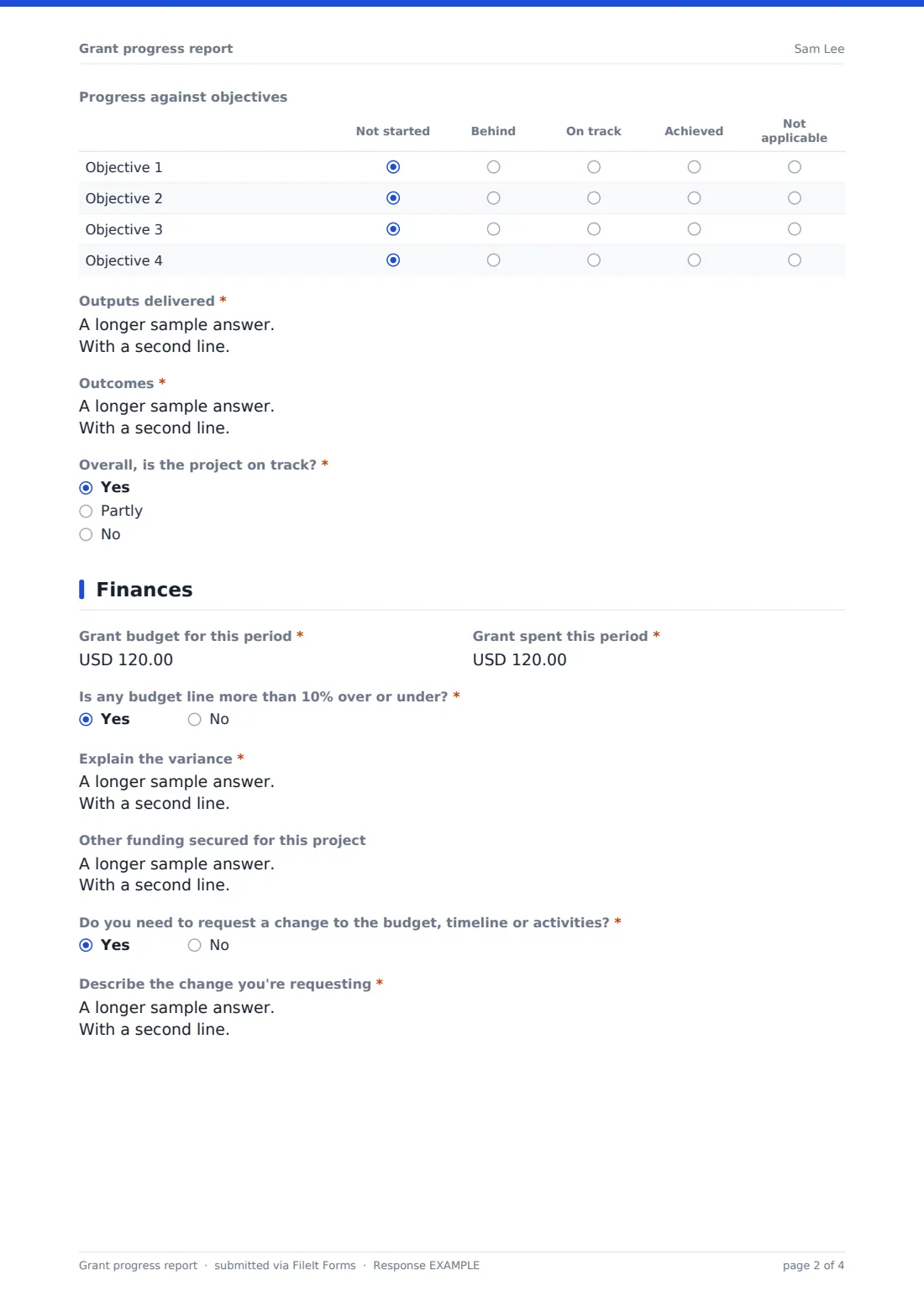
- Progress against objectives Not started · Behind · On track · Achieved · Not applicable
- Outputs delivered*
- Outcomes*
- Overall, is the project on track?* Yes · Partly · No
- What is behind, why, and what are you doing about it?* asked only when it applies
3 Finances
- Grant budget for this period*
- Grant spent this period*
- Is any budget line more than 10% over or under?*
- Explain the variance* asked only when it applies
- Other funding secured for this project
- Do you need to request a change to the budget, timeline or activities?*
- Describe the change you're requesting* asked only when it applies
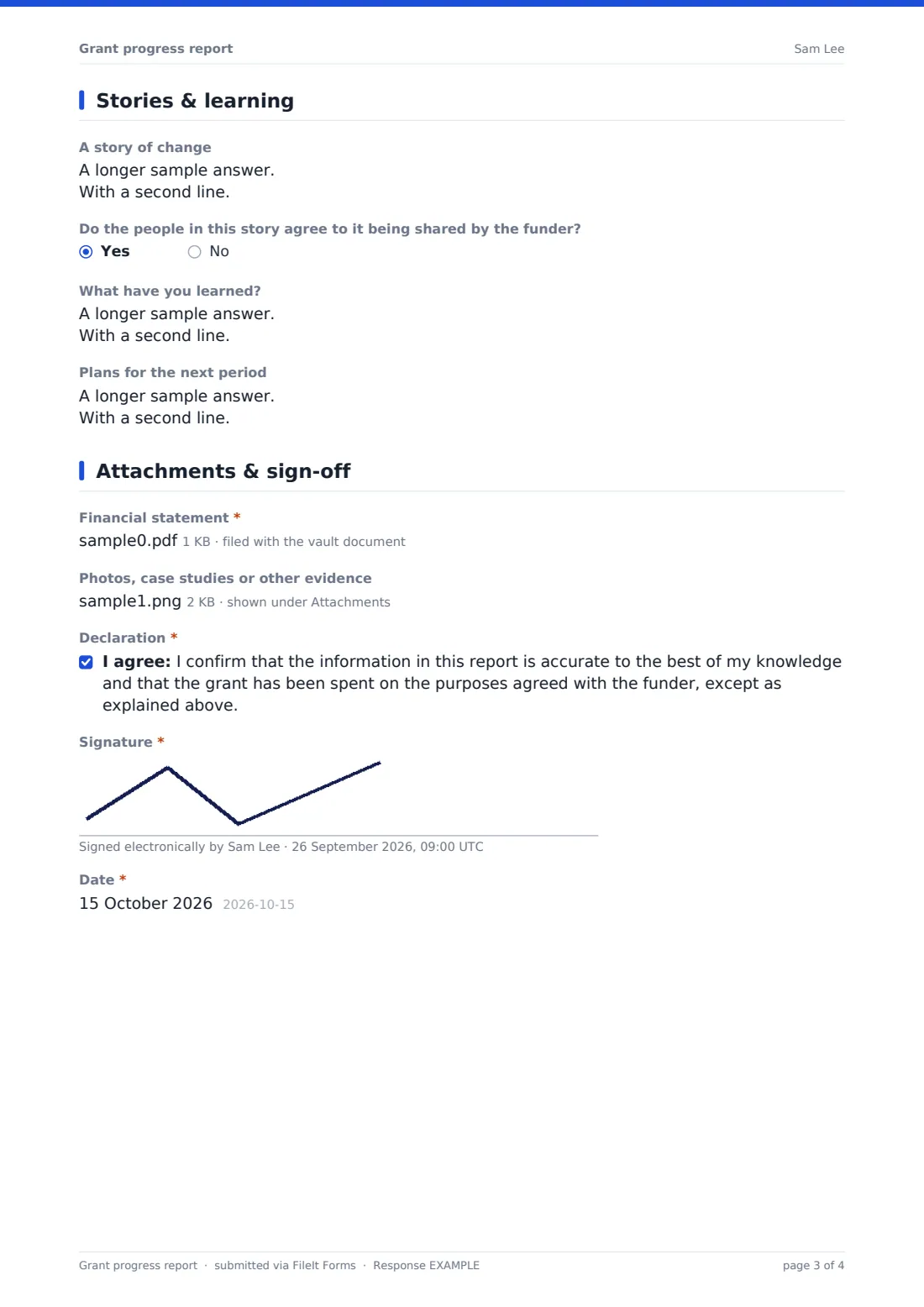
4 Stories & learning
- A story of change
- Do the people in this story agree to it being shared by the funder? asked only when it applies
- What have you learned?
- Plans for the next period asked only when it applies
- What happens after the grant ends?* asked only when it applies
5 Attachments & sign-off
- Financial statement*
- Photos, case studies or other evidence
- Declaration*
- Signature*
- Date*
The grant progress report form, page by page
1 Grant details
The report opens with Organisation name, an optional Registration number, the Grant reference from the agreement, Project title, and a Type of report choice — interim/quarterly, annual, or final. A Reporting period from and to pair of dates, and Report prepared by with a role, email and phone, identify exactly who to contact with questions.
2 Outputs & outcomes
A Summary of progress box gives the headline story, followed by People reached this period against a target. A matrix asks for Progress against objectives — not started, behind, on track, achieved, or not applicable — against up to four numbered objectives from the grant agreement. Outputs delivered and Outcomes ask what was done and what changed for the people involved, with evidence such as surveys. A required on-track question reveals a required explanation whenever the answer isn't a clean yes.
3 Finances
Grant budget for this period sits against Grant spent this period, and a required yes/no on any budget line being more than 10% over or under reveals a required explanation of which lines, by how much, and why. An optional field covers Other funding secured, and a yes/no about needing a change to budget, timeline or activities reveals a box describing it, noting changes normally need the funder's written approval first.
4 Stories & learning
An optional Story of change box invites one person or family's story, with a clear instruction to remove identifying details unless they've agreed to be identified, and a follow-up question asks whether the people in the story agree to it being shared by the funder. What have you learned captures what worked and what didn't, and — depending on report type — the form asks either for Plans for the next period, or, for a final report, a required explanation of What happens after the grant ends.
5 Attachments & sign-off
A required Financial statement upload (spreadsheet or PDF) backs up the numbers, and an optional upload covers photos, case studies or other evidence, with a reminder to only include photos of people who've agreed to them being shared. A declaration confirms the report is accurate and the grant has been spent on the agreed purposes except as explained, closed with a Signature and Date.
Make the template yours
- Adjust the objective labels in the matrix to match the actual objectives in your grant agreement template
- Add currency-specific guidance if your grants are made in more than one currency
- Set the vault folder per grantee so each organisation's reports build into their own file over time
- Add a reviewer sign-off section if your process includes a grant officer's own notes on the report
- Turn on a closing date around your usual reporting deadline to keep submissions on schedule
- Add a reference to your own data protection or story consent policy near the story-sharing question
Tips for a better grant progress report form
- Make clear to grantees that reporting a shortfall is genuinely useful, not something that puts future funding at risk by default
- Review the budget variance explanation carefully — a 10% swing is common and rarely a problem on its own, but the reason matters
- Only ask for a story of change when you have a genuine outlet for it, and always respect the sharing permission given
- Read final reports' sustainability answers closely; they often reveal whether the work's impact will actually continue
- Keep the reporting period consistent across grantees in the same cohort, so reports can be compared fairly
Every response becomes a PDF in your vault
As soon as a grantee submits their report, FileIt saves it — narrative, budget answers, financial statement and any evidence — as a signed PDF in the vault folder for that grant, with an email notification to the grant officer so nothing is missed against a reporting deadline.
Funders typically review the Responses table across a cohort to spot common themes and flagged variances, exporting data to CSV for portfolio-level reporting. Because each report is preserved as its own PDF, a multi-year grant's full reporting history sits together in the vault, ready for an audit.
- Start from this template. It opens in the FileIt Forms designer — change any question, add pages, set the rules for when questions appear.
- Share it. Turn on a public link, or send it to people by email, each with their own link. They don’t need a FileIt account.
- Get the answers as PDFs. Each response is saved as a PDF in the vault folder you choose, with uploaded files attached — and listed in a Responses table you can export to CSV.
Grant progress report form: frequently asked questions
Is this grant progress report form template free?
Yes, it's included in the Forms app on every FileIt account, including the free plan, and every question can be edited to match your grant agreement.
Does a grantee need a FileIt account to submit a report?
No. Send the form link to each grantee and they fill it in, sign and submit without needing their own account.
How do we get grant reports as PDFs?
Every submission, including the financial statement and any evidence, is automatically saved as a PDF in the vault folder you set up for that grant.
Can this form handle both interim and final reports?
Yes — choosing 'final' as the report type reveals a required sustainability question, while interim or annual reports instead ask about plans for the next period.
What happens if a grantee reports a budget variance?
A yes/no question about any line being more than 10% over or under reveals a required explanation of which lines, by how much, and why.
Can grantees request a change to their budget or timeline through this form?
Yes, a yes/no question reveals a box to describe the requested change, with a note that changes normally need the funder's written approval first.
Can we collect stories of change with proper permission?
Yes — the story field is paired with a question asking whether the people in the story agree to it being shared by the funder.