
What is the fundraiser sponsorship form template?
Chasing sponsors by email usually means a different format from every business: one sends a logo in a text message, another forgets the billing address, a third never confirms which benefits they actually want. This sponsorship form template gives every sponsor the same simple process — pick a level, upload a logo, provide invoice details, and agree to the terms — so you can plan your event programme and invoicing from one consistent set of answers.
Sharing it as a public link works well if you're promoting sponsorship openly, or you can email it directly to businesses you've already approached, with their name and email pre-filled. Either way, no sponsor needs a FileIt account to fill it in.
Every completed form becomes a PDF in your vault straight away — logo, billing address and signed agreement all attached — so when it's time to build the sponsor wall or send an invoice, you're not digging through old email threads to find who agreed to what.
- Best for
- Charities, schools, clubs and community groups signing up event sponsors
- Filled in by
- The sponsoring business or its contact person
- Time to complete
- About 6 minutes
- Includes
- Logo upload, conditional questions by sponsorship level, signature
Who uses a fundraiser sponsorship form?
- A charity gala or fun run signing up headline, gold, silver and bronze sponsors
- A school fundraiser lining up local businesses for in-kind donations like raffle prizes or printing
- A community festival collecting logos and billing details for its sponsor board
- A sports club approaching local companies to sponsor kit or a tournament
- An arts or music event offering exhibition stands and speaking slots to sponsors
- Any nonprofit event that needs one consistent record per sponsor for invoicing and thank-yous
Questions on this fundraiser sponsorship form
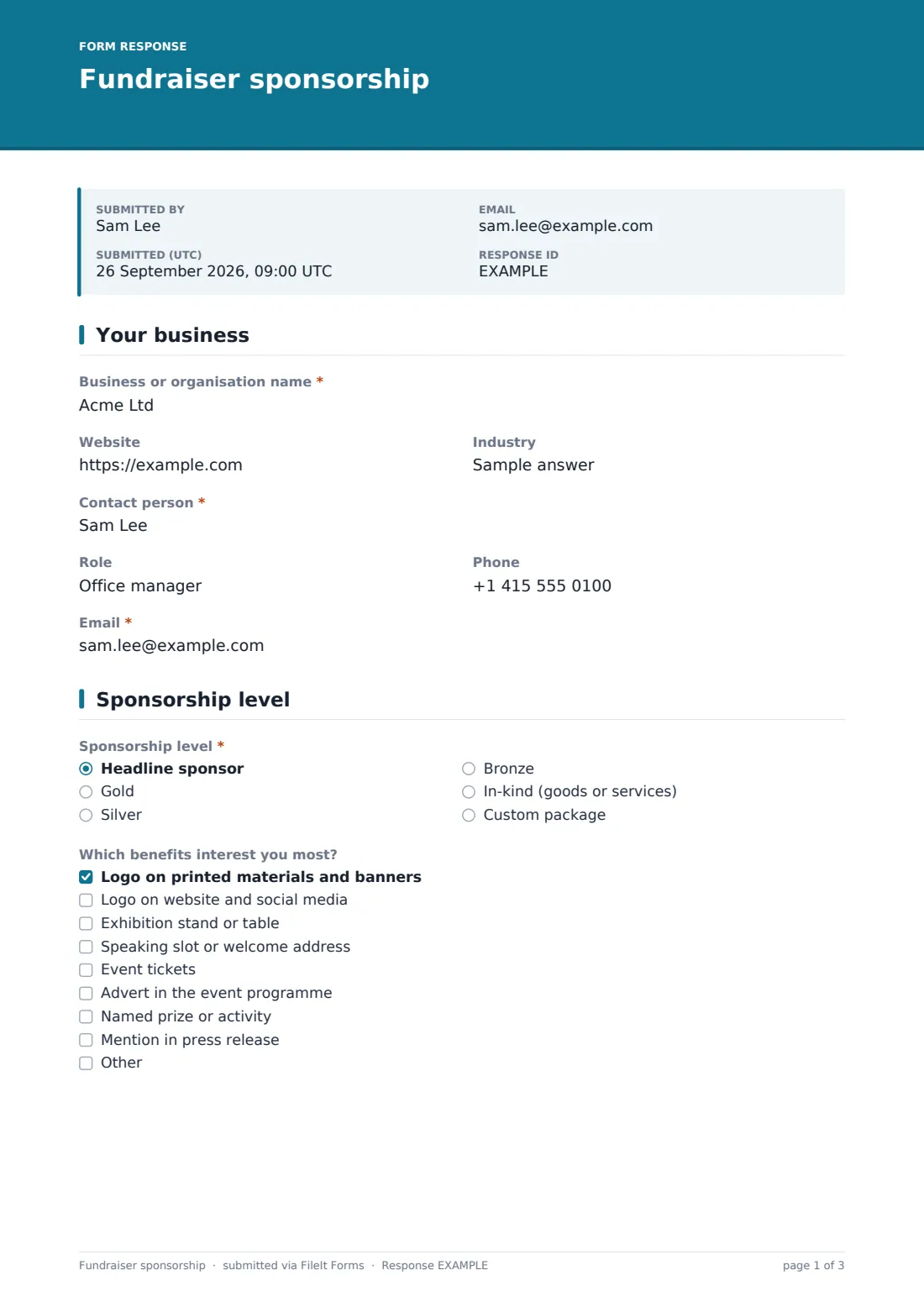
26 questions over 4 pages · includes signature, file upload, conditional questions, multiple pages, consent checkbox.
1 Your business
- Business or organisation name*
- Website
- Industry
- Contact person*
- Role
- Phone
- Email*
2 Sponsorship level
- Sponsorship level* Headline sponsor · Gold · Silver · Bronze · In-kind (goods or services) · Custom package
- Amount you'd like to contribute* asked only when it applies
- What would you like to donate?* asked only when it applies
- Estimated value asked only when it applies
- Which benefits interest you most? Logo on printed materials and banners · Logo on website and social media · Exhibition stand or table · Speaking slot or welcome address · Event tickets · Advert in the event programme · Named prize or activity · Mention in press release
- How many tickets would you like? asked only when it applies
- Stand requirements asked only when it applies
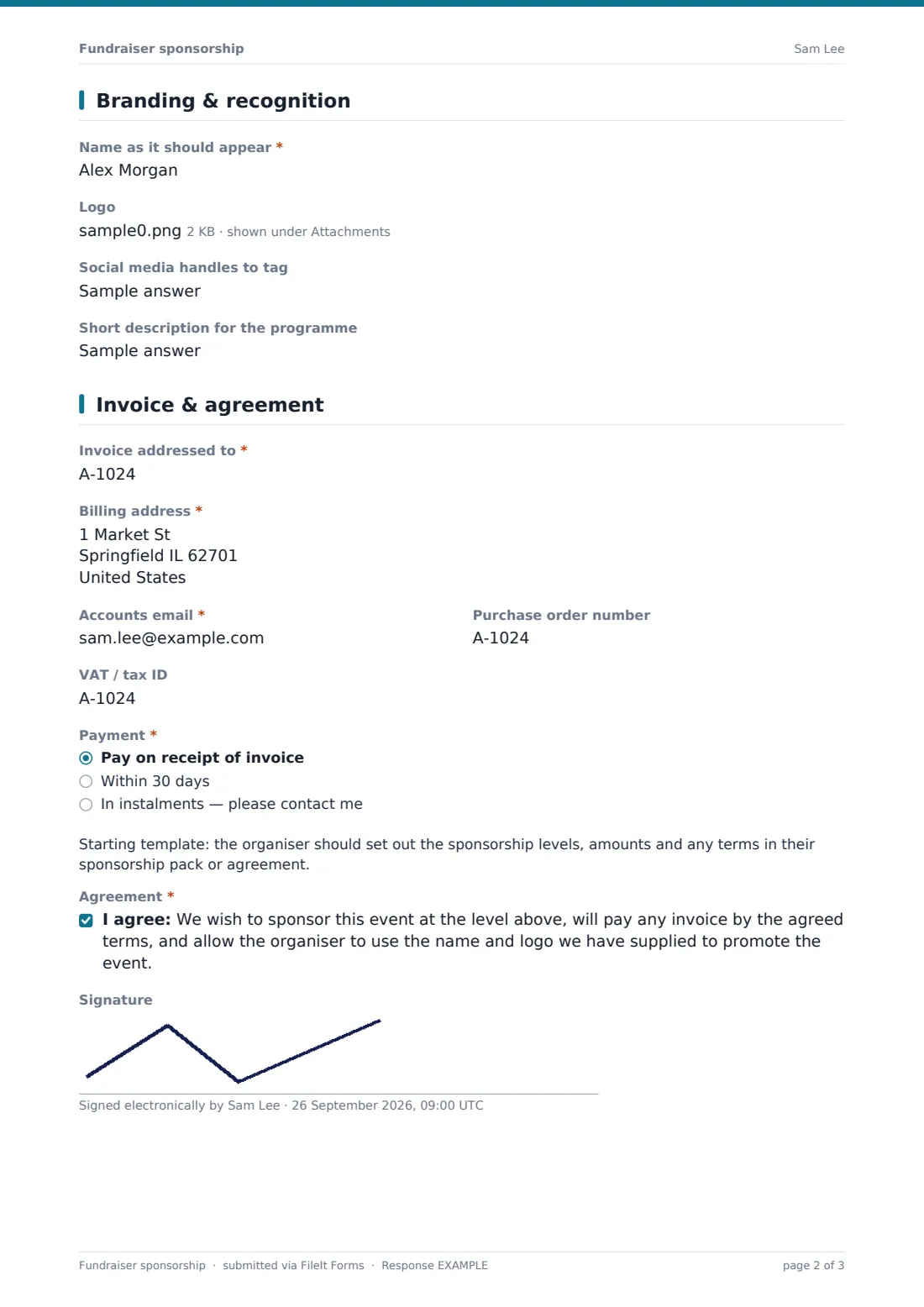
3 Branding & recognition
- Name as it should appear*
- Logo
- Social media handles to tag
- Short description for the programme
4 Invoice & agreement
- Invoice addressed to*
- Billing address*
- Accounts email*
- Purchase order number
- VAT / tax ID
- Payment* asked only when it applies Pay on receipt of invoice · Within 30 days · In instalments — please contact me
- Agreement*
- Signature
The fundraiser sponsorship form, page by page
1 Your business
The form starts with the sponsoring business's name, website and industry, then the contact person's name, role, phone and email — everything you need to know who you're dealing with and how to reach them.
2 Sponsorship level
Sponsors pick their level — headline, gold, silver, bronze, an in-kind donation of goods or services, or a custom package. Choosing "Custom package" reveals a field for the amount they'd like to contribute; choosing "In-kind" instead asks what they'd like to donate and its estimated value.
Every sponsor then ticks the benefits that interest them most — logo placement, an exhibition stand, a speaking slot, event tickets, a programme advert, a named prize, or a press mention. Ticking "Event tickets" reveals a question asking how many they'd like, and ticking "Exhibition stand" asks about their stand requirements, such as space, power or tables.
3 Branding & recognition
Sponsors give the exact name they want printed and announced, upload their logo (a high-resolution PNG or vector PDF, up to three versions), and add social media handles to tag plus a short one-line description for the programme. This page saves you from resizing or re-requesting logos later — you get the file the sponsor actually wants used.
4 Invoice & agreement
The last page collects everything needed to bill correctly: the legal business name to invoice, billing address, accounts email, an optional purchase order number, and a VAT or tax ID if it should appear on the invoice. Unless the sponsorship is in-kind, sponsors also choose their payment timing — on receipt, within 30 days, or in instalments.
A short note reminds organisers to set out sponsorship levels and terms in their own sponsorship pack, and sponsors finish by agreeing to sponsor at the chosen level, pay by the agreed terms, and let you use their name and logo to promote the event — with an optional signature to confirm it.
Make the template yours
- List your actual sponsorship tiers and amounts in the template note or a heading, since the form itself doesn't set prices
- Add or remove benefit checkboxes to match what you can genuinely offer at each level
- Set a closing date ahead of when programmes or banners go to print, so late sponsors know to contact you directly
- File each response into a vault folder for the specific event, especially if you run several fundraisers a year
- Turn on an emailed PDF copy so sponsors have their own record of what they agreed to
- Adjust the agreement wording to match your own sponsorship pack or contract terms
Tips for a better fundraiser sponsorship form
- Ask for logos as early as possible — printing and web deadlines come around faster than expected
- Be specific about what each benefit actually includes (how many tickets, what size the logo placement is) so there's no confusion later
- Keep the in-kind donation description open-ended; sponsors often offer things you hadn't thought to ask for
- Confirm invoice details back to the sponsor before sending the actual invoice, especially the exact legal name and any PO number
- Say thank you promptly — a quick personal note alongside the automated confirmation goes a long way with local sponsors
Every response becomes a PDF in your vault
The moment a sponsor submits, FileIt saves their answers as a PDF in your vault — including their uploaded logo — and sends you an email so you know a new sponsor has signed up. If you've turned on a copy for the respondent, the sponsor gets their own PDF too, which doubles as a simple confirmation of what they agreed to.
From there, most organisers work from the Responses table to track sponsors by level, open individual PDFs when preparing invoices or programme artwork, and export everything to CSV to hand to whoever manages your accounts or sponsor communications.
- Start from this template. It opens in the FileIt Forms designer — change any question, add pages, set the rules for when questions appear.
- Share it. Turn on a public link, or send it to people by email, each with their own link. They don’t need a FileIt account.
- Get the answers as PDFs. Each response is saved as a PDF in the vault folder you choose, with uploaded files attached — and listed in a Responses table you can export to CSV.
Fundraiser sponsorship form: frequently asked questions
Is this sponsorship form template free?
Yes. It's one of over 160 templates included in the Forms app on every FileIt account, including the free plan, and every field can be edited.
Do sponsors need a FileIt account to fill it in?
No. You share a link or send an email invitation, and the sponsor's contact fills it in without creating any account.
How do I get each sponsor's details afterwards?
Every submission is automatically saved as a PDF in your FileIt vault, with the logo attached, and you can also view, filter and export all responses to CSV.
Can I ask for different information depending on the sponsorship level?
Yes — the template already changes its questions based on the level chosen (for example, an in-kind donation asks what's being donated, while a custom package asks for an amount), and you can add more conditions of your own.
Does this form take payment from sponsors?
No. It records what a sponsor agrees to pay and how they'd like to be invoiced; you handle the actual invoicing and payment collection separately.
Is the sponsorship agreement in this form legally binding?
This form gives you a starting point for recording a sponsor's agreement, but it isn't legal advice. Have your own sponsorship terms reviewed to make sure they fit your event and local rules.
Can I limit the number of sponsors at each level?
The form itself doesn't cap responses by category, but you can set an overall maximum number of responses or a closing date, and manually follow up if a particular tier fills up.