What is the vehicle daily check form template?
A daily vehicle check only works if it's quick enough that drivers actually do it every day. This template turns the classic walk-round checklist into an online form a driver fills in from their phone before their first journey — tyres, lights, mirrors, brakes, and everything in between — with a clear path to flag a defect the moment they spot one.
Paper vehicle check sheets have a habit of staying in the cab, getting rained on, or simply not existing when someone asks for last Tuesday's check. An online form fixes that: every check is timestamped, filed automatically, and searchable later, whether that's for your own peace of mind or because an auditor or insurer wants to see a pattern of daily checks.
Each submission becomes a PDF in your FileIt vault, filed by vehicle or by driver depending on how you set up your folders, with any defect photos attached directly to that day's record.
- Best for
- Fleet operators, delivery companies, tradespeople and anyone running vans, trucks or company cars
- Filled in by
- The driver, before their first journey of the day
- Time to complete
- About 5 minutes
- Includes
- Two matrix checklists, conditional trailer section, photo upload, signature
Who uses a vehicle daily check form?
- A delivery fleet requires every driver to complete this check before setting off each morning
- A construction firm records daily checks on vans and pickups that tow trailers on site
- A haulage company keeps a searchable history of walk-round checks for each vehicle in its fleet
- A driver flags a defect — like a faulty indicator — and the form immediately asks whether the vehicle is still safe to drive
- A small business with a handful of company vans standardises checks across drivers who've never used a formal checklist before
- A fleet manager reviews the Responses table each morning to catch any vehicle reported as off the road before it's due out
Questions on this vehicle daily check form
23 questions over 3 pages · includes signature, file upload, conditional questions, multiple pages, consent checkbox, ratings.
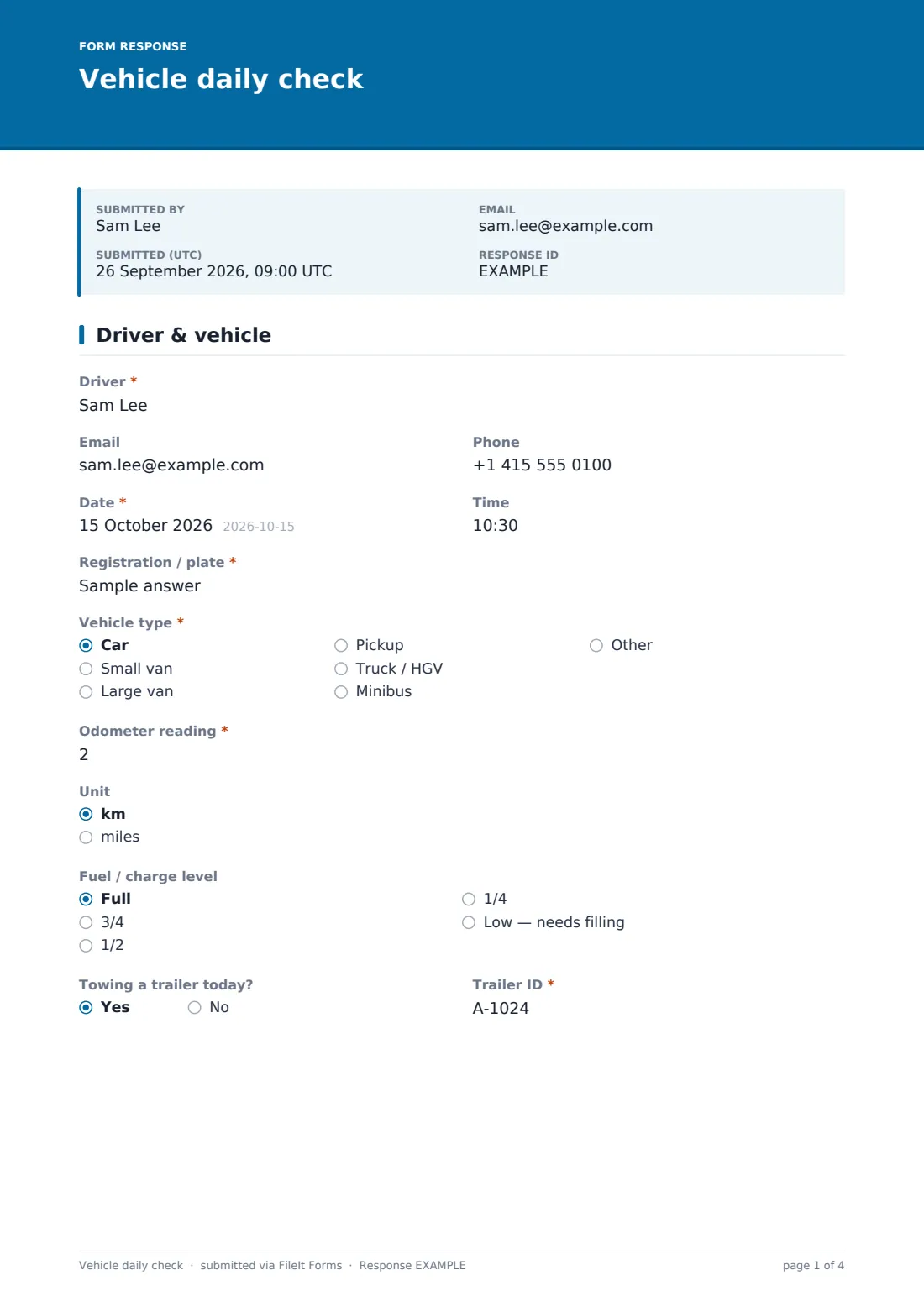
1 Driver & vehicle
- Driver*
- Phone
- Date*
- Time
- Registration / plate*
- Vehicle type* Car · Small van · Large van · Pickup · Truck / HGV · Minibus · Other
- Odometer reading*
- Unit km · miles
- Fuel / charge level Full · 3/4 · 1/2 · 1/4 · Low — needs filling
- Towing a trailer today?
- Trailer ID* asked only when it applies
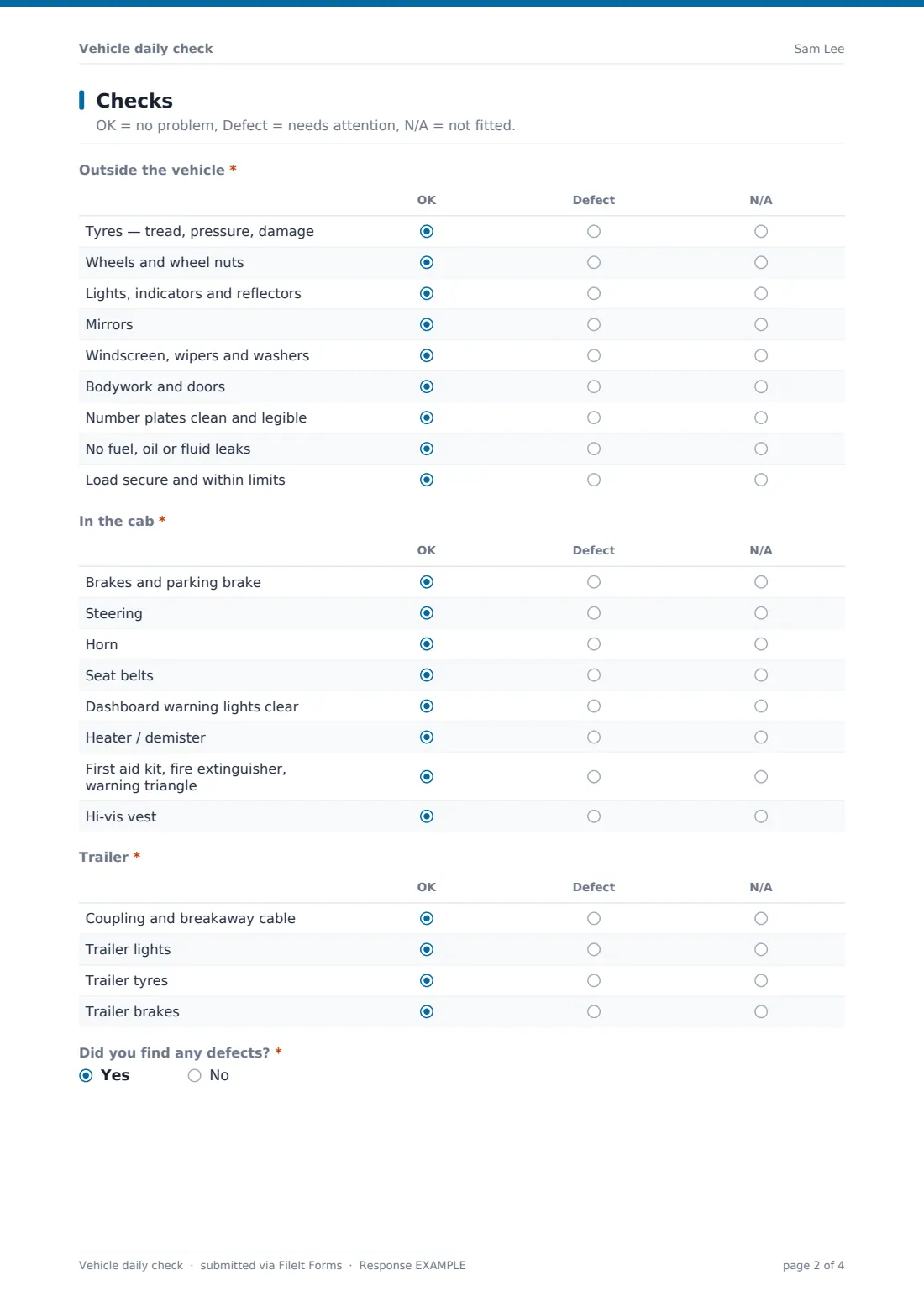
2 Checks
- Outside the vehicle* OK · Defect · N/A
- In the cab* OK · Defect · N/A
- Trailer* asked only when it applies OK · Defect · N/A
- Did you find any defects?*
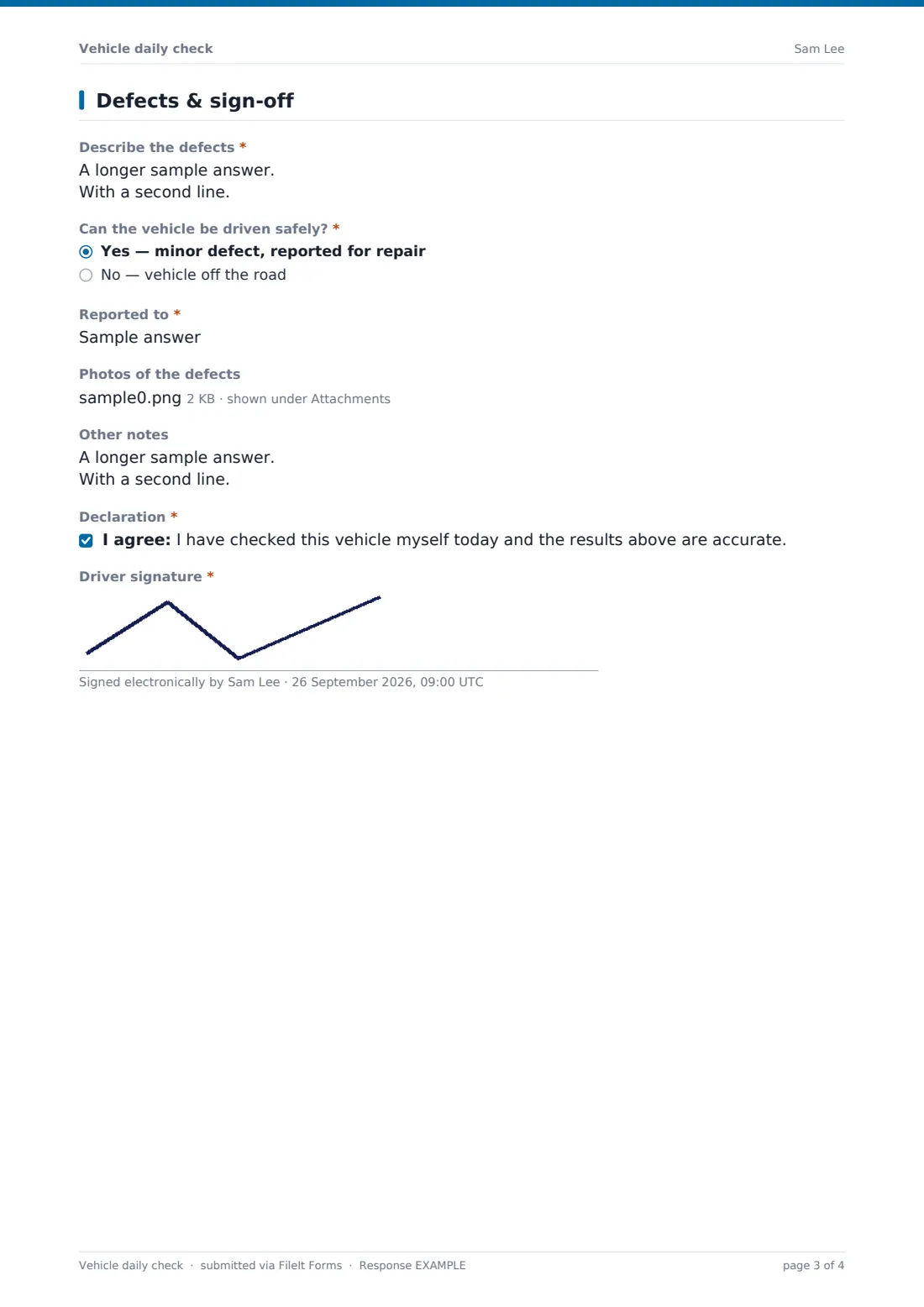
3 Defects & sign-off
- Describe the defects* asked only when it applies
- Can the vehicle be driven safely?* asked only when it applies Yes — minor defect, reported for repair · No — vehicle off the road
- Reported to* asked only when it applies
- Photos of the defects asked only when it applies
- Other notes
- Declaration*
- Driver signature*
The vehicle daily check form, page by page
1 Driver & vehicle
The driver starts by recording their own name and contact details, the date and time of the check, the vehicle's registration and type, and the current odometer reading with a choice of km or miles. A fuel or charge level dropdown and a yes/no question about towing a trailer follow — answering yes to the trailer question reveals a field for the trailer ID, which then unlocks a dedicated trailer checklist later in the form.
2 Checks
Two matrix checklists cover the vehicle itself: Outside the vehicle (tyres, wheels, lights, mirrors, windscreen and wipers, bodywork, number plates, leaks, and load security) and In the cab (brakes and parking brake, steering, horn, seat belts, dashboard warning lights, heater/demister, first aid kit and fire extinguisher, and hi-vis vest). Each row is marked OK, Defect or N/A, as the page description explains. If the driver indicated a trailer earlier, a third matrix appears covering the coupling and breakaway cable, trailer lights, tyres and brakes. A final yes/no question, Did you find any defects?, decides what happens next.
3 Defects & sign-off
If any defect was found, the driver describes it in their own words and answers a direct question: Can the vehicle be driven safely? Choosing "No — vehicle off the road" reveals a clear instruction not to drive the vehicle and to tell a supervisor immediately. The driver records who they reported the defect to, and can attach photos of the problem. A general notes field and a declaration — confirming the driver checked the vehicle themselves and the results are accurate — close out the form, followed by a signature captured on screen.
Make the template yours
- Adjust the checklist rows to match your own vehicle types — remove trailer questions entirely if your fleet never tows
- Add a question for the next scheduled service or MOT/inspection date so drivers can flag when it's coming up
- Route each submission's PDF into a folder for that specific vehicle, so its full check history builds up in one place
- Add extra notification emails so a fleet manager and a maintenance contact both hear about defects the moment they're reported
- Set up separate versions of the form for different vehicle classes (cars vs. HGVs) if the checklist genuinely differs
- Change the confirmation message to include your emergency contact number for drivers who report a vehicle off the road
- Add a pre-trip mileage-cap question if certain vehicles have daily distance limits you want to track
Tips for a better vehicle daily check form
- Keep the check quick — five minutes is achievable daily, twenty minutes tends to get skipped
- Make it completely normal to report a defect; drivers who fear blame for reporting problems will stop reporting them
- Review defect reports the same day, not just when a vehicle fails to start
- Ask drivers to photograph anything unclear in words, like a small dent or a warning light they don't recognise
- Keep a simple escalation path so "vehicle off the road" reports reach someone who can act immediately
- Look back over a vehicle's check history before a service — recurring minor defects often point to something worth fixing properly
Every response becomes a PDF in your vault
As soon as a driver submits their check, FileIt saves it as a PDF in the vault folder you've set up — typically one per vehicle — with any defect photos attached. You (and anyone else added to notifications) get an email straight away, which matters most when a defect has been reported.
Fleet managers typically scan the Responses table each morning, filtering for any check marked with a defect or an "off the road" status, before drivers head out. Because every check is filed as a dated PDF, the vehicle's history is easy to pull up later — whether for your own records, an insurer, or a maintenance provider.
- Start from this template. It opens in the FileIt Forms designer — change any question, add pages, set the rules for when questions appear.
- Share it. Turn on a public link, or send it to people by email, each with their own link. They don’t need a FileIt account.
- Get the answers as PDFs. Each response is saved as a PDF in the vault folder you choose, with uploaded files attached — and listed in a Responses table you can export to CSV.
Vehicle daily check form: frequently asked questions
Is this vehicle daily check form template free?
Yes. It's included in FileIt's Forms app on every plan, including the free plan, and every question can be edited to match your fleet.
Do drivers need a FileIt account to complete a check?
No. Share a public link or send it as a personal invitation, and drivers submit checks without ever creating an account.
How do we access completed checks?
Every check is saved automatically as a PDF in your FileIt vault, and you can browse, filter and export the full history to CSV.
Can drivers use this form on their phone?
Yes, the form works on any device with a browser, which is how most drivers complete a walk-round check before setting off.
What happens if a driver reports a serious defect?
The form asks directly whether the vehicle can still be driven safely, and if not, tells the driver not to drive it and to report it to their supervisor right away — you can also set up extra notification emails so the right people hear about it immediately.
Can we attach photos of a defect?
Yes, drivers can upload up to six photos of a defect, and any files are attached to that day's PDF record.
Can we track checks separately for vehicles that tow trailers?
Yes, answering yes to the trailer question reveals both a trailer ID field and a dedicated trailer checklist.
Can we require a check every single day without exception?
The form itself doesn't enforce a schedule, but many fleets share the link as part of a daily routine, such as a text reminder or a start-of-shift checklist.