What is the equipment pre-use inspection form template?
Before plant or machinery gets used each day, someone has to check it's actually safe to operate: oil and fluid levels, tyres or tracks, brakes, guards, lights, the emergency stop. This template gives operators one form to work through that checklist for equipment like excavators, forklifts, telehandlers, MEWPs and generators, and to report straight away if anything's wrong.
A paper checklist clipped to a dashboard is easy to lose, easy to fill in without really looking, and hard to search when someone asks when a machine was last checked. An online form on the operator's phone works through the same list, only asks about a defect if one is actually found, and time-stamps every submission automatically.
Every completed check becomes a PDF in your FileIt vault the moment it's submitted, so a site or fleet manager has a running, dated record for each piece of equipment without chasing paper around a site office.
- Best for
- Site supervisors and fleet managers running daily plant checks
- Filled in by
- The equipment operator, before each use
- Time to complete
- About 5 minutes when there are no defects
- Includes
- Matrix checklist, conditional defect reporting, photo upload, signature
Who uses a equipment pre-use inspection form?
- Construction sites needing a daily pre-use record for excavators, telehandlers and MEWPs
- Warehouses checking forklifts before each shift
- Plant hire companies wanting proof equipment was checked before it left the yard
- Facilities teams tracking generators, compressors and rollers across several sites
- Supervisors who need an immediate, time-stamped alert when equipment is tagged out of service
Questions on this equipment pre-use inspection form
24 questions over 4 pages · includes signature, file upload, conditional questions, multiple pages, consent checkbox, ratings.
1 Equipment & operator
- Operator*
- Phone
- Date*
- Time
- Equipment type* Excavator · Telehandler · Forklift · Mobile elevating work platform (MEWP) · Scissor lift · Dumper · Roller · Mobile crane · Loader / skid steer · Generator or compressor · Other
- Other equipment* asked only when it applies
- Asset / fleet number*
- Make & model
- Hour meter reading
- Site / location
- Are you trained and authorised to operate this equipment?*
2 Pre-use checks
- Checks* OK · Defect · N/A
- Did you find any defects?*
3 Defects
- Describe each defect* asked only when it applies
- How serious is it?* asked only when it applies Minor — safe to use, report for repair · Major — not safe to use
- Has the equipment been tagged out of service?* asked only when it applies
- Tag number asked only when it applies
- Where is the key? asked only when it applies
- Reported to* asked only when it applies
- Photos of the defect asked only when it applies
4 Result & declaration
- Equipment status* Safe to use · Safe to use — minor defect reported · Out of service — do not use
- Declaration*
- Operator signature*
The equipment pre-use inspection form, page by page
1 Equipment & operator
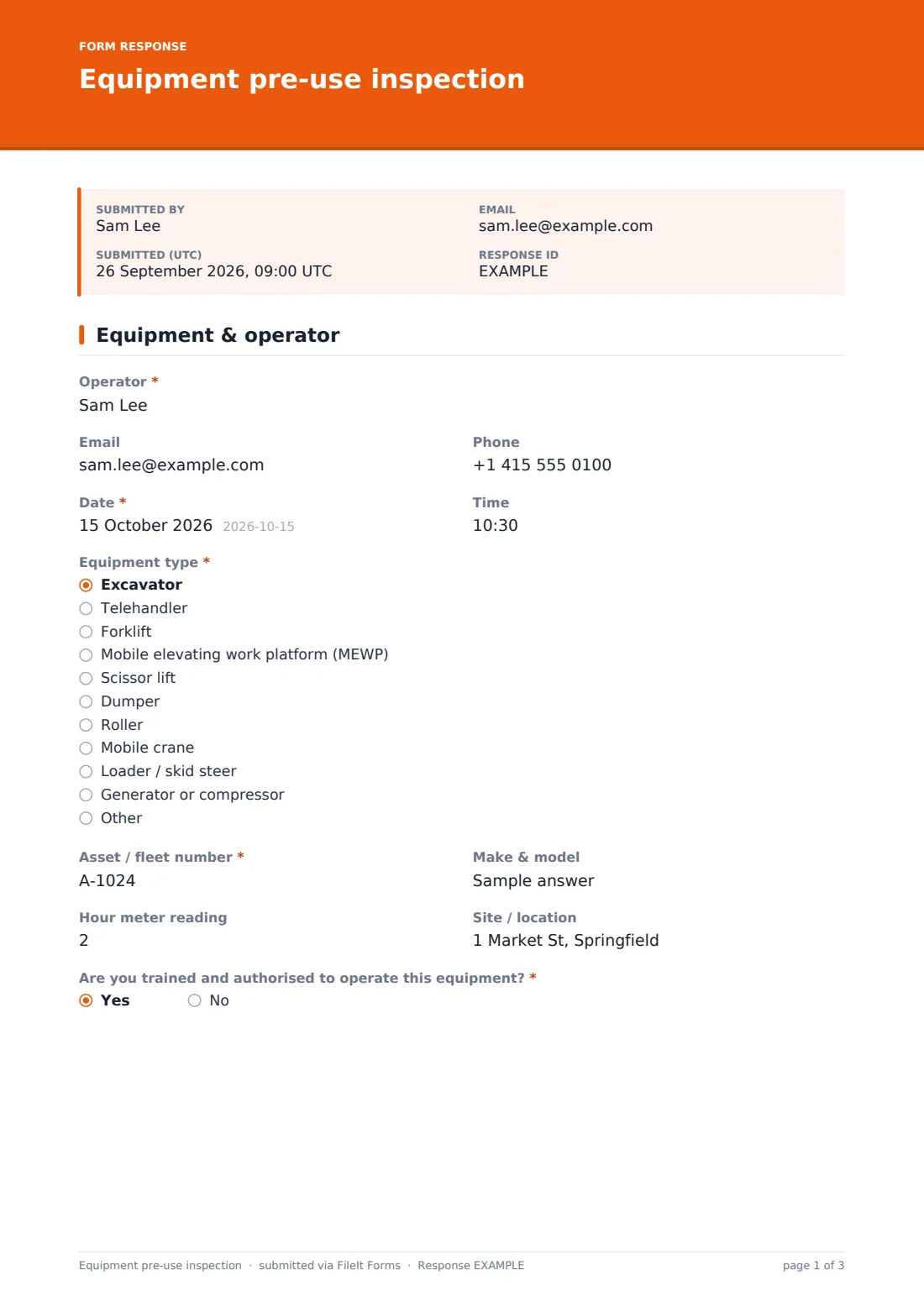
The first page identifies who's checking what: Operator name, optional Email and Phone, the Date and Time of the check, and the Equipment type, chosen from a dropdown covering excavators, telehandlers, forklifts, MEWPs, scissor lifts, dumpers, rollers, mobile cranes, loaders and generators or compressors, with an Other option that opens a free-text field. The operator also records the Asset / fleet number, an optional Make & model, Hour meter reading and Site / location.
A yes/no question, Are you trained and authorised to operate this equipment?, comes last on this page. Answering no shows a plain stop message telling the operator not to proceed and to speak to their supervisor — the check simply doesn't continue past that point.
2 Pre-use checks
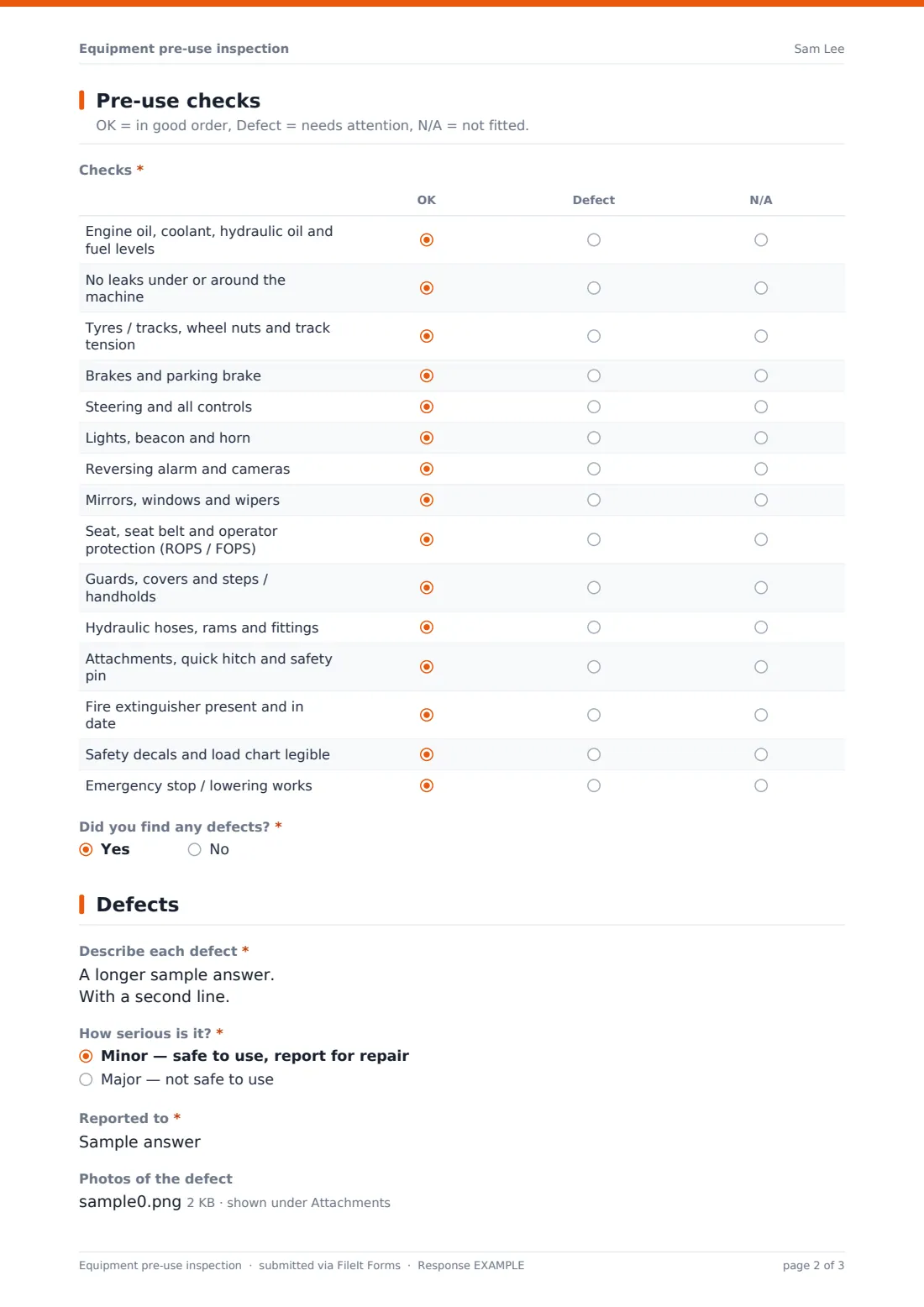
Page two is the checklist itself: a matrix of 15 items, from engine oil, coolant and hydraulic oil levels through tyres or tracks, brakes, steering, lights, guards, hydraulic hoses, the fire extinguisher and the emergency stop, each marked OK, Defect or N/A. A final yes/no question, Did you find any defects?, decides whether the form moves on to the defect page at all.
3 Defects
This page only appears if a defect was flagged. It asks the operator to describe each defect, rate how serious it is as Minor (safe to use, report for repair) or Major (not safe to use), and, if major, shows a reminder to remove the key, tag the equipment out of service, and tell a supervisor immediately. It then asks whether the equipment has been tagged out of service, with follow-up fields for the tag number and where the key is, who the issue was reported to, and optional photos of the defect.
4 Result & declaration
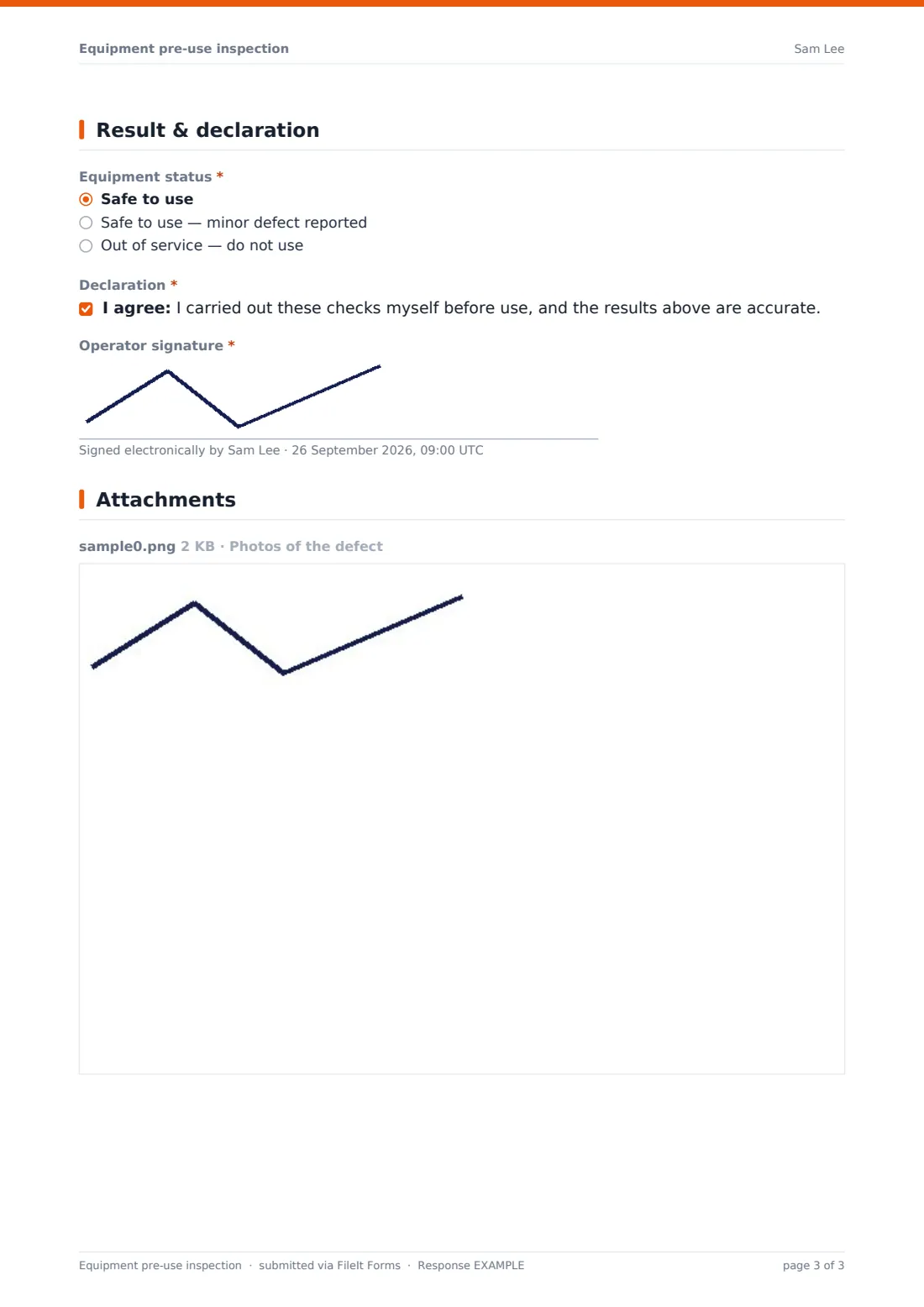
The final page records the overall Equipment status — safe to use, safe with a minor defect reported, or out of service — followed by a declaration that the operator carried out the checks themselves and the results are accurate, confirmed with their signature.
Make the template yours
- Change the Checks matrix rows to match your own equipment type or site's checklist
- Add fields specific to your fleet, like a fuel level reading or a certification number
- Adjust the conditional logic so extra questions appear only for certain equipment types — for example, a load chart check only for cranes
- Route notification emails to whoever manages your fleet so a major defect reaches them the moment it's reported
- Set the folder each check files under by site or asset, so a supervisor can find every check for one machine quickly
- Leave multiple responses turned on so the same operator can submit a fresh check every day without it counting as a duplicate
Tips for a better equipment pre-use inspection form
- Encourage operators to actually walk around and touch each item rather than ticking OK from memory
- Make sure the person who receives the defect notification checks it that day — a checklist only helps if someone acts on it
- Keep descriptions specific, such as "hydraulic weep at boom ram fitting" rather than "leaking", so whoever repairs it knows where to start
- Use the photo upload for anything visual, like cracks, worn tyres or damaged guards — it's faster than describing it in words
- Review the Responses table periodically by asset to spot equipment that keeps coming up with the same defect
Every response becomes a PDF in your vault
Once an operator submits the check, FileIt saves it as a PDF in the vault folder you've set up, with any defect photos attached, and you, or whoever's on the notification list, get an email straight away. If the equipment status is out of service, that notification is the trigger to make sure the equipment is genuinely taken out of use, not just noted on a form.
From the Responses table, a supervisor or fleet manager can filter by equipment or date, open any individual check as a PDF, or export the lot to CSV to build a wider maintenance record across the fleet.
- Start from this template. It opens in the FileIt Forms designer — change any question, add pages, set the rules for when questions appear.
- Share it. Turn on a public link, or send it to people by email, each with their own link. They don’t need a FileIt account.
- Get the answers as PDFs. Each response is saved as a PDF in the vault folder you choose, with uploaded files attached — and listed in a Responses table you can export to CSV.
Equipment pre-use inspection form: frequently asked questions
Is this equipment inspection form template free?
Yes. It's included with the Forms app on every FileIt account, including the free plan, along with 159 other ready-made templates.
Does the operator need a FileIt account to submit a check?
No. Share the form as a public link, for example as a QR code near the equipment, or an emailed link, and the operator fills it in without creating an account.
Does FileIt take equipment out of service for me?
No. The form records what the operator reports and the status they select, but physically tagging the equipment and stopping its use is something the operator and site still have to do.
Can I require photos when a defect is found?
The template makes the defect photo optional by default, but you can make it required in the designer if you want every defect reported with an image.
How do I get notified about major defects quickly?
Turn on email notifications in the form's settings and add the addresses of anyone who needs to know — they'll get an alert for every submission, including ones marked out of service.
Can I use this for more than one type of equipment?
Yes, the Equipment type dropdown already covers common plant and machinery, with an Other option, but you can duplicate the template and tailor the checklist rows if one machine type needs very different checks.
Where do completed checks go?
Every submission becomes a PDF, filed automatically in the vault folder you choose, and also appears in a searchable, filterable Responses table you can export as CSV.