What is the job completion sign-off form template?
Handing over a finished job with nothing more than a verbal "looks great, thanks" leaves a contractor with no record if a dispute comes up later, and leaves the customer without a clear list of anything still outstanding. This template turns the walkthrough into a short form the customer fills in on the spot: what was completed, whether anything still needs fixing, how happy they are with the job, and a signature accepting the handover.
Because the snag list, photos and agreed fix date only appear if the customer says the work isn't fully finished, a straightforward job with nothing outstanding stays quick to sign off, while a job with a few loose ends gets the detail needed to track them to completion. A star rating and an optional testimonial consent give the contractor useful feedback in the same form, without needing a separate survey.
Once signed, FileIt turns the whole thing into a PDF filed in the vault — including any snag photos — so both sides have the same dated, signed record of what was handed over and what, if anything, is still to be done.
- Best for
- Tradespeople and contractors handing over finished work to a customer
- Filled in by
- The customer, on site at handover
- Time to complete
- About 5-10 minutes, longer if there's a snag list to complete
- Includes
- A conditional snag list with photos, a satisfaction rating, and a signature
Who uses a job completion sign-off form?
- A builder or renovation contractor handing over a completed bathroom, kitchen or extension
- A tradesperson finishing a smaller job, like a boiler service or an electrical repair, who wants a quick signed record
- A property maintenance company that needs a consistent sign-off across every job its team completes
- A contractor collecting a star rating and testimonial consent at the same time as the handover
- Recording which handover documents — warranty, compliance certificates, manuals, final invoice — were actually given to the customer
- A landlord or letting agent confirming work is complete before a tenant moves back into a property
Questions on this job completion sign-off form
22 questions over 3 pages · includes signature, file upload, conditional questions, multiple pages, consent checkbox, ratings.
1 The job
- Contractor / company*
- Job or invoice reference
- Job address*
- Work started
- Work completed*
- Work completed*
2 Your review
- Your name*
- Email*
- Phone
- Has all the agreed work been done?* Yes, everything is finished · Mostly — a few things still need attention · No — significant work is outstanding
- Snag list* asked only when it applies
- Snag photos asked only when it applies
- Agreed date to fix asked only when it applies
- Was the site left clean and tidy?
- Were you shown how to use and look after the finished work?
- Documents you've received Warranty / guarantee · Test or compliance certificates · Product manuals · Final invoice · Building control / inspection sign-off
- Overall, how happy are you with the job?*
- Sorry to hear that — what could we have done better? asked only when it applies
- Any other comments
- Testimonial
3 Sign-off
- Acceptance*
- Customer signature*
The job completion sign-off form, page by page
1 The job
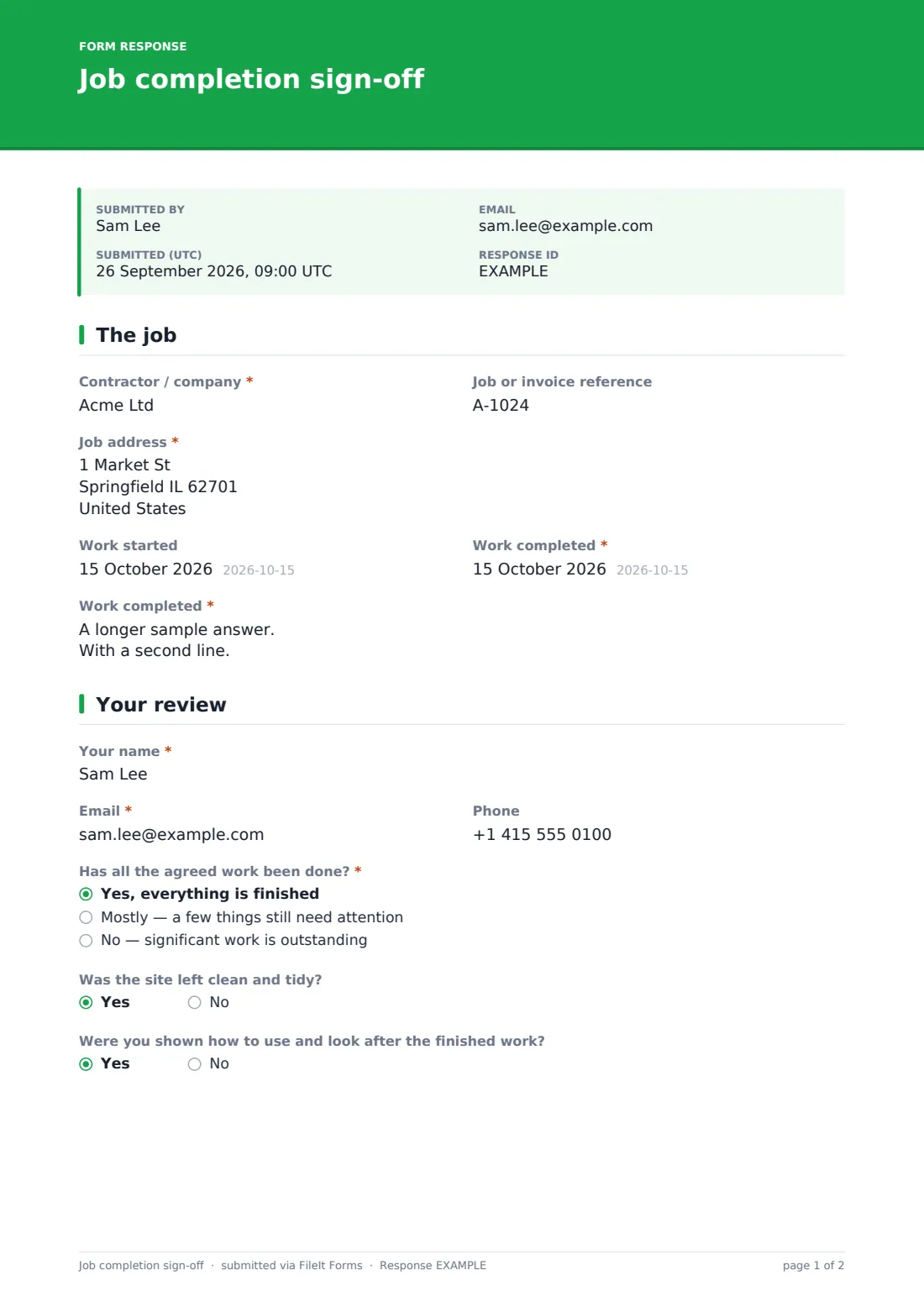
The form starts with the contractor or company name, an optional job or invoice reference, the job address, and the dates work started and finished. A "work completed" box records what was actually done, for example a full bathroom refit including a new suite, tiling, extractor fan and lighting.
2 Your review
The customer gives their name, email and phone, then answers whether all the agreed work has been done — yes, mostly with a few things outstanding, or no with significant work still to do. Choosing anything other than a full yes opens a snag list where each item is logged with its location and what needs fixing, an optional photo upload, and an agreed date to fix it.
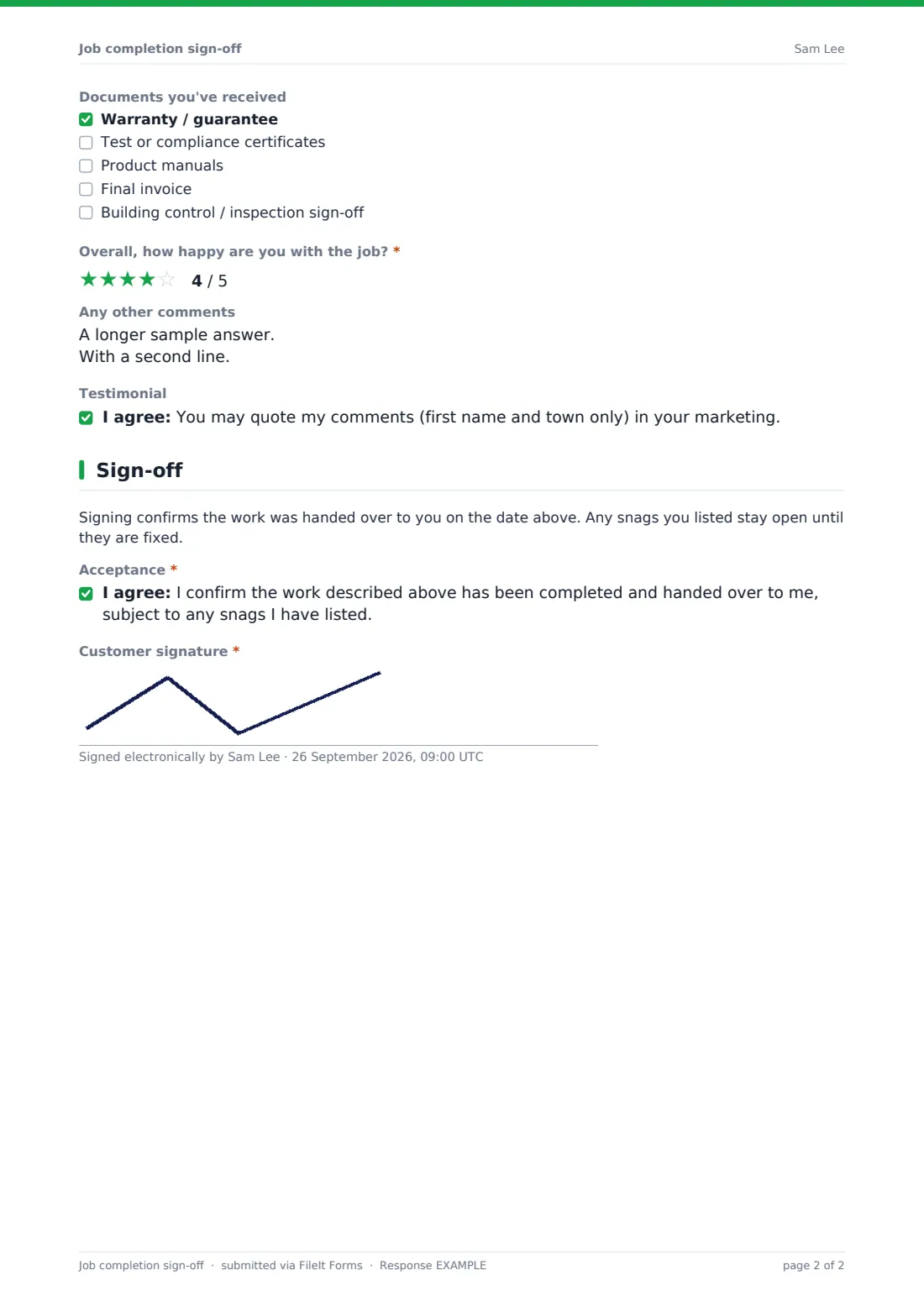
Two yes/no questions ask whether the site was left clean and tidy and whether the customer was shown how to use and look after the finished work, and a checklist records which documents were handed over — warranty or guarantee, test or compliance certificates, product manuals, the final invoice, or building control sign-off. A star rating captures overall satisfaction, with a follow-up box asking what could have been done better if the rating is below four stars, plus a general comments box and an optional consent to quote the customer's comments (first name and town only) in marketing.
3 Sign-off
A short note reminds the customer that signing confirms the work was handed over on the date given, and that any listed snags stay open until fixed. The customer then confirms the work described has been completed and handed over, subject to any snags listed, and signs on screen to accept it.
Make the template yours
- Add a field for the specific trade or type of job if your company covers several kinds of work
- Make the handover-documents checklist match what your company actually provides at completion
- Route notifications to the project manager or office alongside the account owner
- File sign-offs into a vault folder per property or per customer for easy lookup during a warranty period
- Turn on an emailed PDF copy to the customer so they have their own signed record of the handover and any snags
- Add a scheduling reminder (outside the form) tied to the agreed snag-fix date so nothing gets missed
- Adjust the testimonial consent wording if you want to quote more than first name and town
Tips for a better job completion sign-off form
- Walk the site with the customer before asking them to fill in the form, so the snag list reflects what was actually seen together
- Encourage photos for every snag — it removes any doubt about what was agreed and where
- Set a realistic agreed date to fix outstanding items and follow up before it arrives, not after
- Hand over warranty, compliance and manual documents at the same time as the sign-off so the checklist can be answered honestly
- Treat a low satisfaction rating as useful information, not just a box to get past — the follow-up question exists for a reason
- Keep the signed PDF on file for the length of any warranty period in case a snag or a dispute comes up later
Every response becomes a PDF in your vault
As soon as the customer signs, FileIt saves the completed sign-off as a PDF in your vault, with any snag photos attached, and you're notified by email. If an emailed copy to the respondent is switched on, the customer also receives their own signed PDF for their records.
From there, most contractors use the Responses table to track which jobs still have open snags and follow up by the agreed fix date, then update or close out the record once everything is resolved. The satisfaction rating and comments also give a running record you can refer back to for your own quality tracking.
- Start from this template. It opens in the FileIt Forms designer — change any question, add pages, set the rules for when questions appear.
- Share it. Turn on a public link, or send it to people by email, each with their own link. They don’t need a FileIt account.
- Get the answers as PDFs. Each response is saved as a PDF in the vault folder you choose, with uploaded files attached — and listed in a Responses table you can export to CSV.
Job completion sign-off form: frequently asked questions
Is this job completion sign-off template free?
Yes. It's included in FileIt's Forms app on every plan, including free, and every question can be edited to match your own handover process.
Does the customer need a FileIt account to sign off the work?
No. Send the form link to the customer, or have them fill it in on your tablet or phone at handover — no FileIt account is needed.
How do I get a copy of the signed sign-off?
Every submission is saved automatically as a PDF in your vault, and you can also turn on an emailed PDF copy sent straight to the customer.
What happens if the customer lists snags?
The snag list, photos and agreed fix date are captured in the same PDF, so there's a clear record of what's outstanding until it's resolved.
Is a signature on this form legally binding, like a completion certificate?
It's a plain acceptance of handover in the customer's own words, not a legal or regulatory completion certificate — check what your trade or contract requires separately if you need one of those.
Can I collect a testimonial at the same time as the sign-off?
Yes — there's an optional consent question letting the customer agree to have their comments (first name and town only) quoted in your marketing.
Can I reuse this form for every job we complete?
Yes, the form allows multiple responses, so the same link or template works across every customer handover you do.