What is the client testimonial form template?
A good testimonial only helps a business if it was collected properly, with the client's clear agreement on what gets published, and where. Asking for a quote in a casual email, then using it on a website months later, can leave a client feeling blindsided even if they were happy with the work at the time. This template builds that permission step directly into the request, so nothing gets published without the client having chosen exactly how.
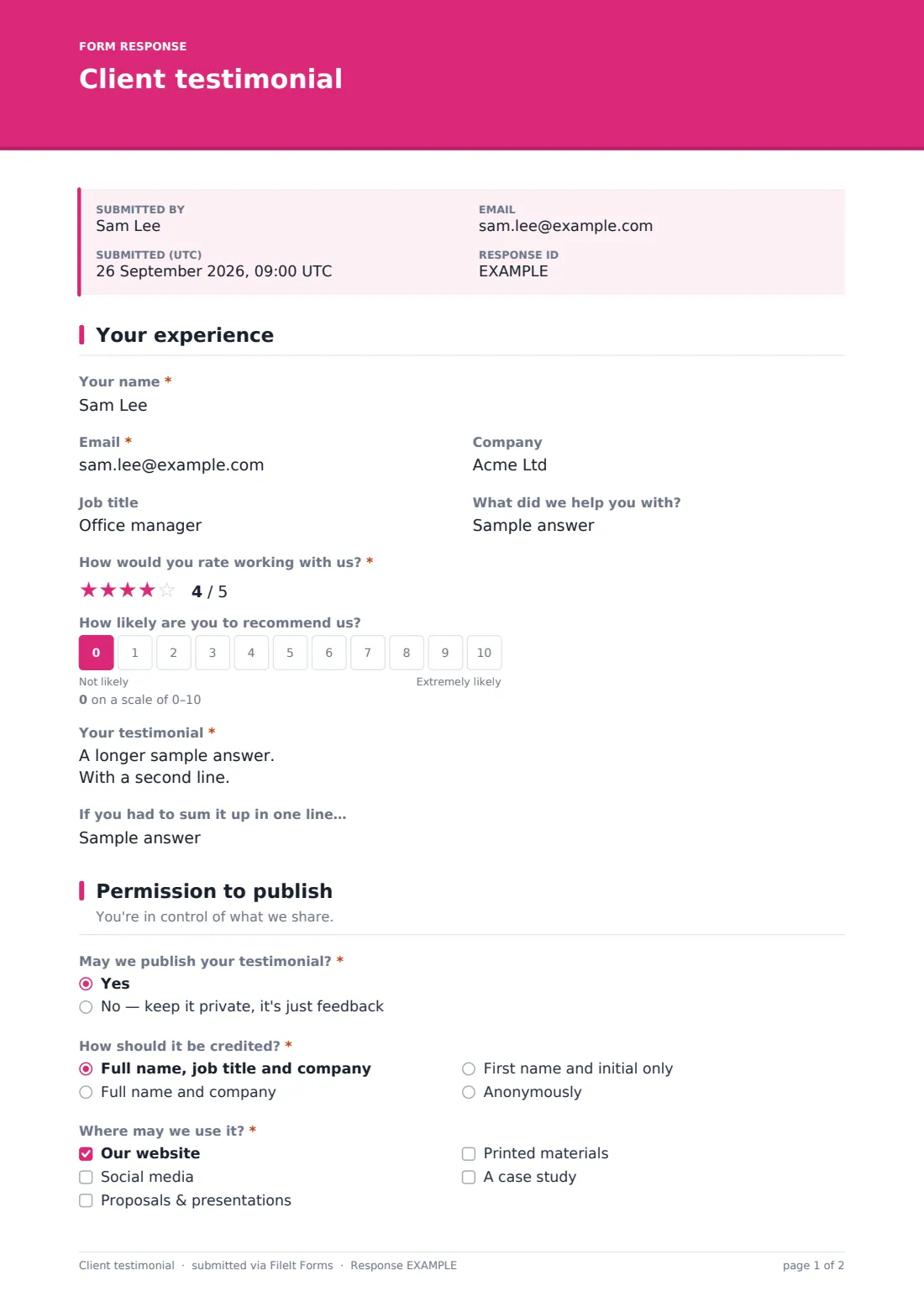
It opens by asking about the experience itself: a star rating, an optional recommendation scale, and an open text box for the testimonial in the client's own words, with a prompt about the problem, the work, and what changed. If the rating comes in low, a private follow-up question quietly asks what could have gone better, feedback for the business, never for publication.
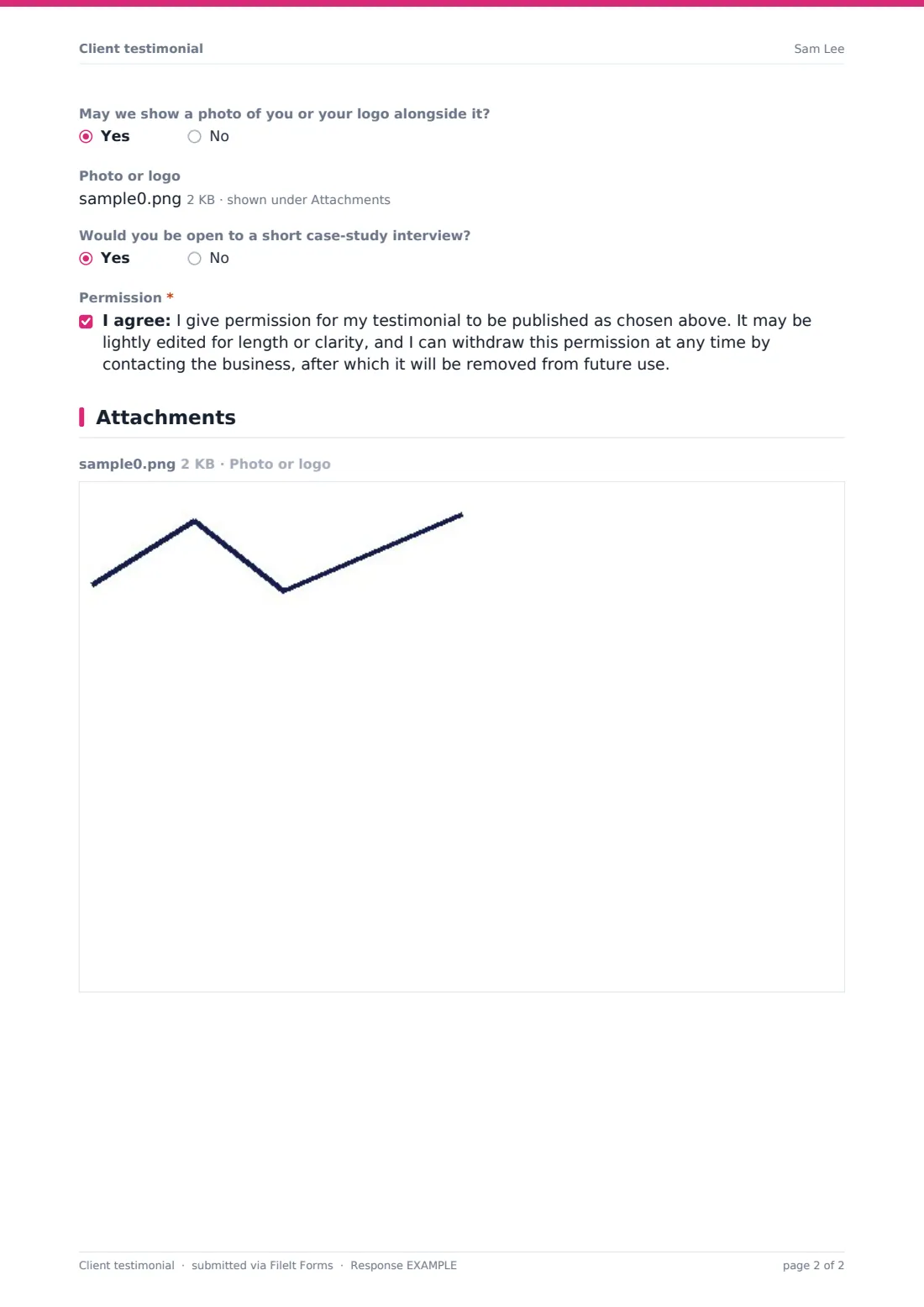
The second page is entirely about control: whether the testimonial can be published at all, how it should be credited, where it may appear, and whether a photo or logo can go alongside it. Once submitted, FileIt turns the whole thing into a PDF in the vault, so there's a permanent, dated record of exactly what each client agreed to, handy well after the testimonial has been live on a website for a year.
- Best for
- Freelancers, agencies and small businesses collecting testimonials for a website or proposals
- Filled in by
- A client, after a project or service has been delivered
- Time to complete
- About 3-5 minutes
- Includes
- Rating, conditional publishing permissions, photo upload, consent statement
Who uses a client testimonial form?
- A freelance designer or developer building a portfolio of quotes to display on their website
- An agency assembling a case study and needing clear, on-record permission before quoting a client by name
- A consultant who wants a private early-warning signal, the low-rating follow-up question, alongside public praise
- A tradesperson or service business collecting short, credited quotes to use in local marketing or on printed flyers
- A business that wants to offer clients an anonymous option, so people who are happy with the work but not comfortable being named can still contribute feedback
- Anyone who has previously reused a testimonial from an old email without asking again, and wants a cleaner, documented process going forward
Questions on this client testimonial form
17 questions over 2 pages · includes file upload, conditional questions, multiple pages, consent checkbox, ratings.
1 Your experience
- Your name*
- Email*
- Company
- Job title
- What did we help you with?
- How would you rate working with us?*
- How likely are you to recommend us?
- Your testimonial*
- If you had to sum it up in one line…
- Anything we could have done better? asked only when it applies
2 Permission to publish
- May we publish your testimonial?* Yes · No — keep it private, it's just feedback
- How should it be credited?* asked only when it applies Full name, job title and company · Full name and company · First name and initial only · Anonymously
- Where may we use it?* asked only when it applies Our website · Social media · Proposals & presentations · Printed materials · A case study
- May we show a photo of you or your logo alongside it? asked only when it applies
- Photo or logo asked only when it applies
- Would you be open to a short case-study interview? asked only when it applies
- Permission* asked only when it applies
The client testimonial form, page by page
1 Your experience
The client starts with Your name, Email (explained as being used only to check wording, never published), Company, Job title and What did we help you with?. How would you rate working with us? is a five-star rating, followed by an optional 0-10 How likely are you to recommend us? scale for businesses that like tracking that kind of number over time.
The heart of the page is Your testimonial, an open text box with guidance to describe the problem, what was done, and what changed, plus a one-line If you had to sum it up in one line prompt that's often the most quotable part of the whole response. If the star rating comes in under four, a conditional Anything we could have done better? question appears, clearly marked private and never published, giving the business a chance to hear honest concerns without those comments ever reaching a testimonial page.
2 Permission to publish
May we publish your testimonial? is the gate for everything that follows: choosing to keep it private ends the form there, with the feedback kept but nothing shared. Choosing yes opens How should it be credited?, offering full name with job title and company, full name and company only, first name and initial only, or fully anonymous, giving the client real control over how identifiable the quote is.
Where may we use it? then lists website, social media, proposals and presentations, printed materials, and case study, so the client agrees to specific channels rather than an open-ended everywhere. If they haven't chosen to stay anonymous, a further question asks whether a photo or logo may appear alongside the quote, with an upload field appearing if they say yes. An optional yes or no asks if they'd be open to a short case-study interview, and a final consent statement, including a note that they can withdraw permission at any time, is the client's formal, dated agreement.
Make the template yours
- Add your own service or project-type dropdown if you want to filter testimonials by the kind of work they cover
- Remove the recommendation scale if you don't track a formal referral score and just want the rating and the quote
- Adjust the Where may we use it? options to match the channels you actually use, dropping printed materials if you never produce any
- Change the low-rating threshold logic in the designer if you'd rather trigger the private follow-up question at a different star level
- File testimonials into a dedicated vault folder so marketing has one place to find approved, ready-to-use quotes
- Turn on an emailed PDF copy for the client, so they have a record of exactly what they agreed to for their own files
- Adjust the consent statement's wording to reflect how long you intend to keep using a testimonial before checking in again
Tips for a better client testimonial form
- Ask for a testimonial soon after a project wraps up, while the details and the results are still fresh
- Always give a genuine decline option, like the private-feedback path here, since testimonials collected under pressure read as insincere
- Respect the attribution choice exactly as given; don't upgrade a first-name-only credit to a full name later because it reads better
- Keep the low-rating follow-up question private in practice as well as in wording, and never quote from it publicly, even anonymized
- Only lightly edit testimonials for length or clarity with the client's awareness, as the consent statement here already sets out
- Revisit older testimonials periodically and check whether the original permission still reflects how you're using them today
Every response becomes a PDF in your vault
Once submitted, the response is saved as a PDF in the vault, a complete, dated record of the rating, the quote, and exactly which publishing permissions the client granted. The account owner gets a notification for each new testimonial, and the client can optionally receive their own PDF copy for reference.
From the Responses table, most businesses filter for testimonials marked yes to publishing, check the chosen attribution and channels, and hand the approved quotes to whoever manages the website or marketing materials. Because every permission is recorded in writing, there's no need to go back and re-check with the client before using a quote exactly as they agreed to.
- Start from this template. It opens in the FileIt Forms designer — change any question, add pages, set the rules for when questions appear.
- Share it. Turn on a public link, or send it to people by email, each with their own link. They don’t need a FileIt account.
- Get the answers as PDFs. Each response is saved as a PDF in the vault folder you choose, with uploaded files attached — and listed in a Responses table you can export to CSV.
Client testimonial form: frequently asked questions
Is this client testimonial form template free?
Yes, it's part of FileIt's Forms template library, included on every account including the free plan, and fully editable in the designer.
Does the client need a FileIt account to leave a testimonial?
No. Send the form by email or a public link and the client fills it in without ever needing to sign up for FileIt.
How do I get each testimonial as a PDF?
Every submitted response, including the rating and the chosen publishing permissions, is automatically saved as a PDF in your FileIt vault.
What if a client doesn't want their testimonial published?
The May we publish your testimonial? question includes a clear option to keep it private, and choosing it skips all the publishing questions entirely.
Can a client stay anonymous but still give a photo?
The photo question only appears if the client hasn't chosen the anonymous attribution option, since a photo alongside an anonymous quote would defeat the purpose.
Is a testimonial collected this way legally binding?
This form isn't legal advice and doesn't create a binding contract. It records the client's permission in writing, which is good practice, but you should use your own judgment about what protection you need for your situation.
Can I collect testimonials for a specific project rather than the business as a whole?
Yes. The What did we help you with? field lets a client name the specific project or service, which is useful if you want testimonials organized by service line.