What is the event feedback form template?
The best time to find out what worked at your event, and what didn't, is right after it ends, while it's still fresh. This template asks attendees, speakers, sponsors and volunteers for an overall rating, a recommendation score, and session-by-session feedback, then digs deeper only where the answers suggest something went wrong.
A generic "how did we do?" email gets short, vague replies. This form uses conditional logic instead: someone who rates the event low is asked directly what disappointed them, and someone who gives a low recommendation score is asked what would make the next event better, while a happy respondent sees a lighter, optional version of the same question. That structure gets more useful detail from more people without making everyone answer questions that don't apply to them.
Every response is saved as a PDF in your FileIt vault the moment it's submitted, so you build a running, dated archive of feedback from every event you run, not just an inbox of survey exports.
- Best for
- Event organisers, conference and workshop hosts wanting structured post-event feedback
- Filled in by
- Attendees, speakers, sponsors or volunteers
- Time to complete
- About 5 minutes
- Includes
- Rating scale, recommendation score, session matrix, conditional follow-up questions
Who uses a event feedback form?
- Conference organisers wanting a structured recommendation score alongside open comments
- Community groups and clubs gathering feedback after a meetup or workshop
- Corporate event teams reviewing internal training days or company events
- Venues and event agencies collecting feedback on sessions, logistics and catering separately
- Following up privately with attendees who leave a low score, when they agree to be contacted
Questions on this event feedback form
16 questions over 3 pages · includes conditional questions, multiple pages, ratings.
1 Overall
- You attended as Attendee · Speaker · Sponsor or exhibitor · Volunteer
- Overall, how would you rate the event?*
- Sorry it fell short — what disappointed you most?* asked only when it applies
- How likely are you to recommend this event to a friend or colleague?*
- What's the main reason for your score?
2 Sessions & logistics
- How would you rate each part of the programme? Didn't attend · Poor · Fair · Good · Excellent
- How relevant was the content to your work or interests?
- And the practical side? Poor · Fair · Good · Excellent · N/A
3 Final thoughts
- What was the highlight for you?
- What one thing would make the next event better?* asked only when it applies
- Anything you'd change next time? asked only when it applies
- Topics or speakers you'd like to see next time
- Would you come again? Yes · Maybe · No
- May we contact you about your feedback?
- Your name asked only when it applies
- Email* asked only when it applies
The event feedback form, page by page
1 Overall
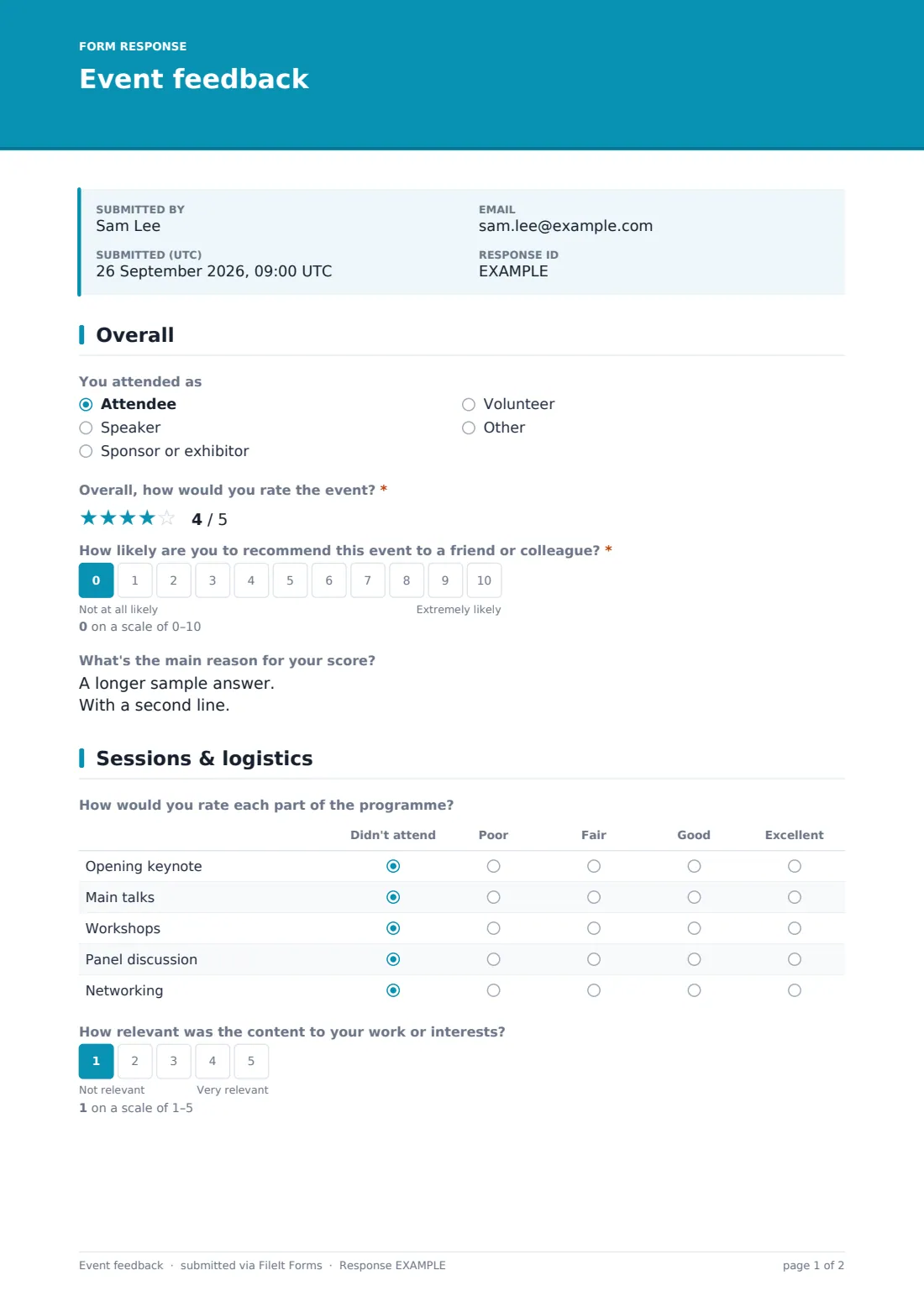
The form opens by asking You attended as — attendee, speaker, sponsor or exhibitor, or volunteer, with an Other option — followed by Overall, how would you rate the event? on a five-point rating scale. If that rating comes in below 3, the form immediately asks what disappointed the respondent most, so low scores always come with a reason attached rather than sitting unexplained in the data.
The page also includes a 0–10 scale, How likely are you to recommend this event to a friend or colleague?, labelled from Not at all likely to Extremely likely, plus an optional follow-up on the main reason for that score.
2 Sessions & logistics
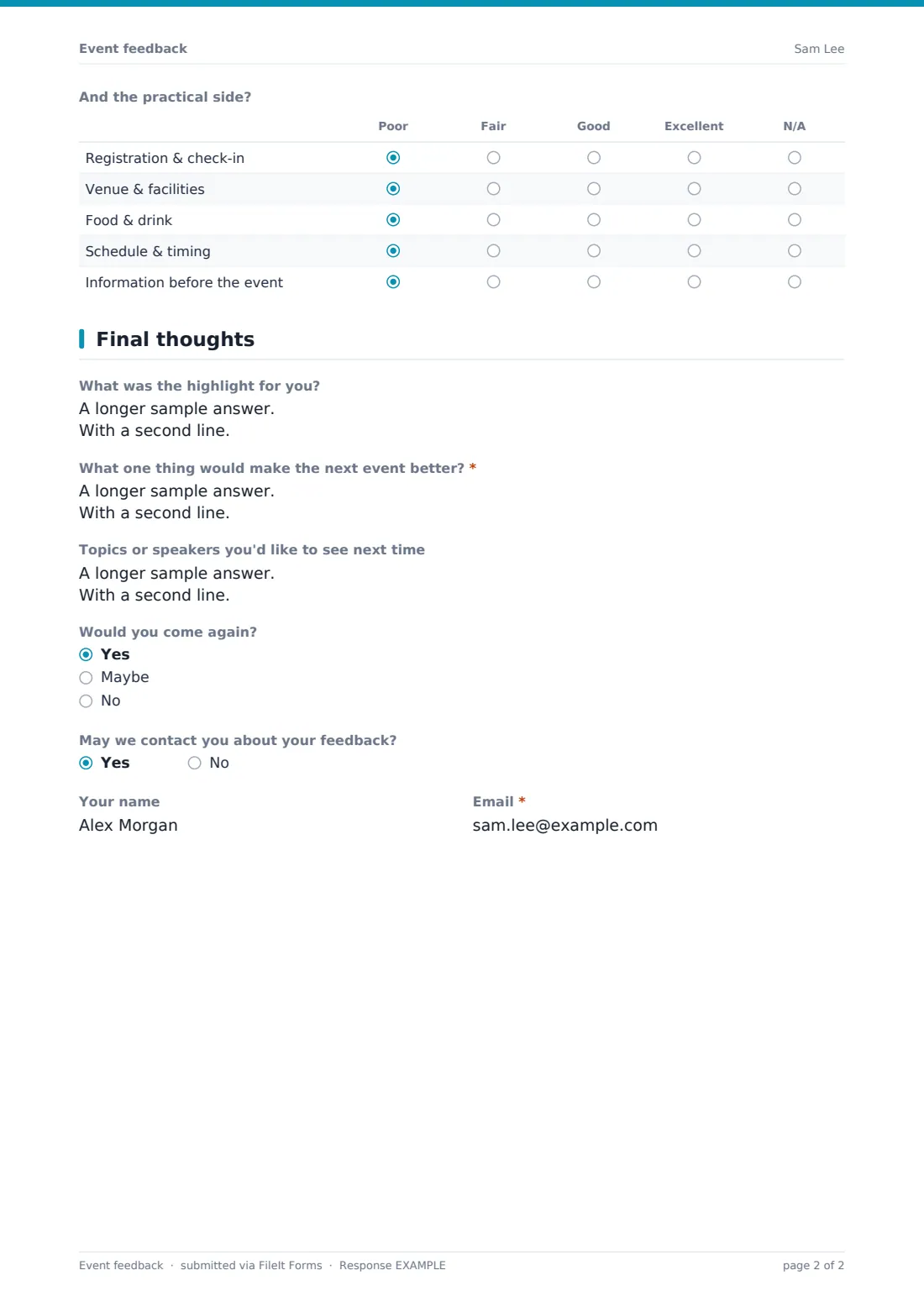
Page two breaks feedback into two matrix questions. How would you rate each part of the programme? scores the Opening keynote, Main talks, Workshops, Panel discussion and Networking from Poor to Excellent, or Didn't attend, alongside a separate scale for how relevant the content was to the respondent's work or interests. A second matrix, And the practical side?, rates Registration & check-in, Venue & facilities, Food & drink, Schedule & timing and Information before the event separately from the programme content itself, so a great agenda with a messy check-in doesn't get lost in one blended score.
3 Final thoughts
The final page asks for a highlight, then branches depending on the recommendation score given earlier: anyone who scored 6 or below is asked what one thing would make the next event better as a required question, while anyone who scored 7 or above sees an optional, lighter version of the same question. This page also asks about topics or speakers the respondent would like to see next time, whether they'd come again, and finishes with a yes/no question on whether FileIt may contact them about their feedback — answering yes opens fields for their name and a required email, since the form makes clear answers stay anonymous unless the respondent opts in.
Make the template yours
- Rename the rows in either matrix question to match your own event's actual sessions or logistics categories
- Add your own low-score follow-up questions using the same conditional logic already built into the rating and recommendation questions
- Make the feedback fully anonymous by removing the optional contact fields at the end, or make the follow-up email required for every response if you want to be able to reply to everyone
- Set a closing date shortly after the event so the survey doesn't stay open indefinitely once responses have tailed off
- File responses by event name or year in your vault so feedback from different events doesn't mix together
- Turn off multiple responses if you only want one submission per attendee
Tips for a better event feedback form
- Send the link out within a day or two of the event, while it's still fresh in people's minds
- Keep the survey short enough to finish on a phone in the queue for the car park — this template's conditional logic already helps by skipping irrelevant questions
- Read every low-score comment yourself rather than only looking at averages — a single detailed complaint often explains more than the number next to it
- Ask permission before following up individually, and only use the contact details for that purpose
- Compare scores across events over time rather than judging one event's average in isolation
Every response becomes a PDF in your vault
Each time someone submits the survey, FileIt turns their answers into a PDF and files it in the vault folder you've chosen, and you, or anyone else on the notification list, get an email alert. If a respondent agreed to be contacted, their name and email are recorded with their PDF for follow-up.
From the Responses table, you can filter by role or score, open individual PDFs, or export everything to CSV to build charts or a written wrap-up on how the event landed, useful both for your own records and for justifying next year's budget or format changes.
- Start from this template. It opens in the FileIt Forms designer — change any question, add pages, set the rules for when questions appear.
- Share it. Turn on a public link, or send it to people by email, each with their own link. They don’t need a FileIt account.
- Get the answers as PDFs. Each response is saved as a PDF in the vault folder you choose, with uploaded files attached — and listed in a Responses table you can export to CSV.
Event feedback form: frequently asked questions
Is this event feedback form template free?
Yes. It's included in the Forms app on every FileIt account, including the free plan, along with 159 other ready-made templates you can edit freely.
Do attendees need a FileIt account to leave feedback?
No. Share a public link after the event, or email each attendee their own personal link — they submit feedback without creating an account.
Can attendees stay anonymous?
Yes, by default the survey doesn't ask for a name or email unless the respondent chooses to be contacted about their feedback, in which case only that field becomes required.
Where do the survey responses go?
Every response is saved as a PDF in your FileIt vault automatically, and also appears in a Responses table you can filter and export as CSV.
Can I score sessions separately from the venue and catering?
Yes, this template already splits programme content and logistics into two separate rating matrices so you can see where the event actually fell down.
How do low ratings get flagged?
The form's conditional logic asks anyone who rates the event below 3, or gives a recommendation score of 6 or under, an extra question about what went wrong or what to improve, so you don't have to dig through every response to find the unhappy ones.
Can I calculate a recommendation score from the responses?
The recommendation question uses a standard 0–10 scale, and you can export all responses to CSV and calculate a score yourself in a spreadsheet — FileIt doesn't calculate it for you automatically.