What is the event registration form template?
Getting people registered for an event usually means juggling a spreadsheet of names, a separate email for dietary requirements, and a scramble to work out who's coming to dinner and who isn't. This template puts all of that on one form: name and contact details, a ticket type, which sessions someone plans to attend, and dinner and dietary questions that only show up if they're relevant.
A shared sign-up spreadsheet gets messy fast, with duplicate rows, missing dietary notes, and guests added as an afterthought in a comments column. An online registration form asks everyone the same questions in the same order, only expands into dietary and guest questions when someone says yes to dinner, and keeps every registration as its own tidy record instead of one shared, editable file.
As soon as someone registers, FileIt saves their answers as a PDF in your vault, so you end up with a dated, individual record for every attendee, easy to search and easy to export as a full list when it's time to print name badges or brief the caterer.
- Best for
- Event organisers running conferences, dinners or community gatherings
- Filled in by
- Anyone registering to attend
- Time to complete
- About 3 minutes
- Includes
- Ticket choice, session picks, conditional dietary and guest questions, photo consent
Who uses a event registration form?
- Conferences offering standard, VIP and student ticket tiers with different inclusions
- Community or club events needing a simple headcount with dietary requirements
- Corporate dinners where only some attendees are staying for the evening meal
- Multi-track events where organisers need to know which sessions people plan to join
- Events wanting photo consent recorded alongside the registration itself
Questions on this event registration form
14 questions · includes conditional questions, consent checkbox.
1 Your registration
- Name*
- Email*
- Mobile
- Organisation
- Ticket* Standard · VIP (includes dinner) · Student
- Which sessions will you attend? Morning keynote · Workshop A · Workshop B · Panel discussion · Networking drinks
- Will you join us for dinner?*
- Dietary requirements asked only when it applies None · Vegetarian · Vegan · Gluten-free · Dairy-free · Halal · Kosher · Nut allergy
- Tell us about the allergy* asked only when it applies
- Bringing a guest to dinner? asked only when it applies
- Guest's name* asked only when it applies
- T-shirt size XS · S · M · L · XL · XXL
- Accessibility needs
- Photography
The event registration form, page by page
1 Your details
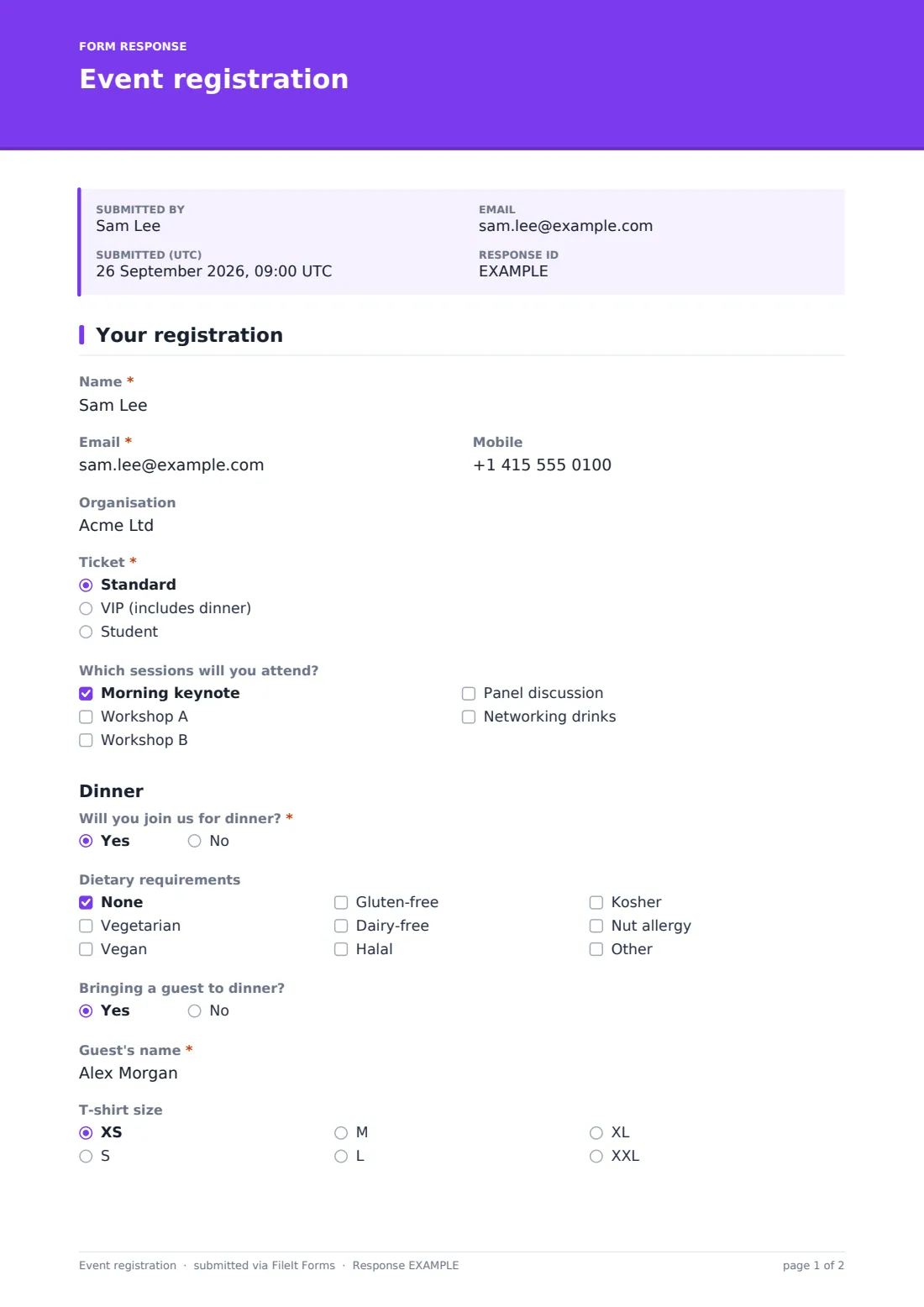
The form asks for the attendee's Name, Email, an optional Mobile number and Organisation, then a Ticket choice between Standard, VIP (includes dinner) and Student.
2 Sessions
Attendees can tick which sessions they'll attend from Morning keynote, Workshop A, Workshop B, Panel discussion and Networking drinks, useful for planning room capacity ahead of the day.
3 Dinner & dietary
A dinner section asks Will you join us for dinner? Answering yes opens Dietary requirements, a checklist including Vegetarian, Vegan, Gluten-free, Dairy-free, Halal, Kosher and Nut allergy, with an Other option. Choosing Nut allergy specifically opens a required question asking how severe it is and anything the kitchen must avoid. Saying yes to dinner also opens Bringing a guest to dinner?, which in turn opens a required Guest's name field if answered yes, so the guest count and their name are only collected from people actually bringing someone.
4 Extras
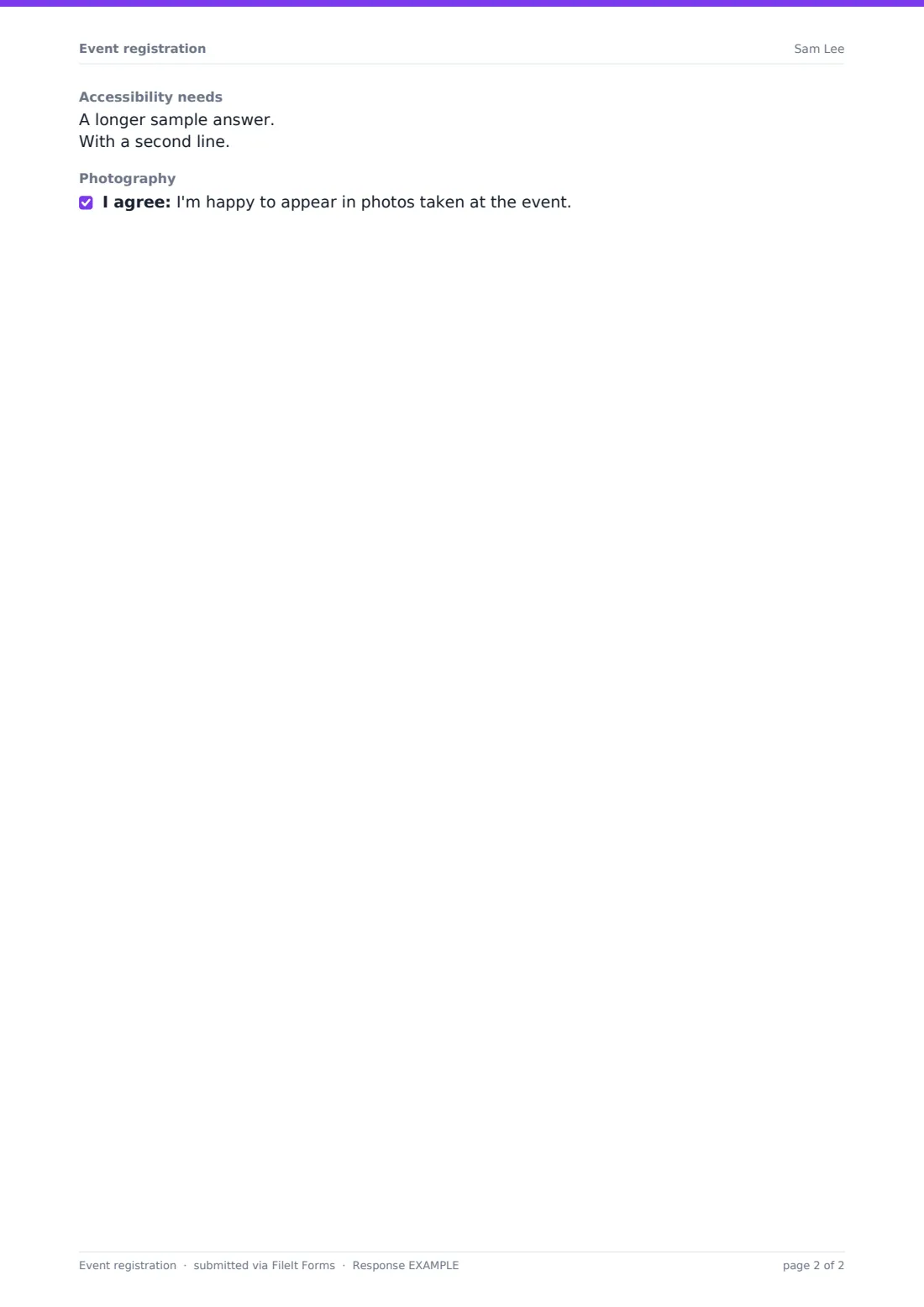
The last group covers a T-shirt size dropdown, an open accessibility needs question, and a photography consent statement — I'm happy to appear in photos taken at the event — that attendees can tick if they're comfortable with it.
Make the template yours
- Add or remove ticket types, and mention what each one includes directly in the option label as the template already does for VIP
- Rename or add sessions to match your actual programme
- Set a maximum number of responses on the whole form if the venue has a hard attendee cap, or a closing date a few days before the event
- Add a question for parking or accessibility transport if your venue needs advance notice
- File registrations into a folder named for the event and year, and set the document title to include the attendee's name for quick lookup
- Turn on a confirmation email copy so attendees have their registration details to refer back to
Tips for a better event registration form
- Keep the dietary checklist broad enough to cover common needs, but always leave an Other option and a free-text field for anything serious like a nut allergy
- Set the confirmation message to include anything attendees need to know before the day, like parking or start time
- Export the Responses table to CSV a day or two before the event to hand a final attendee and dietary list to catering
- Ask for accessibility needs early enough that you can actually act on them before the event, not just record them
- If ticket types affect what someone is entitled to, like a VIP dinner, make sure whoever checks people in has that information to hand, not just a headcount
Every response becomes a PDF in your vault
The moment someone registers, FileIt saves their answers as a PDF in the vault folder you've chosen and sends you a notification. If you've turned on a copy for the respondent, they get their own PDF confirmation of exactly what they signed up for, including their ticket type and dietary answers.
From there, you can work from the Responses table as registrations come in, filtering by ticket type or dinner attendance, checking dietary requirements before briefing a caterer, or exporting the full list to CSV to build a final attendee sheet or name badges ahead of the event.
- Start from this template. It opens in the FileIt Forms designer — change any question, add pages, set the rules for when questions appear.
- Share it. Turn on a public link, or send it to people by email, each with their own link. They don’t need a FileIt account.
- Get the answers as PDFs. Each response is saved as a PDF in the vault folder you choose, with uploaded files attached — and listed in a Responses table you can export to CSV.
Event registration form: frequently asked questions
Is this event registration form template free?
Yes. It's included in the Forms app on every FileIt account, including the free plan, alongside 159 other ready-made templates you're free to edit.
Do attendees need a FileIt account to register?
No. Share a public registration link or email each invitee their own personal link — they register without creating a FileIt account.
Can I limit the number of people who can register?
Yes. The form settings let you set a maximum number of responses, so registration closes automatically once you reach capacity, or you can set a closing date instead.
Where do registrations go once submitted?
Each registration is saved as a PDF in your chosen vault folder automatically, and also appears in a Responses table you can filter and export as CSV.
Can I collect payment for tickets through this form?
No, FileIt forms don't process payments. This template records which ticket type someone wants, but any payment would need to be collected separately.
How do I find out who has dietary requirements?
Dietary questions only appear for attendees who say they're joining dinner, and you can filter or export the Responses table to pull a dietary list for catering.
Can the same person register more than once?
By default this template allows multiple responses, but you can turn that off in the form settings if you only want one registration per person.