What is the catering order form template?
Catering orders fall apart when the details are scattered — a headcount in one email, dietary requirements mentioned on a phone call, and delivery instructions added as an afterthought the night before. Missing an allergy count or a delivery access note isn't a small mistake in this line of work; it's the difference between a smooth event and a stressful one.
This catering order form template gathers everything a caterer needs in a single pass: the event type and timing, service style, menu preferences, a breakdown of dietary needs by headcount, and delivery or collection details including access notes for the venue. It's built around the reality that a client rarely knows every dish they want upfront, so it captures a menu level and general preferences the caterer can shape into a formal proposal.
Each completed order becomes a PDF saved automatically in the caterer's FileIt vault, giving kitchen and events staff one clear reference document per booking instead of piecing details together from several messages.
- Best for
- Caterers, event food vendors and hospitality businesses taking event catering orders
- Filled in by
- The client booking catering for a meeting, party, wedding or other event
- Time to complete
- About 6-8 minutes
- Includes
- Conditional delivery-address questions, dietary headcounts, a currency budget field
Who uses a catering order form?
- A catering company taking orders for corporate meetings and conferences
- A caterer quoting a wedding or private party through their website
- A funeral home or venue referring families to a caterer's own online order form
- A school or community group ordering catering for a fundraiser or open day
- A canapé and finger-food specialist capturing passed-food requirements for a reception
- A caterer standardizing dietary and allergy information collection across every booking
Questions on this catering order form
29 questions over 4 pages · includes conditional questions, multiple pages.
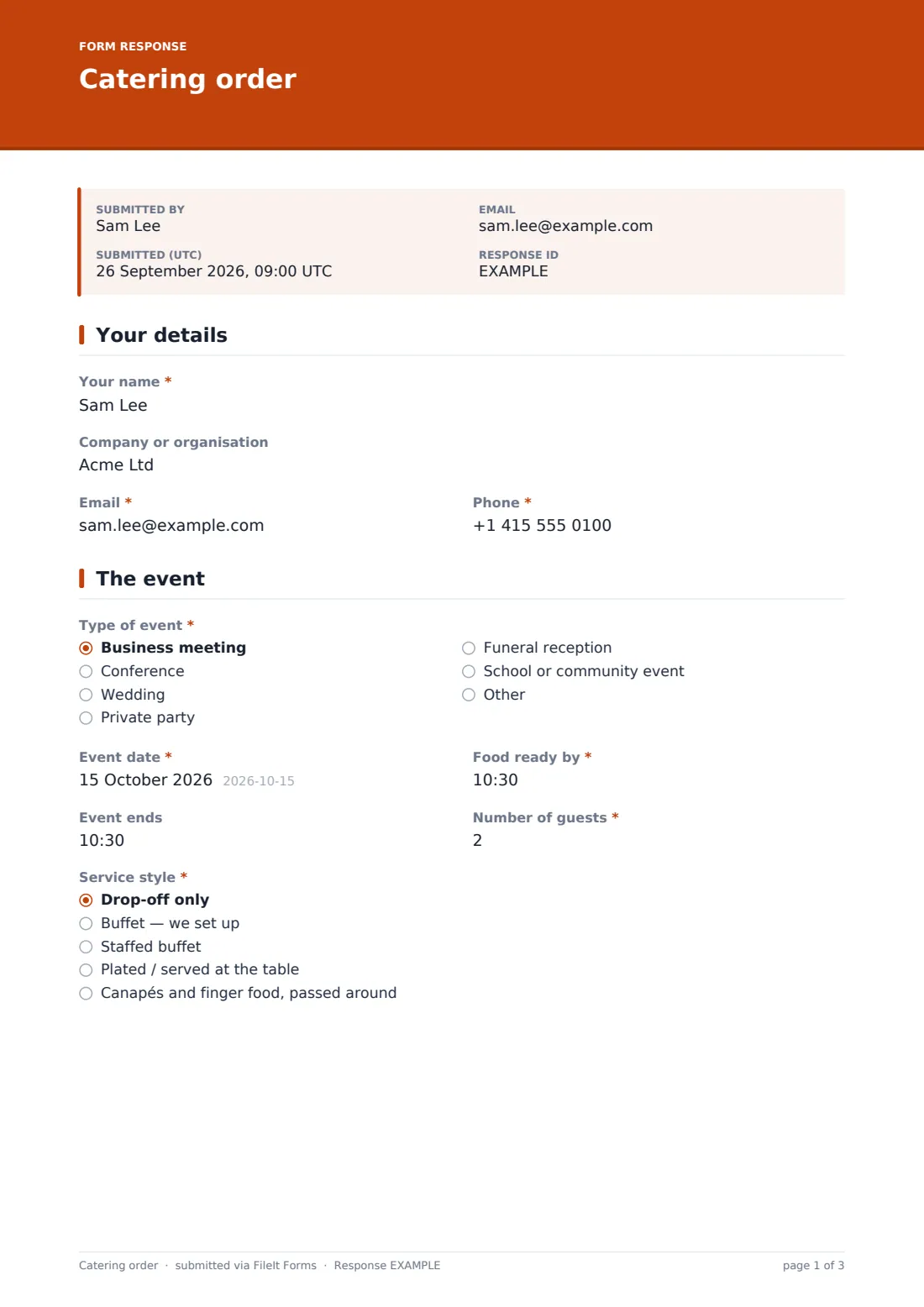
1 Your details
- Your name*
- Company or organisation
- Email*
- Phone*
2 The event
- Type of event* Business meeting · Conference · Wedding · Private party · Funeral reception · School or community event · Other
- Event date*
- Food ready by*
- Event ends
- Number of guests*
- Service style* Drop-off only · Buffet — we set up · Staffed buffet · Plated / served at the table · Canapés and finger food, passed around
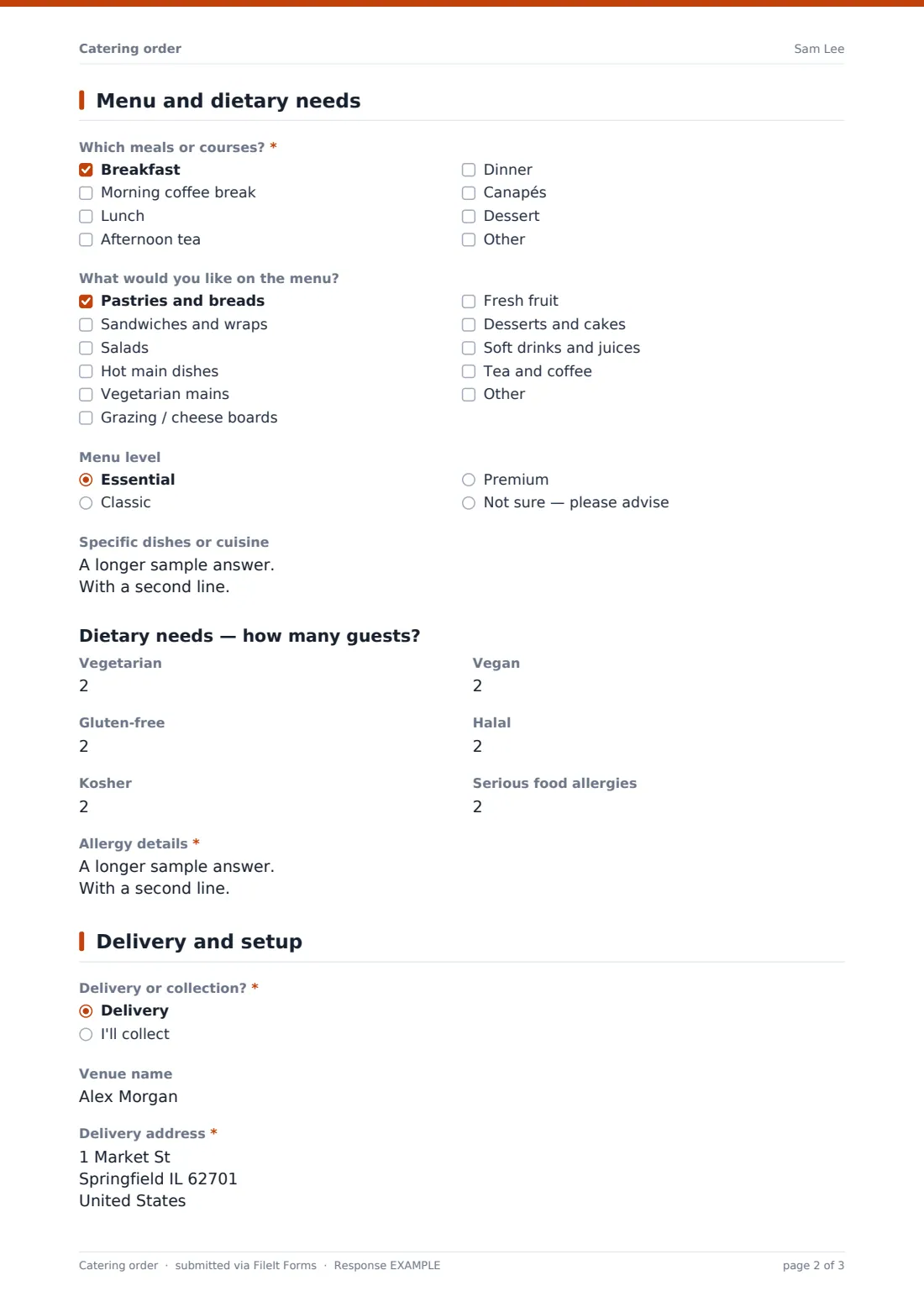
3 Menu and dietary needs
- Which meals or courses?* Breakfast · Morning coffee break · Lunch · Afternoon tea · Dinner · Canapés · Dessert
- What would you like on the menu? Pastries and breads · Sandwiches and wraps · Salads · Hot main dishes · Vegetarian mains · Grazing / cheese boards · Fresh fruit · Desserts and cakes · Soft drinks and juices · Tea and coffee
- Menu level Essential · Classic · Premium · Not sure — please advise
- Specific dishes or cuisine
- Vegetarian
- Vegan
- Gluten-free
- Halal
- Kosher
- Serious food allergies
- Allergy details* asked only when it applies
4 Delivery and setup
- Delivery or collection?* Delivery · I'll collect
- Venue name asked only when it applies
- Delivery address* asked only when it applies
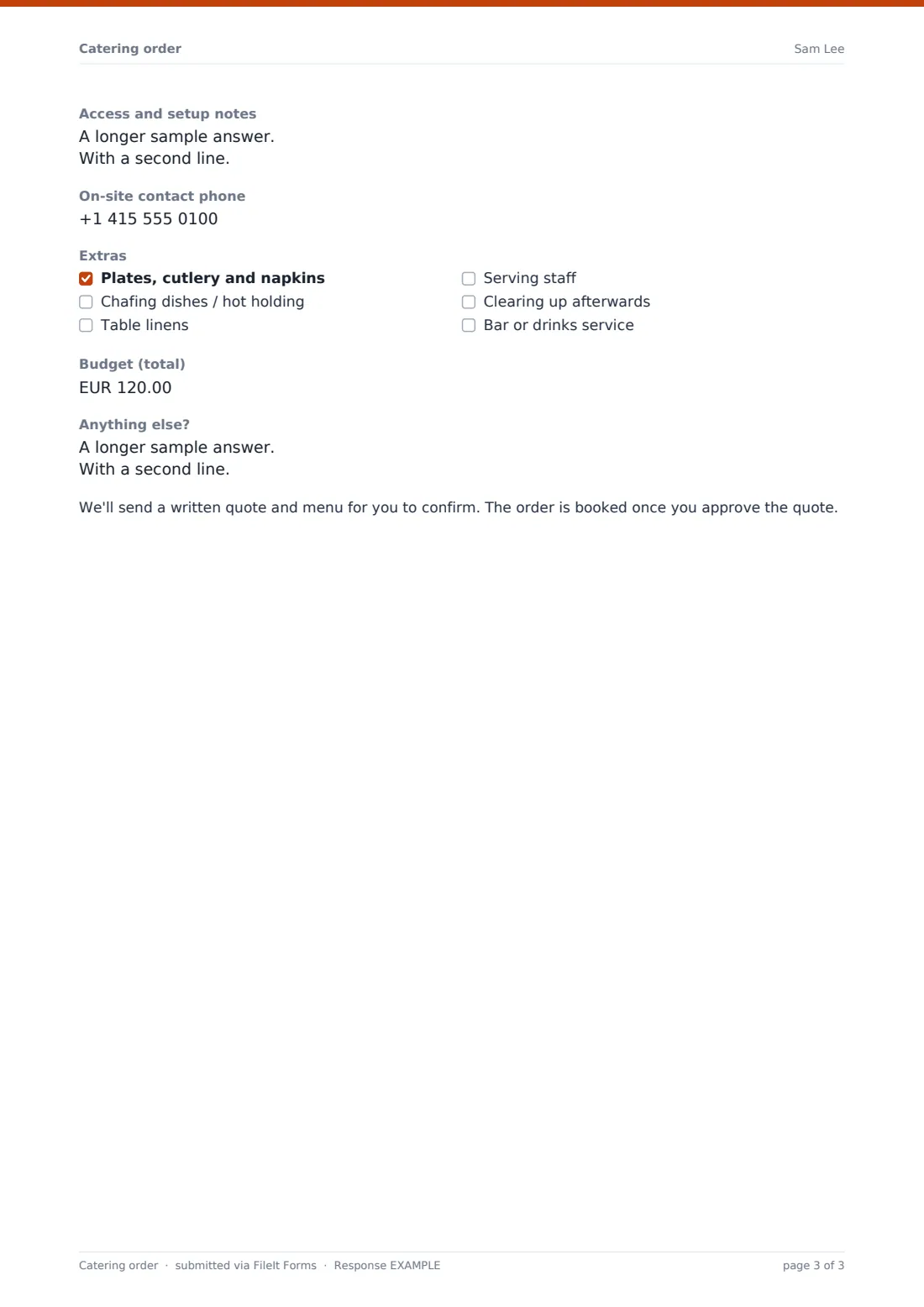
- Access and setup notes asked only when it applies
- On-site contact phone asked only when it applies
- Extras Plates, cutlery and napkins · Chafing dishes / hot holding · Table linens · Serving staff · Clearing up afterwards · Bar or drinks service
- Budget (total)
- Anything else?
The catering order form, page by page
1 Your details
The form opens with the client's Your name, an optional Company or organisation field, plus Email and Phone — enough for the caterer to follow up with a quote without needing to ask basic contact details again on a call.
2 The event
This page nails down what the caterer is actually planning for: Type of event (business meeting, conference, wedding, private party, funeral reception, school or community event, or other), Event date, and both Food ready by and an optional Event ends time, which matters for staffed service. Number of guests sets the scale of the order, and Service style asks whether the client wants drop-off only, a self-service buffet, a staffed buffet, plated service, or canapés passed around — a choice that changes almost everything about staffing, equipment and pricing downstream.
3 Menu and dietary needs
Which meals or courses? covers breakfast, morning coffee, lunch, afternoon tea, dinner, canapés and dessert, followed by a broader What would you like on the menu? checklist spanning pastries, sandwiches, salads, hot mains, vegetarian mains, grazing boards, fruit, desserts and drinks. A Menu level choice — essential, classic, premium, or not sure, please advise — lets clients who don't know exactly what they want still move the conversation forward, backed up by an open Specific dishes or cuisine box for anything more particular, like a birthday cake or a cuisine preference.
The dietary section asks for a headcount against Vegetarian, Vegan, Gluten-free, Halal and Kosher, plus a separate count for Serious food allergies. Entering any number greater than zero for allergies opens a required Allergy details box asking which allergens are involved and how many guests each affects, with a note that individually labelled meals can be arranged — exactly the kind of detail that prevents a dangerous mix-up on the day.
4 Delivery and setup
Delivery or collection? branches the rest of the page: choosing delivery reveals a Venue name field, a required Delivery address, an Access and setup notes box covering parking, loading bays, floors, lifts and kitchen availability, and an On-site contact phone number for the delivery driver or setup crew to reach on the day. An Extras checklist lets clients add plates and cutlery, chafing dishes, table linens, serving staff, post-event clean-up or bar service.
An optional total Budget field and an open Anything else? box close out the specifics, and a plain note at the end explains that the caterer will send a written quote and menu to confirm — the order is booked once that quote is approved, not automatically from this form alone.
Make the template yours
- Change the currency on the Budget field to match the currency your business quotes in
- Add your own menu packages or seasonal specials to the What would you like on the menu checklist
- Set a closing date on the form if you only take bookings up to a certain number of days before an event
- Route submissions to a folder named for the month or season, so upcoming bookings are easy to see at a glance
- Turn on an email notification to your events coordinator so no new order sits unseen
- Add a file upload field if you'd like clients to attach a floor plan or venue photos for setup planning
Tips for a better catering order form
- Confirm allergy details by phone or email before the event, even though the form captures them clearly — a second check protects guests
- Ask for the event end time whenever staffed service is involved, since it affects staffing cost, not just food quantity
- Keep the menu checklist realistic to what your kitchen can actually produce at the order volumes you take
- Follow up quickly on submissions with a tight timeline, since catering orders are often time-sensitive by nature
- Store the client's approved quote alongside the original order PDF, so the full booking history stays in one folder
- Review dietary headcounts against your allergen procedures before finalizing quantities, not just after the order is booked
Every response becomes a PDF in your vault
As soon as a client submits the form, FileIt saves their order as a PDF in the vault folder you've set up, capturing the event details, menu preferences, dietary headcounts and delivery notes in one document. With owner notifications turned on, your events team is emailed immediately, which is especially useful for last-minute or urgent requests.
From there, your team reviews the order, prepares a written quote and menu as the form promises, and once approved, files that alongside the original order in the same vault folder. The Responses table lets you filter upcoming bookings and export them as a CSV if you want to plan kitchen production or staffing across a busy week.
- Start from this template. It opens in the FileIt Forms designer — change any question, add pages, set the rules for when questions appear.
- Share it. Turn on a public link, or send it to people by email, each with their own link. They don’t need a FileIt account.
- Get the answers as PDFs. Each response is saved as a PDF in the vault folder you choose, with uploaded files attached — and listed in a Responses table you can export to CSV.
Catering order form: frequently asked questions
Is this catering order form template free?
Yes, it's one of the ready-made templates included in the FileIt Forms app on every plan, including free, and every question can be edited to match your business.
Does the client need a FileIt account to place an order?
No. They fill in the form from a link you share — no account or sign-up needed on their end.
How do we get notified of and store new catering orders?
Each order is saved automatically as a PDF in your FileIt vault, and you can turn on email notifications so your team knows the moment a new order comes in; all orders can also be exported as a CSV.
Does submitting this form confirm the booking?
No — the form explains that the caterer will follow up with a written quote and menu, and the order is booked once the client approves that quote.
Can we send this form to a specific client instead of publishing it publicly?
Yes, you can email a personal link prefilled with the client's name and email, as well as or instead of sharing a public link on your website.
How does the form handle food allergies?
It asks for a headcount by allergen and, if any allergies are entered, requires details on which allergens and how many guests are affected — useful information to confirm again directly with the client before the event.
Can we limit the number of orders we accept per day or week?
You can set a maximum number of responses or a closing date in the form's settings if you need to cap how many orders come in over a given period.
Can we collect a deposit through this form?
No — FileIt Forms doesn't process payments. The Budget field just captures the client's expected spend for quoting purposes; any deposit or payment still needs to be arranged separately.