What is the daily site log form template?
A daily site log is the record that settles arguments months after they happen — whether a delay was caused by weather or a late delivery, how many people were on site on a given day, or what work was actually completed before an inspection. This template gives a site supervisor a consistent structure to capture all of that at the end of each shift, in a form built to be filled in on a phone standing in a site cabin, not typed up later from memory.
Running the diary as an online form instead of a paper pad or a shared spreadsheet means every entry follows the same structure, required fields make sure the essentials — work done, weather, workforce numbers — are never skipped, and conditional questions only appear when they're relevant: hours lost to weather only shows up if the weather actually caused a delay, and delivery problem details only appear if a delivery went wrong. No FileIt account is needed to submit — the supervisor just opens the shared link each day.
Every submitted log becomes a dated PDF in the FileIt vault, with any progress photos attached to that same record. Months later, when a client or contractor disputes a delay or a variation, you can pull up the exact day's log — weather, workforce, deliveries and all — instead of relying on memory.
- Best for
- Construction sites, trades businesses and site supervisors keeping a daily diary
- Filled in by
- The site supervisor or foreman, once per shift
- Time to complete
- About 5–7 minutes
- Includes
- Photo upload, e-signature, multiple conditional sections
Who uses a daily site log form?
- A construction site keeping a daily diary to support progress claims and variation disputes
- A groundworks or civils contractor logging weather delays that affect the programme
- A site manager tracking subcontractor headcounts and deliveries across a busy project
- A refurbishment or fit-out crew documenting daily progress with photos for the client
- A facilities or maintenance team keeping a record of plant, equipment and visitor access on site
- A safety-conscious foreman recording near misses and incidents as part of the day's routine, not as an afterthought
Questions on this daily site log form
36 questions over 4 pages · includes signature, file upload, conditional questions, multiple pages.
1 Day & weather
- Project / site*
- Date*
- Job number
- Completed by*
- Email*
- Phone
- Work started
- Work finished
- Weather today* Sunny / clear · Cloudy · Light rain · Heavy rain · Snow or ice · Strong wind · Fog · Extreme heat
- Temperature
- Did the weather stop or slow any work?*
- Hours lost to weather asked only when it applies
- Which work was affected? asked only when it applies
2 Workforce
- Own workforce on site*
- Subcontractor workforce on site
- Subcontractors on site
- Visitors
- Plant & equipment on site
3 Work & deliveries
- Work carried out today*
- Progress against programme* On track · Ahead · Behind
- Why are we behind, and what's the recovery plan?* asked only when it applies
- Were there any deliveries?*
- Deliveries received* asked only when it applies
- Anything damaged, short or wrong? asked only when it applies
- Describe the delivery problem* asked only when it applies
- Instructions or variations received
4 Delays, safety & sign-off
- Any other delays or disruption today?*
- Cause of delay* asked only when it applies Materials late · Labour shortage · Plant breakdown · Waiting on information / design · Client change · Inspection or permit hold · Site access · Utility or services
- Delay details* asked only when it applies
- Approximate hours lost asked only when it applies
- Safety incidents today* None · Near miss · First-aid injury · Injury needing treatment or time off · Property or environmental damage
- What happened?* asked only when it applies
- Incident report reference asked only when it applies
- Toolbox talk / briefing topic
- Progress photos
- Supervisor signature*
The daily site log form, page by page
1 Day & weather
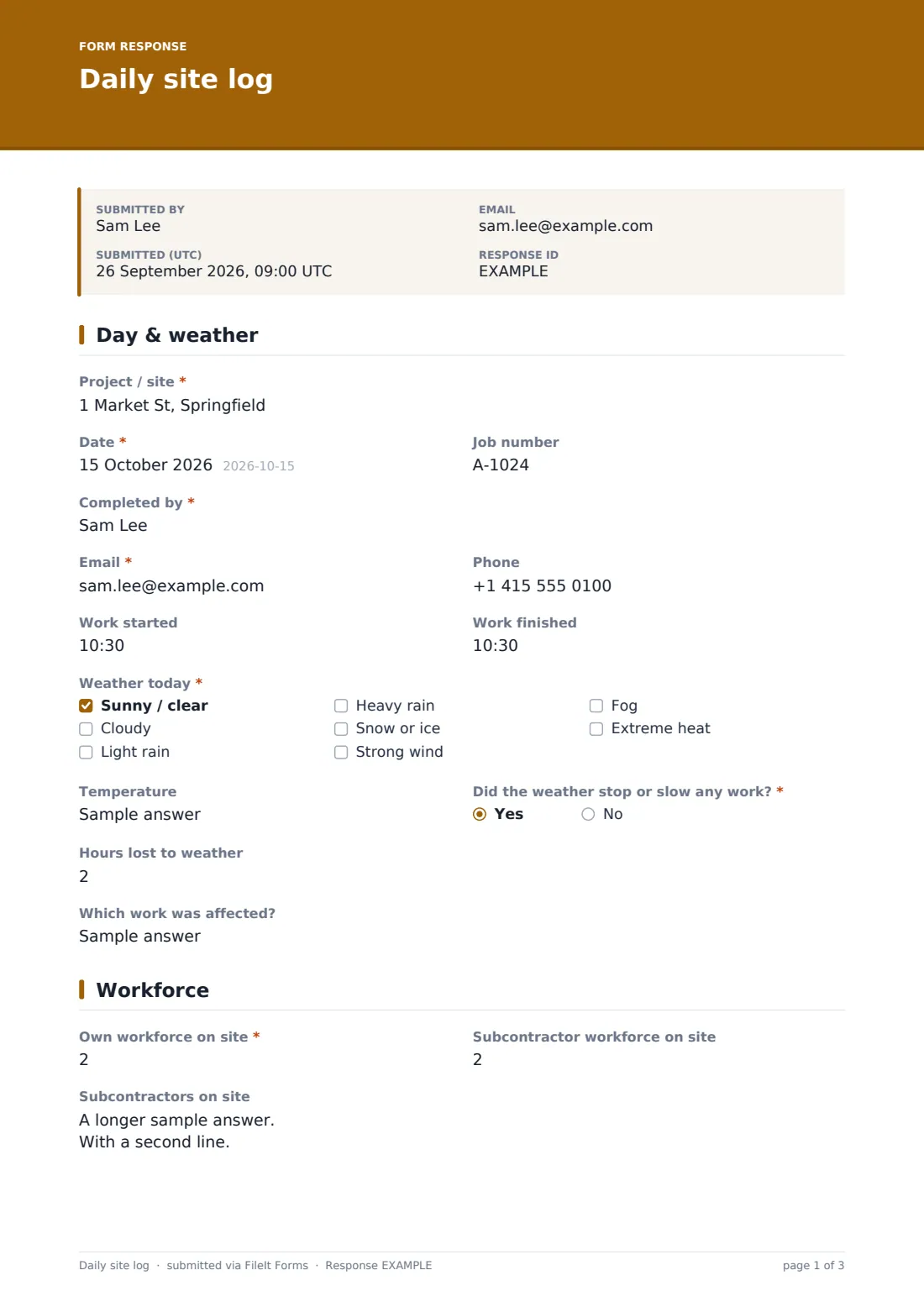
The supervisor starts with the project or site name, the date, an optional job number, and their own name, email and phone, plus when work started and finished. A checkboxes question captures the weather — sunny/clear, cloudy, light rain, heavy rain, snow or ice, strong wind, fog, or extreme heat, with at least one selection required — alongside a free-text temperature field.
A yes/no question asks whether the weather stopped or slowed any work; answering yes reveals fields for hours lost and which work was affected, so a wet day that cost nobody any time doesn't get logged the same way as one that shut the site down.
2 Workforce
This page records the own workforce and subcontractor workforce on site as two separate headcounts, then a long-text field for listing subcontractors by company, trade and headcount — the placeholder shows the expected format, one line per subcontractor.
Visitors (client, architect, inspectors, utilities) and plant and equipment on site are logged in their own free-text fields, giving a quick daily snapshot of who and what was present, which is often exactly what's needed to answer a question weeks later about who had access to a particular area.
3 Work & deliveries
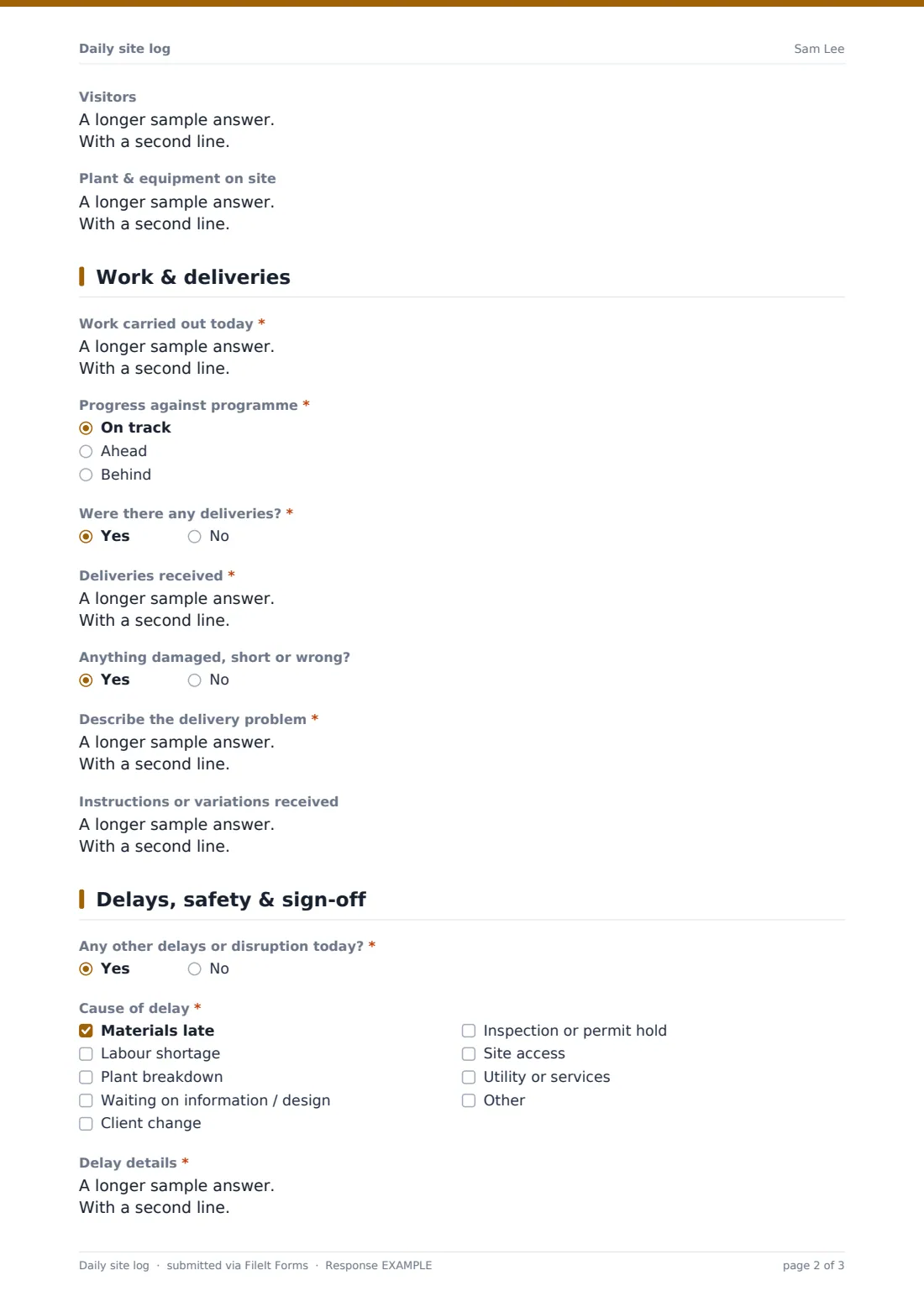
The heart of the diary is "Work carried out today," a required long-text field for describing what was done, by area or trade, and what's still ongoing. A radio question then asks whether progress is on track, ahead, or behind programme — answering behind reveals a required field asking why, and what the recovery plan is.
A yes/no question asks whether there were any deliveries; saying yes opens a field to list what arrived and its delivery note number, and a further yes/no asks whether anything was damaged, short or wrong, revealing a description field if so. A final field on this page records any instructions or variations received, and who gave them — useful documentation if a variation is disputed later.
4 Delays, safety & sign-off
A yes/no question asks about any other delays or disruption; answering yes reveals a checkboxes question for the cause — materials late, labour shortage, plant breakdown, waiting on information or design, client change, inspection or permit hold, site access, or utility or services, with an "other" option — plus a required details field and an optional estimate of hours lost.
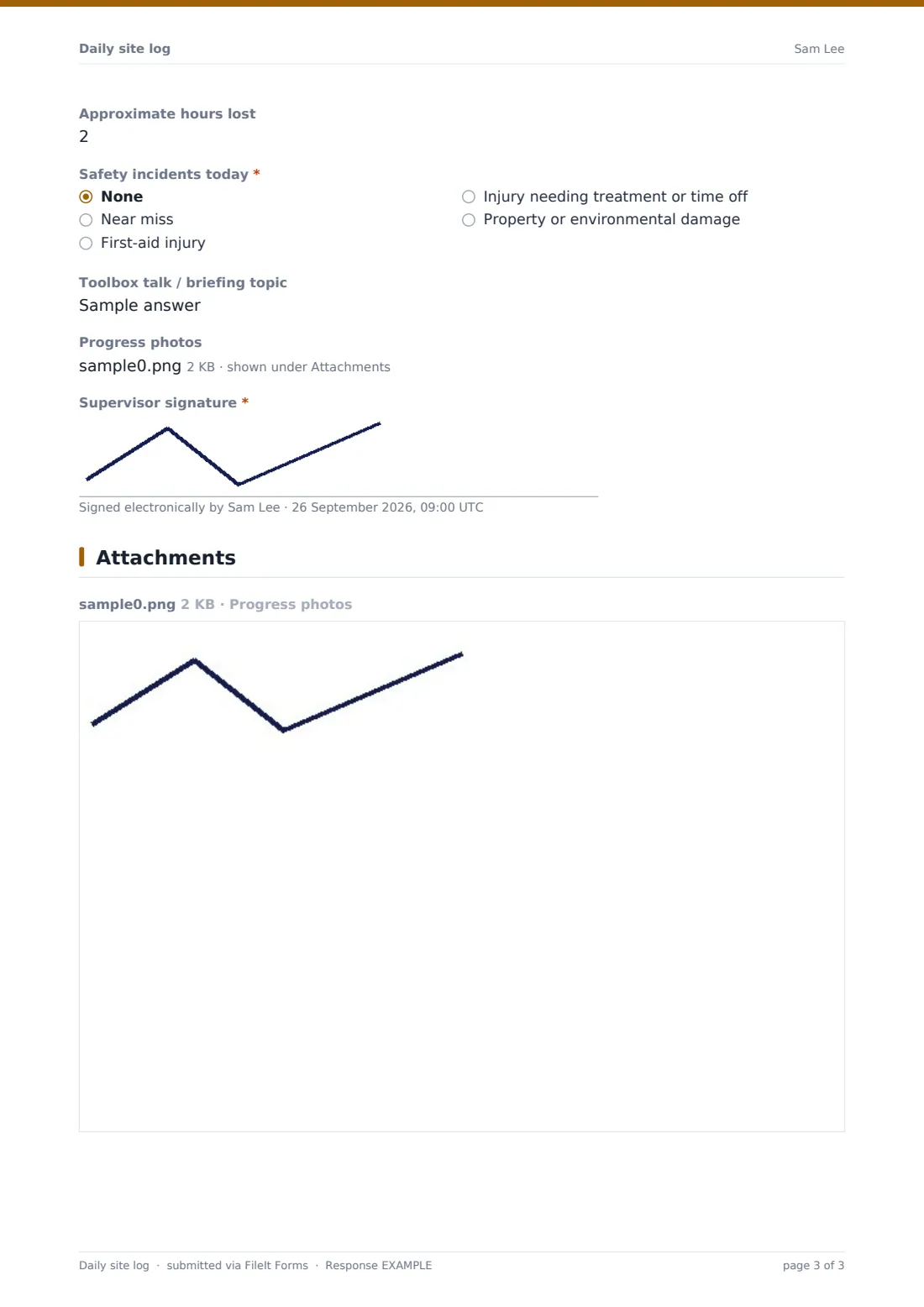
A radio question then covers safety incidents that day: none, near miss, first-aid injury, an injury needing treatment or time off, or property or environmental damage. Anything other than "none" reveals a field for a brief description — the form notes that a full incident report should be completed separately — and an optional reference number to link the two records. The day closes with an optional toolbox talk topic, a photo upload for progress pictures, and the supervisor's signature.
Make the template yours
- Add your own weather options or units if your site uses a different scale or local terminology
- Adjust the delay cause checkboxes to match the issues that come up most often on your projects
- File each day's log into a folder for that specific project, so a full project diary is easy to pull up later
- Turn on email notifications so the client or project manager sees any "behind programme" entry the same day
- Add a field for the RAMS or method statement reference if you want it linked to each day's log
- Require photos on days when incidents or delivery problems are logged, by adjusting the field's required setting for those cases
- Set the document title to include the project and date so files sort naturally in the vault
Tips for a better daily site log form
- Fill it in at the end of every shift, not just when something goes wrong — a gap in the diary is often more damaging in a dispute than a bad day recorded honestly
- Be specific in the work-done field: which area, which trade, what was finished versus started, rather than a general summary
- Attach a photo whenever progress, damage or a delivery problem is worth showing, not just describing
- Record instructions and variations as they happen, including who gave them, even if it seems minor at the time
- Keep incident descriptions in the log brief and factual, and complete your full safety incident process separately for anything beyond a near miss
- Review a week's worth of logs together occasionally — patterns in delays or weather losses are easier to spot across several days than in any single entry
Every response becomes a PDF in your vault
As soon as the supervisor submits the log, FileIt converts it into a PDF and files it in the vault, with any uploaded progress photos attached to the same record. If notifications are turned on, the project manager or client gets an email the same day, and a copy can be sent to the supervisor for their own records.
From there, most teams check the Responses table to review the week's entries, open a specific day's PDF when a delay or variation needs supporting evidence, and export the whole project's logs to CSV or review them folder by folder when preparing a progress report or responding to a dispute.
- Start from this template. It opens in the FileIt Forms designer — change any question, add pages, set the rules for when questions appear.
- Share it. Turn on a public link, or send it to people by email, each with their own link. They don’t need a FileIt account.
- Get the answers as PDFs. Each response is saved as a PDF in the vault folder you choose, with uploaded files attached — and listed in a Responses table you can export to CSV.
Daily site log form: frequently asked questions
Is this daily site log form template free?
Yes. It's included with the Forms app on every FileIt account, including the free plan, along with the other 160 ready-made templates.
Does the supervisor need a FileIt account to submit a log?
No — if the account owner shares the form link with them, the supervisor fills it in and submits without creating an account.
How do I keep a full, dated diary of every day on site?
Each submission becomes its own PDF, automatically filed in your vault, so filling this in daily builds a complete, dated project diary without any manual filing.
Can I attach photos to each day's log?
Yes — the form includes a photo upload for progress pictures, and any uploaded files are attached to that day's PDF.
Does this replace a full incident report?
No. The safety section is meant to flag that something happened and give a brief description; the form itself notes that a full incident report should be completed separately for anything beyond a near miss.
Can more than one supervisor use the same form?
Yes — each person completes their own name and contact details when they fill it in, so one shared form link can serve multiple supervisors or shifts.
Can I track delays and weather losses over a whole project?
Yes — filing every day's log in the same project folder and exporting the Responses table to CSV makes it straightforward to add up hours lost across the project.
Can I limit the log to one project only?
You can name the form and its vault folder after a specific project and share that link only with the relevant supervisors, or duplicate the template for each new project.