

What is the card statement reconciliation form template?
Corporate and purchasing cards save a lot of reimbursement paperwork, but only if each statement gets reconciled. Without a routine, receipts go missing, charges sit uncoded and finance spends month end chasing cardholders for what a lunch was for.
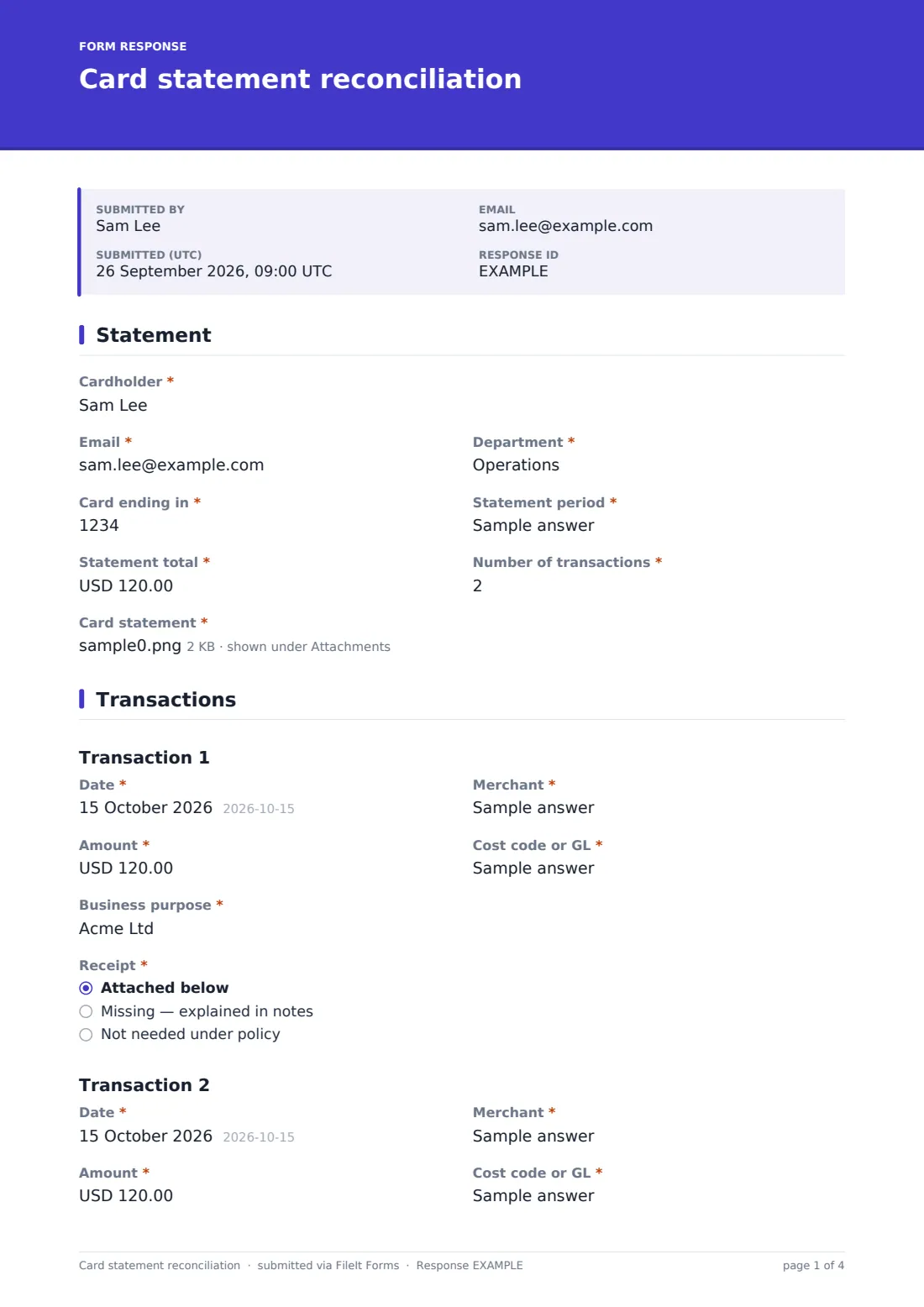
This three-page form follows the cardholder's monthly routine. They give their department, the last four digits of the card, the statement period and total, how many transactions there are, and upload the statement. The transactions page shows one block per charge — up to ten — each with date, merchant, amount, cost code, business purpose and whether the receipt is attached, missing or not needed.
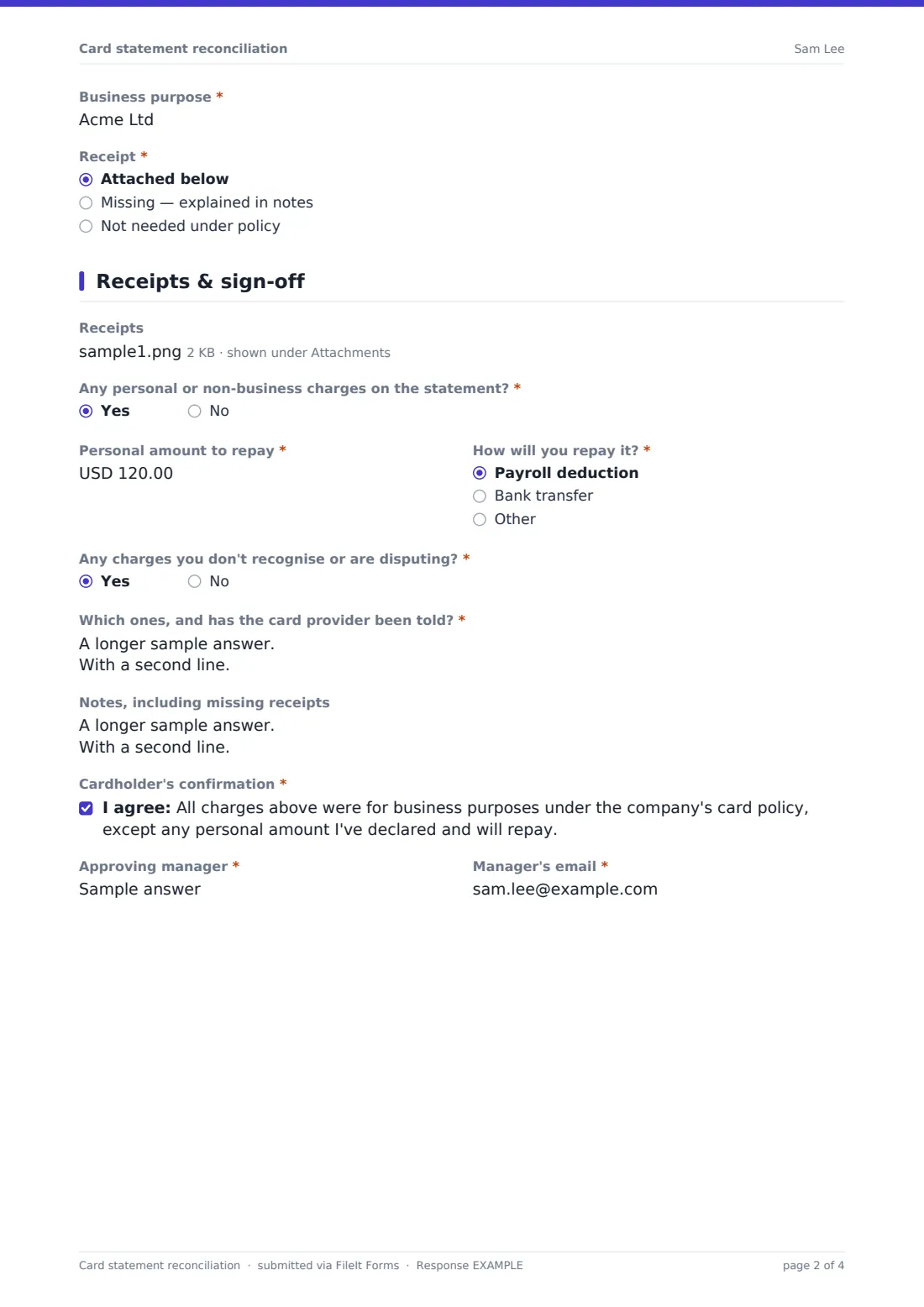
The last page takes the receipts, any personal charges and how they'll be repaid, charges being disputed, notes on missing receipts, the cardholder's confirmation and the approving manager. Each reconciliation is saved as a PDF in your FileIt vault with its statement and receipts.
- Best for
- Finance teams running corporate card or purchasing card programmes
- Filled in by
- Cardholders, then reviewed by their manager
- Time to complete
- About 10-15 minutes per statement
- Includes
- Statement upload, up to 10 transactions, receipts, personal spend, disputes
Who uses a card statement reconciliation form?
- A sales manager reconciling travel and client entertainment each month
- An office manager coding stationery and supplies bought on a purchasing card
- A school or charity checking card spending against its finance policy
- Flagging a personal charge made on the company card by mistake
- Reporting an unrecognised charge alongside the monthly reconciliation
- Keeping statements and receipts together for audit
Questions on this card statement reconciliation form
78 questions over 3 pages · includes file upload, conditional questions, multiple pages, consent checkbox.
1 Statement
- Cardholder*
- Email*
- Department*
- Card ending in*
- Statement period*
- Statement total*
- Number of transactions*
- Card statement*
2 Transactions
- Date*
- Merchant*
- Amount*
- Cost code or GL*
- Business purpose*
- Receipt* Attached below · Missing — explained in notes · Not needed under policy
- Date* asked only when it applies
- Merchant* asked only when it applies
- Amount* asked only when it applies
- Cost code or GL* asked only when it applies
- Business purpose* asked only when it applies
- Receipt* asked only when it applies Attached below · Missing — explained in notes · Not needed under policy
- Date* asked only when it applies
- Merchant* asked only when it applies
- Amount* asked only when it applies
- Cost code or GL* asked only when it applies
- Business purpose* asked only when it applies
- Receipt* asked only when it applies Attached below · Missing — explained in notes · Not needed under policy
- Date* asked only when it applies
- Merchant* asked only when it applies
- Amount* asked only when it applies
- Cost code or GL* asked only when it applies
- Business purpose* asked only when it applies
- Receipt* asked only when it applies Attached below · Missing — explained in notes · Not needed under policy
- Date* asked only when it applies
- Merchant* asked only when it applies
- Amount* asked only when it applies
- Cost code or GL* asked only when it applies
- Business purpose* asked only when it applies
- Receipt* asked only when it applies Attached below · Missing — explained in notes · Not needed under policy
- Date* asked only when it applies
- Merchant* asked only when it applies
- Amount* asked only when it applies
- Cost code or GL* asked only when it applies
- Business purpose* asked only when it applies
- Receipt* asked only when it applies Attached below · Missing — explained in notes · Not needed under policy
- Date* asked only when it applies
- Merchant* asked only when it applies
- Amount* asked only when it applies
- Cost code or GL* asked only when it applies
- Business purpose* asked only when it applies
- Receipt* asked only when it applies Attached below · Missing — explained in notes · Not needed under policy
- Date* asked only when it applies
- Merchant* asked only when it applies
- Amount* asked only when it applies
- Cost code or GL* asked only when it applies
- Business purpose* asked only when it applies
- Receipt* asked only when it applies Attached below · Missing — explained in notes · Not needed under policy
- Date* asked only when it applies
- Merchant* asked only when it applies
- Amount* asked only when it applies
- Cost code or GL* asked only when it applies
- Business purpose* asked only when it applies
- Receipt* asked only when it applies Attached below · Missing — explained in notes · Not needed under policy
- Date* asked only when it applies
- Merchant* asked only when it applies
- Amount* asked only when it applies
- Cost code or GL* asked only when it applies
- Business purpose* asked only when it applies
- Receipt* asked only when it applies Attached below · Missing — explained in notes · Not needed under policy
3 Receipts & sign-off
- Receipts
- Any personal or non-business charges on the statement?*
- Personal amount to repay* asked only when it applies
- How will you repay it?* asked only when it applies Payroll deduction · Bank transfer · Other
- Any charges you don't recognise or are disputing?*
- Which ones, and has the card provider been told?* asked only when it applies
- Notes, including missing receipts
- Cardholder's confirmation*
- Approving manager*
- Manager's email*
The card statement reconciliation form, page by page
1 Statement
The cardholder gives their name, Email and Department, then Card ending in (exactly four digits), Statement period, Statement total and Number of transactions, up to ten. The card statement upload is required.
2 Transactions
One block appears for each transaction in the count. Each asks for Date, Merchant, Amount (refunds as a negative figure), Cost code or GL, Business purpose and Receipt: attached below, missing (explained in notes) or not needed under policy.
3 Receipts & sign-off
Receipts accepts up to ten files. Any personal or non-business charges? reveals the amount to repay and how — payroll deduction, transfer or other. Any charges you don't recognise or are disputing? asks which ones and whether the card provider has been told. After notes, the cardholder confirms the charges were for business, and names the approving manager and their email.
Make the template yours
- Turn the cost code field into a dropdown of your codes
- Add more transaction blocks if your cardholders often have more than ten charges
- Add a project or client field to each transaction
- Replace the confirmation wording with your own card policy statement
- Set your currency on the amount fields
- Send notifications to the card programme administrator
Tips for a better card statement reconciliation form
- Reconcile as soon as the statement arrives, while receipts are still easy to find
- Photograph receipts at the time of purchase
- Write a purpose someone outside your team would understand
- Report unrecognised charges to the card provider straight away, not at month end
- Managers should check the purpose, not just the total
Every response becomes a PDF in your vault
Each reconciliation is saved as a PDF in the vault folder you choose, with the statement and receipts attached. Finance is notified, and the cardholder can get a copy.
Finance posts the coded charges in your accounting system. Filtering the Responses table by period shows who has and hasn't reconciled.
- Start from this template. It opens in the FileIt Forms designer — change any question, add pages, set the rules for when questions appear.
- Share it. Turn on a public link, or send it to people by email, each with their own link. They don’t need a FileIt account.
- Get the answers as PDFs. Each response is saved as a PDF in the vault folder you choose, with uploaded files attached — and listed in a Responses table you can export to CSV.
Card statement reconciliation form: frequently asked questions
Is this card reconciliation template free?
Yes. It's a starter template in the FileIt Forms app on every account.
Why only the last four digits of the card?
Full card numbers shouldn't be collected on a form. The last four are enough to match the statement.
Does the form check that transactions add up to the statement total?
No. It asks for both, and the reviewer should check they agree.
Can the manager sign it off in FileIt?
The form records the manager's name and email. For a formal signature, add a signature field or route it through FileIt eSignature.
What if a cardholder has more than ten charges?
Attach an expense report covering the rest, or add more transaction blocks in the designer.
Does it import my card provider's statement?
No. The statement is uploaded as a file; transactions are entered on the form.