What is the petty cash voucher form template?
Petty cash goes wrong in small ways: a receipt that never came back, an IOU on a sticky note, nobody sure who approved the taxi. This petty cash voucher replaces the paper pad with a short online form that records who took money, how much, what for and who approved it, with a photo of the receipt attached.
The voucher covers the three common cases: cash taken to buy something, paying someone back for money they spent, and a cash advance where the receipt follows later. Conditional questions ask for the receipt, or a reason why there isn't one, or the date the receipt and change will come back.
Each voucher is saved as a PDF in your FileIt vault, signed by the person who received the cash. When you top up the float, export the period's vouchers to CSV and you have the list for the reconciliation.
- Best for
- Offices, shops, schools and clubs that keep a petty cash float
- Filled in by
- The person receiving cash, often with the custodian
- Time to complete
- About 2 minutes
- Includes
- Receipt photo, missing-receipt reason, cash advance follow-up, signature
Who uses a petty cash voucher form?
- A receptionist buys stamps and envelopes for a client mailing
- A team member is paid back for milk and coffee bought for the office
- A site supervisor takes a cash advance for parking and small parts
- A club treasurer records cash paid to a volunteer for event supplies
- A shop manager pays a window cleaner from the till float
- An office manager reconciles the petty cash tin at the end of each month
Questions on this petty cash voucher form
19 questions over 2 pages · includes signature, file upload, conditional questions, multiple pages, consent checkbox.
1 Payment
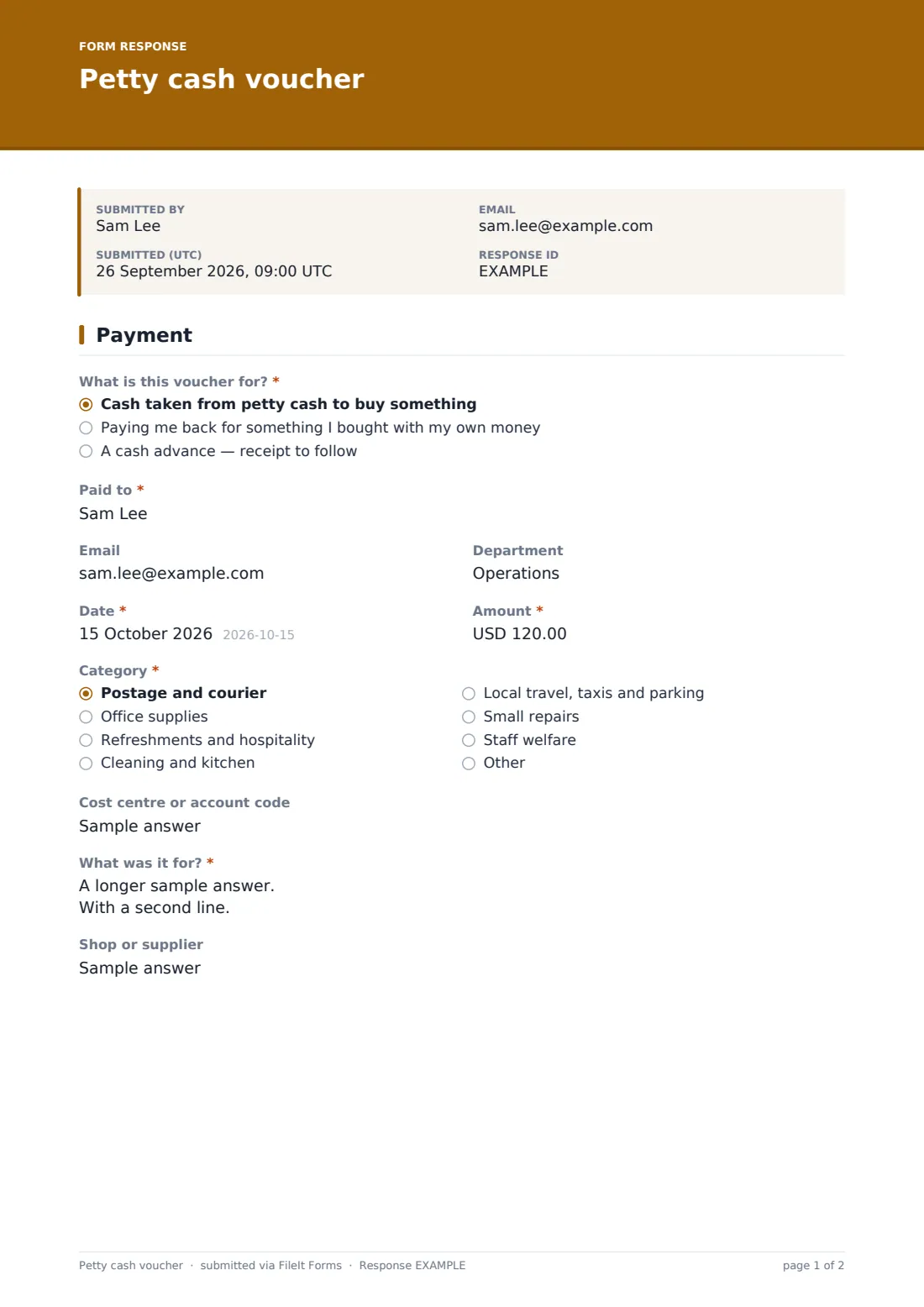
- What is this voucher for?* Cash taken from petty cash to buy something · Paying me back for something I bought with my own money · A cash advance — receipt to follow
- Paid to*
- Department
- Date*
- Amount*
- Category* Postage and courier · Office supplies · Refreshments and hospitality · Cleaning and kitchen · Local travel, taxis and parking · Small repairs · Staff welfare · Other
- Cost centre or account code
- What was it for?*
- Shop or supplier
2 Receipt & approval
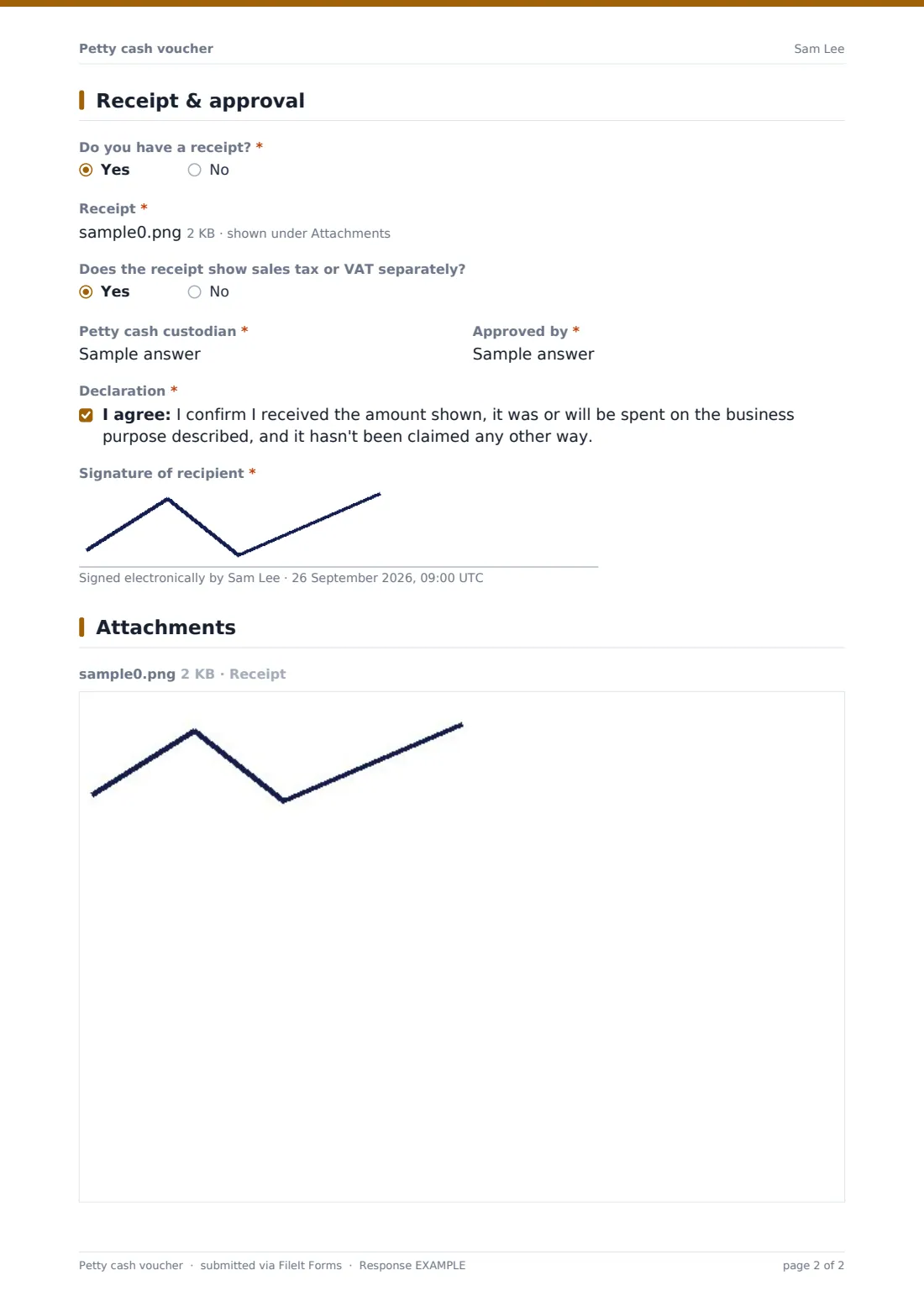
- Do you have a receipt?* asked only when it applies
- Receipt* asked only when it applies
- Why is there no receipt?* asked only when it applies
- Receipt and change will be returned by* asked only when it applies
- Does the receipt show sales tax or VAT separately? asked only when it applies
- Petty cash custodian*
- Approved by*
- Declaration*
- Signature of recipient*
The petty cash voucher form, page by page
1 Payment
First, what kind of voucher: cash taken to buy something, being paid back for your own money, or a cash advance with the receipt to follow. Then who was paid, their email and department, the date, the amount and a category (postage, office supplies, refreshments, cleaning, local travel and parking, small repairs, staff welfare, or other), with an optional cost code, what it was for and the shop or supplier.
2 Receipt & approval
Unless it's an advance, the form asks whether there's a receipt. Yes asks for a photo or scan and whether it shows sales tax separately; no asks why. For an advance it asks when the receipt and change will come back. The petty cash custodian and approver are named, the recipient declares the money was for a business purpose and not claimed elsewhere, and signs.
Make the template yours
- Put your petty cash limit per voucher in the cover text
- Change the categories to match the account codes your bookkeeper uses
- Remove the advance option if you don't allow cash advances
- Set the currency on the amount field
- Share a link or QR code by the cash box so vouchers are filled in at the time
- File vouchers into a folder per month to line up with your reconciliations
Tips for a better petty cash voucher form
- Fill the voucher in when the cash leaves the tin, not at the end of the week
- Keep a separate record of top-ups so vouchers plus cash on hand always equals the float
- Chase outstanding advances on the date given; they're the most common reason a tin doesn't balance
- Keep missing-receipt vouchers rare and look at who uses them most
- Big or regular purchases belong on a purchase order or expense claim, not petty cash
Every response becomes a PDF in your vault
Every voucher becomes a PDF, with the receipt photo and signature, filed in the vault folder you choose. The owner is emailed, and you can add the custodian or bookkeeper. The recipient can get a copy by email.
At reconciliation time, filter the Responses table by date and export to CSV for a list of vouchers, categories and amounts to match against the cash in the tin.
- Start from this template. It opens in the FileIt Forms designer — change any question, add pages, set the rules for when questions appear.
- Share it. Turn on a public link, or send it to people by email, each with their own link. They don’t need a FileIt account.
- Get the answers as PDFs. Each response is saved as a PDF in the vault folder you choose, with uploaded files attached — and listed in a Responses table you can export to CSV.
Petty cash voucher form: frequently asked questions
Is this petty cash voucher template free?
Yes. It's one of the ready-made templates in the Forms app on every FileIt account, including the free plan. Use it as it is or change any question in the designer.
Can we use this for staff expense claims too?
It handles small cash reimbursements from the tin. For larger claims paid by bank transfer or payroll, the expense reimbursement template is a better fit.
What if someone lost the receipt?
Answering no to 'Do you have a receipt?' asks them to explain what was bought, where, and why there's no receipt, so the voucher still has a record.
How do cash advances work on this form?
Choosing the advance option skips the receipt question and asks for the date the receipt and change will be returned instead. Many teams then submit a second voucher when the receipt comes back.
Do staff need a FileIt account to fill in a voucher?
No. Share the form by public link or send personal email invitations, and anyone can fill it in and submit it without creating an account.
Can the form reconcile the tin for us?
No. It records each payment. Reconciliation is still a count of the cash compared with the float less the vouchers, which the CSV export makes quicker.