What is the payment request form template?
When invoices reach finance as forwarded emails, someone has to chase the coding, the approver and whether the goods actually arrived before anything can be paid. This payment request form, sometimes called a cheque or check request, gathers all of that up front.
The requester attaches the invoice, gives the invoice number, dates and amount, says whether there's a purchase order and whether goods or services have been received, and codes it to an expense account and cost centre. First-time payees trigger a note and require the payee's bank details so finance can check them independently. Urgent requests have to say why.
Each request is filed as a PDF in your vault, invoice attached, and finance is notified straight away. The Responses table becomes a queue for the next payment run, and exports to CSV.
- Best for
- Small and mid-sized businesses without a purchasing system
- Filled in by
- Staff who received an invoice, and budget holders
- Time to complete
- About 4–6 minutes
- Includes
- Invoice upload, PO check, goods-received status, new payee check, urgency reason
Who uses a payment request form?
- A marketing lead passes on a freelancer's invoice with the campaign code
- An office manager needs a one-off supplier paid before a deadline
- A project manager pays a deposit before work starts
- A charity pays a venue for an event from a restricted grant
- A department pays a new supplier for the first time and needs the details set up
- A finance team replaces emailed invoices with one consistent route into the payment run
Questions on this payment request form
26 questions over 3 pages · includes file upload, conditional questions, multiple pages, consent checkbox.
1 Requester
- Your name*
- Email*
- Department*
- How soon does this need paying?* In the next normal payment run · By the invoice due date · Urgently — outside the normal run
- Why is it urgent?* asked only when it applies
2 Payee & invoice
- Payee name*
- Is this payee already set up?* Yes, an existing supplier or payee · No, this is the first payment
- Payee's bank details* asked only when it applies
- Invoice number*
- Invoice date*
- Due date*
- Amount to pay*
- Of which tax
- What is being paid for?*
- Is there a purchase order?*
- Purchase order number* asked only when it applies
- Have the goods or services been received?* Yes, in full · Partly · Not yet · Not applicable — this is a prepayment
- What's still outstanding?* asked only when it applies
- Invoice*
3 Coding & approval
- Payment method* Bank transfer · ACH · Wire · Cheque · Company card · Direct debit
- Expense account / GL code
- Cost centre
- Project or job code
- Budget holder approving this*
- Approver's email*
- Declaration*
The payment request form, page by page
1 Requester
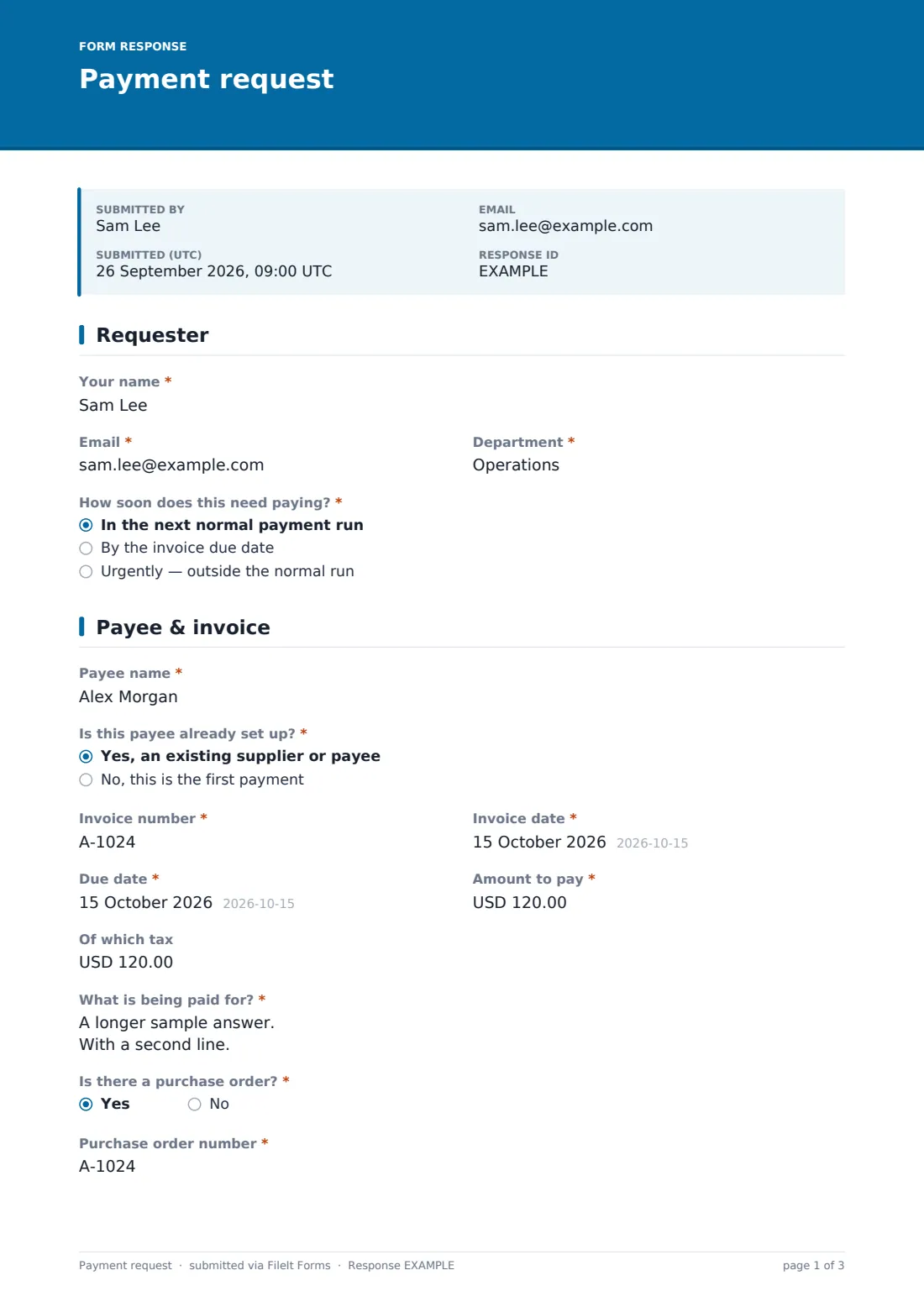
Name, email and department, and how soon the payment is needed: next normal run, by the due date, or urgently outside the normal run. Choosing urgent asks why and by when it must leave the account.
2 Payee & invoice
The payee's name as on the invoice, and whether they're already set up. A new payee shows a note about independent checks and requires their bank details on letterhead or a bank letter.
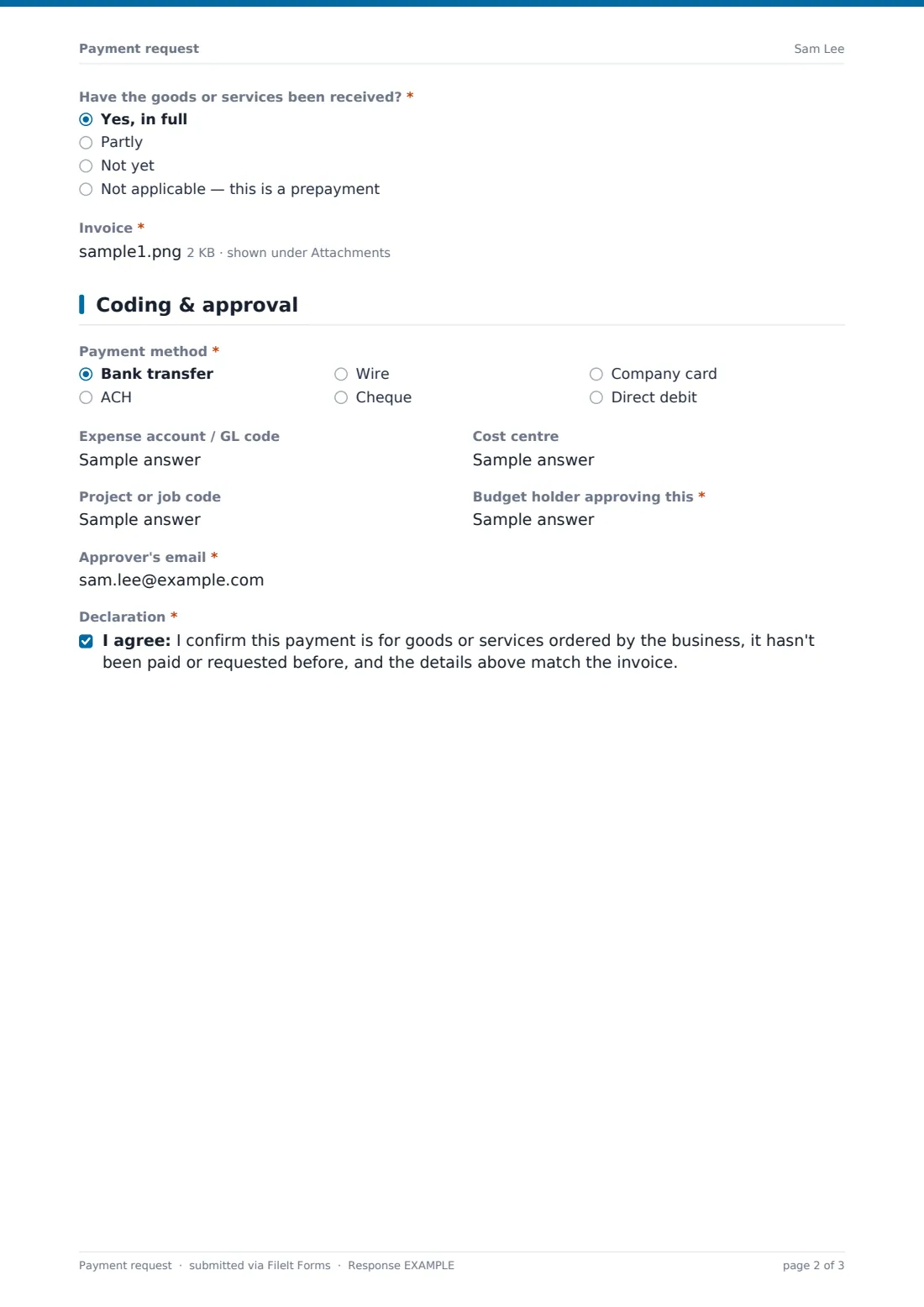
The invoice number, invoice and due dates, amount and tax, what's being paid for, the PO number if there is one, and whether goods or services have been received in full, in part, not yet, or it's a prepayment. Part delivery asks what's outstanding. The invoice itself is a required upload.
3 Coding & approval
Payment method (bank transfer, ACH, wire, cheque, company card, direct debit), the GL code, cost centre and project code, and the approving budget holder with their email. The requester confirms the payment hasn't been requested before and matches the invoice.
Make the template yours
- Swap the free-text GL code for a dropdown of your expense accounts
- Add your payment run days to the cover text
- Remove payment methods you don't use
- Add your finance inbox to the notification emails
- Make the PO number required if you run a strict no-PO-no-pay policy
- Change the currency on the amount fields
Tips for a better payment request form
- Never change or set up bank details from an email alone; call the supplier on a number you already hold
- Ask for the goods-received answer honestly; paying for things not received is a common and avoidable loss
- Keep urgent payments rare by making the reason field required, as the template does
- Match the requester, the approver and the person releasing payment to three different people where you can
- Export the week's requests before each payment run to build the batch
Every response becomes a PDF in your vault
Each request becomes a PDF, with the invoice and any bank letter, saved in the vault folder you choose. You're notified by email, and you can add the approver or accounts payable inbox.
Finance checks the request, confirms approval and pays it in the next run. The Responses table shows every request with its due date and amount; export to CSV to build the payment batch.
- Start from this template. It opens in the FileIt Forms designer — change any question, add pages, set the rules for when questions appear.
- Share it. Turn on a public link, or send it to people by email, each with their own link. They don’t need a FileIt account.
- Get the answers as PDFs. Each response is saved as a PDF in the vault folder you choose, with uploaded files attached — and listed in a Responses table you can export to CSV.
Payment request form: frequently asked questions
Is this payment request template free?
Yes. It's one of the ready-made templates in the Forms app on every FileIt account, including the free plan. Use it as it is or change any question in the designer.
Does this form pay the invoice?
No. FileIt doesn't make payments. The form collects what finance needs to approve and pay the invoice in your own banking or accounting system.
What if the payee is new?
The form shows a note that new payees' details will be checked independently and requires their bank details on letterhead or a bank letter. Finance should confirm them by phone before the first payment.
Can the approver approve inside the form?
The approver is named and can be emailed when a request comes in. Record the approval in your own process, or collect a signature on the PDF with FileIt's e-signature if you need one.
Do staff need a FileIt account to request a payment?
No. Share the form by public link or send personal email invitations, and anyone can fill it in and submit it without creating an account.
How is this different from an expense claim?
An expense claim reimburses an employee's own money. A payment request asks finance to pay a supplier or other payee directly.
Is the bank information safe?
Answers are encrypted at rest in FileIt, as every form response is. Only ask for the payee details you need, and confirm new ones by phone.