What is the supplier bank details change form template?
A common way businesses lose money is an email that looks like it's from a supplier, asking for future payments to go to a new account. This form gives genuine suppliers a clear, formal route for bank changes, and tells them upfront that nothing will change until you've called them on a number you already hold.
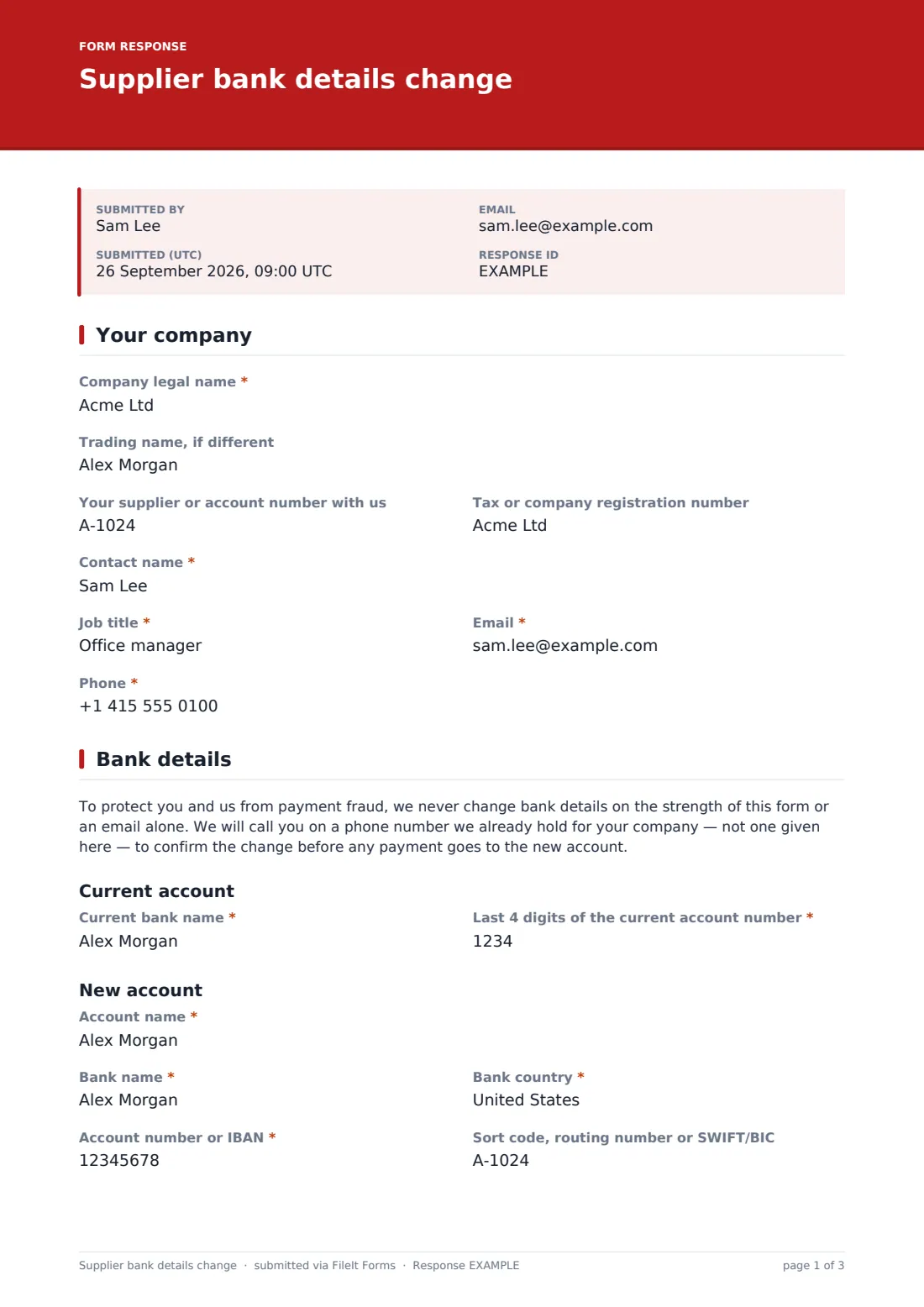
The supplier gives their company details and contact, the bank they're moving from and the last four digits of the current account, the new account details, the date it should take effect and why. A bank letter or statement header is required, and an authorised signatory signs.
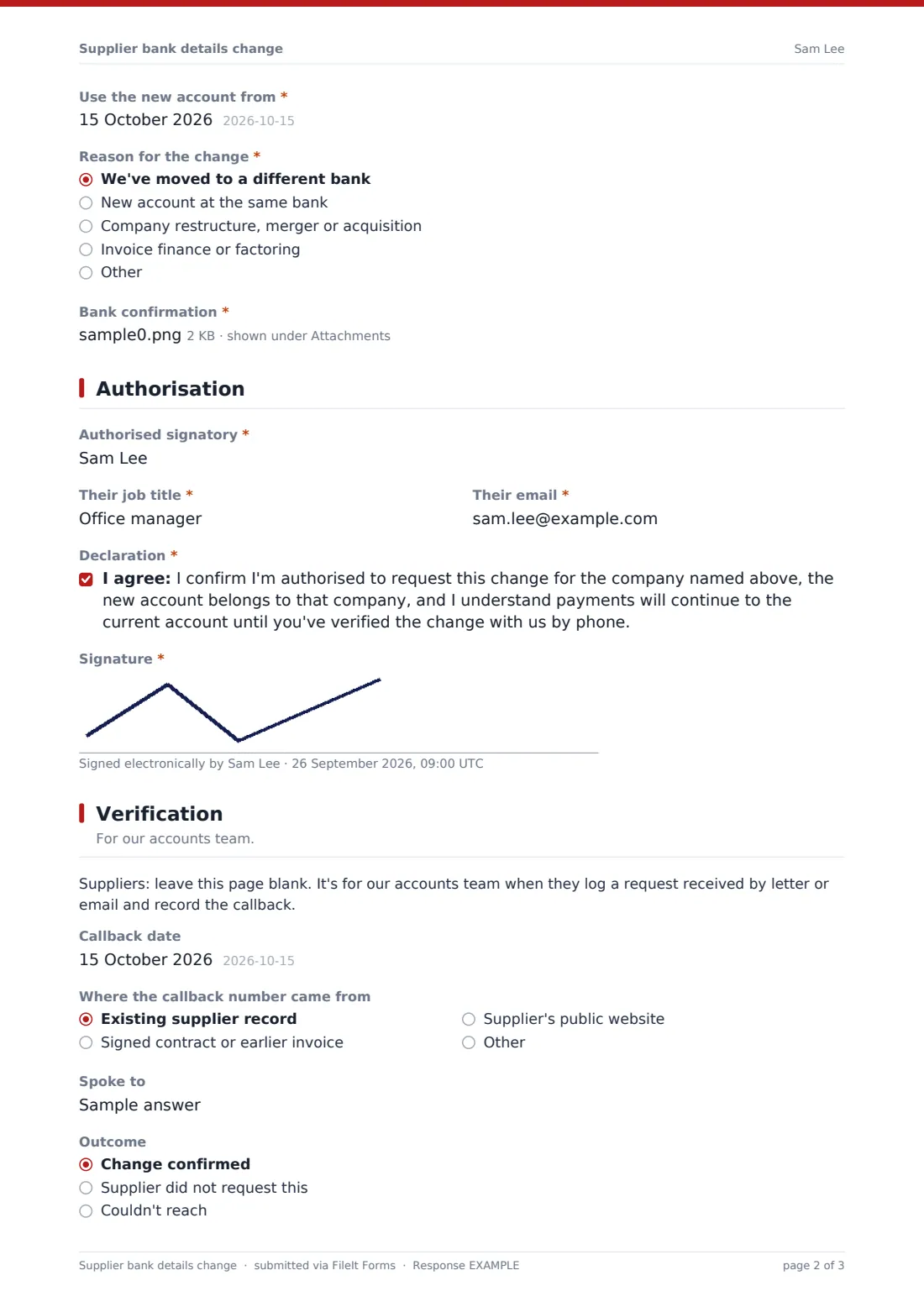
The last page is for your accounts team: when a change arrives by letter or email, a team member can fill in the form themselves and record the callback, including who they spoke to, where the number came from and the outcome. Every request is saved as a PDF in your vault.
- Best for
- Accounts payable teams protecting supplier payments
- Filled in by
- Suppliers, or your accounts team logging a request received
- Time to complete
- About 5 minutes with the bank letter ready
- Includes
- Current and new account details, bank letter upload, signature, callback record
Who uses a supplier bank details change form?
- A long-standing supplier moves to a new bank and needs the account updated
- A supplier is acquired and asks for payments to go to the new parent's account
- A supplier starts invoice financing and payments must go to the finance company
- An accounts clerk receives an emailed request and logs it along with the callback
- A company sends the link to every supplier as the only accepted way to change details
- An auditor asks to see evidence that bank changes are verified
Questions on this supplier bank details change form
29 questions over 4 pages · includes signature, file upload, conditional questions, multiple pages, consent checkbox.
1 Your company
- Company legal name*
- Trading name, if different
- Your supplier or account number with us
- Tax or company registration number
- Contact name*
- Job title*
- Email*
- Phone*
2 Bank details
- Current bank name*
- Last 4 digits of the current account number*
- Account name*
- Bank name*
- Bank country*
- Account number or IBAN*
- Sort code, routing number or SWIFT/BIC
- Use the new account from*
- Reason for the change* We've moved to a different bank · New account at the same bank · Company restructure, merger or acquisition · Invoice finance or factoring · Other
- Tell us more* asked only when it applies
- Bank confirmation*
3 Authorisation
- Authorised signatory*
- Their job title*
- Their email*
- Declaration*
- Signature*
4 Verification
- Callback date
- Where the callback number came from Existing supplier record · Signed contract or earlier invoice · Supplier's public website · Other
- Spoke to
- Outcome Change confirmed · Supplier did not request this · Couldn't reach
- Verified by
The supplier bank details change form, page by page
1 Your company
The supplier's legal and trading names, their supplier number with you, a tax or registration number, and the contact making the request with job title, email and phone.
2 Bank details
A note explains that you'll confirm the change by calling a number you already hold, not one given on the form. The supplier gives the current bank and the last four digits of the current account number, which should match your records, then the new account name, bank, country, account number or IBAN and routing or SWIFT code. They choose when it should take effect and why, and upload a bank letter or statement header showing the account name and number.
3 Authorisation
An authorised signatory, such as a director, gives their name, title and email, confirms the new account belongs to the company and that payments continue to the old account until you've verified the change, and signs.
4 Verification
For your accounts team, and left blank by suppliers. Record the callback date, where the number came from (the existing supplier record, a contract, their website), who you spoke to, the outcome and who verified it. If the supplier says they didn't ask for the change, a note tells the team to change nothing and escalate.
Make the template yours
- Put your accounts team's direct line in the cover text so suppliers can call you
- Add your own policy, such as a waiting period before the first payment to a new account
- Require the supplier number if every supplier has one
- Send notifications to a shared accounts payable inbox rather than one person
- File requests in a restricted vault folder
- Duplicate the form as an internal-only version with the verification fields required
Tips for a better supplier bank details change form
- Never use the phone number in the request, or in the email it came with, for the callback
- Be most careful with requests marked urgent or arriving just before a large payment
- Tell the supplier by a separate route, such as a letter to their known address, once the change is made
- Check the first payment to the new account with the supplier
- Have a second person review the change in your supplier records
Every response becomes a PDF in your vault
Each request becomes a PDF, with the bank letter and signature, filed in the vault folder you choose. You're emailed immediately, and you can add your accounts payable inbox. The supplier receives a copy.
Your team then calls the supplier on a number already on file, and updates the supplier record only once the change is confirmed. The PDF is your evidence of the request and, when the verification page is filled, of the check.
- Start from this template. It opens in the FileIt Forms designer — change any question, add pages, set the rules for when questions appear.
- Share it. Turn on a public link, or send it to people by email, each with their own link. They don’t need a FileIt account.
- Get the answers as PDFs. Each response is saved as a PDF in the vault folder you choose, with uploaded files attached — and listed in a Responses table you can export to CSV.
Supplier bank details change form: frequently asked questions
Is this supplier bank details change template free?
Yes. It's one of the ready-made templates in the Forms app on every FileIt account, including the free plan. Use it as it is or change any question in the designer.
Does FileIt verify the bank account?
No. FileIt collects the request and documents. Your team verifies the change, normally by calling the supplier on a number you already hold.
Why ask for the last four digits of the current account?
A genuine supplier knows which account you pay them into now. If the digits don't match your records, that's a warning sign worth checking before anything else.
Who fills in the verification page?
Your own accounts team, when they log a change that came in by letter or email. Suppliers are asked to leave it blank. When a supplier fills in the form themselves, record the callback in your supplier records.
Do suppliers need a FileIt account to submit a change?
No. Share the form by public link or send personal email invitations, and anyone can fill it in and submit it without creating an account.
Is the bank information stored securely?
Answers are encrypted at rest in FileIt, as every form response is. Suppliers are asked to cover balances and transactions on the bank letter they upload.
Can this form be the only way we accept bank changes?
Many businesses make it so, and tell suppliers in their onboarding pack. It works best alongside a firm rule that emailed requests are never actioned without a callback.