What is the international payment request form template?
A foreign payment with a wrong SWIFT code or missing intermediary bank can bounce, or disappear for weeks. One sent to a fraudster's new 'bank details' usually doesn't come back at all. This international payment request form collects the beneficiary and bank details treasury needs, and builds in a check for new beneficiaries.
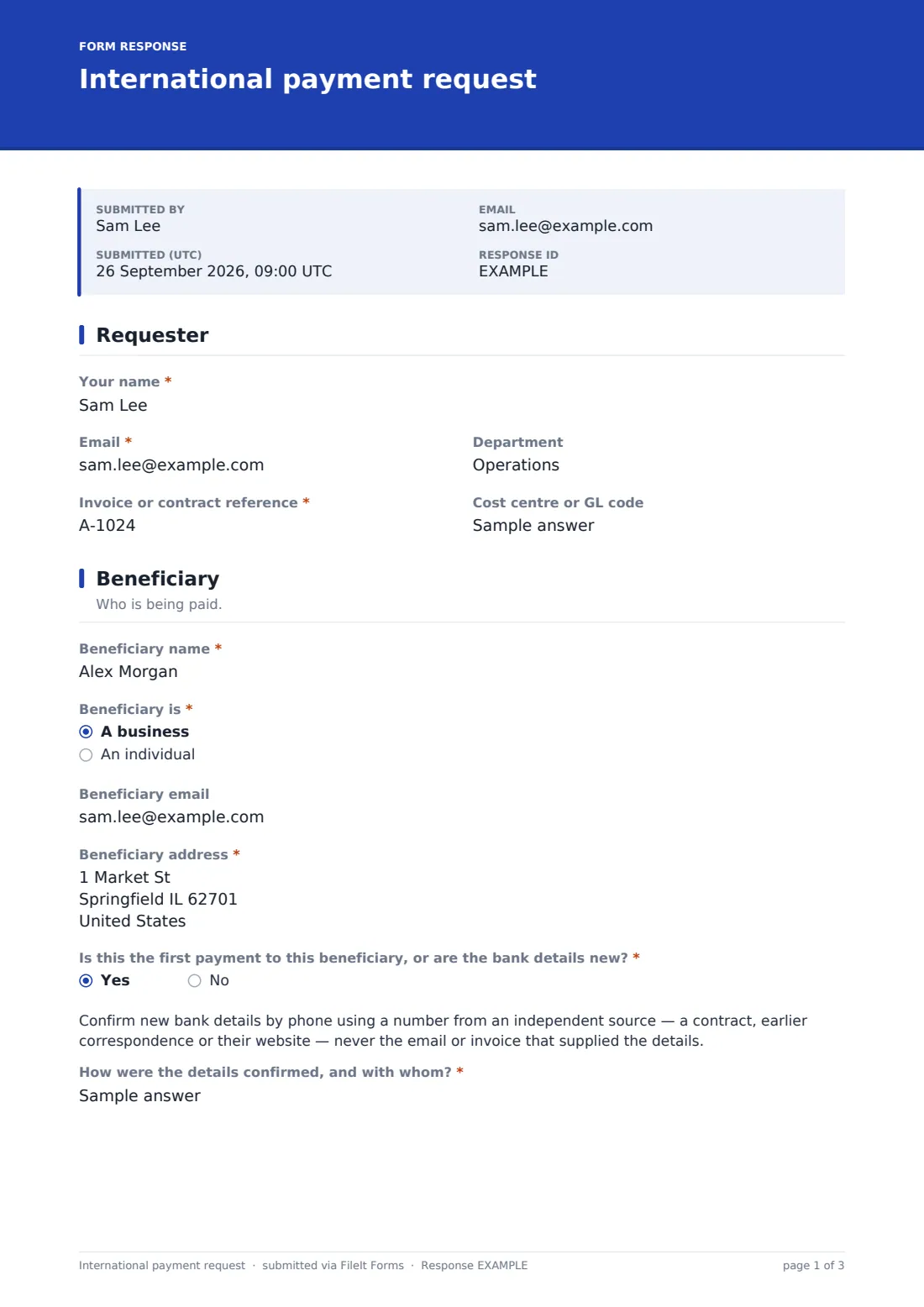
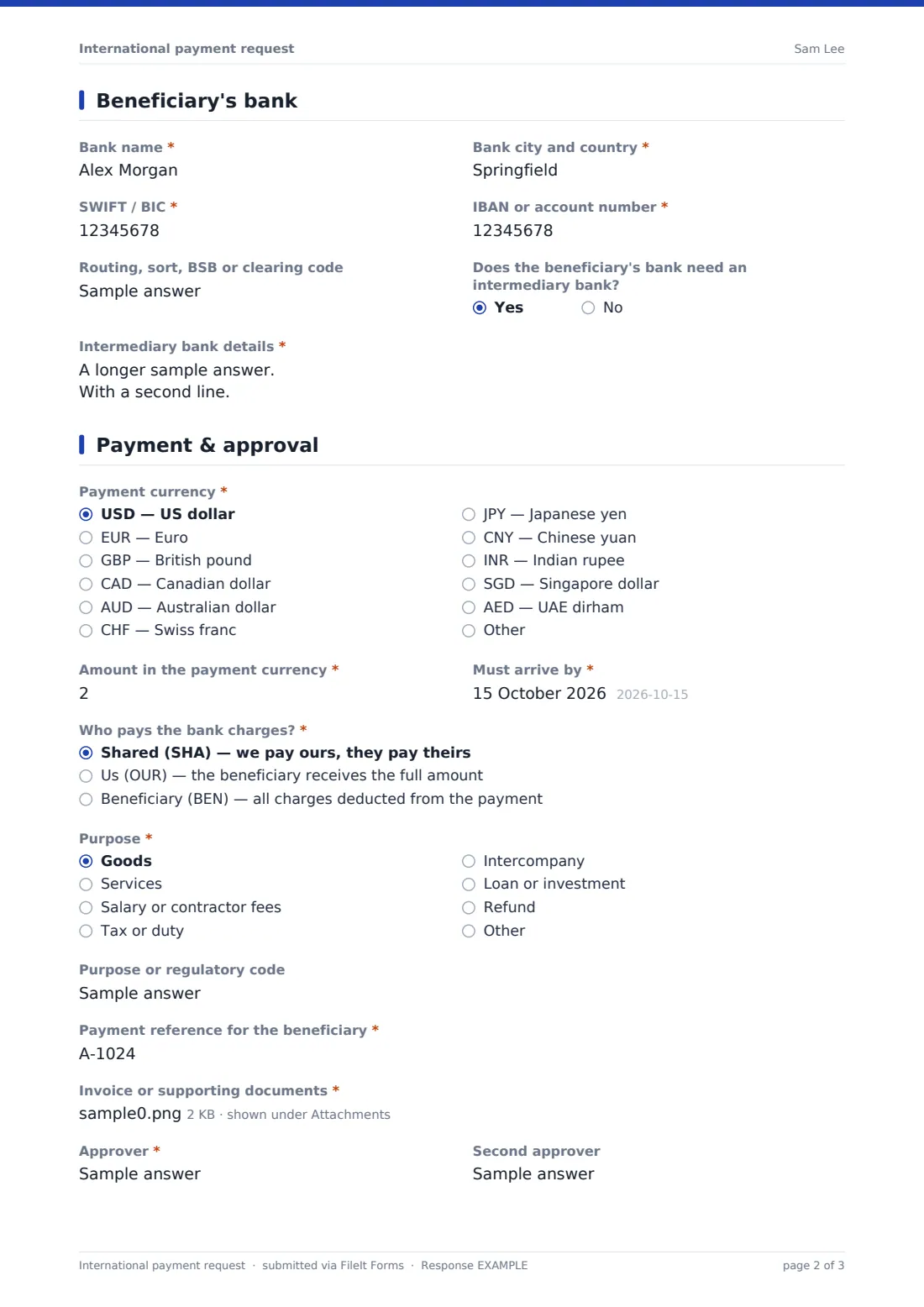
The requester gives the beneficiary's name and address, and says whether it's a first payment or new details. If so, a note explains how to verify them and the form asks how and with whom they were confirmed. The bank page asks for SWIFT/BIC and IBAN or account number, with a basic format check, routing codes and any intermediary bank. The payment page covers currency, amount, arrival date, who pays the charges, purpose and the reference.
Each request is saved as a PDF in your vault with the invoice attached, ready for finance to key into online banking and release.
- Best for
- Businesses paying overseas suppliers, contractors or group companies
- Filled in by
- Staff requesting the payment, for finance or treasury to release
- Time to complete
- About 8–10 minutes with the invoice to hand
- Includes
- SWIFT and IBAN checks, new-beneficiary verification, charge options, two approvers
Who uses a international payment request form?
- Paying a manufacturer in another country in its own currency
- Paying a freelancer abroad for a completed project
- Sending an intercompany payment to an overseas subsidiary
- Paying an overseas conference venue deposit
- Settling a foreign tax or customs duty
- Paying a new overseas supplier for the first time after verifying their details
Questions on this international payment request form
30 questions over 4 pages · includes file upload, conditional questions, multiple pages, consent checkbox.
1 Requester
- Your name*
- Email*
- Department
- Invoice or contract reference*
- Cost centre or GL code
2 Beneficiary
- Beneficiary name*
- Beneficiary is* A business · An individual
- Beneficiary email
- Beneficiary address*
- Is this the first payment to this beneficiary, or are the bank details new?*
- How were the details confirmed, and with whom?* asked only when it applies
3 Beneficiary's bank
- Bank name*
- Bank city and country*
- SWIFT / BIC*
- IBAN or account number*
- Routing, sort, BSB or clearing code
- Does the beneficiary's bank need an intermediary bank?
- Intermediary bank details* asked only when it applies
4 Payment & approval
- Payment currency* USD — US dollar · EUR — Euro · GBP — British pound · CAD — Canadian dollar · AUD — Australian dollar · CHF — Swiss franc · JPY — Japanese yen · CNY — Chinese yuan · INR — Indian rupee · SGD — Singapore dollar · AED — UAE dirham · Other
- Which currency?* asked only when it applies
- Amount in the payment currency*
- Must arrive by*
- Who pays the bank charges?* Shared (SHA) — we pay ours, they pay theirs · Us (OUR) — the beneficiary receives the full amount · Beneficiary (BEN) — all charges deducted from the payment
- Purpose* Goods · Services · Salary or contractor fees · Tax or duty · Intercompany · Loan or investment · Refund · Other
- Purpose or regulatory code
- Payment reference for the beneficiary*
- Invoice or supporting documents*
- Approver*
- Second approver
- Declaration*
The international payment request form, page by page
1 Requester
Name, email and department, the invoice or contract reference and a cost centre or GL code.
2 Beneficiary
The beneficiary's name exactly as their bank holds it, whether it's a business or an individual, their email and full address. If it's the first payment or the bank details are new, a note explains how to confirm them by phone using an independent number, and the requester must say how and with whom they were confirmed.
3 Beneficiary's bank
Bank name and city, SWIFT/BIC (8 or 11 characters), IBAN or account number, and a routing, sort, BSB or clearing code where needed. If an intermediary bank is required, its details are asked for.
4 Payment & approval
The currency from a list of common ones or other, the amount, the date it must arrive, and who pays the charges: shared (SHA), us (OUR) or the beneficiary (BEN). The purpose, any purpose or regulatory code, and the reference the beneficiary will see. Supporting documents are required, and one or two approvers can be named before the declaration.
Make the template yours
- Change the currency list to the ones you actually pay in
- Make the second approver required above a threshold stated in the cover text
- Set your default charge option as the first choice
- Add your bank's cut-off times to the Payment page description
- Send notifications to your treasury inbox
- Duplicate the form for intercompany payments with the group's accounts listed
Tips for a better international payment request form
- Get bank details from the beneficiary in writing and confirm them by phone on a known number
- Ask the beneficiary which charge option they expect; OUR costs more but avoids short payments
- Check whether the destination country needs a purpose code before you send
- Allow for time zones and bank holidays when setting the arrival date
- Keep the reference short and clear so the beneficiary can match the payment
Every response becomes a PDF in your vault
The request becomes a PDF with the invoice and supporting documents, filed in the vault folder you choose. You're emailed straight away and can add treasury or the approvers.
Finance checks the details, confirms approval and makes the payment in online banking. The Responses table lists requests by currency, amount and date, and exports to CSV.
- Start from this template. It opens in the FileIt Forms designer — change any question, add pages, set the rules for when questions appear.
- Share it. Turn on a public link, or send it to people by email, each with their own link. They don’t need a FileIt account.
- Get the answers as PDFs. Each response is saved as a PDF in the vault folder you choose, with uploaded files attached — and listed in a Responses table you can export to CSV.
International payment request form: frequently asked questions
Is this international payment request template free?
Yes. It's one of the ready-made templates in the Forms app on every FileIt account, including the free plan. Use it as it is or change any question in the designer.
Does FileIt send the payment?
No. FileIt doesn't make payments or connect to your bank. The form collects the details, and your finance team makes the payment.
Does the form validate SWIFT and IBAN numbers?
It checks the format only: SWIFT/BIC must be 8 or 11 letters and digits, and the account number must be letters, digits and spaces. It can't confirm the account exists or belongs to the beneficiary.
Why is the amount a number rather than a currency field?
The payment can be in any currency, so the amount is entered as a plain number next to the chosen currency.
What do SHA, OUR and BEN mean?
They say who pays the bank charges. SHA shares them, OUR means you pay all charges so the beneficiary receives the full amount, and BEN means all charges are taken from the payment.
Do staff need a FileIt account to request a payment?
No. Share the form by public link or send personal email invitations, and anyone can fill it in and submit it without creating an account.