What is the freelancer invoice submission form template?
Companies that work with lots of freelancers receive invoices in every format imaginable, sent to whoever the freelancer happened to email. Accounts payable then has to chase the purchase order, the approver, the timesheet and the receipts before anyone can be paid.
This form asks freelancers to submit every invoice the same way: who they are and which client contact approved the work, the invoice number, project and work period, how the work is billed (hourly, day rate, fixed fee or retainer) and what was delivered. It then covers fees, expenses with receipts, tax registration and amounts, the total, how they'd like to be paid, payment terms and the invoice PDF itself.
Every submission is saved as a PDF in your FileIt vault with its attachments, ready for approval and payment, and the freelancer gets a copy as proof of submission.
- Best for
- Agencies, media companies, production houses and businesses that pay freelancers and contractors
- Filled in by
- Freelancers, consultants and independent contractors
- Time to complete
- About 5 minutes with the invoice ready
- Includes
- Billing type follow-ups, expenses and receipts, tax details, payment method and invoice PDF upload
Who uses a freelancer invoice submission form?
- A creative agency collecting invoices from freelance designers and writers
- A production company paying day-rate crew after a shoot
- A software company receiving monthly invoices from contract developers
- A publisher handling invoices from freelance contributors
- A events company paying freelance staff with expenses
- A freelancer collective giving clients one consistent way to receive invoices
Questions on this freelancer invoice submission form
40 questions over 4 pages · includes file upload, conditional questions, multiple pages, consent checkbox.
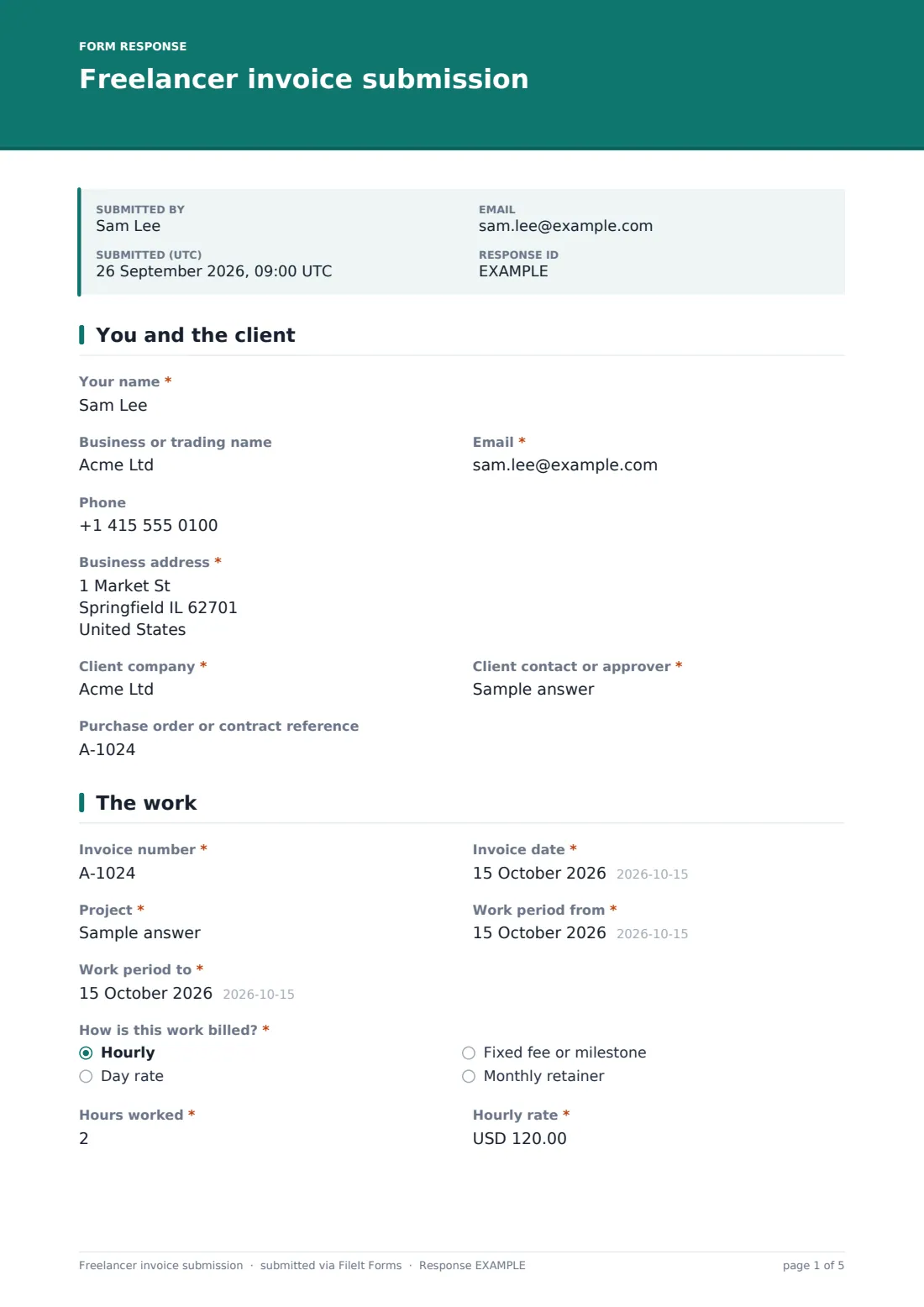
1 You and the client
- Your name*
- Business or trading name
- Email*
- Phone
- Business address*
- Client company*
- Client contact or approver*
- Purchase order or contract reference
2 The work
- Invoice number*
- Invoice date*
- Project*
- Work period from*
- Work period to*
- How is this work billed?* Hourly · Day rate · Fixed fee or milestone · Monthly retainer
- Hours worked* asked only when it applies
- Hourly rate* asked only when it applies
- Days worked* asked only when it applies
- Day rate* asked only when it applies
- Milestone or deliverable being invoiced* asked only when it applies
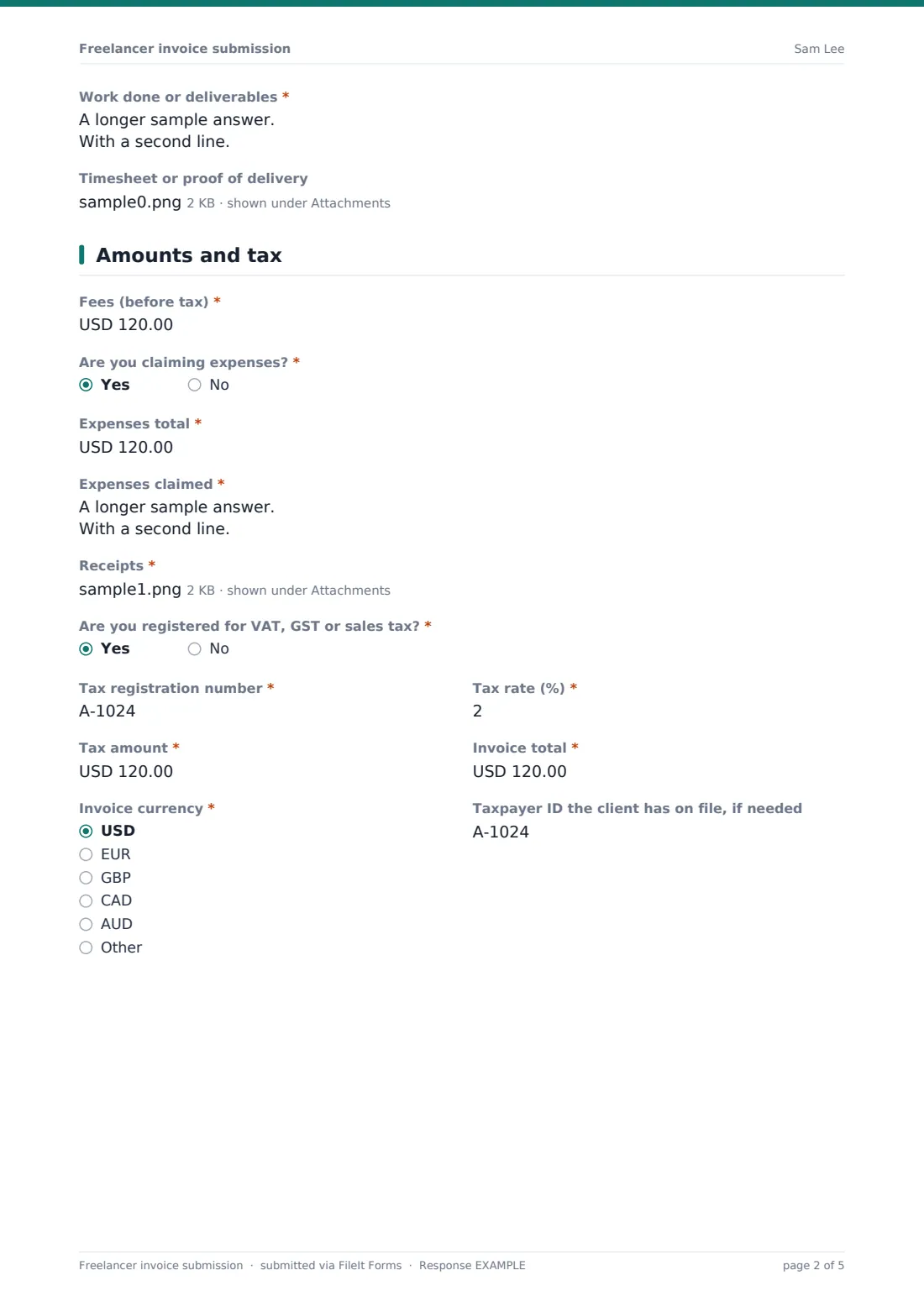
- Work done or deliverables*
- Timesheet or proof of delivery
3 Amounts and tax
- Fees (before tax)*
- Are you claiming expenses?*
- Expenses total* asked only when it applies
- Expenses claimed* asked only when it applies
- Receipts* asked only when it applies
- Are you registered for VAT, GST or sales tax?*
- Tax registration number* asked only when it applies
- Tax rate (%)* asked only when it applies
- Tax amount* asked only when it applies
- Invoice total*
- Invoice currency* USD · EUR · GBP · CAD · AUD · Other
- Taxpayer ID the client has on file, if needed
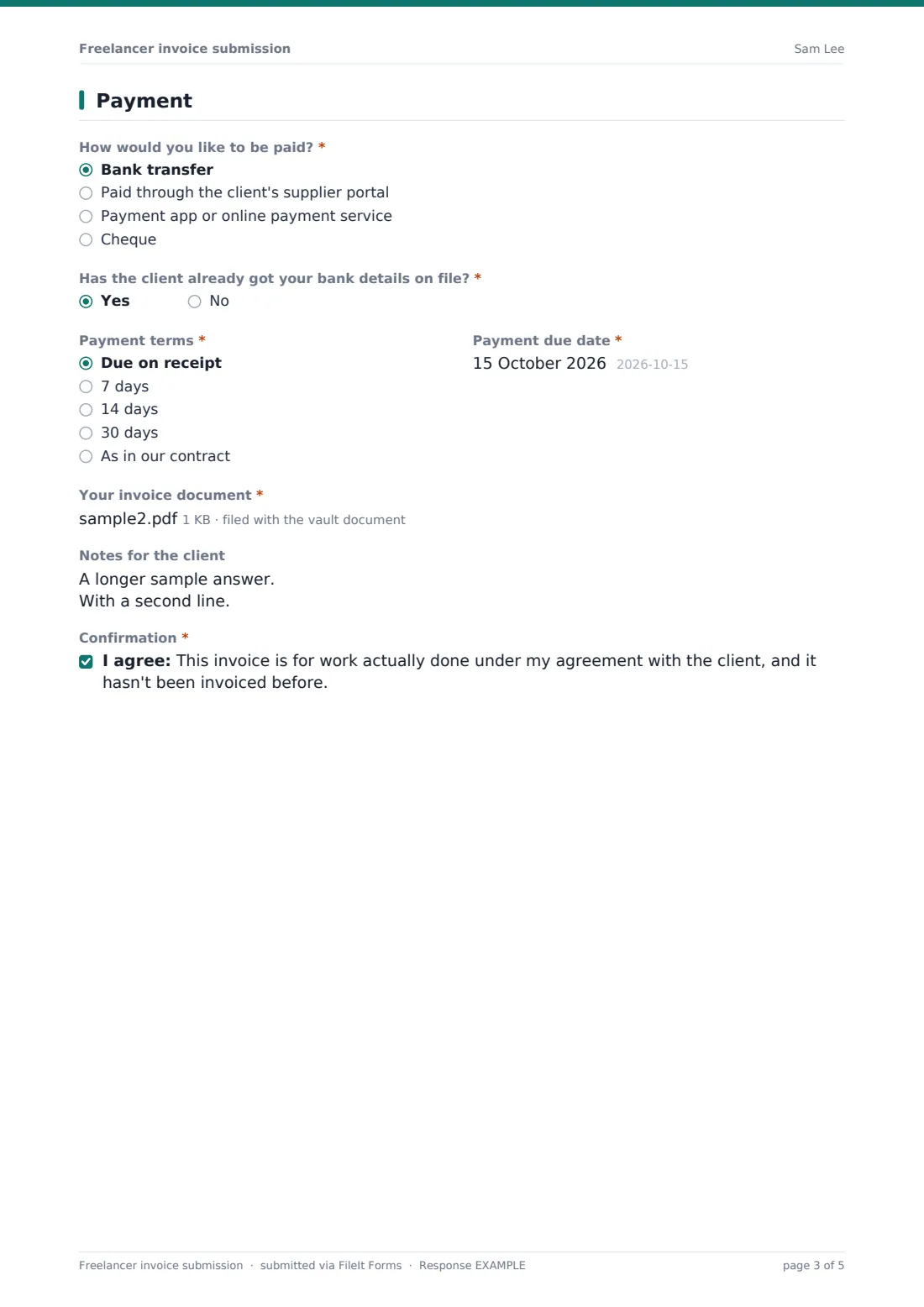
4 Payment
- How would you like to be paid?* Bank transfer · Paid through the client's supplier portal · Payment app or online payment service · Cheque
- Has the client already got your bank details on file?* asked only when it applies
- Payment terms* Due on receipt · 7 days · 14 days · 30 days · As in our contract
- Payment due date*
- Your invoice document*
- Notes for the client
- Confirmation*
The freelancer invoice submission form, page by page
1 You and the client
The freelancer gives their name, business name, email, phone and business address, then the client company, the client contact or approver and any purchase order or contract reference.
2 The work
Enter the invoice number and date, project and work period, then choose how the work is billed. Hourly asks for hours and rate, day rate asks for days and rate, and fixed fee asks for the milestone or deliverable. Every invoice lists the work done, and a timesheet or proof of delivery can be attached.
3 Amounts and tax
Record fees before tax. Claiming expenses asks for the total, a breakdown and receipts. Freelancers registered for VAT, GST or sales tax add their registration number, rate and tax amount. Then enter the invoice total and currency, and any taxpayer ID the client has asked for.
4 Payment
Choose how to be paid. For bank transfers, freelancers say whether the client already has their bank details; if not, a note tells them to send details securely rather than typing them into the form. Choose payment terms, enter the due date, upload the invoice PDF, add notes and confirm the invoice is for work actually done and hasn't been invoiced before.
Make the template yours
- Replace the client contact field with a dropdown of your approvers
- Make the purchase order required if every engagement has one
- Edit the currencies and payment terms to match your contracts
- Send submissions to your accounts payable inbox
- Add a cost centre or project code field for your finance team
- Route invoices into a vault folder per project or per month
Tips for a better freelancer invoice submission form
- Ask freelancers to put the purchase order number on the invoice itself as well
- Never change a freelancer's bank details based on an email alone; confirm by phone
- Check hours against the approved timesheet before paying
- Pay to the agreed terms: late payment is the top complaint freelancers have about clients
- Keep invoices and receipts together for your year-end and tax records
Every response becomes a PDF in your vault
Each invoice is saved as a PDF in your FileIt vault with the invoice document, timesheet and receipts attached, and your accounts team can be emailed as it arrives. The freelancer can receive a copy.
The Responses table lists every invoice with its total and due date, and you can export to CSV to plan payment runs or reconcile against your accounting system.
- Start from this template. It opens in the FileIt Forms designer — change any question, add pages, set the rules for when questions appear.
- Share it. Turn on a public link, or send it to people by email, each with their own link. They don’t need a FileIt account.
- Get the answers as PDFs. Each response is saved as a PDF in the vault folder you choose, with uploaded files attached — and listed in a Responses table you can export to CSV.
Freelancer invoice submission form: frequently asked questions
Is this freelancer invoice submission form free?
Yes. It's included in the FileIt Forms app on every account, including the free plan.
Does the form create the invoice?
No. Freelancers upload their own invoice PDF and enter the key details so your team can approve it.
Can the form collect bank details?
It deliberately doesn't. A note asks freelancers to send bank details through your secure route, because invoice fraud often relies on changed bank details.
Does it calculate the total or the tax?
No. FileIt Forms doesn't calculate. Freelancers enter the amounts from their invoice.
Can freelancers attach receipts?
Yes. When they claim expenses, they can attach up to ten receipts.
Do freelancers need a FileIt account?
No. Share the form link with your freelancers and they submit without signing in.