
What is the invoice dispute form template?
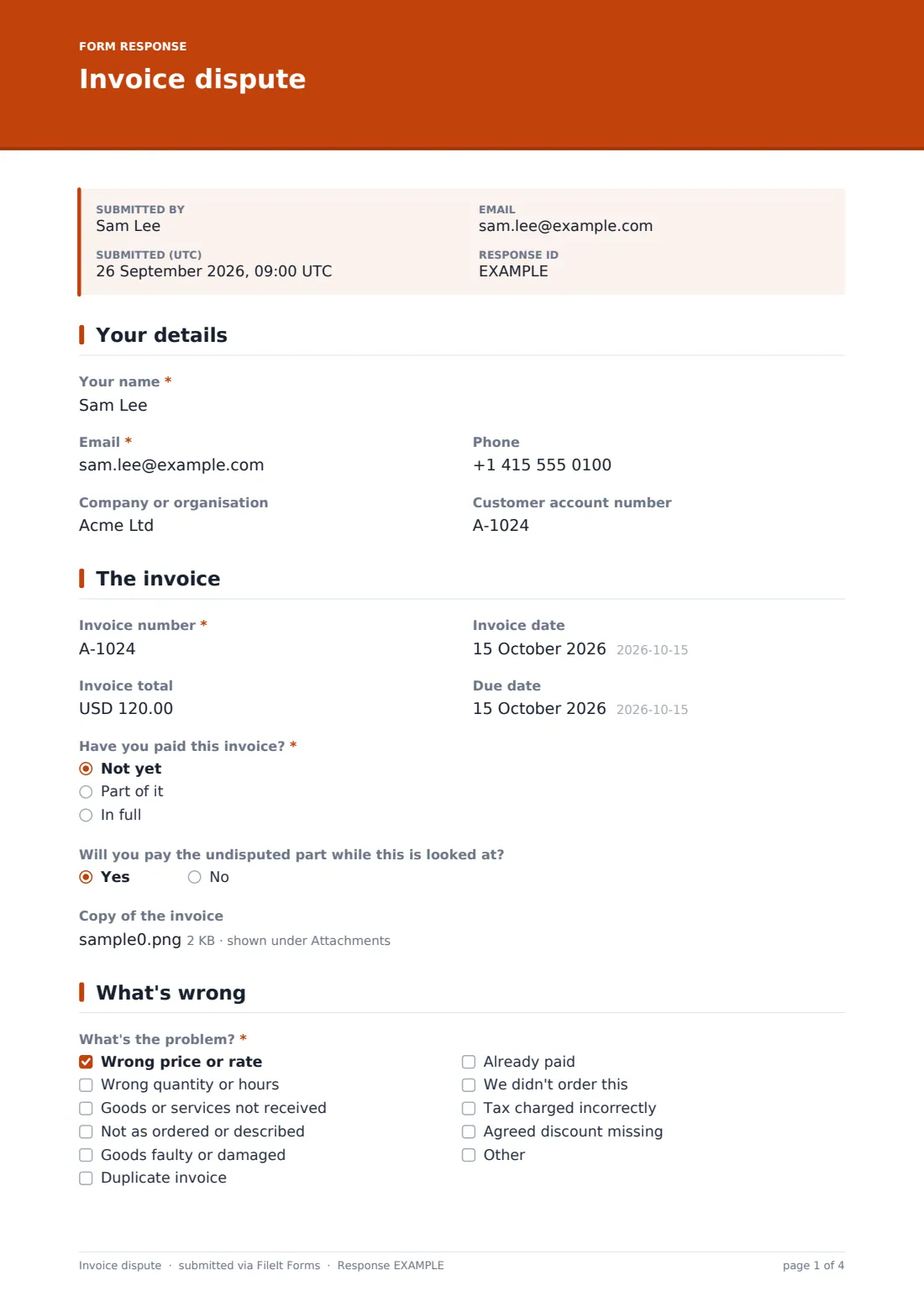
A billing query that arrives as a one-line email — "this invoice is wrong" — usually means several back-and-forth messages just to find out which line, how much, and what the customer actually wants done about it. This template asks all of that up front: the invoice number, which lines are disputed and why, the amount involved, and the fix the customer is after, whether that's a credit note, a corrected invoice or a refund.
Putting the query through a structured online form rather than email keeps disputes consistent and easy to track. A checklist of common reasons (wrong price, wrong quantity, goods not received, already paid, tax charged incorrectly, and more) speeds up the customer's answer and makes it easy to see patterns across disputes over time. If the customer says they've already paid, the form asks how and when so it can be checked quickly; if the invoice is still unpaid, it asks whether they'll pay the undisputed part while the query is looked into.
Each submission — including any invoice copy, purchase order or proof of payment the customer attaches — becomes a single PDF saved in the vault, so the whole dispute and its evidence live in one place instead of scattered across an inbox.
- Best for
- Businesses that want a structured way for customers to query an invoice
- Filled in by
- The customer, or someone in their accounts team
- Time to complete
- About 5-8 minutes
- Includes
- Conditional questions for already-paid invoices, a reasons checklist, and file uploads for evidence
Who uses a invoice dispute form?
- A customer who was billed for a quantity or number of hours they don't agree with
- A client who's noticed a duplicate invoice or one they've already paid
- Someone disputing a delivery charge, tax amount, or discount that wasn't applied as agreed
- A business that wants disputes routed through one form instead of scattered across email threads with different staff
- A customer who wants to pay the undisputed part of an invoice while a specific line is checked
- An accounts team collecting a consistent, comparable record of billing queries to review for patterns
Questions on this invoice dispute form
22 questions over 4 pages · includes file upload, conditional questions, multiple pages, consent checkbox.
1 Your details
- Your name*
- Email*
- Phone
- Company or organisation
- Customer account number
2 The invoice
- Invoice number*
- Invoice date
- Invoice total
- Due date
- Have you paid this invoice?* Not yet · Part of it · In full
- Will you pay the undisputed part while this is looked at? asked only when it applies
- Copy of the invoice
3 What's wrong
- What's the problem?* Wrong price or rate · Wrong quantity or hours · Goods or services not received · Not as ordered or described · Goods faulty or damaged · Duplicate invoice · Already paid · We didn't order this · Tax charged incorrectly · Agreed discount missing
- When and how did you pay it?* asked only when it applies
- Which lines or items are disputed?*
- Amount in dispute*
- Anything else we should know?
4 Resolution & evidence
- What would resolve this for you?* A credit note · A corrected invoice · A refund · Replacement goods or redoing the work · Cancel the invoice · A call to discuss
- Have you already raised this with anyone?
- Who, and when? asked only when it applies
- Supporting evidence
- Confirmation*
The invoice dispute form, page by page
1 Your details
The form starts with the customer's name, email, phone, company or organization, and their customer account number if they have one — enough to identify who's raising the query and match it to their account.
2 The invoice
This page captures the invoice number, date, total and due date, then asks whether the customer has paid it — not yet, part of it, or in full. Choosing "not yet" opens a question about whether they'll pay the undisputed part of the invoice while the dispute is reviewed, which helps keep the relationship on track even while a specific line is being checked. An optional upload lets the customer attach a copy of the invoice itself.
3 What's wrong
A checklist covers the most common reasons for a dispute — wrong price or rate, wrong quantity or hours, goods or services not received, not as ordered or described, faulty or damaged goods, a duplicate invoice, already paid, something never ordered, incorrect tax, or a missing discount — with room to describe something else. Choosing "already paid" opens a field asking when and how the payment was made, so it can be traced quickly.
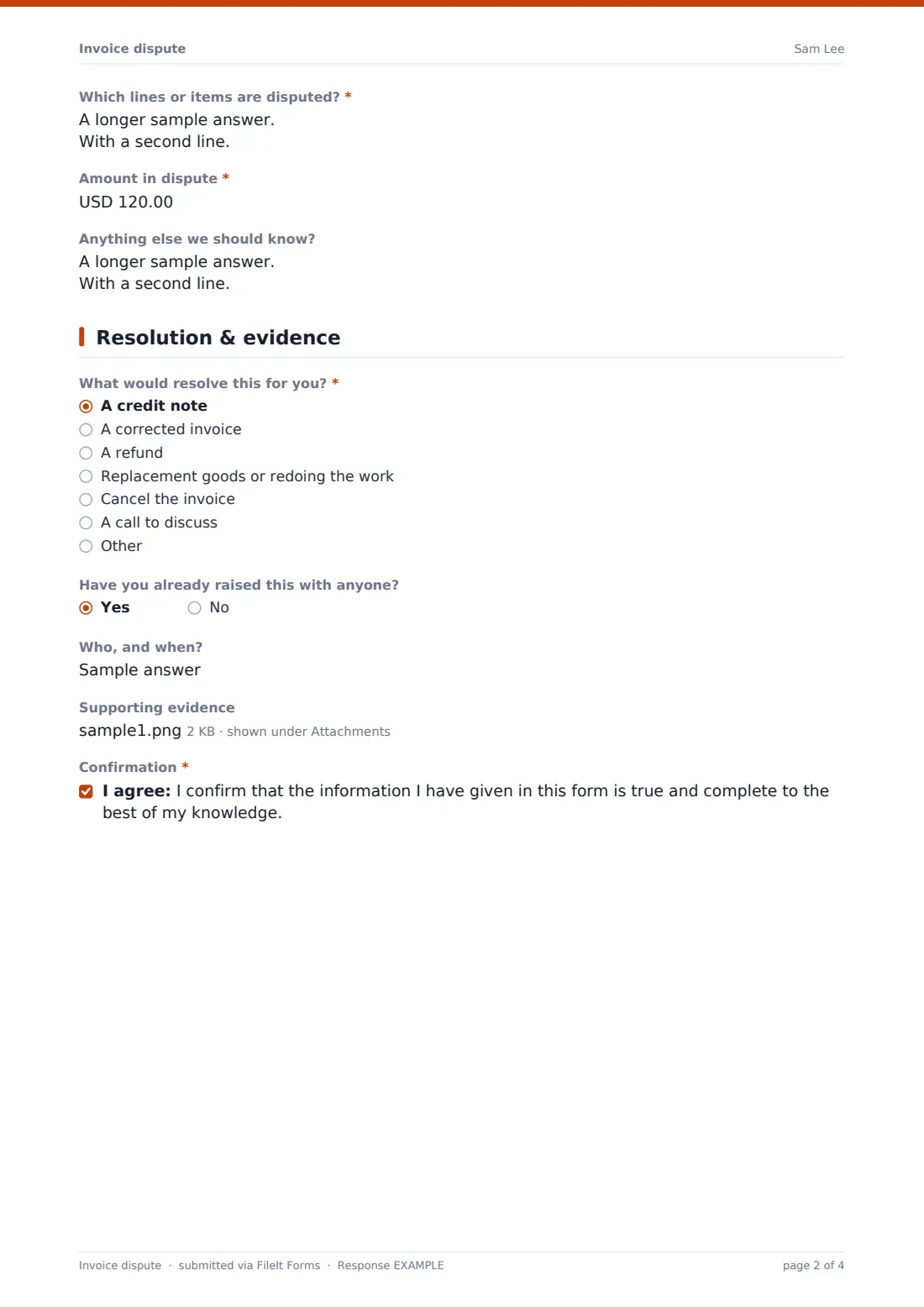
A long-text box asks specifically which lines or items are disputed, an amount-in-dispute field captures the size of the query in currency, and an optional "anything else" box leaves room for context that doesn't fit the checklist.
4 Resolution & evidence
The customer chooses what would resolve the dispute for them — a credit note, a corrected invoice, a refund, replacement goods or redone work, cancelling the invoice, or simply a call to discuss it — and says whether they've already raised the issue with anyone, opening a field for who and when if so. An evidence upload accepts quotes, purchase orders, delivery notes, emails, photos or proof of payment, and the form closes with a confirmation that the information given is true and complete.
Make the template yours
- Adjust the reasons checklist to match the disputes you see most often in your own business
- Route notifications to your accounts receivable team or a specific billing inbox alongside the account owner
- File disputes into a vault folder organized by customer or by invoice number for easy lookup later
- Add a field for a purchase order number if your invoices are usually matched against one
- Set a confirmation message that gives customers a realistic response time based on your own process
- Add an internal-only follow-up form or note field if you want to log how each dispute was resolved
- Turn off multiple responses if you want customers to raise one dispute per invoice rather than resubmitting
Tips for a better invoice dispute form
- Ask customers to attach a copy of the invoice and any supporting evidence up front — it saves a round of back-and-forth chasing documents
- Keep the reasons checklist specific enough to be genuinely useful, but leave an "other" option for anything that doesn't fit
- Encourage customers to pay the undisputed portion while a specific line is investigated, to avoid the whole invoice going overdue
- Log every dispute through the same form, even small ones, so you can spot recurring billing errors over time
- Respond within a clear, stated timeframe so customers aren't left wondering whether the query was received
- Keep a record of how each dispute was resolved alongside the original form response for future reference
Every response becomes a PDF in your vault
As soon as a customer submits a dispute, FileIt saves it as a PDF in your vault, together with any invoice copy or evidence attached, and your team is notified by email. If an emailed copy to the respondent is switched on, the customer also receives their own PDF confirming what they submitted.
From there, most accounts teams use the Responses table to track open disputes, filter by status or reason, and export the list to CSV for reporting. Because the amount in dispute and the requested resolution are captured as structured fields, it's easy to see at a glance how much is outstanding and what customers are asking for.
- Start from this template. It opens in the FileIt Forms designer — change any question, add pages, set the rules for when questions appear.
- Share it. Turn on a public link, or send it to people by email, each with their own link. They don’t need a FileIt account.
- Get the answers as PDFs. Each response is saved as a PDF in the vault folder you choose, with uploaded files attached — and listed in a Responses table you can export to CSV.
Invoice dispute form: frequently asked questions
Is this invoice dispute form template free?
Yes. It's included in FileIt's Forms app on every plan, including free, and every question can be edited to match your own billing process.
Does the customer need a FileIt account to raise a dispute?
No. Share the form by public link on your website or send it by email — customers don't need a FileIt account to submit a query.
How do I get a record of each dispute?
Every submission is saved automatically as a PDF in your vault, and you can also turn on an emailed PDF copy sent to the customer who raised it.
Can customers attach evidence like a purchase order or delivery note?
Yes — the evidence upload accepts documents, spreadsheets, photos and PDFs, up to eight files per submission.
What if the customer says they've already paid the invoice?
Choosing "already paid" as the reason opens a field asking when and how they paid, which makes it faster to check against your own records.
Does this form resolve the dispute automatically?
No — it's a structured way to collect the details of a dispute for your team to review. Any refund, credit note or correction still needs to be actioned separately.
Can I track how many disputes are still open?
Yes — the Responses table lists every submission with filters, so you can see at a glance which disputes haven't been resolved yet.