What is the bank reconciliation sign-off form template?
Bank reconciliations are one of the most basic finance controls, and one of the first things an auditor asks to see. The spreadsheet that does the matching is only half of it: someone needs to show the balances agree, explain every reconciling item, deal with old ones and have the work reviewed.
This template records that in four pages: the account and period, the statement and ledger balances with adjustments and the unreconciled difference, the reconciling items with follow-ups for anything old or needing a journal, and a sign-off by both preparer and reviewer.
Each reconciliation is saved as a PDF in your FileIt vault with the bank statement and workpapers attached, giving you a dated, signed trail for every account and period.
- Best for
- Finance teams, bookkeepers, accounting firms, non-profits and small businesses
- Filled in by
- The accountant or bookkeeper preparing the reconciliation, then the reviewer
- Time to complete
- About 10 minutes once the matching is done
- Includes
- Balance roll-forward, difference explanation, aged items, journals, control checks, uploads and two sign-offs
Who uses a bank reconciliation sign-off form?
- A finance team documenting month-end bank reconciliations for every account
- An accounting firm reconciling client accounts with partner review
- A non-profit treasurer having reconciliations reviewed by a trustee
- A small business owner checking a bookkeeper's work
- A controller preparing evidence for the annual audit
- A shared services team standardising reconciliations across entities
Questions on this bank reconciliation sign-off form
33 questions over 4 pages · includes signature, file upload, conditional questions, multiple pages, consent checkbox.
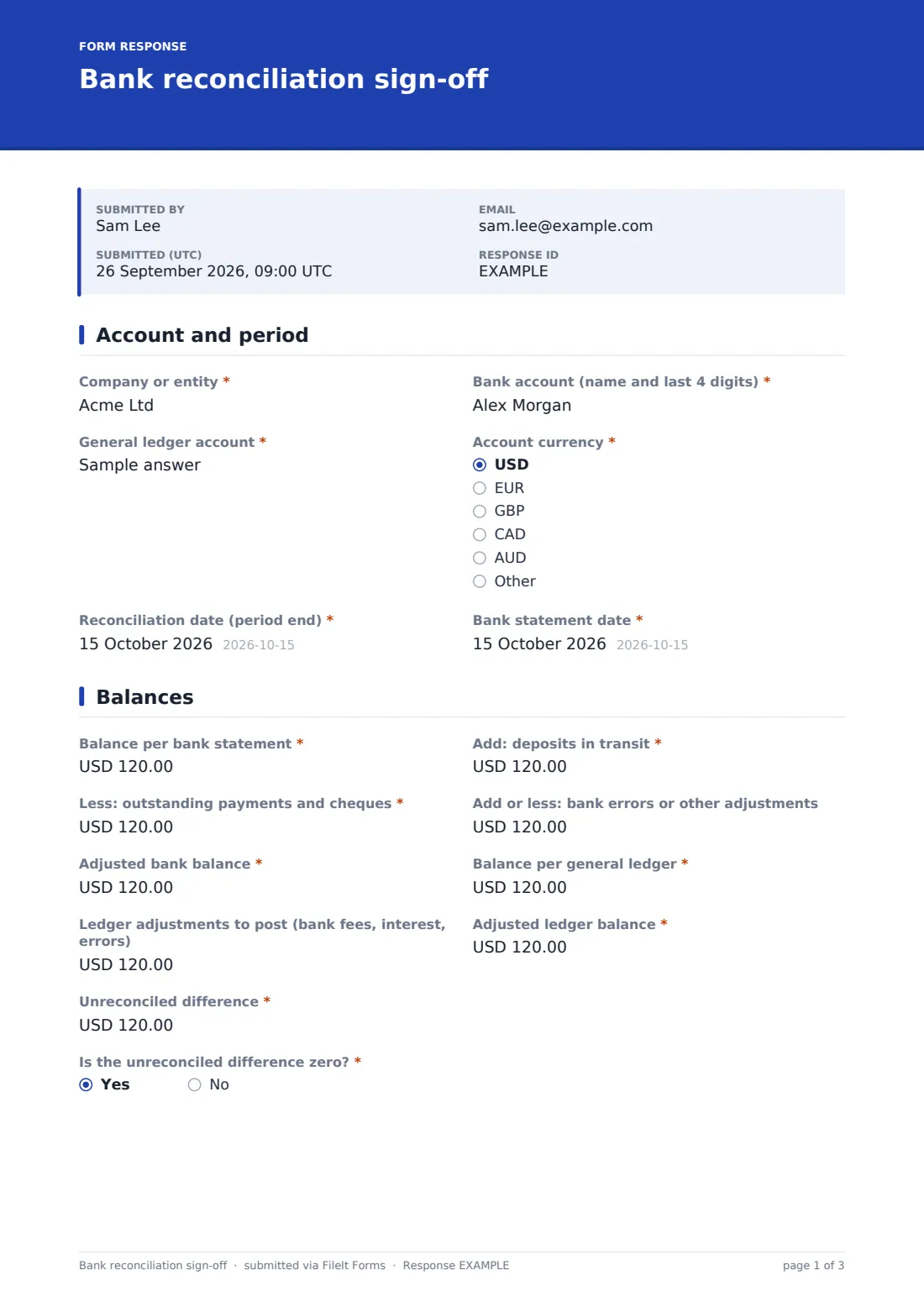
1 Account and period
- Company or entity*
- Bank account (name and last 4 digits)*
- General ledger account*
- Account currency* USD · EUR · GBP · CAD · AUD · Other
- Reconciliation date (period end)*
- Bank statement date*
2 Balances
- Balance per bank statement*
- Add: deposits in transit*
- Less: outstanding payments and cheques*
- Add or less: bank errors or other adjustments
- Adjusted bank balance*
- Balance per general ledger*
- Ledger adjustments to post (bank fees, interest, errors)
- Adjusted ledger balance*
- Unreconciled difference*
- Is the unreconciled difference zero?*
- Explain the unreconciled difference and how it will be cleared* asked only when it applies
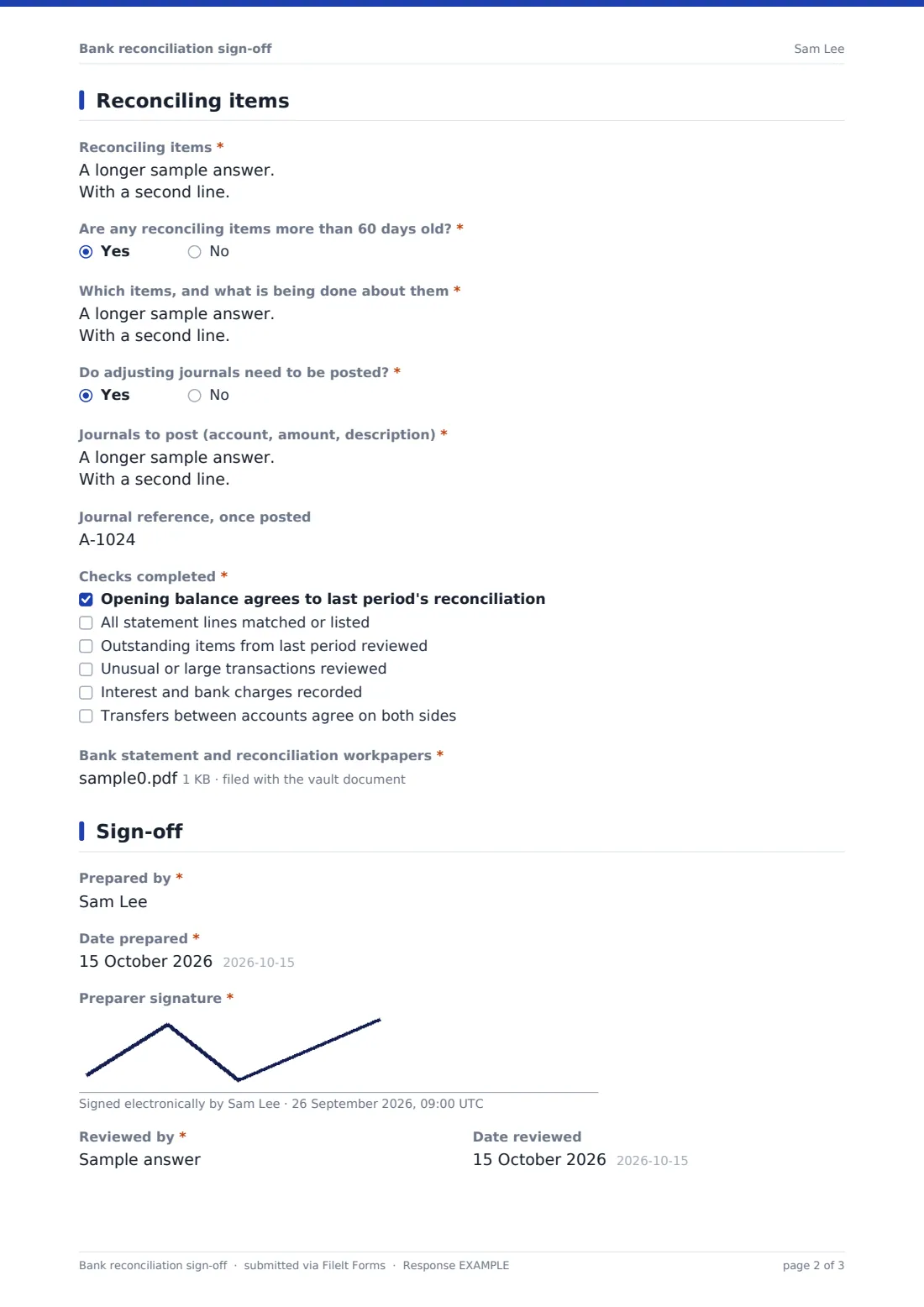
3 Reconciling items
- Reconciling items*
- Are any reconciling items more than 60 days old?*
- Which items, and what is being done about them* asked only when it applies
- Do adjusting journals need to be posted?*
- Journals to post (account, amount, description)* asked only when it applies
- Journal reference, once posted asked only when it applies
- Checks completed* Opening balance agrees to last period's reconciliation · All statement lines matched or listed · Outstanding items from last period reviewed · Unusual or large transactions reviewed · Interest and bank charges recorded · Transfers between accounts agree on both sides
- Bank statement and reconciliation workpapers*
4 Sign-off
- Prepared by*
- Date prepared*
- Preparer signature*
- Reviewed by*
- Date reviewed
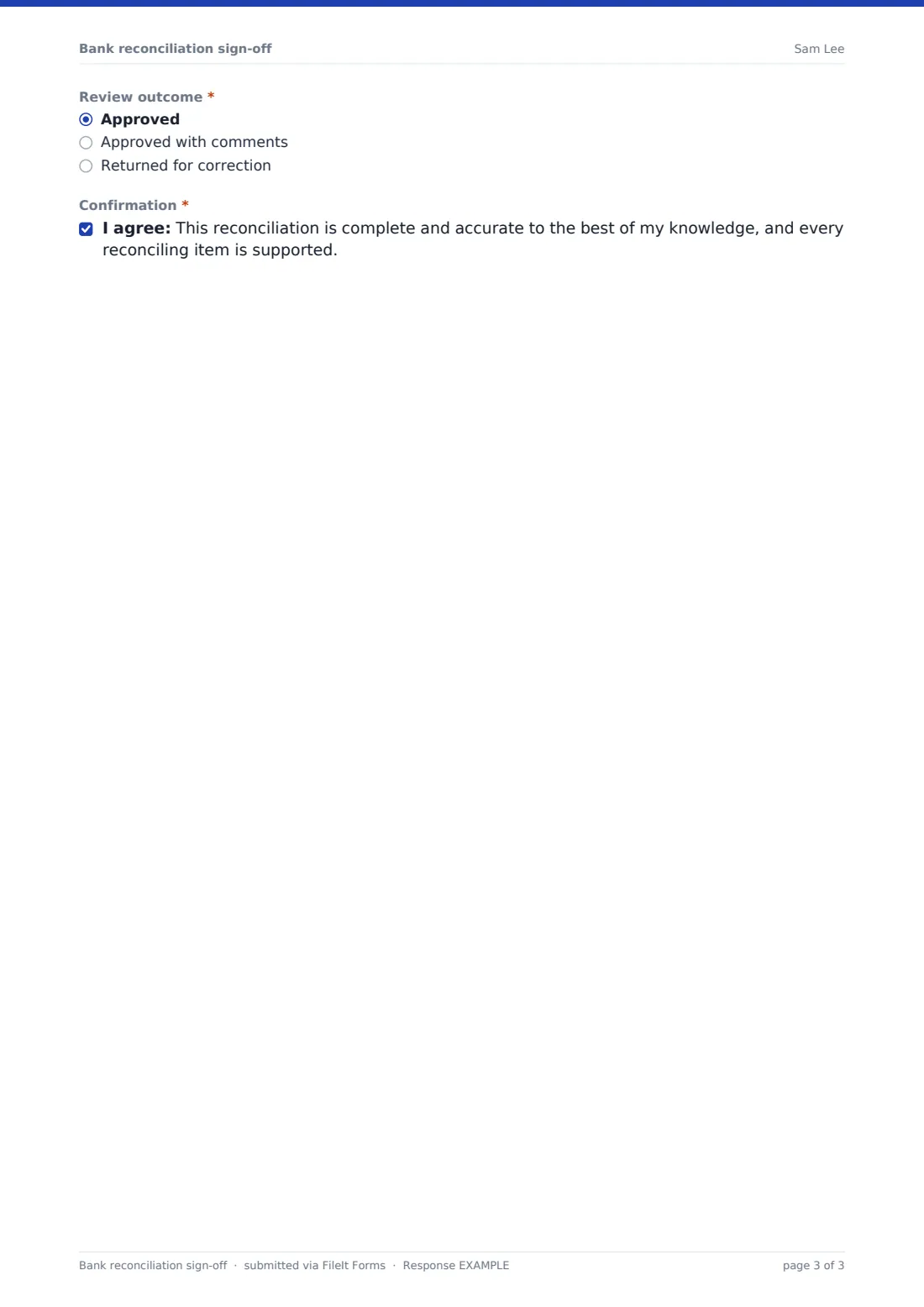
- Review outcome* Approved · Approved with comments · Returned for correction
- Reviewer comments* asked only when it applies
- Confirmation*
The bank reconciliation sign-off form, page by page
1 Account and period
Record the entity, bank account name and last four digits, general ledger account, currency, reconciliation date and bank statement date.
2 Balances
Start from the bank statement balance, add deposits in transit, deduct outstanding payments and cheques and add or deduct bank errors to reach the adjusted bank balance. Then record the ledger balance, ledger adjustments to post and the adjusted ledger balance. Enter the unreconciled difference and say whether it's zero. If it isn't, the preparer must explain it and how it will be cleared.
3 Reconciling items
List each reconciling item with its date, reference, amount and reason. Items more than 60 days old need an explanation of what's being done, and adjusting journals are listed with a reference once posted. Tick the checks completed, from agreeing the opening balance to matching inter-account transfers, and attach the bank statement and workpapers.
4 Sign-off
The preparer adds their name, date and signature. The reviewer's name, review date and outcome follow: approved, approved with comments or returned for correction, with comments required unless it's a clean approval. A final confirmation states the reconciliation is complete and every item is supported.
Make the template yours
- Change the 60-day threshold for old items to match your policy
- Add your bank accounts as a dropdown
- Edit the checks to match your internal control checklist
- Change the currency on the balance fields, or let each entry pick it
- Send completed reconciliations to the financial controller by email
- File reconciliations into a vault folder per account and year
Tips for a better bank reconciliation sign-off form
- Reconcile every account every month, including ones with little activity
- Investigate differences straight away: small ones are often a sign of a bigger error
- Chase or write back old outstanding cheques rather than carrying them forward indefinitely
- Keep preparer and reviewer as different people wherever your team is big enough
- Attach the exact statement used, so anyone can re-perform the reconciliation
Every response becomes a PDF in your vault
Each reconciliation is saved as a signed PDF in your FileIt vault with the statement and workpapers, and the reviewer or controller can be emailed when it's submitted.
Filter the Responses table by account or period to show an auditor the full history, or export to CSV to track which accounts are reconciled each month.
- Start from this template. It opens in the FileIt Forms designer — change any question, add pages, set the rules for when questions appear.
- Share it. Turn on a public link, or send it to people by email, each with their own link. They don’t need a FileIt account.
- Get the answers as PDFs. Each response is saved as a PDF in the vault folder you choose, with uploaded files attached — and listed in a Responses table you can export to CSV.
Bank reconciliation sign-off form: frequently asked questions
Is this bank reconciliation sign-off form free?
Yes. It's one of the ready-made templates in the FileIt Forms app on every account, including the free plan.
Does the form do the matching?
No. Do the matching in your accounting software or spreadsheet, then use this form to record the result, explain items and sign it off.
Does it calculate the adjusted balances?
No. FileIt Forms doesn't calculate. The preparer enters the figures from their workpapers.
Can I enter negative balances?
Yes. The balance and difference fields accept negative amounts for overdrawn accounts or negative differences.
When must the difference be explained?
Whenever the preparer answers that the unreconciled difference isn't zero.
Can the reviewer sign in the same form?
The reviewer's name, date and outcome are part of the form. If your reviewer works separately, they can complete those fields before it's submitted, or you can use a separate review form.