What is the budget variance explanation form template?
Every month finance sends out budget reports and asks budget holders to explain the big differences. What comes back varies wildly: a paragraph from one manager, a single word from another, and nothing from a third. Writing up the management accounts then means chasing and rewriting each one.
This template asks every budget holder the same questions. They give the totals for the period and whether the cost centre is over, under or within tolerance, then explain up to three of the largest variances, each with its amount, a main cause from a standard list and a short explanation. Lines two and three only expand once a line name is entered. The last page asks whether the variance is one-off, recurring or timing, what it means for the full-year forecast, and, for overspends, the corrective actions.
Each explanation is filed as a PDF in your FileIt vault, with the budget report attached.
- Best for
- Finance teams collecting month-end or quarter-end variance commentary
- Filled in by
- Department heads and cost centre budget holders
- Time to complete
- About 10 minutes
- Includes
- Three expandable variance lines, standard cause categories, forecast and reallocation follow-ups
Who uses a budget variance explanation form?
- Monthly variance commentary for management accounts
- Quarterly forecast reviews with each department
- Grant or project budgets that need explanations for funders
- Spotting recurring overspends early in the year
- Collecting requests to move budget between lines
Questions on this budget variance explanation form
30 questions over 4 pages · includes file upload, conditional questions, multiple pages, consent checkbox.
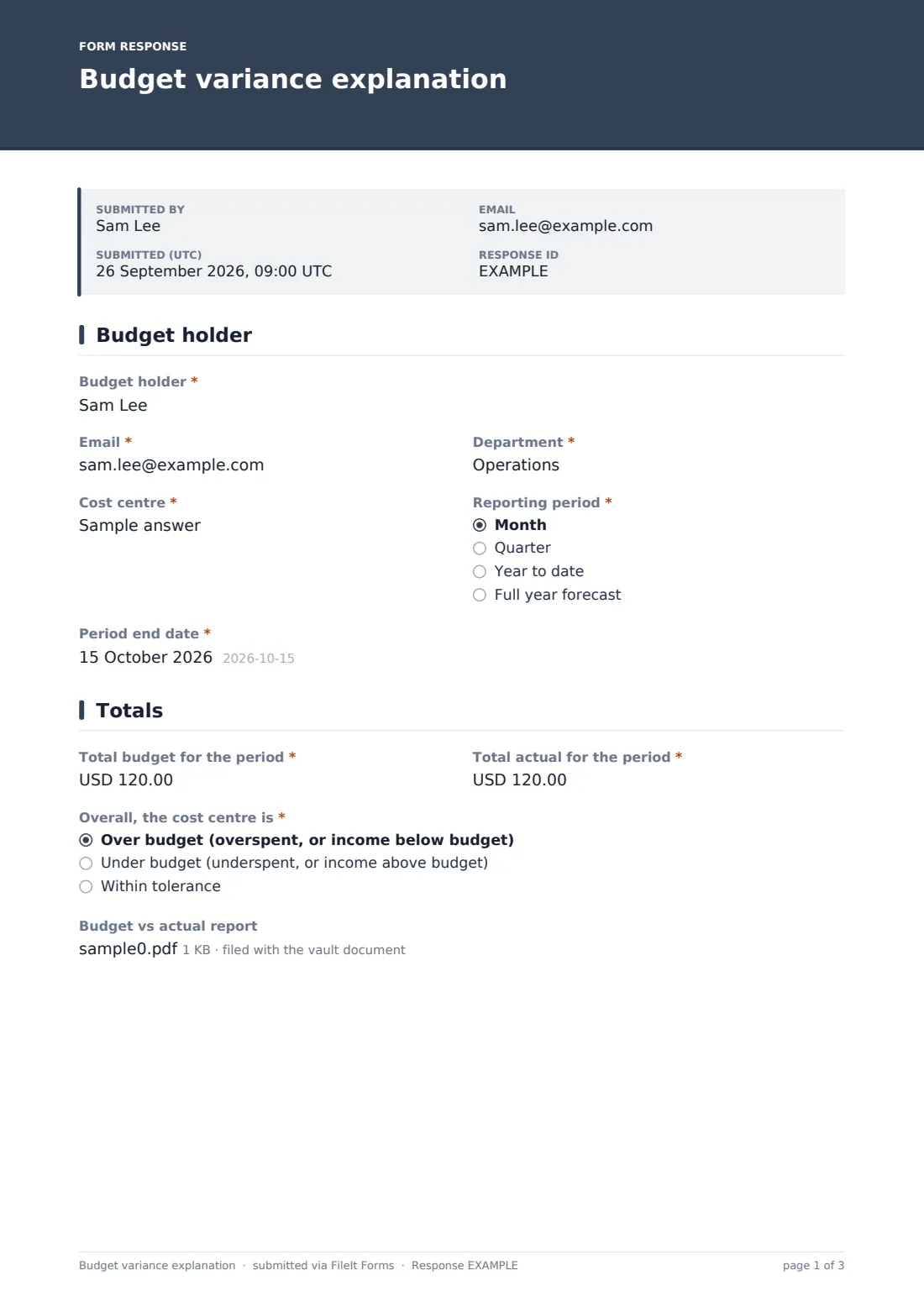
1 Budget holder
- Budget holder*
- Email*
- Department*
- Cost centre*
- Reporting period* Month · Quarter · Year to date · Full year forecast
- Period end date*
2 Totals
- Total budget for the period*
- Total actual for the period*
- Overall, the cost centre is* Over budget (overspent, or income below budget) · Under budget (underspent, or income above budget) · Within tolerance
- Budget vs actual report
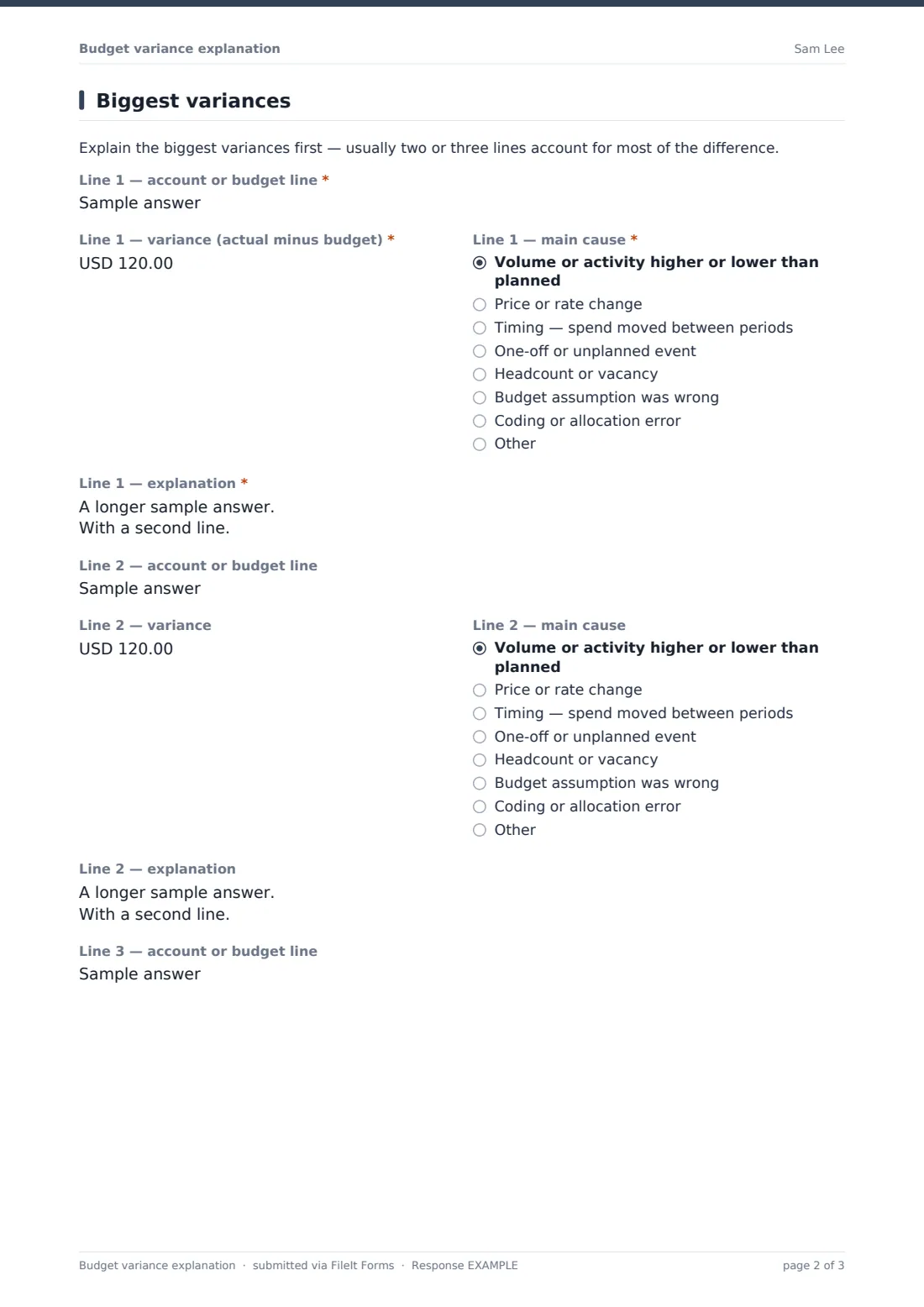
3 Biggest variances
- Line 1 — account or budget line*
- Line 1 — variance (actual minus budget)*
- Line 1 — main cause* Volume or activity higher or lower than planned · Price or rate change · Timing — spend moved between periods · One-off or unplanned event · Headcount or vacancy · Budget assumption was wrong · Coding or allocation error · Other
- Line 1 — explanation*
- Line 2 — account or budget line
- Line 2 — variance asked only when it applies
- Line 2 — main cause asked only when it applies Volume or activity higher or lower than planned · Price or rate change · Timing — spend moved between periods · One-off or unplanned event · Headcount or vacancy · Budget assumption was wrong · Coding or allocation error · Other
- Line 2 — explanation asked only when it applies
- Line 3 — account or budget line
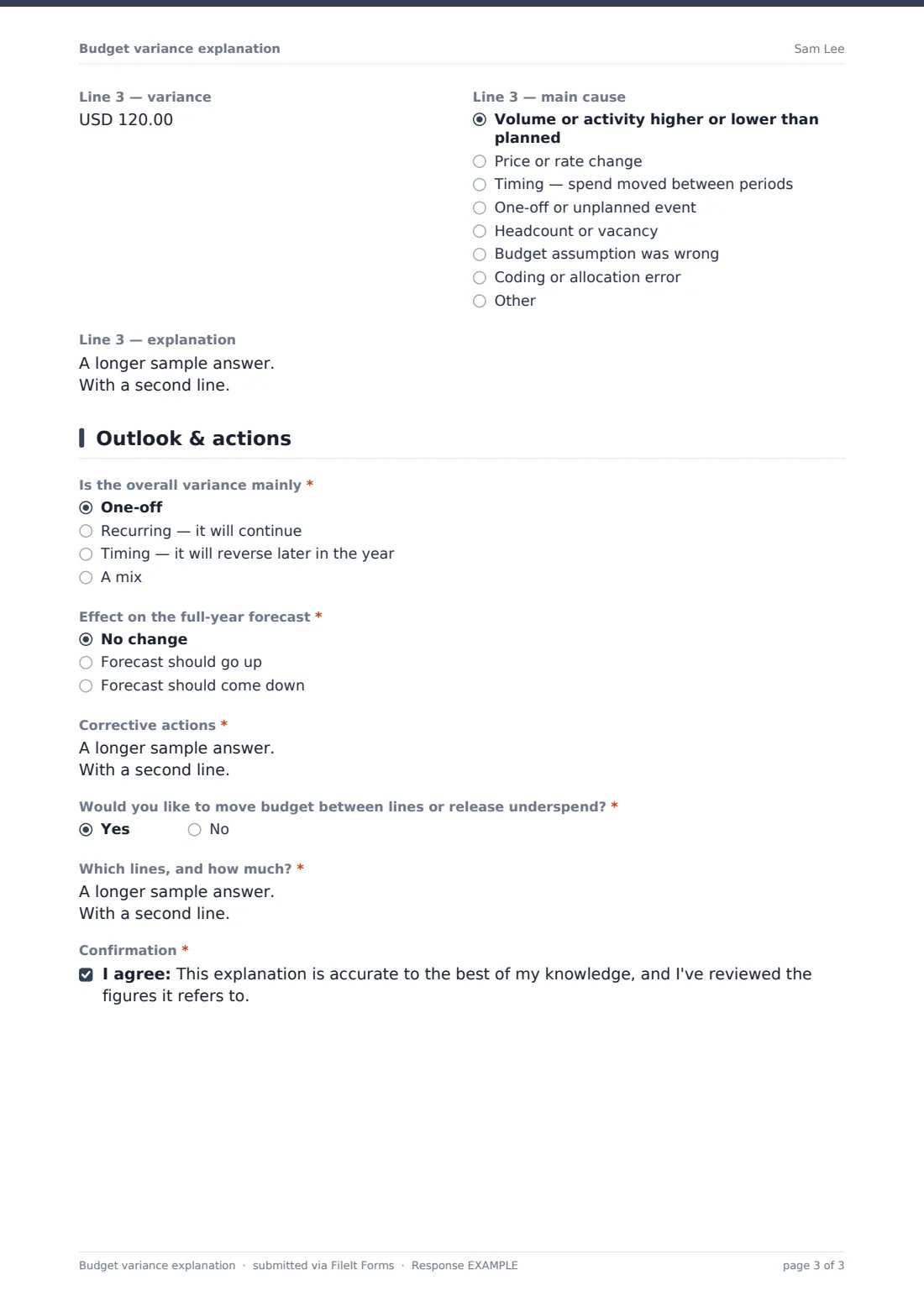
- Line 3 — variance asked only when it applies
- Line 3 — main cause asked only when it applies Volume or activity higher or lower than planned · Price or rate change · Timing — spend moved between periods · One-off or unplanned event · Headcount or vacancy · Budget assumption was wrong · Coding or allocation error · Other
- Line 3 — explanation asked only when it applies
4 Outlook & actions
- Is the overall variance mainly* One-off · Recurring — it will continue · Timing — it will reverse later in the year · A mix
- When do you expect it to reverse? asked only when it applies
- Effect on the full-year forecast* No change · Forecast should go up · Forecast should come down
- By roughly how much?* asked only when it applies
- Corrective actions* asked only when it applies
- Would you like to move budget between lines or release underspend?*
- Which lines, and how much?* asked only when it applies
- Confirmation*
The budget variance explanation form, page by page
1 Budget holder
The budget holder gives their name, email, department and cost centre, the reporting period (month, quarter, year to date or full-year forecast) and the period end date.
2 Totals
Total budget for the period and Total actual for the period are required. Overall, the cost centre is over budget, under budget or within tolerance, with each answer spelling out what it means for both spending and income. The budget vs actual report can be attached.
3 Biggest variances
A short note asks for the biggest variances first. Line 1 is required: the account or budget line, the variance (actual minus budget), the main cause and an explanation. The cause list is the same for every line: volume or activity, a price or rate change, timing, a one-off event, headcount or vacancy, a wrong budget assumption, a coding error, or other.
Lines 2 and 3 are optional. Their variance, cause and explanation questions appear only once a line name is entered, so short answers stay short.
4 Outlook & actions
Is the overall variance mainly one-off, recurring, timing or a mix? Timing asks when it should reverse. Effect on the full-year forecast asks whether it should stay, go up or come down, and by roughly how much. Over-budget cost centres must describe corrective actions and a timescale. A question about moving budget between lines or releasing underspend asks which lines and how much if the answer is yes. A confirmation closes the form.
Make the template yours
- Set the currency and replace the cause list with your own categories
- Add a fourth or fifth variance line for larger cost centres
- Define your tolerance in the form's description, such as 5 percent
- Set a close date each month to match your reporting deadline
- File explanations into a folder per period
Tips for a better budget variance explanation form
- Send each budget holder an emailed request with an expiry on your deadline
- Attach the report you sent them so the figures match
- Ask for causes, not just restated numbers
- Track recurring variances across months, since they usually mean the budget needs resetting
- Close the loop on reallocation requests quickly
Every response becomes a PDF in your vault
Each explanation is filed as a PDF in the vault folder you picked, titled with the budget holder's name and date, with the budget report attached to the document. Finance is notified by email, and the budget holder can receive a copy.
The Share tab shows who has returned their explanation and who needs a reminder. Export the Responses table to CSV to pull every variance, cause and forecast change into your management accounts pack.
- Start from this template. It opens in the FileIt Forms designer — change any question, add pages, set the rules for when questions appear.
- Share it. Turn on a public link, or send it to people by email, each with their own link. They don’t need a FileIt account.
- Get the answers as PDFs. Each response is saved as a PDF in the vault folder you choose, with uploaded files attached — and listed in a Responses table you can export to CSV.
Budget variance explanation form: frequently asked questions
What is a budget variance explanation?
It's commentary from a budget holder on why actual results differ from budget for a period, usually for the largest differences, with what it means for the forecast.
Is this template free?
Yes. It's a starter template in FileIt's Forms app, and you can edit every question.
Does the form calculate the variances?
No. Budget holders enter the figures from the report you send them. The form structures the explanation.
How do negative variances work?
The variance questions accept negative amounts, so actual minus budget can be entered either way.
Can I send it to every budget holder each month?
Yes. Send emailed requests to your list each period, track who has replied and send reminders. Duplicate the form if you want a separate one per period.
Do budget holders need a FileIt account?
No. They fill in the form from the link they receive.