What is the departmental budget request form template?
Budget season often means a dozen spreadsheets in a dozen layouts, each with its own idea of what counts as travel or software. This departmental budget request form asks every budget holder the same questions, so finance can compare submissions and spend the review meetings on decisions rather than tidying.
Department heads give this year's approved budget and forecast, then next year's amounts across nine operating cost categories, with a justification for anything going up. Headcount changes get their own page, with follow-up questions for new and reduced roles, and the last page asks what the budget will deliver and what would go first if it had to be cut.
Each submission is saved as a PDF in your FileIt vault, with any supporting spreadsheet attached. The Responses table exports to CSV so you can pull every department's category totals into your budget model.
- Best for
- Finance teams running an annual or mid-year budget round
- Filled in by
- Department heads and budget holders
- Time to complete
- About 20–30 minutes once the numbers are worked out
- Includes
- Nine cost categories, headcount follow-ups, priorities, file upload for workings
Who uses a departmental budget request form?
- A finance manager collects next year's operating budgets from eight departments
- A school business manager gathers budget bids from heads of subject
- A non-profit asks programme leads for their costs ahead of a board meeting
- A growing company asks team leads to justify new hires for the coming year
- A mid-year reforecast asks budget holders what's changed and why
- A CFO wants every department's cut scenario on record before the final round
Questions on this departmental budget request form
30 questions over 4 pages · includes file upload, conditional questions, multiple pages, consent checkbox.
1 Department
- Budget holder*
- Email*
- Department*
- Cost centre
- Budget year*
- This year's approved budget*
- Forecast spend for this year
- Total requested for next year*
- Summary of the main changes*
2 Operating costs
- Salaries and benefits
- Contractors and consultants
- Travel and accommodation
- Training and development
- Software and subscriptions
- Equipment (below the capital threshold)
- Marketing, events and sponsorship
- Premises and facilities
- Other
- What's in Other?* asked only when it applies
- Justify any category that's going up*
- Supporting workings
3 People
- Current headcount (FTE)*
- Headcount next year* No change · Increase · Decrease
- New roles* asked only when it applies
- Roles being reduced* asked only when it applies
4 Priorities & sign-off
- What will this budget deliver?*
- If the budget had to be reduced, what would go first?*
- Savings you've already found
- Are you also planning capital purchases?*
- Confirmation*
The departmental budget request form, page by page
1 Department
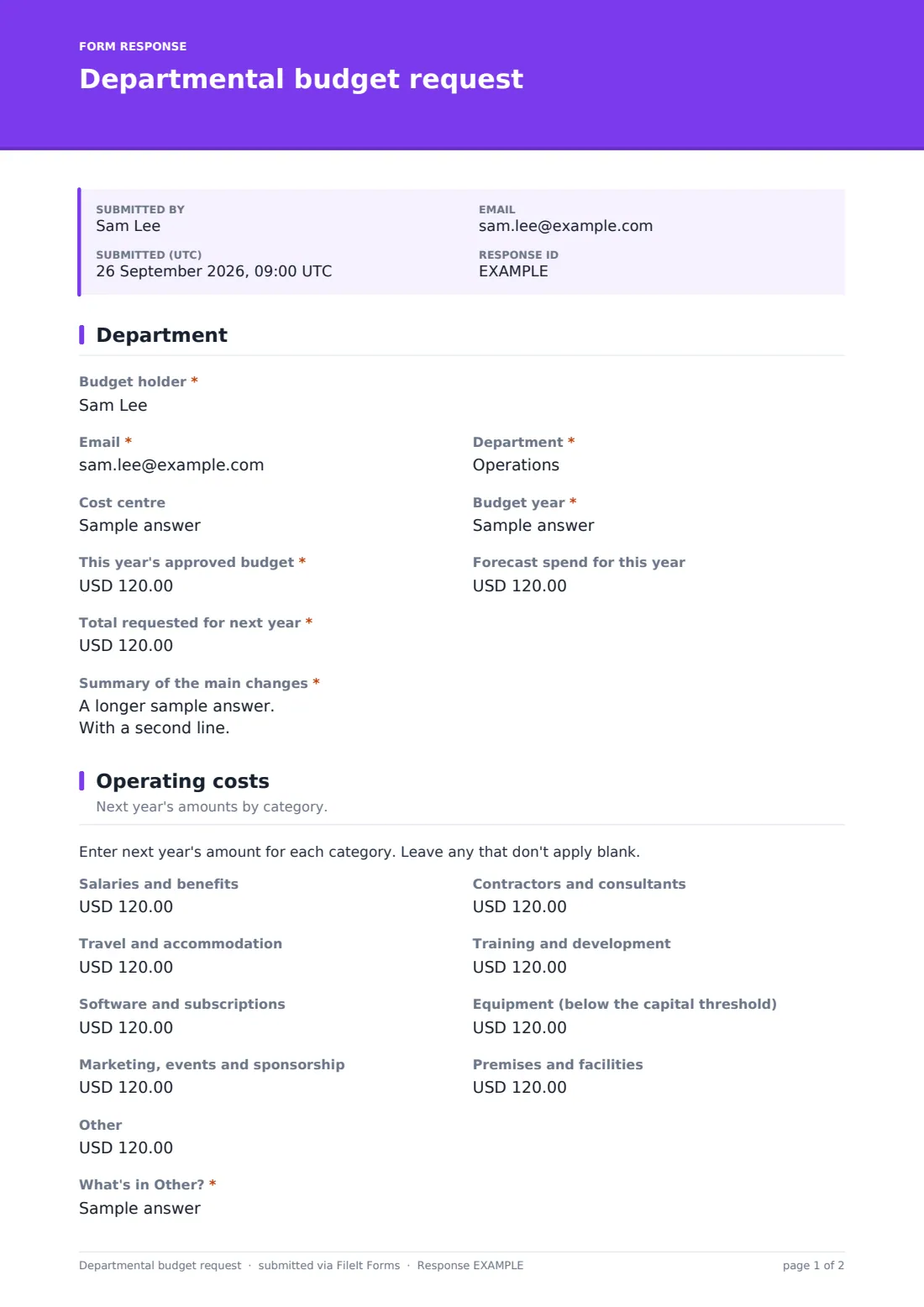
The budget holder, email, department and cost centre, the budget year, this year's approved budget and forecast spend, and the total requested for next year, operating costs only. A summary box gives the headline changes in a sentence or two.
2 Operating costs
Nine optional amounts: salaries and benefits, contractors, travel, training, software, equipment below the capital threshold, marketing and events, premises, and other. Entering an amount under Other asks what it covers. A required box asks the budget holder to justify any category that's going up, and a spreadsheet or quotes can be attached.
The form doesn't add up the categories, so finance should check that they match the total on page one.
3 People
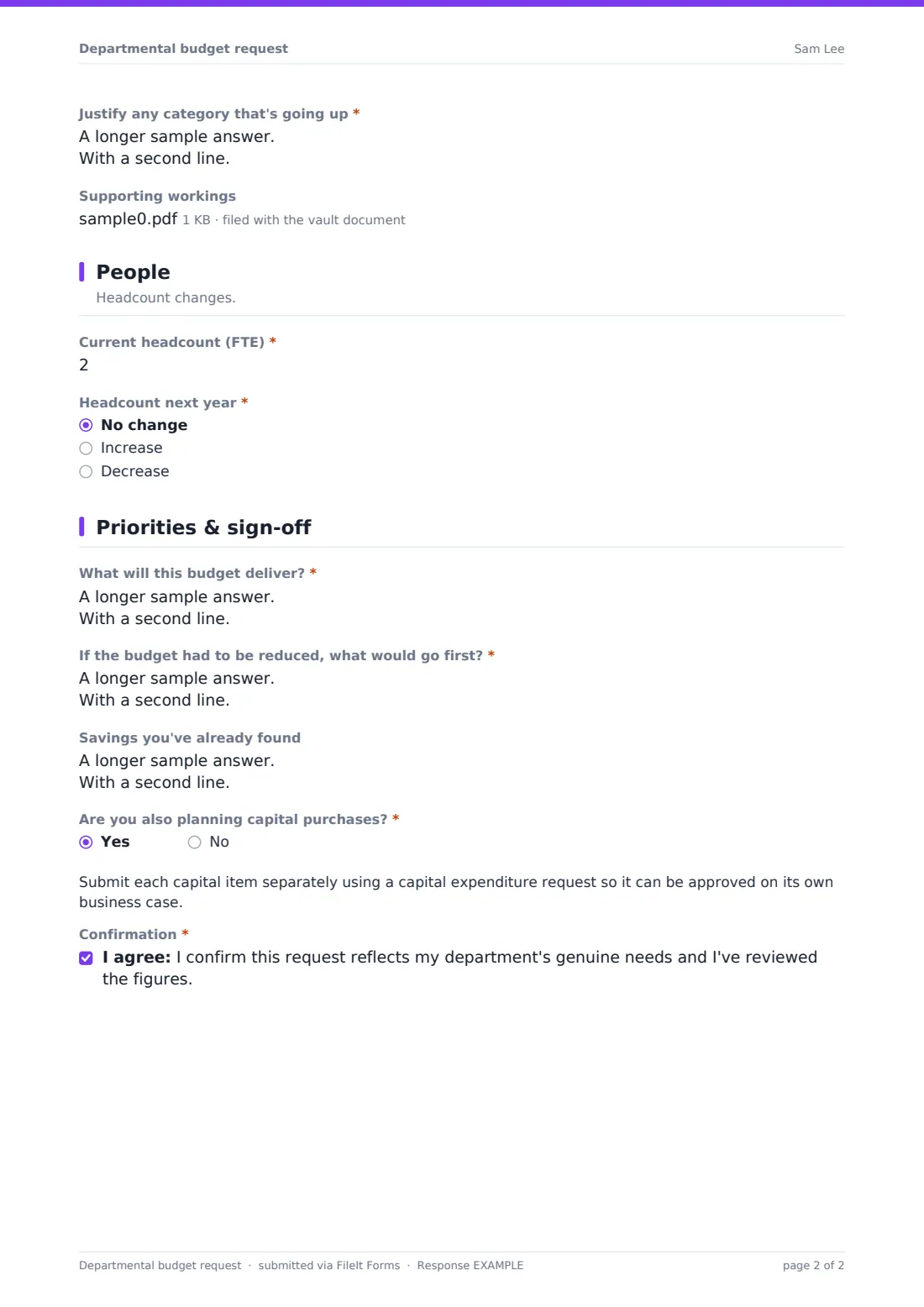
Current headcount in full-time equivalents and whether it's staying the same, going up or going down. An increase asks for each new role's title, level, start month and whether it's permanent; a decrease asks which roles and how.
4 Priorities & sign-off
What the budget will deliver and how it will be measured, what would go first if it had to be reduced, and savings already found. If capital purchases are planned, a note points to the capital expenditure request. The budget holder confirms the figures are reviewed and genuine.
Make the template yours
- Rename the categories to match your chart of accounts
- Set the currency on the amount fields to your reporting currency
- Add a closing date so submissions stop at your deadline
- Add the budget calendar and review meeting dates to the cover text
- Make the supporting workings upload required if you want every department's spreadsheet
- Duplicate the form for each business unit if they file into separate vault folders
Tips for a better departmental budget request form
- Publish your planning assumptions, such as pay rise and inflation rates, before the form opens
- Ask for this year's forecast as well as the budget; the gap between them tells you a lot
- The 'what would you cut first' question is most useful when you make it clear it isn't a trap
- Give budget holders last year's actuals by category to start from
- Export the responses to CSV once the window closes and build your model from one file
Every response becomes a PDF in your vault
Every submission becomes a PDF, with attachments, saved in the vault folder you've chosen. You're notified by email, and you can add a finance inbox or the CFO's address. Budget holders get a copy of what they submitted for their own records.
Once the window closes, finance can export the responses to CSV to consolidate category totals and headcount changes, then use the PDFs in review meetings with each department.
- Start from this template. It opens in the FileIt Forms designer — change any question, add pages, set the rules for when questions appear.
- Share it. Turn on a public link, or send it to people by email, each with their own link. They don’t need a FileIt account.
- Get the answers as PDFs. Each response is saved as a PDF in the vault folder you choose, with uploaded files attached — and listed in a Responses table you can export to CSV.
Departmental budget request form: frequently asked questions
Is this budget request template free?
Yes. It's one of the ready-made templates in the Forms app on every FileIt account, including the free plan. Use it as it is or change any question in the designer.
Does the form total up the categories?
No. Forms doesn't calculate, so the budget holder enters the total separately. It's worth checking the categories add up when you review.
Can a department submit a revised budget?
Yes. The form allows more than one response, so a revised submission can be made; the Responses table shows the date of each so you can use the latest.
Where do capital purchases go?
This form covers operating costs. If a department plans capital purchases, a note points them to the capital expenditure request, one per item.
Do department heads need a FileIt account to submit a budget?
No. Share the form by public link or send personal email invitations, and anyone can fill it in and submit it without creating an account.
Can we get the numbers into a spreadsheet?
Yes. Export the Responses table to CSV and each category is its own column, ready to paste into your budget model.