What is the training request form template?
Asking to attend a course or conference often comes down to a quick chat with a manager that never gets written down properly — until finance asks why a charge appeared with no context. This training request form template gives employees a structured way to make the case: what the training is, what it costs, how it helps them and the business, and whether their manager already supports it.
The form only asks what applies: choosing to attend in person opens a question about the venue, requesting travel support opens fields for travel and accommodation costs, and time away from work opens a question about how that work will be covered. It keeps a straightforward request quick to submit while making sure a bigger ask — a multi-day conference or a formal qualification — comes with the full picture.
Every request becomes a PDF filed in your FileIt vault as soon as it's submitted, giving HR, finance and managers one place to see exactly what was asked for, why, and what it will cost — no more digging through old emails to find the original justification.
- Best for
- Businesses approving employee training, courses, conferences and qualifications
- Filled in by
- The employee requesting training
- Time to complete
- About 8 minutes
- Includes
- Cost breakdown, conditional travel and cover questions, a business case, a declaration
Who uses a training request form?
- An employee requesting sponsorship to attend an industry conference
- Asking for funding and time off to complete a professional qualification
- Requesting a short online course relevant to a current role
- Formalising a training request that's already been discussed informally with a manager
- Recording the business case for training spend, for finance or leadership approval
- Building a filed record of training requests and outcomes across a growing team
Questions on this training request form
31 questions over 5 pages · includes file upload, conditional questions, multiple pages, consent checkbox.
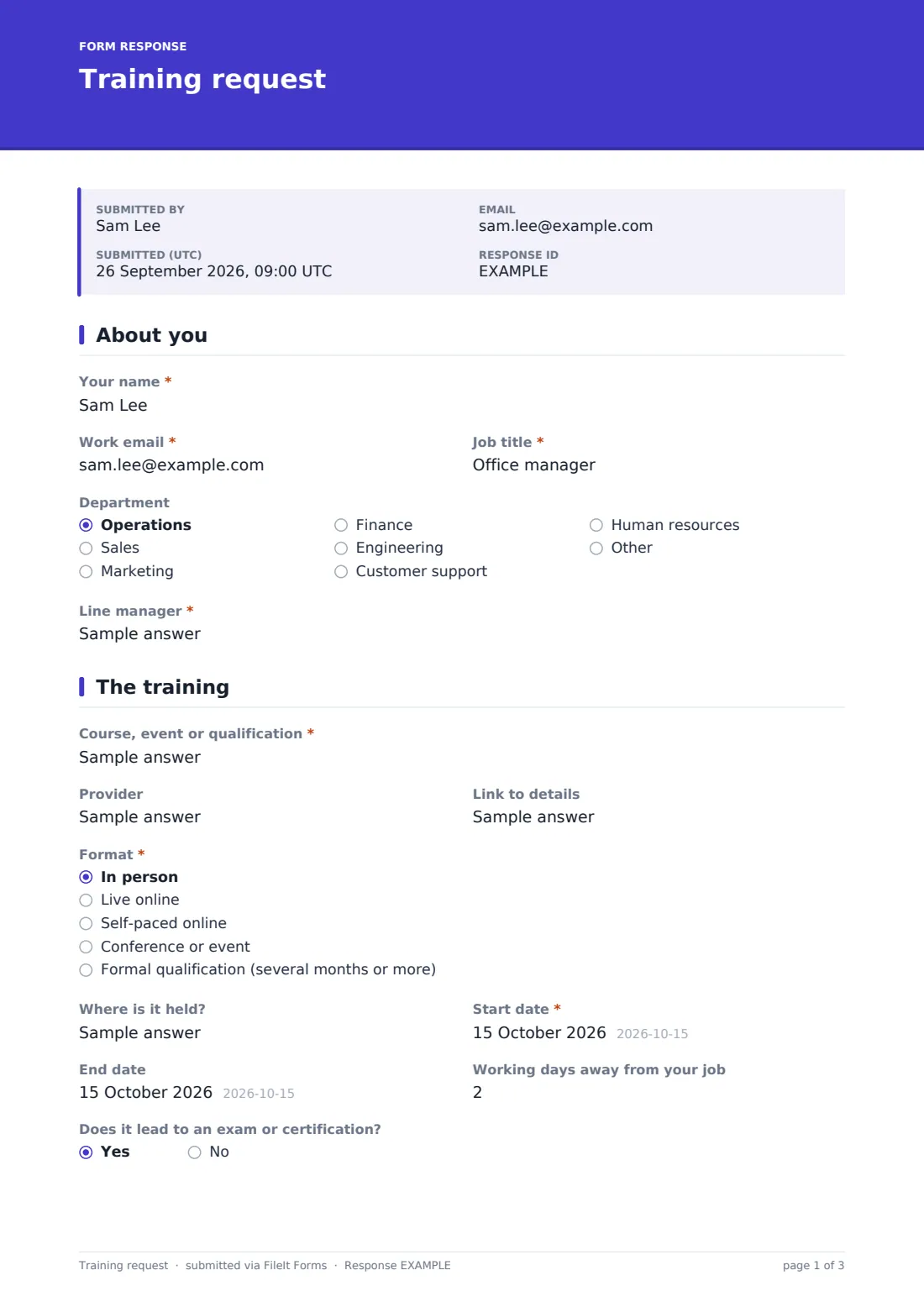
1 About you
- Your name*
- Work email*
- Job title*
- Department Operations · Sales · Marketing · Finance · Engineering · Customer support · Human resources · Other
- Line manager*
2 The training
- Course, event or qualification*
- Provider
- Link to details
- Format* In person · Live online · Self-paced online · Conference or event · Formal qualification (several months or more)
- Where is it held? asked only when it applies
- Start date*
- End date
- Working days away from your job
- Does it lead to an exam or certification?
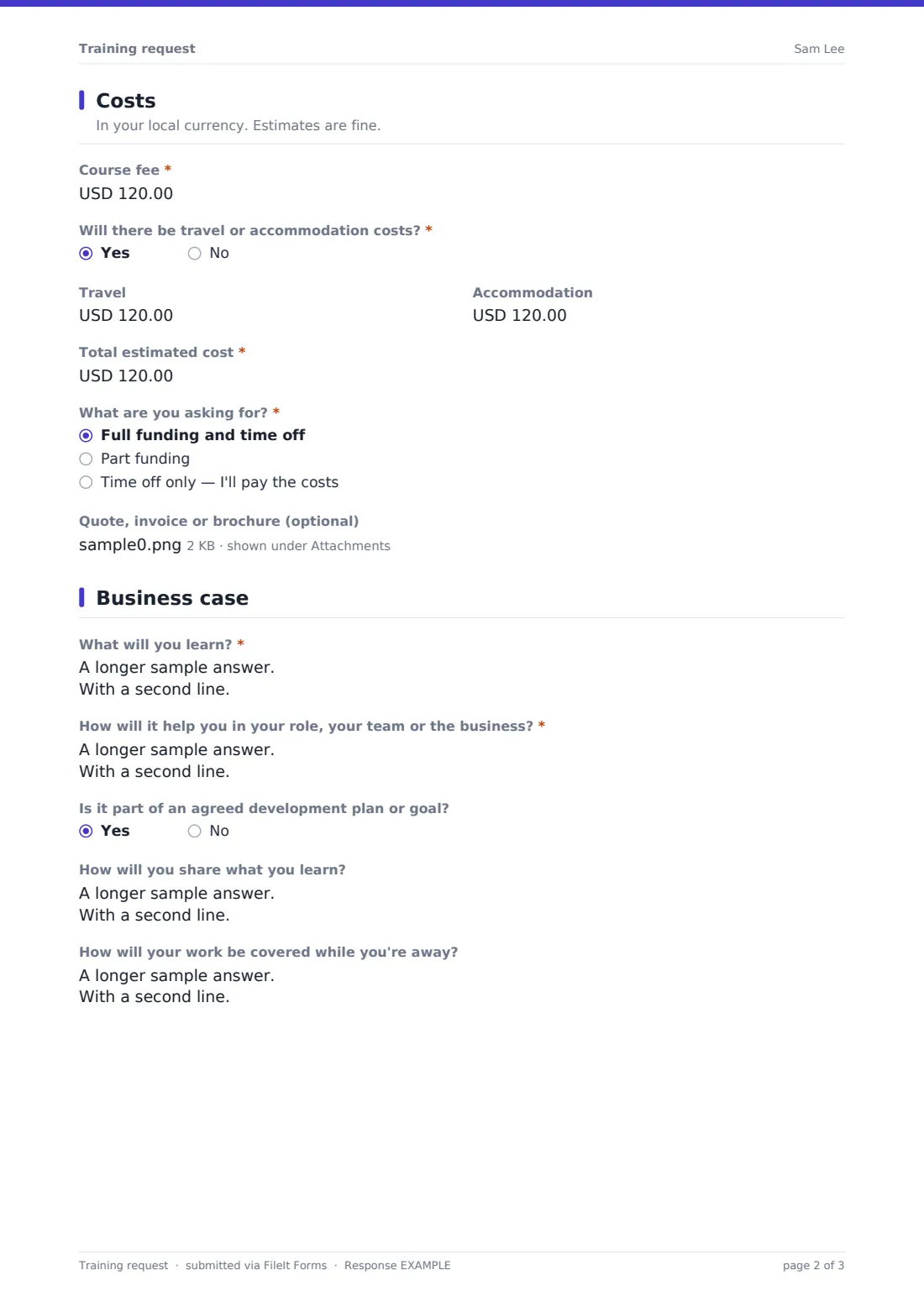
3 Costs
- Course fee*
- Will there be travel or accommodation costs?*
- Travel asked only when it applies
- Accommodation asked only when it applies
- Total estimated cost*
- What are you asking for?* Full funding and time off · Part funding · Time off only — I'll pay the costs
- How would the cost be shared? asked only when it applies
- Quote, invoice or brochure (optional)
4 Business case
- What will you learn?*
- How will it help you in your role, your team or the business?*
- Is it part of an agreed development plan or goal?
- How will you share what you learn?
- How will your work be covered while you're away? asked only when it applies
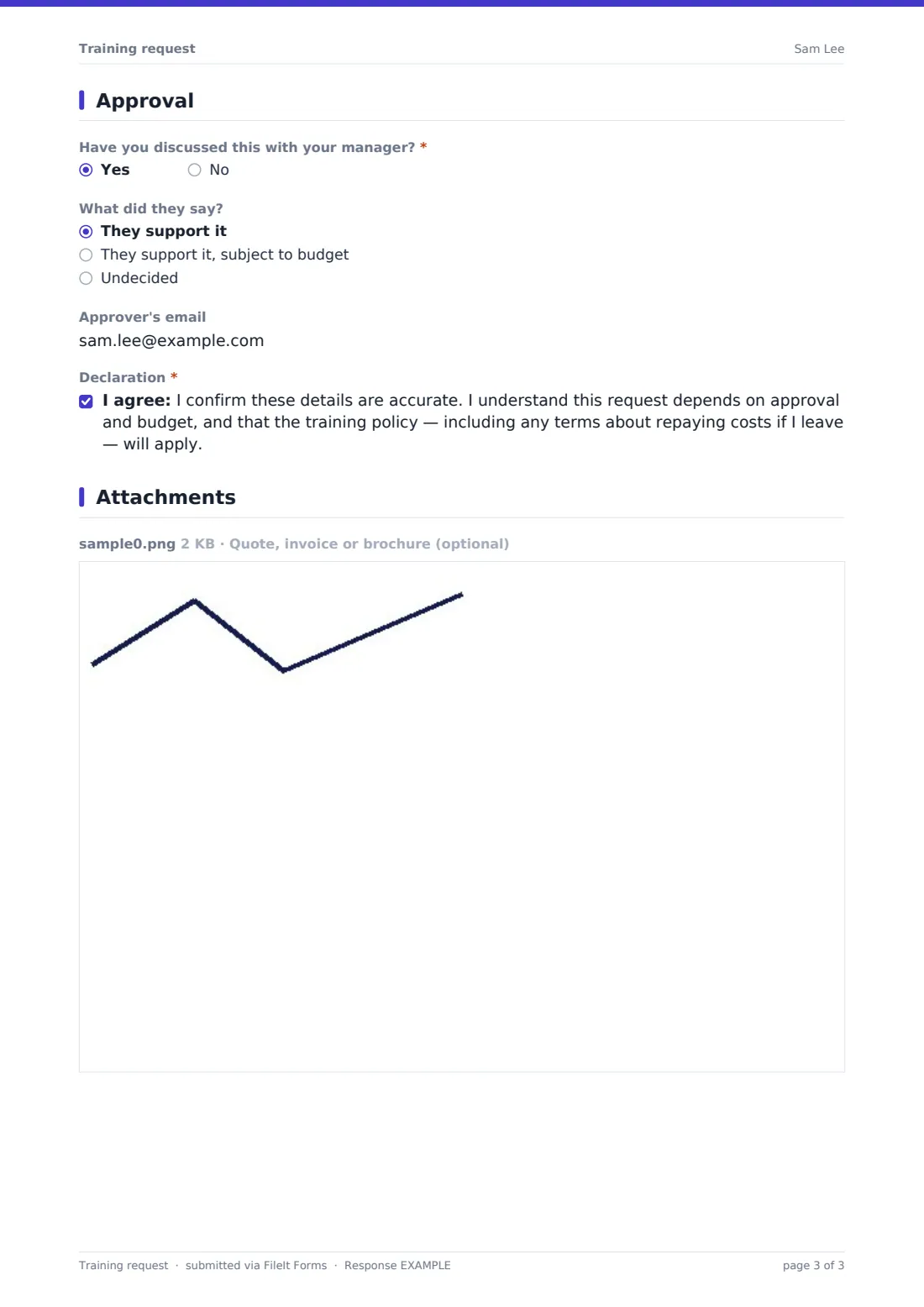
5 Approval
- Have you discussed this with your manager?*
- What did they say? asked only when it applies They support it · They support it, subject to budget · Undecided
- Approver's email
- Declaration*
The training request form, page by page
1 About you
The form starts with the employee's name, work email, job title, department and line manager — enough to identify who's asking and route the request correctly.
2 The training
Employees name the course, event or qualification, its provider, and a link to details if available. They choose a format — in person, live online, self-paced online, a conference or event, or a formal qualification lasting several months or more. Choosing "in person" opens a question about the venue. The form also records start and end dates, the number of working days away from the job, and whether the training leads to an exam or certification.
3 Costs
This page breaks down the course fee, and — if travel or accommodation is needed — the estimated travel and hotel costs separately, alongside a total estimated cost. Employees state what they're asking for: full funding and time off, part funding, or time off only if they're covering the costs themselves; choosing part funding opens a question on how the cost would be shared. A quote, invoice or brochure can be attached directly.
4 Business case
Employees describe what they'll learn and how it will help them, their team or the business, and whether it's part of an agreed development plan or goal. They're also asked how they'll share what they learn with others — a lunch-and-learn, updated guides — and, if any days away from work were entered, how their work will be covered while they're gone.
5 Approval
The final page asks whether the employee has already discussed the request with their manager and what was said — support, support subject to budget, or undecided — plus the email of whoever formally approves training spend if it isn't the manager. The employee finishes with a declaration confirming the details are accurate and that approval, budget and the company's training policy (including any terms about repaying costs if they leave) will apply.
Make the template yours
- Add your specific approval thresholds or budget owner details to the approval section
- Adjust the funding options to reflect your company's actual training budget policy
- Set the vault folder so training requests file alongside each employee's HR or development records
- Add a question for linking the request to a specific competency framework or appraisal goal
- Route notifications to your L&D or finance team as well as the line manager
- Change the confirmation message to explain your typical approval turnaround
Tips for a better training request form
- Ask employees to be specific about what they'll learn and how it applies to their actual role, not just general career development
- Encourage requests to be discussed with a manager before submission, as the form already prompts — it speeds up approval
- Compare the total estimated cost against your training budget before promising anything informally
- Ask for a knowledge-sharing plan, as the form does, so training benefits the wider team, not just the individual
- Keep declined or deferred requests on file too, so patterns in unmet training needs are easy to spot later
Every response becomes a PDF in your vault
As soon as an employee submits a training request, FileIt saves it as a PDF in your vault — including any quote or brochure — and sends an email notification to the relevant approver. If you've turned on a copy for the respondent, the employee also receives their own PDF.
From there, managers and L&D teams typically use the Responses table to review pending requests, open individual PDFs to check the cost and business case before approving, and export everything to CSV to track training spend and outcomes across the year.
- Start from this template. It opens in the FileIt Forms designer — change any question, add pages, set the rules for when questions appear.
- Share it. Turn on a public link, or send it to people by email, each with their own link. They don’t need a FileIt account.
- Get the answers as PDFs. Each response is saved as a PDF in the vault folder you choose, with uploaded files attached — and listed in a Responses table you can export to CSV.
Training request form: frequently asked questions
Is this training request form template free?
Yes — it's included with the Forms app on every FileIt account, including the free plan, along with more than 160 other ready-made templates.
Do employees need a FileIt account to submit a request?
No. Share the form as a link on your intranet or by email, and employees complete and submit it without creating an account.
Where do submitted requests go?
Every request is saved automatically as a PDF in your FileIt vault, and you can review, filter and export all requests from the Responses table.
Does the form only ask about travel costs if travel is needed?
Yes — the travel and accommodation cost fields only appear if the employee says there will be travel costs, using conditional logic already built into the template.
Does submitting this form approve the training automatically?
No. The form records the request and the employee's declaration that approval and budget apply — the actual decision is made by whoever reviews the request afterwards.
Can I attach a course brochure or quote to the request?
Yes — there's a file upload field for a quote, invoice or brochure, which is saved together with the request's PDF.
Can I track training requests across the whole team?
Yes — export all responses to CSV from the Responses table to see requests, costs and outcomes together across your team or department.