What is the course evaluation form template?
A course evaluation is only useful if people actually finish it and answer honestly. This template is built around that: a short first page to set the context, two rating grids that take seconds to click through, a workload and pace section, and finally open comments for anything the ratings didn't capture. Students or trainees can respond anonymously by simply leaving the optional name field blank.
Running this online instead of on paper handed out at the last session means you're not stuck transcribing handwriting or chasing people who missed that day — anyone with the link can respond in their own time, from any device, and doesn't need a FileIt account to do it. A closing date can be set so the survey shuts itself off once you've moved on to the next term or cohort.
Every submission is turned into a PDF the moment it's received and filed in your FileIt vault, in whichever folder you choose for that course. If you're gathering evaluations across several courses or terms, each one lands as its own dated PDF, and the full set can be exported to CSV whenever you want to look at the numbers together.
- Best for
- Schools, colleges, training providers and workshop organizers
- Filled in by
- Students, trainees or workshop attendees, anonymously if they choose
- Time to complete
- About 4–5 minutes
- Includes
- Star rating, two rating grids, scale question, conditional follow-up
Who uses a course evaluation form?
- A college department collecting end-of-term feedback on a lecturer and course content
- A training provider evaluating a workshop or short course immediately after it finishes
- A corporate trainer checking whether workload and pace suited the group before running it again
- A tutoring or exam-prep business gathering structured feedback across multiple instructors
- A curriculum team comparing ratings across terms to see whether changes to a course actually helped
- An online course creator sending the evaluation link once a cohort reaches the final session
Questions on this course evaluation form
17 questions over 4 pages · includes conditional questions, multiple pages, ratings.
1 About the course
- Course*
- Instructor / teacher
- Term or dates
- How many sessions did you attend?* All or almost all · Most · About half · Fewer than half
2 Ratings
- Overall, how would you rate this course?*
- The course* Strongly disagree · Disagree · Neutral · Agree · Strongly agree
- The instructor* Strongly disagree · Disagree · Neutral · Agree · Strongly agree
3 Workload & pace
- The workload was…* Too light · A little light · About right · A little heavy · Too heavy
- Hours per week spent on this course outside sessions
- How difficult was the course?
- The pace was… Too slow · About right · Too fast
4 Your comments
- What worked best?
- What should change next time?
- Sorry it didn't go well — what was the main problem? asked only when it applies
- Would you recommend this course to others?*
- Your name (optional)
- Email (optional) asked only when it applies
The course evaluation form, page by page
1 About the course
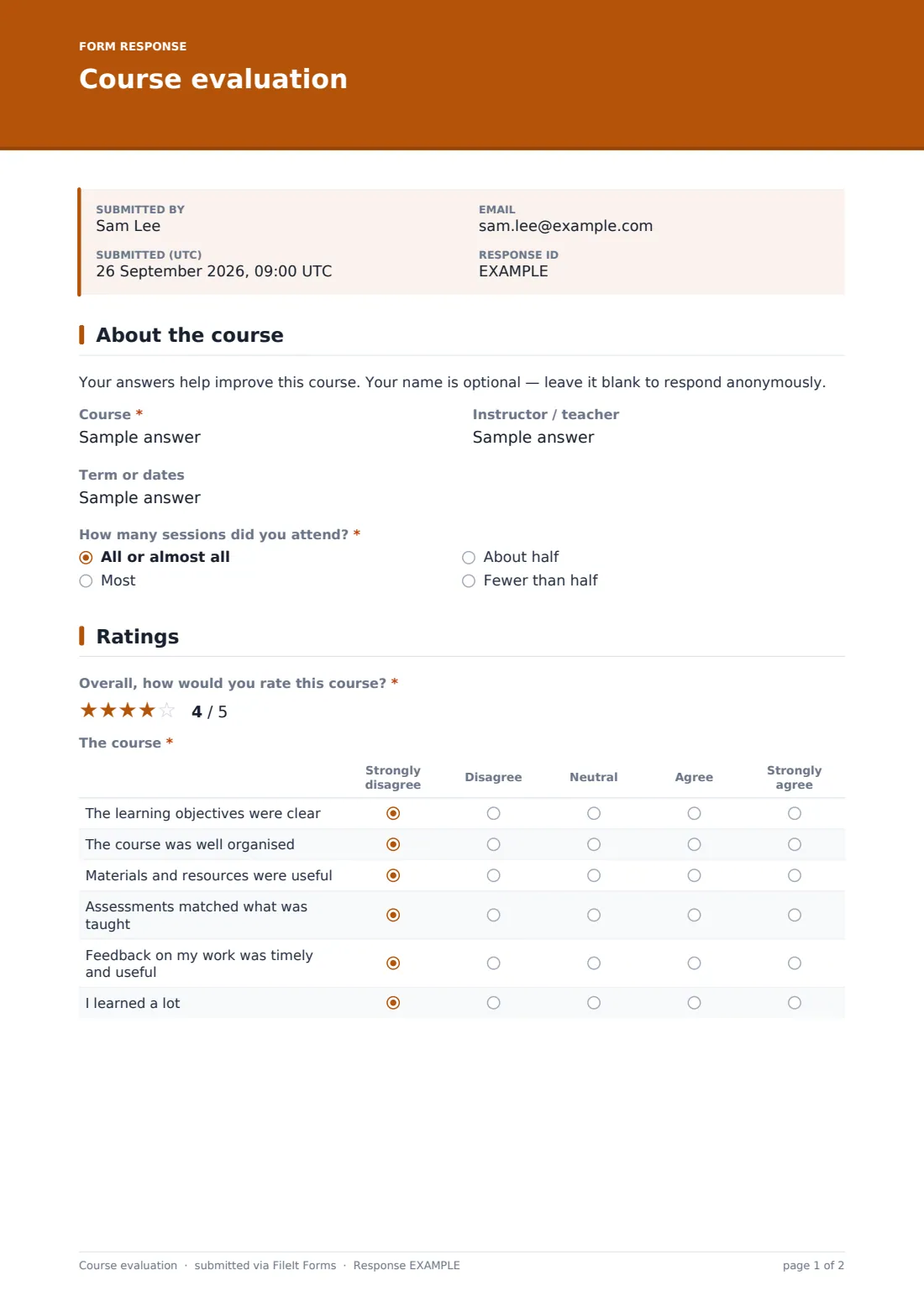
A short note up front tells respondents their name is optional and they can answer anonymously. They then fill in the course name, the instructor's name (optional, in case one person is evaluating several instructors separately), the term or dates, and how many sessions they attended — all, most, about half, or fewer than half.
Asking attendance up front matters: someone who missed most sessions is answering from a different vantage point than someone who was there every week, and having that on record helps you weigh the comments that follow.
2 Ratings
This page opens with a simple five-star "Overall, how would you rate this course?" rating, then two ratings grids. The first, "The course," asks respondents to agree or disagree with six statements — the learning objectives were clear, the course was well organised, materials and resources were useful, assessments matched what was taught, feedback on their work was timely and useful, and they learned a lot.
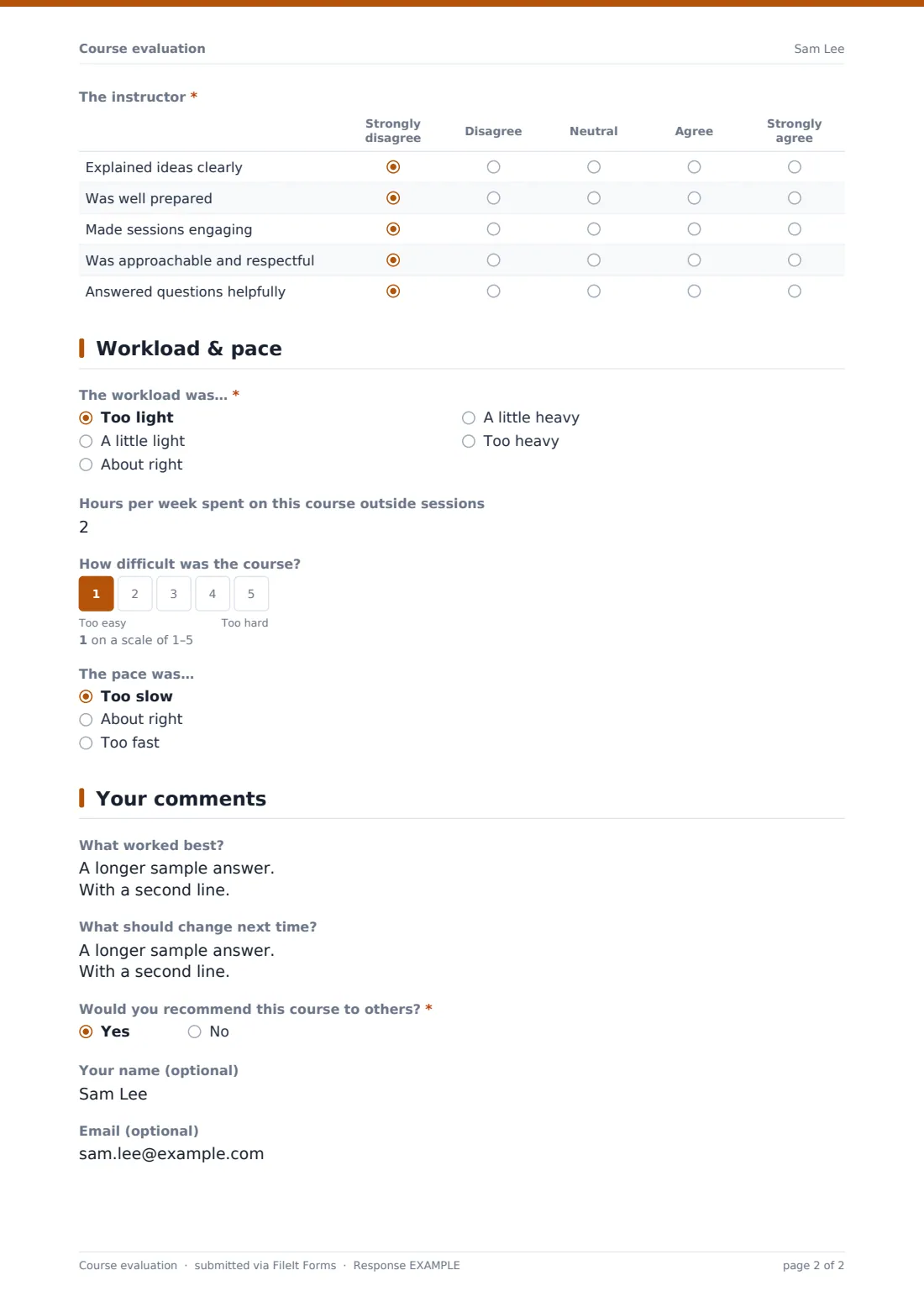
The second grid, "The instructor," covers five statements about how ideas were explained, how prepared the instructor was, how engaging sessions were, how approachable they were, and how helpfully questions were answered. Splitting course quality from instructor delivery means you can act on the two separately — course materials might need work even when the instructor is well-rated, or vice versa.
3 Workload & pace
A radio question asks whether the workload was too light, a little light, about right, a little heavy or too heavy, followed by an optional number field for hours spent on the course outside sessions each week — useful for sanity-checking whether the stated workload matches what people actually experienced.
A 1–5 scale then asks how difficult the course was, labeled from "too easy" to "too hard," and a final radio question covers pace — too slow, about right, or too fast. Together these three questions give a quick read on whether the course needs to move faster, slower, or stay as it is next time it runs.
4 Your comments
Open text questions ask what worked best and what should change next time. If someone gave an overall rating below 3 stars, a further question appears asking what the main problem was — so the form only digs for detail from people who had a difficult experience, rather than asking everyone to justify a good rating.
A yes/no question asks whether they'd recommend the course, and the page closes with optional name and email fields — the email field only appears once a name has been entered, for anyone who'd like a reply.
Make the template yours
- Rename the course, instructor or term fields to match how your institution refers to them
- Add or remove statements in either rating grid to match what you actually want feedback on
- Set a closing date so the evaluation stops accepting responses once the next term starts
- Turn on email notifications so you see low overall ratings as soon as they come in, rather than waiting for term-end
- File responses into a folder per course or per term so you can compare cohorts later
- Add a question about specific assignments or materials if you want more granular feedback
- Set the confirmation message to thank respondents and mention when changes based on feedback typically happen
Tips for a better course evaluation form
- Keep the anonymous option genuinely anonymous — don't require an email address if you want honest answers about a struggling course
- Send the link while the course is still fresh in people's minds, ideally right after the final session
- Ask only what you'll actually use — a shorter form gets more complete responses than an exhaustive one
- Read the open comments alongside the ratings, not instead of them; a single detailed comment can explain a whole cluster of average scores
- If you make changes based on feedback, mention it the next time you run the course — respondents are more likely to fill in future evaluations if they see it makes a difference
- Export a term's responses to CSV before archiving the course, so the summary data is easy to compare year over year
Every response becomes a PDF in your vault
Each time someone submits, FileIt saves their answers as a PDF in your vault, in the folder you've set for that course, and — if you've turned it on — sends you an email notification straight away. Because every question, including the rating grids, is captured in the PDF, you have a complete, dated record of that response even months later.
From there, most instructors or department admins skim the Responses table for a sense of the overall spread, open individual PDFs when a comment needs more context, and export everything to CSV at the end of term to look at trends across the whole cohort or compare against a previous run of the same course.
- Start from this template. It opens in the FileIt Forms designer — change any question, add pages, set the rules for when questions appear.
- Share it. Turn on a public link, or send it to people by email, each with their own link. They don’t need a FileIt account.
- Get the answers as PDFs. Each response is saved as a PDF in the vault folder you choose, with uploaded files attached — and listed in a Responses table you can export to CSV.
Course evaluation form: frequently asked questions
Is this course evaluation form template free?
Yes. It's part of the Forms app included on every FileIt account, including the free plan, along with the other 160 ready-made templates.
Do students need a FileIt account to fill this in?
No. You share a link or email it out, and students respond directly — no account or sign-up needed.
Can students really respond anonymously?
Yes — the name field is optional, and the email field only appears if a name is entered, so someone who leaves both blank submits an anonymous response.
How do I get the evaluation responses as a PDF?
Every submission is automatically converted to a PDF and saved in your FileIt vault in the folder you choose, so you don't need to export anything to get a record of it.
Can I evaluate more than one instructor with this form?
Yes — the instructor name is a text field you fill in per response, or you can duplicate the form and send a separate link for each instructor if you'd rather keep the results fully separate.
Can I limit how many people respond?
Yes, you can set a maximum number of responses or a closing date in the form's settings, useful if you're evaluating a capped class size.
Why does a follow-up question appear for some low ratings?
The form is set up so that anyone who gives an overall rating below 3 stars is asked what the main problem was — a conditional question that keeps the form short for everyone else.
Can I see all responses in one place?
Yes — the Responses table lists every submission with filters, and you can open any PDF individually or export the full set to CSV.