What is the student feedback survey form template?
Students are often more honest about a class than any staff observation could capture — if they feel safe saying so. This student feedback survey form template is built to be anonymous by design: no name field, a clear note at the top explaining that answers are only ever seen together as a group, and questions written in plain, direct language a student would actually use.
It mixes quick ratings — a five-star "How much do you enjoy this class?" and an agree/disagree grid covering things like clear explanations and feeling comfortable asking questions — with a couple of open-ended questions about what's working and what would make things better. A low enjoyment score quietly opens up an extra question asking what would help, so the survey digs deeper exactly where it's needed without making every student answer it.
Every completed survey is saved as its own PDF in the teacher's FileIt vault, so a class's feedback builds into a filed record you can revisit at the end of a unit or term rather than a pile of paper slips.
- Best for
- Teachers and schools collecting honest, anonymous feedback from students
- Filled in by
- Students, anonymously
- Time to complete
- About 5 minutes
- Includes
- A rating scale, an agree/disagree matrix, and a question that only appears for low enjoyment scores
Who uses a student feedback survey form?
- Checking in on a class at the start, middle or end of the school year
- Getting feedback at the end of a topic or unit while it's still fresh
- Understanding whether the pace of lessons and amount of homework feel right
- Finding out how students prefer to learn — in groups, alone, through discussion or hands-on activities
- Picking up early on a student who might be struggling or unhappy in a particular class
- Building a simple, repeatable way to gather student voice across multiple classes or subjects
Questions on this student feedback survey form
13 questions over 2 pages · includes conditional questions, multiple pages, ratings.
1 About the class
- Subject or class*
- When Start of the year · Middle of the year · End of the year · End of a topic
- How much do you enjoy this class?*
- In this class…* Strongly disagree · Disagree · Not sure · Agree · Strongly agree
- The pace of lessons is… Too slow · About right · Too fast
- Homework is… Too little · About right · Too much · We don't get homework
2 How you learn
- I learn best when we… Work in groups · Work on my own · Discuss as a class · Do practical activities · Watch videos or demonstrations · Play learning games · Make notes
- How confident do you feel in this subject?
- What's the best thing about this class?
- If you could change one thing, what would it be?
- What would make the class better for you? asked only when it applies
- Is anything making it hard for you to learn in this class?
- If you're happy to, tell us more asked only when it applies
The student feedback survey form, page by page
1 About the class
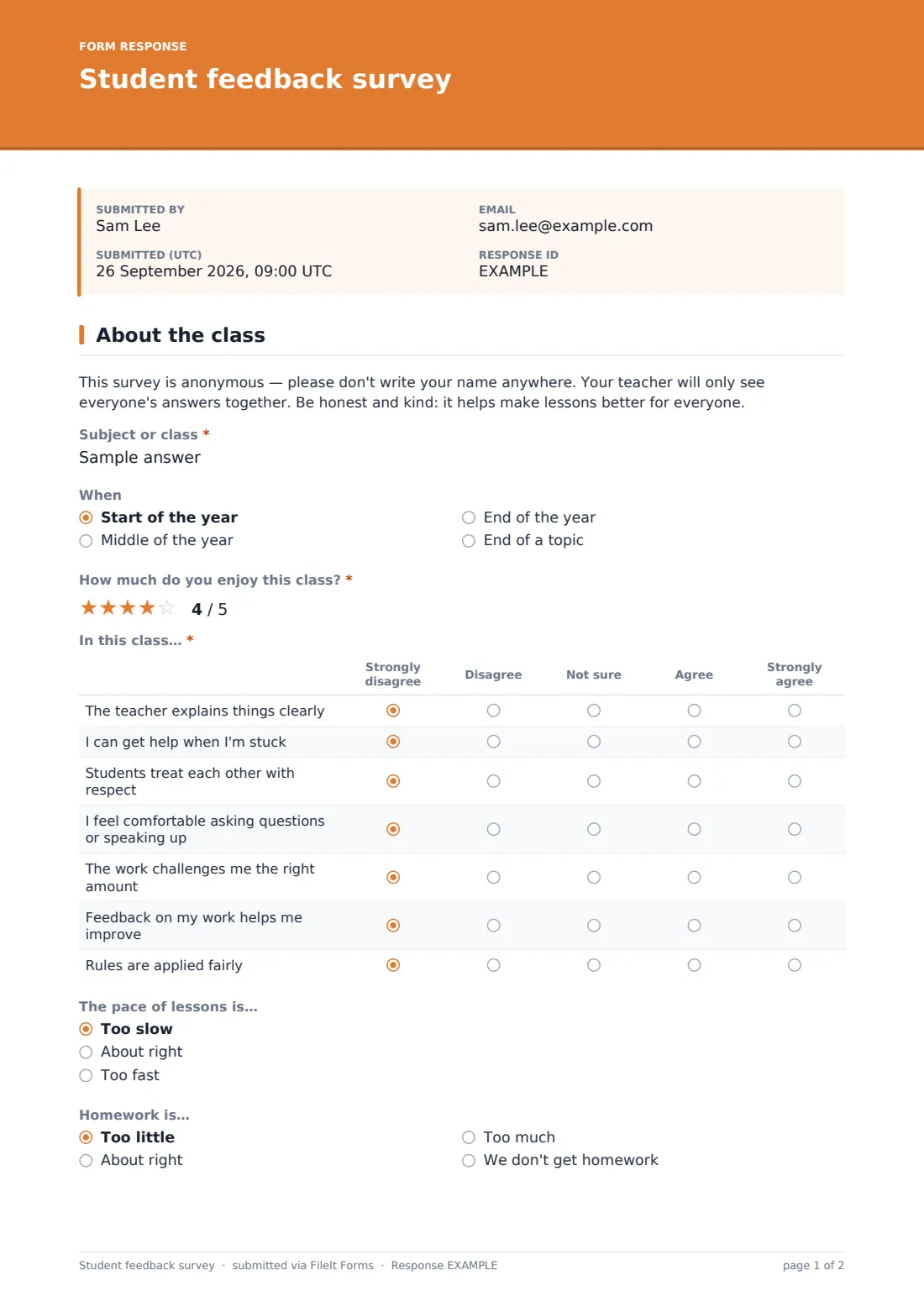
The survey opens with a clear reminder that it's anonymous and that answers are seen only together as a group, encouraging students to be honest and kind. It then asks which subject or class the feedback is about, and when in the year it's being collected — start, middle, end, or the end of a topic.
Students rate how much they enjoy the class on a five-point scale, then respond to a set of statements — "The teacher explains things clearly," "I can get help when I'm stuck," "Students treat each other with respect," "I feel comfortable asking questions or speaking up," "The work challenges me the right amount," "Feedback on my work helps me improve," and "Rules are applied fairly" — from strongly disagree to strongly agree. Two quick questions follow on whether the pace of lessons and the amount of homework feel right.
2 How you learn
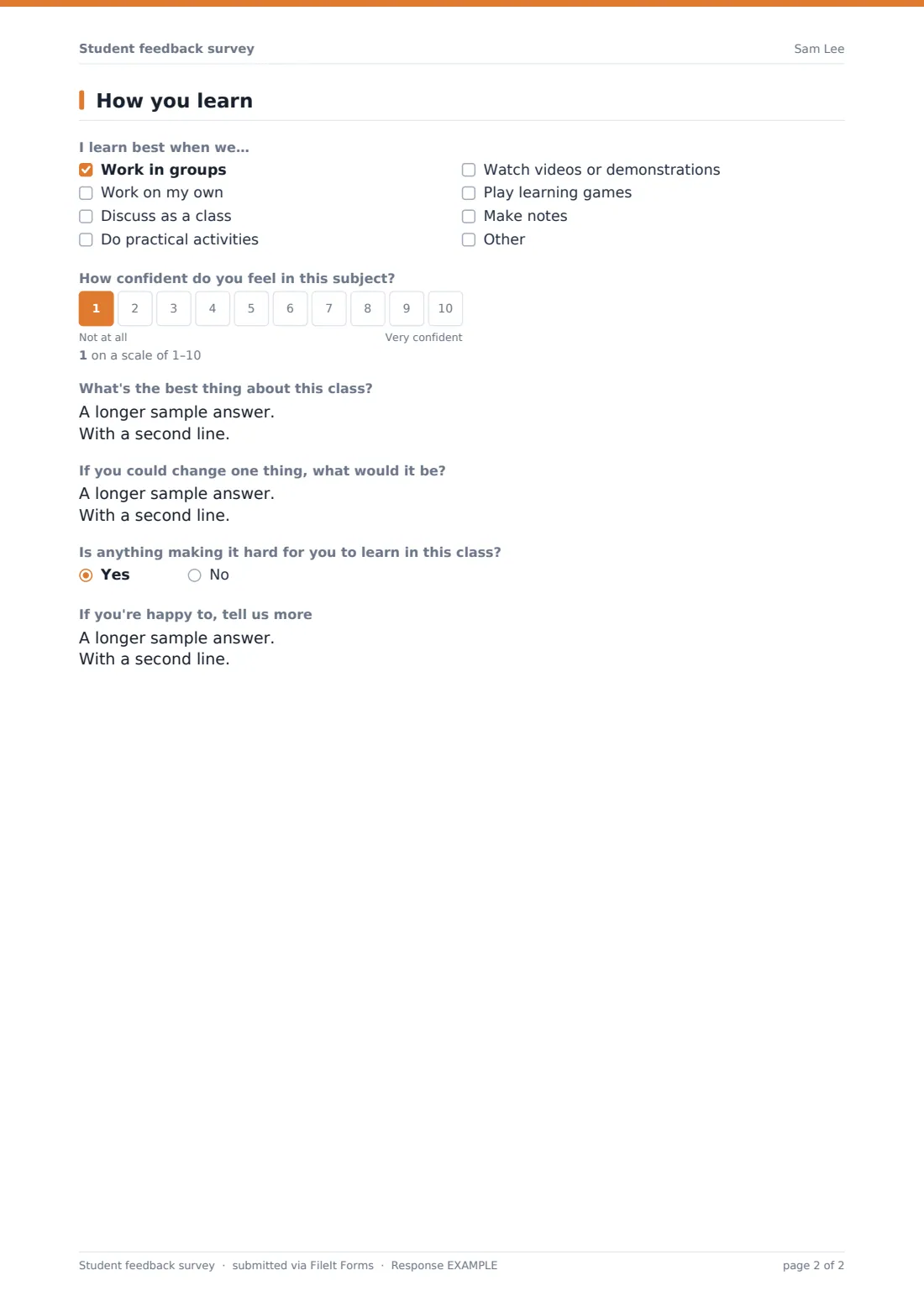
This page asks students to tick up to three ways they learn best — in groups, alone, through class discussion, hands-on activities, videos, learning games, or making notes — and to rate their confidence in the subject on a 10-point scale.
Two open questions ask what's best about the class and what one thing the student would change. If a student rated their enjoyment low earlier, an extra question quietly appears asking what would make the class better for them. A final yes/no question checks whether anything is making it hard for the student to learn, and if so, invites more detail — alongside a gentle reminder to also speak to a teacher or trusted adult if something is worrying them or they feel unsafe.
Make the template yours
- Adjust the subject field to a dropdown of your school's actual class list if you're running this across many classes
- Add or remove statements in the agree/disagree grid to match what your school specifically wants to track
- Set a closing date so responses are collected only within a specific feedback window
- Change the vault folder so each class's feedback files separately for easier year-on-year comparison
- Turn off the option to email the respondent a copy, since students are meant to remain anonymous
- Translate or reword questions for younger students if the current wording is above their reading level
Tips for a better student feedback survey form
- Keep the survey genuinely anonymous — don't ask for anything that could identify an individual student, even indirectly
- Tell students clearly how their answers will be used before they start, so they trust the process
- Read comments as patterns across the group rather than trying to guess who wrote what
- Act on what you learn and let students know something changed as a result — it builds trust for the next survey
- Always keep a visible, separate way for a student to raise a safety concern directly with an adult, since this survey isn't designed for urgent disclosures
Every response becomes a PDF in your vault
Each time a student submits the survey, FileIt saves their answers as an anonymous PDF in your vault. Because the form is designed for anonymity, individual response notifications aren't the point — most teachers wait until a class has responded before reviewing feedback as a group.
The Responses table lets you see every submission at a glance and filter by class or term, while the CSV export makes it easy to look at ratings across a whole year group or compare classes side by side over time.
- Start from this template. It opens in the FileIt Forms designer — change any question, add pages, set the rules for when questions appear.
- Share it. Turn on a public link, or send it to people by email, each with their own link. They don’t need a FileIt account.
- Get the answers as PDFs. Each response is saved as a PDF in the vault folder you choose, with uploaded files attached — and listed in a Responses table you can export to CSV.
Student feedback survey form: frequently asked questions
Is this student feedback survey template free?
Yes — it's included with the Forms app on every FileIt account, including the free plan, along with over 160 other ready-made templates.
Do students need a FileIt account to respond?
No. Students open the link and submit their answers directly, with no account or sign-up required.
Is the survey really anonymous?
The template doesn't ask for a name or any identifying detail by default, and the settings are configured not to collect respondent identity, so as long as you don't add identifying questions yourself, responses stay anonymous.
How do I see the results?
Every response is saved as a PDF in your vault, and you can also browse all responses in a table or export them to CSV to look at patterns across a class or year group.
Does the survey ask follow-up questions for students who are struggling?
Yes — if a student rates their enjoyment of the class low, the survey shows one extra open-ended question asking what would help, using conditional logic already built into the template.
Can I use this survey for different classes or subjects?
Yes — the subject question lets you reuse the same form across multiple classes, and you can filter or export responses by subject afterwards.
Is this suitable for reporting safeguarding concerns?
No — this survey is for general feedback about a class, not for urgent concerns. It includes a reminder for students to speak to a trusted adult if something is worrying them, and schools should keep a separate, clear route for safeguarding disclosures.