What is the learning support request form template?
Raising a concern about a child's learning can feel like it needs to happen in exactly the right meeting, with exactly the right person, or it won't be taken seriously. This template gives parents a straightforward way to put their concerns in writing first — what they're noticing, since when, and how much it's affecting day-to-day learning — so the school has real context before any conversation happens.
The form also makes room for what's going well: a strengths and interests box sits right alongside the concerns, and a section for any past assessments or diagnoses only appears if one has actually happened, so a first-time concern doesn't feel like it needs paperwork it doesn't have yet. A checklist of support already in place — from nothing yet through to an individual education plan or assistive technology — helps the school pick up where things stand rather than starting from scratch.
Once submitted, FileIt saves the request as a PDF in the school's vault, including any reports or assessments the parent chooses to attach, so the learning support team has one complete record to work from before reaching out.
- Best for
- Parents raising a learning concern with a child's school
- Filled in by
- A parent, guardian or carer
- Time to complete
- About 10-15 minutes
- Includes
- Conditional questions for past assessments and current support, plus a file upload for reports
Who uses a learning support request form?
- A parent noticing their child struggling with reading, writing or maths and wanting to flag it early
- A family with a diagnosed condition, such as dyslexia or ADHD, sharing existing reports with a new school
- Raising a concern about attention, organisation or social skills that isn't tied to any formal diagnosis
- A parent asking for classroom adjustments, extra time in tests, or a referral to an outside service
- Following up on a concern that's been building for a while, with examples from home as well as school
- A guardian or carer wanting a documented starting point before a first meeting with the learning support team
Questions on this learning support request form
22 questions over 4 pages · includes file upload, conditional questions, multiple pages, consent checkbox, ratings.
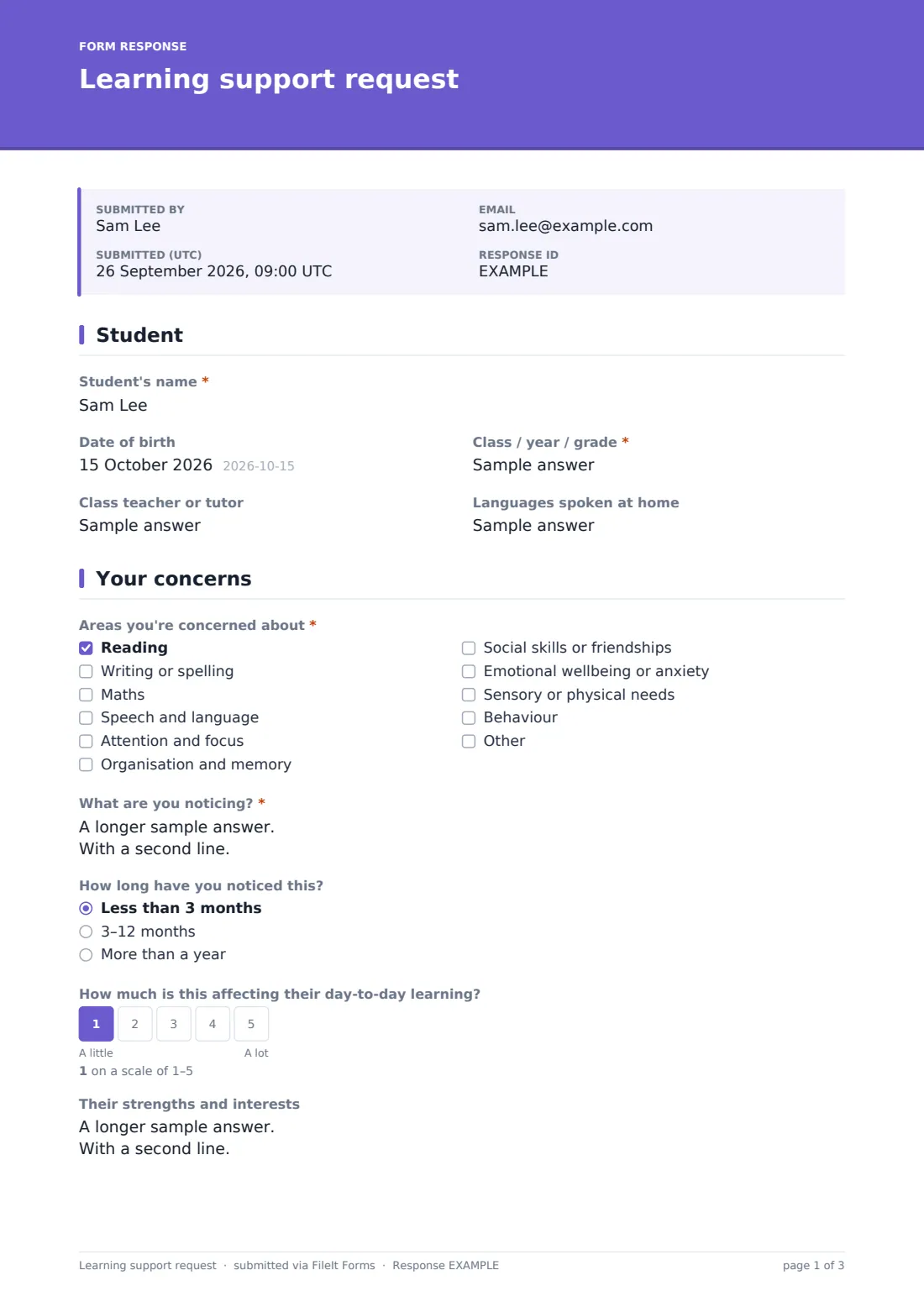
1 Student
- Student's name*
- Date of birth
- Class / year / grade*
- Class teacher or tutor
- Languages spoken at home
2 Your concerns
- Areas you're concerned about* Reading · Writing or spelling · Maths · Speech and language · Attention and focus · Organisation and memory · Social skills or friendships · Emotional wellbeing or anxiety · Sensory or physical needs · Behaviour
- What are you noticing?*
- How long have you noticed this? Less than 3 months · 3–12 months · More than a year
- How much is this affecting their day-to-day learning?
- Their strengths and interests
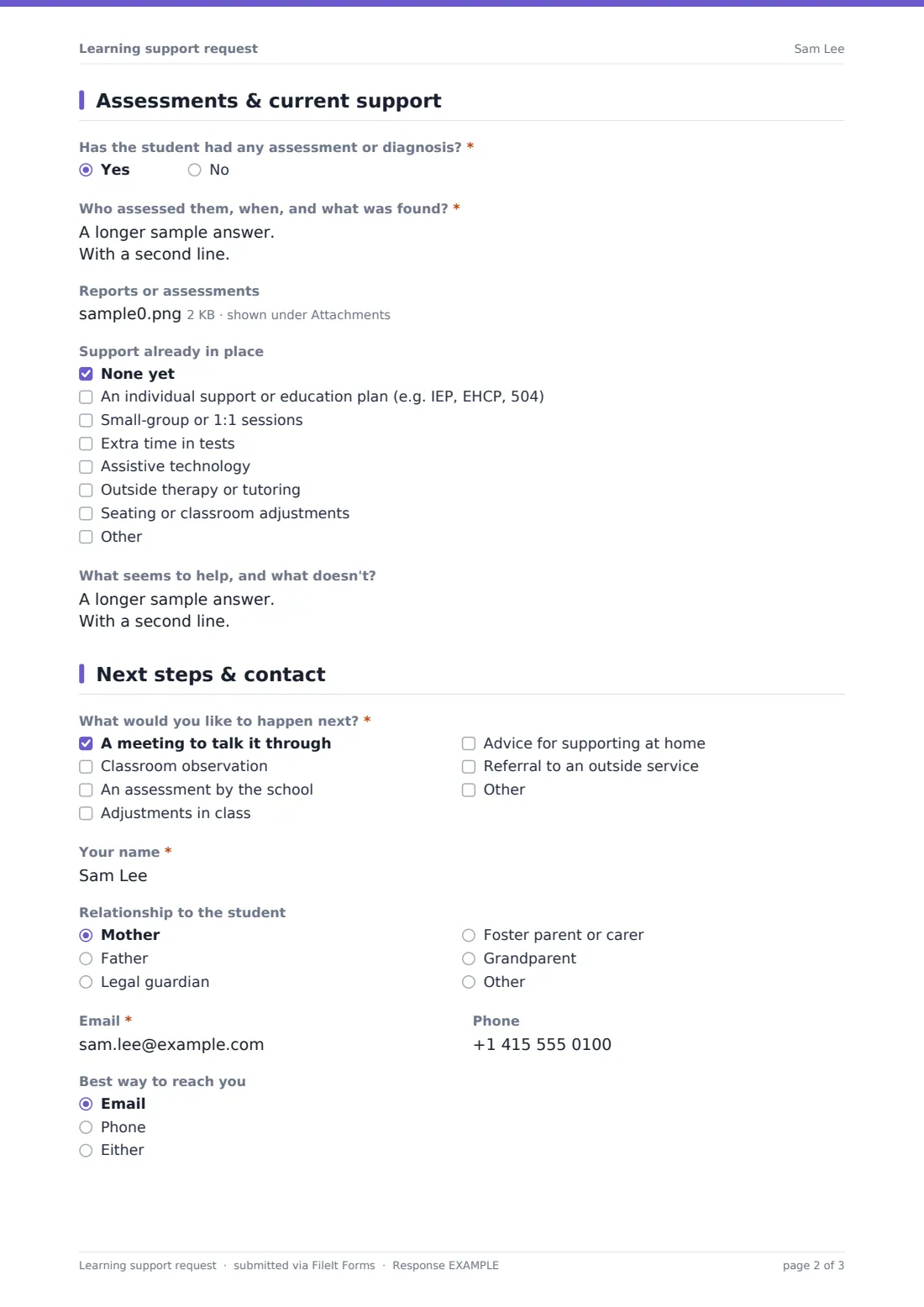
3 Assessments & current support
- Has the student had any assessment or diagnosis?*
- Who assessed them, when, and what was found?* asked only when it applies
- Reports or assessments asked only when it applies
- Support already in place None yet · An individual support or education plan (e.g. IEP, EHCP, 504) · Small-group or 1:1 sessions · Extra time in tests · Assistive technology · Outside therapy or tutoring · Seating or classroom adjustments
- What seems to help, and what doesn't? asked only when it applies
4 Next steps & contact
- What would you like to happen next?* A meeting to talk it through · Classroom observation · An assessment by the school · Adjustments in class · Advice for supporting at home · Referral to an outside service
- Your name*
- Relationship to the student Mother · Father · Legal guardian · Foster parent or carer · Grandparent · Other
- Email*
- Phone
- Best way to reach you Email · Phone · Either
- Sharing information*
The learning support request form, page by page
1 Student
The form starts with the student's name, date of birth, class or year group, class teacher or tutor, and any languages spoken at home — background that helps the school place the request in context.
2 Your concerns
A checklist covers the areas a parent might be concerned about — reading, writing or spelling, maths, speech and language, attention and focus, organisation and memory, social skills, emotional wellbeing, sensory or physical needs, or behaviour — with room to add something else. A long-text box asks what the parent is actually noticing, with examples from home or school encouraged, alongside how long they've noticed it and a 1-5 scale for how much it's affecting day-to-day learning.
A strengths and interests box sits on the same page, so the request isn't only a list of concerns — it also captures what the child enjoys and is good at.
3 Assessments & current support
A yes/no question asks whether the student has had any assessment or diagnosis, for example from an educational psychologist, speech therapist, doctor, or a hearing or vision test. Answering Yes opens a box for who assessed them, when, and what was found, plus an optional upload for reports the parent is happy to share.
A checklist of support already in place — none yet, an individual plan such as an IEP, EHCP or 504, small-group or one-to-one sessions, extra time in tests, assistive technology, outside therapy or tutoring, or classroom adjustments — is followed by an open box asking what seems to help and what doesn't, when any support is already in place.
4 Next steps & contact
A checklist lets the parent choose what they'd like to happen next — a meeting, a classroom observation, an assessment by the school, in-class adjustments, advice for supporting at home, or a referral to an outside service. The parent gives their name, relationship to the student, email, phone and preferred contact method, then agrees that the information and any documents shared may be seen by the staff responsible for learning support and the student's teachers, so they can plan support.
Make the template yours
- Add a question specific to your school's own referral or assessment process, such as an internal form number
- Adjust the "support already in place" checklist to match the terminology and programmes your school actually uses
- Route notifications straight to the learning support coordinator or SENCO alongside the account owner
- File requests into a vault folder per student so they sit alongside other records the school keeps for that child
- Set a confirmation message that gives parents a realistic timeframe for when they'll be contacted
- Add a language-support note or translated version if a significant number of families speak a language other than the school's primary one
- Adjust the consent statement's wording to match your school's own data-sharing and safeguarding policies
Tips for a better learning support request form
- Encourage parents to give specific, everyday examples rather than general statements — "avoids reading aloud, took 40 minutes on last night's ten-minute worksheet" is more useful than "struggling with reading"
- Ask about strengths as well as concerns, since it helps build a fuller, more balanced picture of the child
- Only ask for assessment reports if a parent has them and is comfortable sharing them — this template makes that upload optional
- Respond to every request within a clear, stated timeframe, even if it's just to acknowledge receipt and schedule a conversation
- Treat this form as a starting point for a conversation, not a formal assessment or diagnosis — any decisions about support should follow your school's own referral and assessment procedures and any legal requirements that apply where you're based
- Keep completed requests on file consistently so a family's history with the school is easy to see over time
Every response becomes a PDF in your vault
As soon as a parent submits the form, FileIt saves it as a PDF in the vault folder you've chosen, along with any reports attached, and the learning support team is notified by email. If an emailed copy to the respondent is switched on, the parent also receives their own PDF confirming what they submitted.
From there, most schools use the Responses table to track requests that still need a first response, and refer back to the submitted PDF ahead of any meeting or observation. Because the form captures concerns, strengths and current support together, staff have useful context before the conversation even starts.
- Start from this template. It opens in the FileIt Forms designer — change any question, add pages, set the rules for when questions appear.
- Share it. Turn on a public link, or send it to people by email, each with their own link. They don’t need a FileIt account.
- Get the answers as PDFs. Each response is saved as a PDF in the vault folder you choose, with uploaded files attached — and listed in a Responses table you can export to CSV.
Learning support request form: frequently asked questions
Is this learning support request form template free?
Yes. It's included in FileIt's Forms app on every plan, including free, and every question can be edited to match your school's own process.
Does a parent need a FileIt account to submit a request?
No. Share the form by public link on your school website or send it by email — parents don't need a FileIt account to submit a request.
How do I get a copy of a submitted request?
Every submission is saved automatically as a PDF in the school's vault, and you can turn on an emailed PDF copy sent to the parent as well.
Does this form replace a formal assessment for special education support?
No. It's a way for parents to raise a concern and share context; any formal assessment, plan or diagnosis should follow your school's own procedures and whatever legal requirements apply where you're based.
What if we don't have any assessment or diagnosis yet?
That's fine — the assessment questions and file upload only appear if the parent says an assessment has already happened, so a first-time concern is just as easy to submit.
Can parents attach existing reports, like from a speech therapist?
Yes — if an assessment has taken place, an optional upload lets parents share reports they're comfortable including with the request.
Who can see the information a parent shares?
The form includes a consent statement explaining that the information may be seen by staff responsible for learning support and the student's teachers, so they can plan support.