What is the medical history form template?
Handing a new patient a clipboard of questions in the waiting room rarely gives them enough time or privacy to answer thoughtfully, and a rushed history can miss something important. This template lets patients complete a full health history before their appointment — conditions they've been diagnosed with, past surgeries, family history, and lifestyle factors like smoking, alcohol and exercise — so the clinician walks in already informed.
The form only goes deeper where it needs to: ticking any condition opens a box for details like current treatment and how well it's controlled, and ticking cancer specifically asks for the type and year of diagnosis. A family history grid covers the closest relative affected by each condition, rather than a vague yes or no, giving the clinician a clearer picture without turning the form into an interrogation.
Once submitted, FileIt saves the complete history as a PDF in the clinic's vault, ready before the consultation starts and easy to refer back to at a future visit if the patient's circumstances change.
- Best for
- Clinics, therapists and practitioners taking a new patient's health history
- Filled in by
- The patient, ahead of their appointment
- Time to complete
- About 10-15 minutes
- Includes
- Conditional follow-ups for conditions, surgery and family history, plus lifestyle questions
Who uses a medical history form?
- A clinic or practice collecting a complete health history ahead of a first consultation
- A specialist who needs family history alongside a patient's own conditions before an appointment
- A therapist or allied health practitioner screening for relevant past surgeries or hospital stays
- Recording lifestyle factors like smoking, alcohol and exercise as part of a general health review
- A returning patient updating their history after a new diagnosis or a change in medication
- A practice that wants patients to complete intake from home, saving time during the actual visit
Questions on this medical history form
23 questions over 5 pages · includes conditional questions, multiple pages, consent checkbox, ratings.
1 About you
- Full name*
- Date of birth*
- Email*
- Height (cm)
- Weight (kg)
2 Conditions
- Have you ever been diagnosed with any of these? High blood pressure · Heart disease · Stroke · Diabetes · Asthma or COPD · Thyroid disorder · Kidney disease · Liver disease · Cancer · Arthritis · Epilepsy or seizures · Depression or anxiety
- Type of cancer and year of diagnosis asked only when it applies
- Anything else about these conditions? asked only when it applies
- Are your routine vaccinations up to date? Yes · No · Not sure
3 Surgeries & hospital stays
- Have you had any operations?*
- Operations and approximate year* asked only when it applies
- Have you or a blood relative ever had a problem with an anaesthetic? asked only when it applies
- Other hospital stays (not for surgery)
4 Family history
- Has a blood relative had any of these? Parent · Sibling · Grandparent · No / not known
- Details (type of cancer, age at diagnosis…)
5 Lifestyle
- Smoking / vaping* Never · Used to · Currently
- How much, and for how long? asked only when it applies
- Alcohol None · Monthly or less · A few times a week · Most days
- How often do you exercise for 30 minutes or more? Rarely · 1–2 times a week · 3–4 times a week · 5 or more times a week
- How well do you sleep, generally?
- Diet No restrictions · Vegetarian · Vegan · Low salt · Diabetic · Gluten-free
- Anything else you would like your clinician to know?
- Declaration*
The medical history form, page by page
1 About you
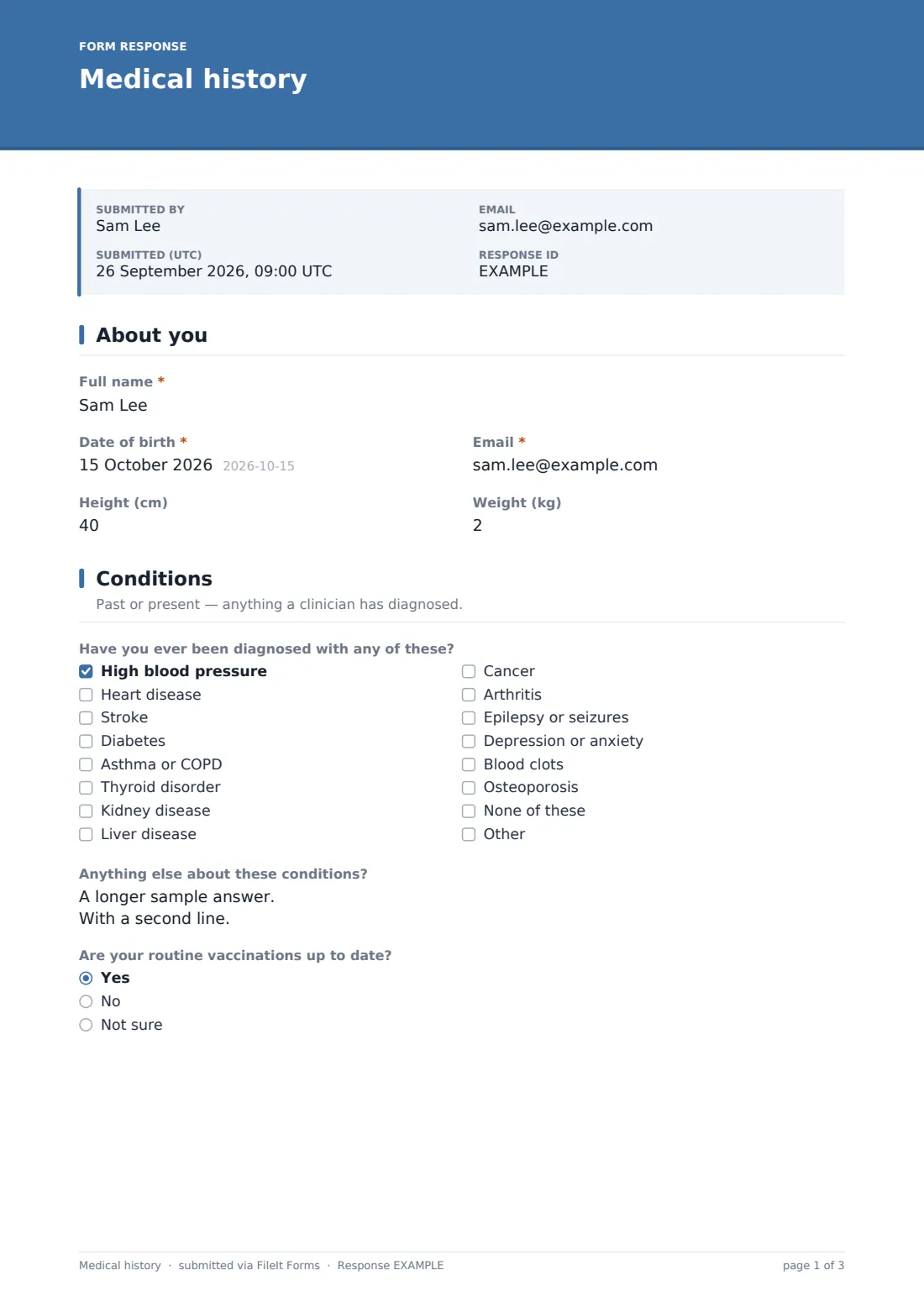
The form opens with the patient's full name, date of birth, email, and optional height and weight — enough background for a clinician to begin building a picture before the history itself starts.
2 Conditions
A checklist covers conditions the patient may have been diagnosed with — high blood pressure, heart disease, stroke, diabetes, asthma or COPD, thyroid disorder, kidney or liver disease, cancer, arthritis, epilepsy or seizures, depression or anxiety, blood clots, osteoporosis, or none of these. Ticking cancer opens a field for the type and year of diagnosis, and ticking any condition opens a box asking for more detail — current treatment, when it was diagnosed, and how well it's controlled. A separate question checks whether routine vaccinations are up to date.
3 Surgeries & hospital stays
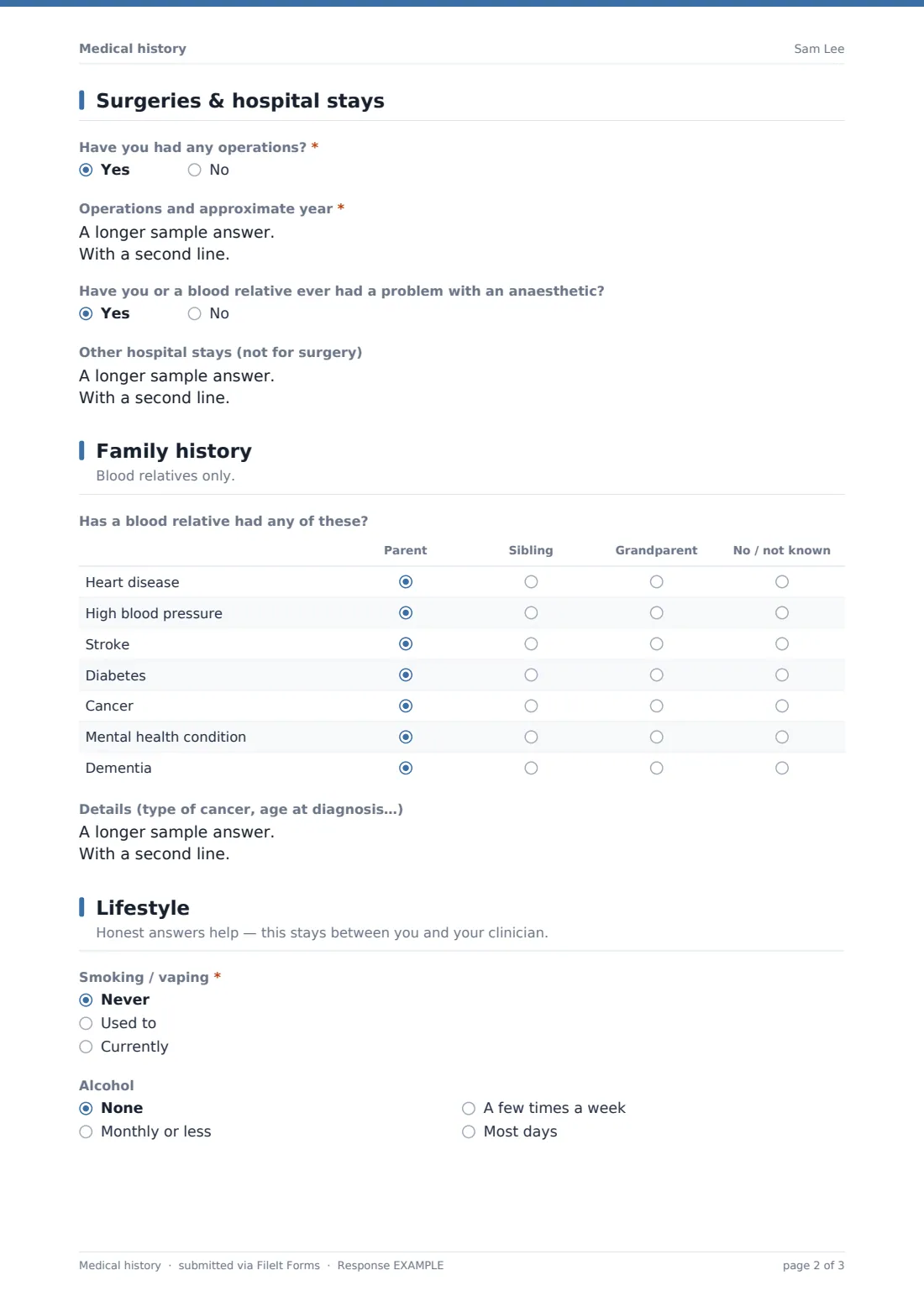
A yes/no question asks whether the patient has had any operations, opening a box to list each one with its approximate year if so. A follow-up asks about any past problem with an anaesthetic, either for the patient or a blood relative, and a separate box captures any other hospital stays not related to surgery, with the reason and year.
4 Family history
A grid asks whether a blood relative has had heart disease, high blood pressure, stroke, diabetes, cancer, a mental health condition, or dementia, and which relative — a parent, sibling, grandparent, or none known — for each. An open box lets the patient add detail, such as the type of cancer or the relative's age at diagnosis.
5 Lifestyle
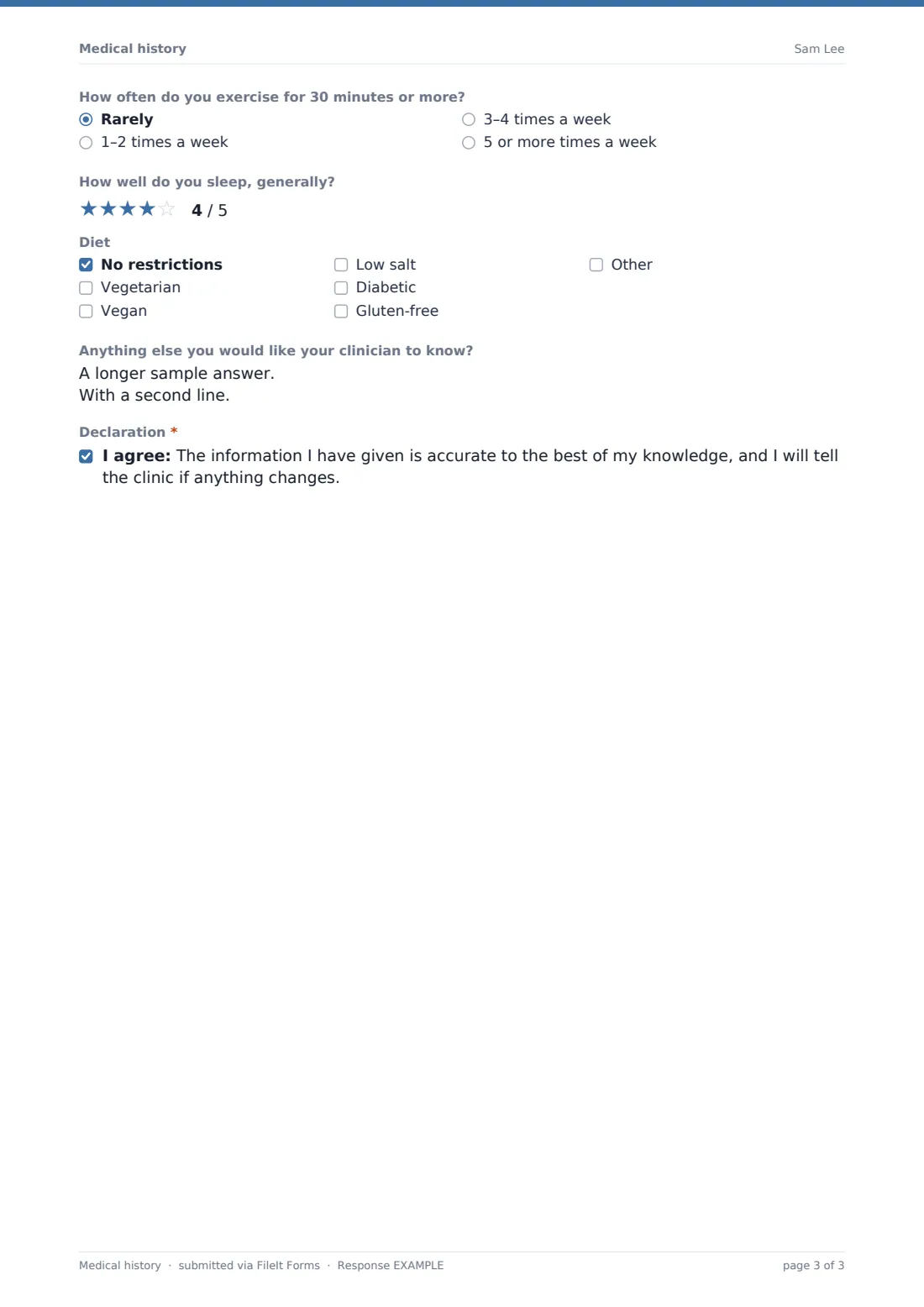
A description reassures patients that honest answers help and stay between them and their clinician. Questions cover smoking and vaping (with a follow-up on how much and for how long if currently smoking), alcohol consumption, how often the patient exercises for 30 minutes or more, sleep quality on a 1-5 rating, and dietary restrictions such as vegetarian, vegan, low salt, diabetic or gluten-free. An open box invites anything else the patient wants their clinician to know, and the form closes with a declaration that the information is accurate and will be updated if anything changes.
Make the template yours
- Adjust the conditions checklist to match what's most relevant to your specialty
- Add a medications list field if your practice wants current prescriptions captured alongside the history
- File completed histories into a vault folder per patient so they build into an ongoing record
- Turn on an emailed PDF copy to the patient so they have their own record of what they submitted
- Add a units toggle (imperial vs metric) if your patients are more comfortable with pounds and inches
- Set a confirmation message that tells patients what to expect at their upcoming appointment
- Ask patients to resend the form periodically, for example annually, to keep the history current
Tips for a better medical history form
- Send the form ahead of the appointment so the patient has time to check dates and details rather than rushing in the waiting room
- Review the completed history before the consultation starts, so the visit can focus on discussion rather than data collection
- Ask patients to update their history whenever something changes, rather than treating one form as permanent
- Reassure patients that lifestyle answers are used to inform care, not to judge, since this improves the honesty of answers
- Keep the family-history question specific about blood relatives only, since that's what's clinically relevant
- Remember this form gathers information for a clinician's use — it doesn't itself diagnose or treat anything
Every response becomes a PDF in your vault
As soon as the patient submits their history, FileIt saves it as a PDF in the clinic's vault, and the practice is notified by email. If an emailed copy to the respondent is switched on, the patient also receives their own PDF confirming what they submitted.
From there, most clinicians review the history before the consultation, and use the Responses table to keep a record for each patient that can be referred back to or updated at future visits.
- Start from this template. It opens in the FileIt Forms designer — change any question, add pages, set the rules for when questions appear.
- Share it. Turn on a public link, or send it to people by email, each with their own link. They don’t need a FileIt account.
- Get the answers as PDFs. Each response is saved as a PDF in the vault folder you choose, with uploaded files attached — and listed in a Responses table you can export to CSV.
Medical history form: frequently asked questions
Is this medical history form template free?
Yes. It's included in FileIt's Forms app on every plan, including free, and every question can be edited to match your practice.
Does the patient need a FileIt account to fill it in?
No. Share the form by public link or send it by email ahead of an appointment — patients don't need a FileIt account.
How do I get a copy of a submitted history?
Every submission is saved automatically as a PDF in your vault, and you can turn on an emailed PDF copy sent to the patient as well.
Does this form replace a clinical assessment?
No — it's a way to gather background information ahead of a consultation. Any diagnosis or treatment decision is made by the clinician, not by this form.
What if a patient isn't sure about a family member's diagnosis?
The family history grid includes a "no / not known" option for each condition, so uncertainty can be recorded honestly rather than guessed at.
Can a patient update their history at a later visit?
Yes — the form allows multiple responses, so patients can submit an updated history whenever something changes.
Is the information kept private?
Answers submitted through FileIt Forms are encrypted at rest, and only the clinic or practitioner who owns the form can access the responses.