What is the emergency contact & medical info form template?
An emergency contact and medical information form gathers exactly what someone caring for a child, member or resident needs to know in a hurry: who to call, what allergies or conditions to watch for, what medication they take, and who their doctor is. It's built for schools, sports clubs, camps, gyms and care settings where staff need this on hand before anything goes wrong.
A paper card in a filing cabinet is hard to update and easy to lose track of, especially when a family's contact details or a child's medication changes partway through the year. An online form makes it simple to collect this information from everyone the same way, and to ask a family to resubmit or update it whenever something changes.
With FileIt's Forms app, you share this form by public link or send a personal email invitation to each family or member — nobody needs a FileIt account to fill it in. Every submission becomes a PDF saved automatically in your FileIt vault, so the information is there when it's needed, not buried in an inbox.
- Best for
- Schools, camps, sports clubs, gyms and care settings recording emergency and medical details
- Filled in by
- A parent, guardian or the individual themselves — no account required
- Time to complete
- About 5 minutes
- Includes
- Conditional questions for allergies and medication, and a signed consent statement
Who uses a emergency contact & medical info form?
- A school collecting allergy and emergency contact details at the start of each year
- A summer camp or after-school program recording medical information before a child attends
- A sports club or gym keeping members' emergency contacts and conditions on file
- A care home or day centre capturing next-of-kin and medical basics for a new resident
- A youth group or scout troop preparing for a trip where quick access to this information matters
- Any organisation refreshing its records annually so contact and medical details stay current
Questions on this emergency contact & medical info form
22 questions over 4 pages · includes signature, conditional questions, multiple pages, consent checkbox.
1 About the person
- Full name*
- Date of birth*
- Blood type A+ · A− · B+ · B− · AB+ · AB− · O+ · O− · Don't know
2 Medical information
- Any allergies?*
- Allergies and reactions* asked only when it applies
- Takes regular medication?*
- Medication, dose and when it is taken* asked only when it applies
- Medical conditions Asthma · Diabetes · Epilepsy · Heart condition · Hearing impairment · Visual impairment
- Doctor / GP name
- Doctor's phone
- Health insurer
- Policy / member number
3 Emergency contacts
- Name*
- Relationship*
- Phone*
- Other phone
- Name
- Relationship
- Phone
4 Consent
- Emergency treatment*
- Signed by (name)*
- Signature*
The emergency contact & medical info form, page by page
1 About the person
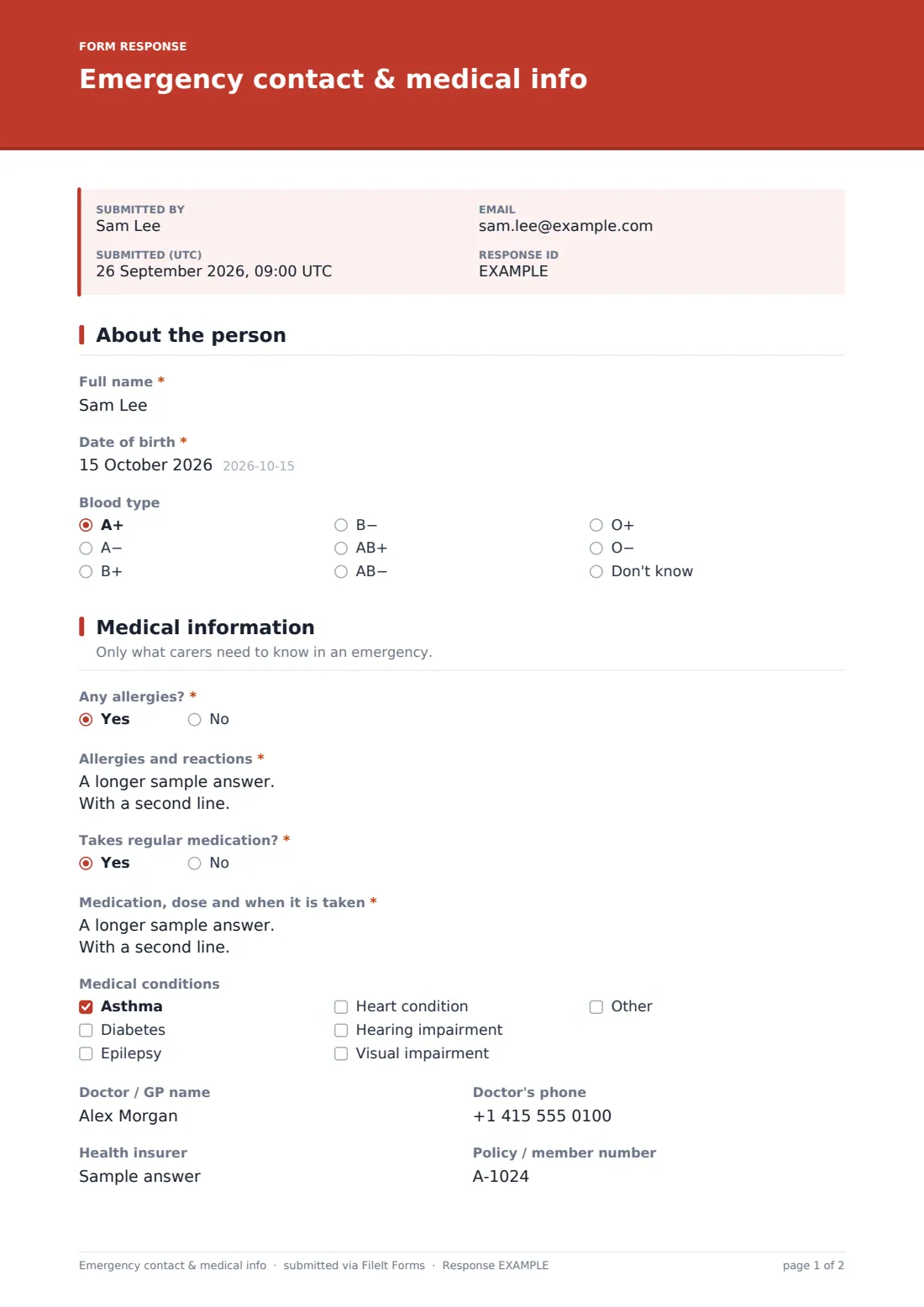
The form opens with Full name and Date of birth, followed by an optional Blood type dropdown (covering all eight standard types, plus "Don't know") — useful background information for medical staff, without requiring anyone to guess if they're unsure.
2 Medical information
The page description sets the tone: "Only what carers need to know in an emergency." Any allergies? is a required yes/no; answering yes opens Allergies and reactions, a free-text field with a placeholder example like "Peanuts — anaphylaxis, carries an EpiPen" to prompt specific, useful detail rather than a vague note. The same pattern repeats for Takes regular medication? — a yes answer reveals Medication, dose and when it is taken.
Medical conditions is a checkbox list covering asthma, diabetes, epilepsy, heart condition, hearing impairment and visual impairment, with room to add anything else. The page finishes with optional fields for the person's Doctor / GP name and phone, plus their Health insurer and Policy / member number, so carers have a direct line to follow up if needed.
3 Emergency contacts
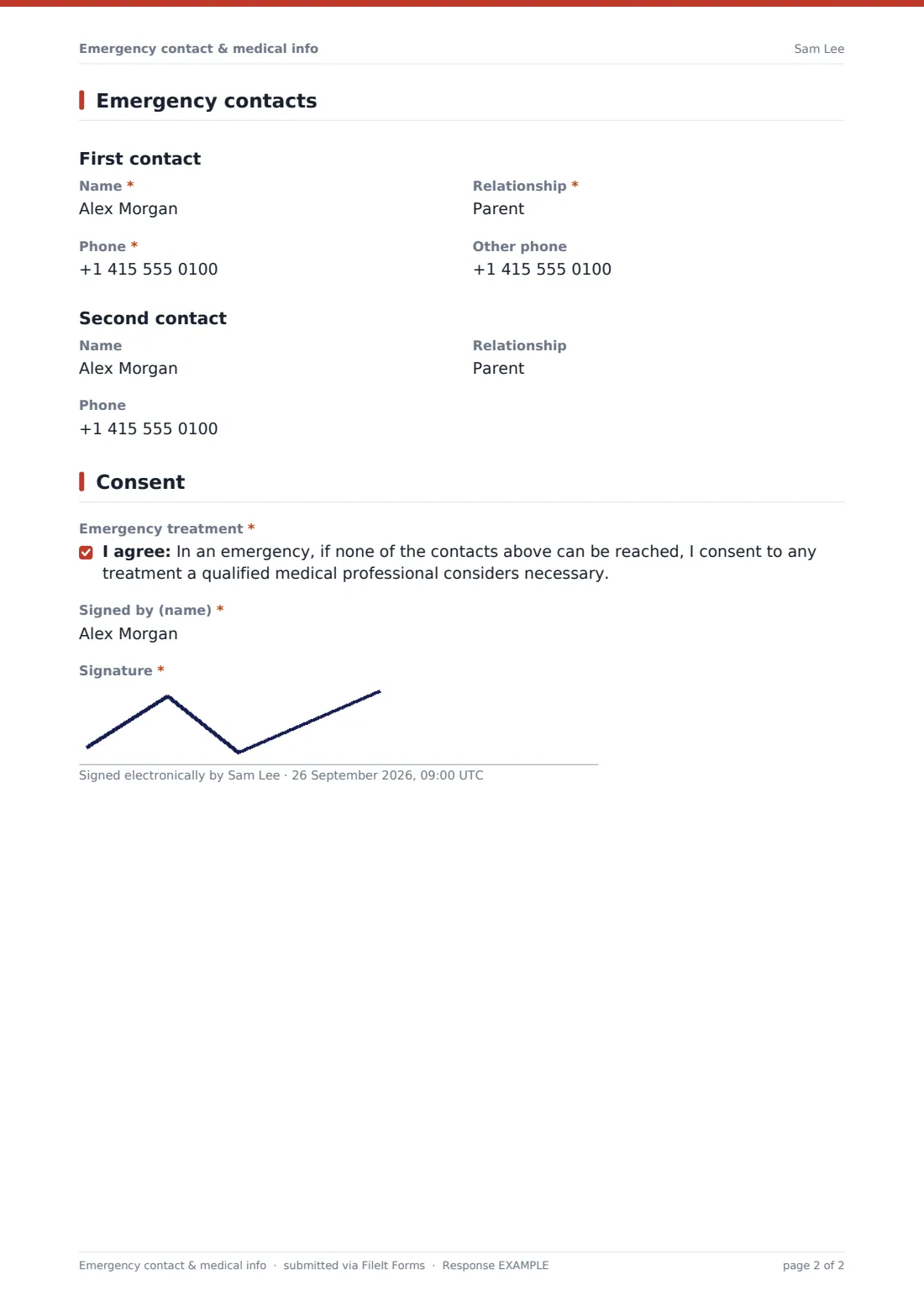
Two clearly separated contact blocks — First contact and Second contact — each ask for a Name, Relationship, and Phone number, with the first contact's details required and an Other phone field for a backup number. The second contact is optional, useful when a family wants more than one person listed in case the first can't be reached.
4 Consent
The form closes with a required consent statement: that if none of the listed contacts can be reached in an emergency, the signer agrees to any treatment a qualified medical professional considers necessary. Signed by (name) and a signature field complete the record, giving the organisation a clear, signed instruction on file.
Make the template yours
- Add fields for specific programs, such as a class or team name, so records are easy to sort
- Adjust the medical conditions checklist to reflect conditions common among your members or students
- Make the second emergency contact required if your policy always wants two contacts on file
- Set a closing date each term or season so families are prompted to resubmit with current information
- File responses into a folder or family member profile in your FileIt vault so records stay organised per person
- Turn on notifications to a specific staff member (like a school nurse) in addition to the form owner
- Send an emailed PDF copy back to the parent or guardian so they have a copy of what was submitted
Tips for a better emergency contact & medical info form
- Ask for specific detail on allergies and reactions, as the placeholder example encourages, rather than a general "has allergies"
- Remind families to update the form whenever a medication or contact number changes, not just once a year
- Keep at least two emergency contacts on file where possible, in case the first can't be reached
- Store this information somewhere staff can access quickly in an actual emergency, not just in an inbox
- Review and refresh the records at the start of each season, term or program
- Be clear with families about who can see this information and why it's being collected
Every response becomes a PDF in your vault
As soon as someone submits the form, FileIt saves their answers as a PDF in the vault folder you've set up, so the record is ready to find quickly. You (and any additional staff you've added to notifications) receive an email alert for each new submission, and the parent or guardian can be sent their own PDF copy automatically if that setting is turned on.
Every submission also lands in the Responses table, where you can filter by fields like medical conditions or department, open any individual PDF, or export the full list to CSV — handy for building a quick reference sheet for staff running a trip, a match day or a class.
- Start from this template. It opens in the FileIt Forms designer — change any question, add pages, set the rules for when questions appear.
- Share it. Turn on a public link, or send it to people by email, each with their own link. They don’t need a FileIt account.
- Get the answers as PDFs. Each response is saved as a PDF in the vault folder you choose, with uploaded files attached — and listed in a Responses table you can export to CSV.
Emergency contact & medical info form: frequently asked questions
Is this emergency medical contact form template free?
Yes. It's one of the 160-plus ready-made templates included in FileIt's Forms app on every account, including the free plan, and every question can be edited.
Do parents or members need a FileIt account to fill it in?
No. Anyone with the link or an emailed invitation can complete the form without creating an account.
How do I get the completed forms?
Each submission is automatically saved as a PDF in your FileIt vault and also appears in a Responses table that you can filter and export to CSV.
Can I add more medical conditions to the checklist?
Yes. Every field, option and page in the template is editable in the drag-and-drop designer, so you can add, remove or reword any question.
Does this form give medical advice or replace a doctor's instructions?
No. It's a way to record the information a carer or staff member needs on hand — it isn't medical advice, and families should keep discussing any conditions or medication with their own doctor.
Can I require two emergency contacts instead of one?
Yes, you can make the second contact fields required in the designer if that fits your organisation's policy.
How often should this information be updated?
That's up to your organisation — many schools and clubs ask families to resubmit at the start of each term, season or year, and whenever contact or medical details change.