What is the family contact directory form template?
Every school class, sports team or club faces the same problem at the start of a season: pulling together working phone numbers and emails for every family, plus a sensible way to reach them urgently. This family contact directory template collects household details in one place instead of a chain of reply-all emails or a paper sign-up sheet that only half the parents see.
An online form works better here because each family answers once, at their own pace, and the organiser gets consistent, typed information rather than five different handwriting styles and half-finished sentences. Conditional logic adds a second adult only when a family needs it, and lets each household choose how they want to be contacted — email, text, phone call, WhatsApp, a school app, or even paper — rather than assuming everyone uses the same channel.
Each household's answers are saved as a PDF in your FileIt vault the moment they submit, so you have every family's directory entry as an individual, dated record — handy if someone later says their number never got captured.
- Best for
- School classes, sports teams, clubs and community groups
- Filled in by
- A parent, guardian or household representative
- Time to complete
- About 5–7 minutes
- Includes
- Conditional second adult, sharing preference, contact channel choice
Who uses a family contact directory form?
- A class teacher builds a phone tree for a new school year
- A youth sports coach collects emergency numbers and preferred contact methods before the season starts
- A community group sets up a directory so members can reach each other for lifts or events
- A club treasurer gathers contact details alongside a sign-up for the new term
- A school office collects household details for families new to the school
- An event organiser builds a contact list for volunteers helping with a fête or fundraiser
Questions on this family contact directory form
30 questions over 5 pages · includes conditional questions, multiple pages, consent checkbox.
1 Household
- Family / household name*
- Home address
- Home phone (landline)
- Class, team or group
2 Adults
- Name*
- Role in the household* Parent · Step-parent · Guardian · Grandparent · Carer · Other
- Mobile*
- Email*
- Work phone
- Preferred language
- Include this adult in the shared directory?
- Add another adult?*
- Name* asked only when it applies
- Role in the household* asked only when it applies Parent · Step-parent · Guardian · Grandparent · Carer · Other
- Mobile asked only when it applies
- Email asked only when it applies
- Work phone asked only when it applies
- Preferred language asked only when it applies
- Include this adult in the shared directory? asked only when it applies
3 Children & others
- Children
- Other household members or regular carers (optional)
4 How to reach you
- How should we contact you?* Email · Text message · Phone call · WhatsApp · School / club app · Letter / paper
- Best way for urgent news* Email · Text message · Phone call · WhatsApp · School / club app · Letter / paper
- Best time to call Any time · Mornings · Daytime · Evenings
- Add you to the group chat? asked only when it applies
- Would an interpreter or translated messages help?
- In which language? asked only when it applies
- Happy to help with… (optional) Driving / carpooling · Events · Baking / food · Accompanying trips · Sharing a skill or career
5 Sharing
- Sharing your details* Include us in the directory shared with other families in the group · Organisers only — don't share with other families
- Confirmation*
The family contact directory form, page by page
1 Household
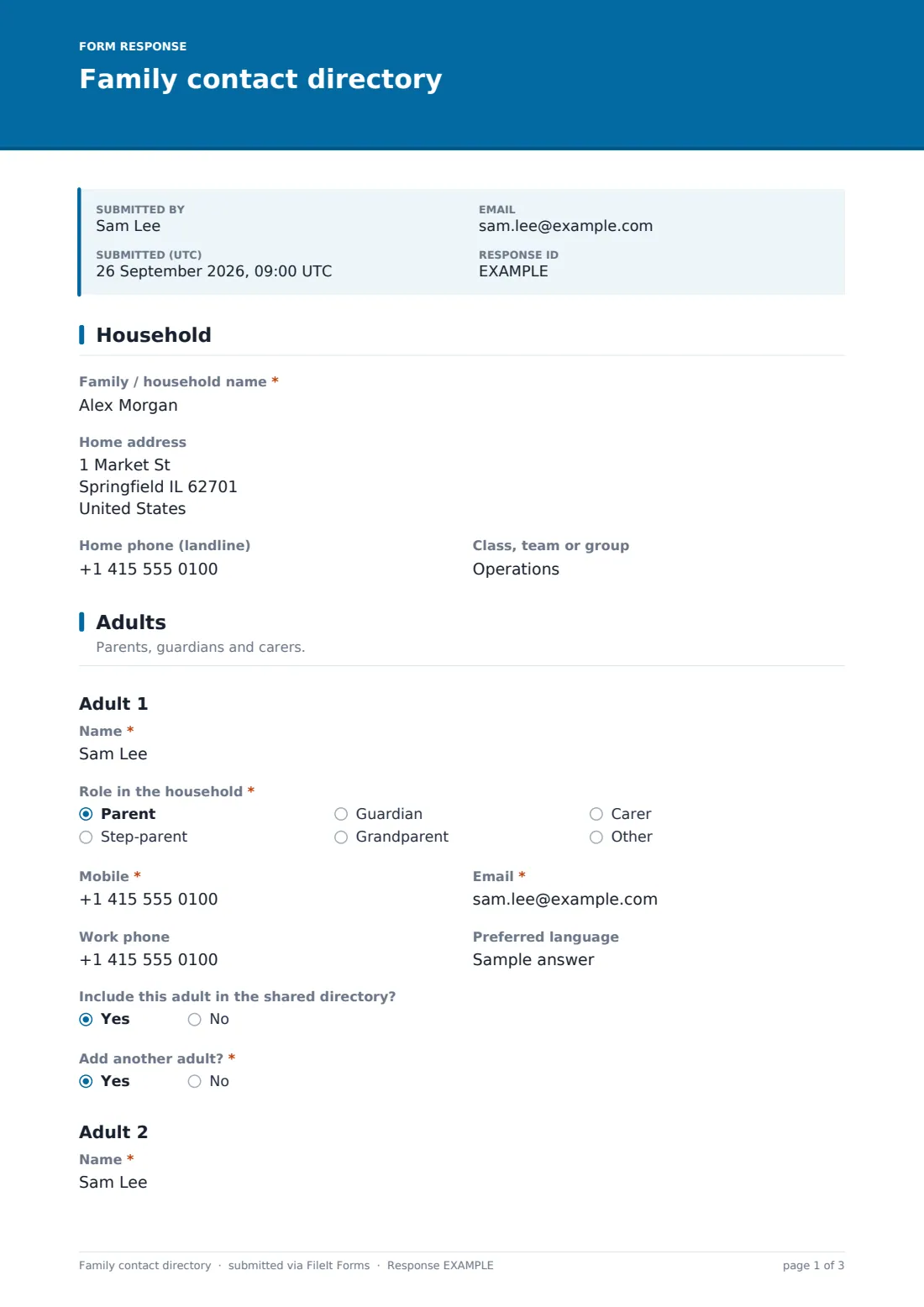
Each entry starts with the Family / household name, an optional Home address, Home phone (landline) and the Class, team or group the household belongs to — useful once the directory covers more than one class or squad.
2 Adults
Adult 1's Name, Role in the household (parent, step-parent, guardian, grandparent, carer or other), Mobile and Email are required, with Work phone and Preferred language optional. A yes/no question, Include this adult in the shared directory, lets that person be reachable by organisers without necessarily appearing in a list shared with other families. Answering yes to Add another adult reveals an identical set of fields for a second adult, so two-parent or multi-carer households aren't limited to one contact.
3 Children & others
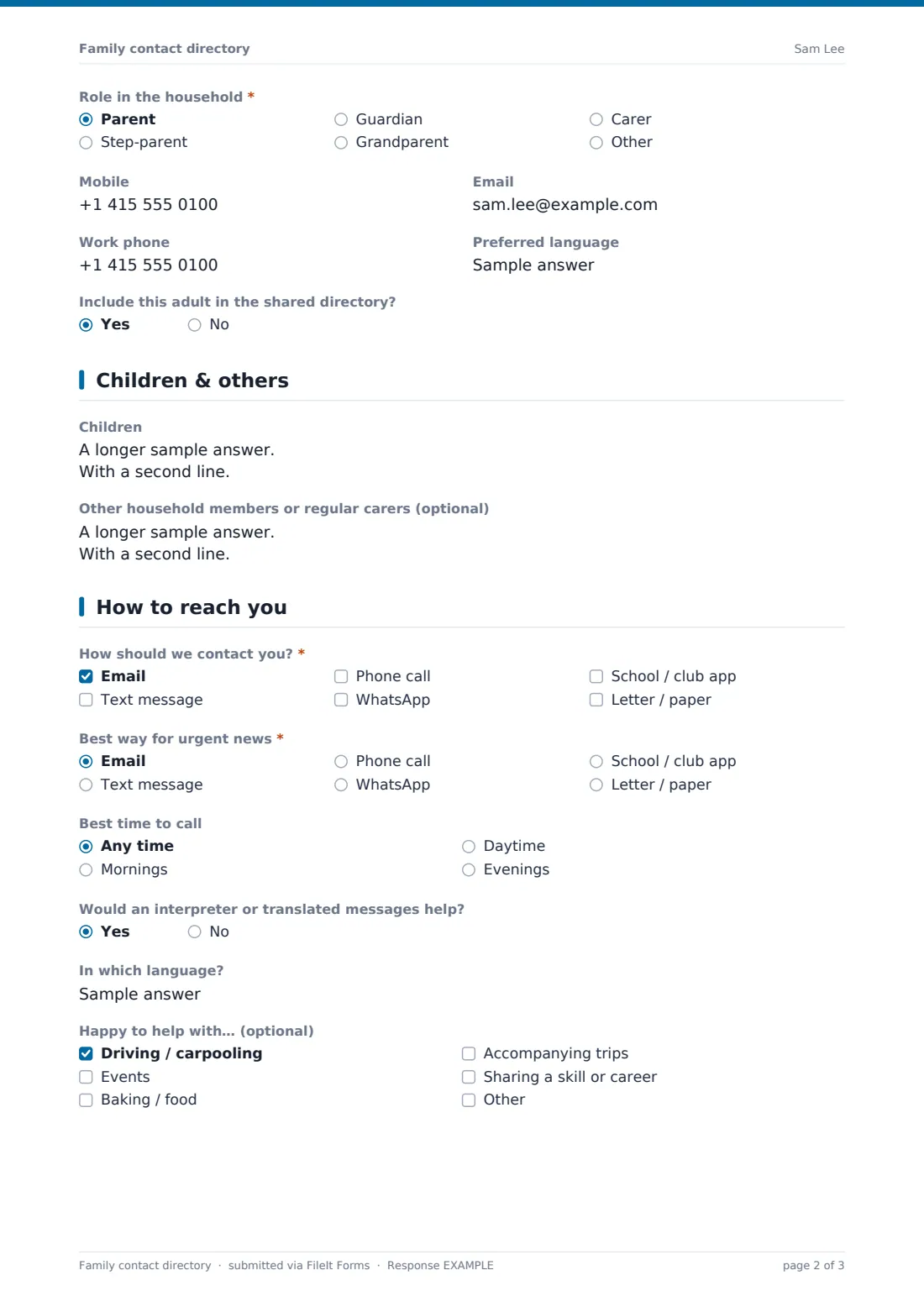
A free-text Children box collects one line per child — name, age or year, and class — and an optional Other household members field covers grandparents or regular carers who might do school pickup, along with a note of how to reach them.
4 How to reach you
Families tick every Channel that works for them (email, text, phone call, WhatsApp, a school or club app, or letter) and choose the single Best way for urgent news. Ticking WhatsApp reveals a question about joining a group chat. An Interpreter yes/no question, which reveals a language field when answered yes, helps organisers arrange translated messages where needed, and a Volunteer checklist lets families flag interest in helping with driving, events, baking, trips or sharing a skill.
5 Sharing
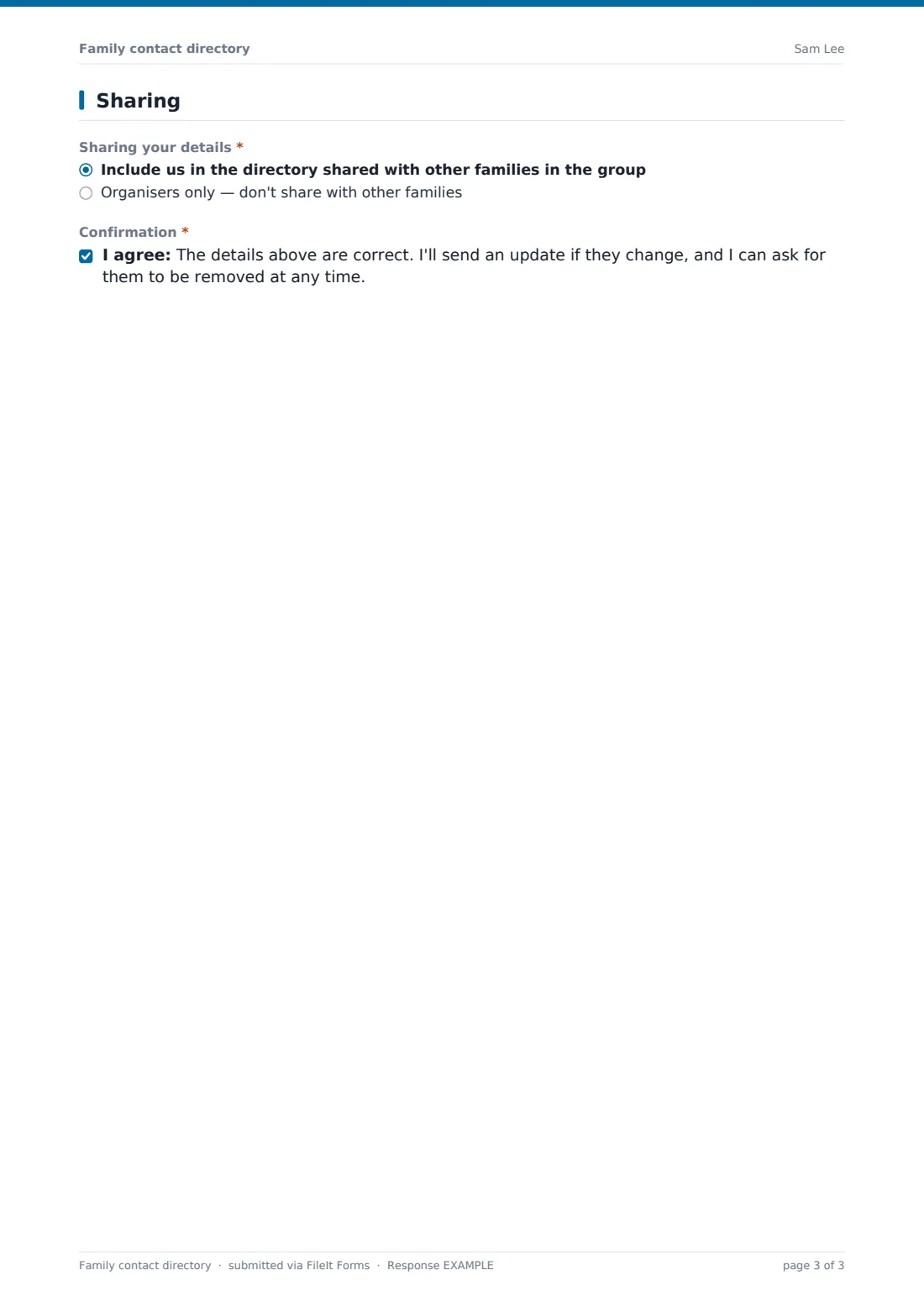
The last page is the household's sharing choice: Include us in the directory shared with other families, or Organisers only. A final confirmation has the family declare the details are correct, that they'll update the organiser if anything changes, and that they can ask for their information to be removed at any time.
Make the template yours
- Change Class, team or group into a dropdown once you know the fixed list of groups for your school or club
- Add a photo consent question if the directory will also cover event photography
- Set the vault folder so each household's entry files under the right class, team or family member
- Turn on a maximum number of responses if the directory is only open during a fixed sign-up window
- Add a closing date so late entries don't trickle in after you've already published the directory
- Remove the Volunteer question entirely if you run sign-ups for helpers separately
Tips for a better family contact directory form
- Only collect the channels you'll actually use — asking for every possible contact method just to be thorough slows people down
- Make clear in your own message around the form who will see the shared directory and who won't
- Send a gentle reminder partway through the term for families who haven't yet responded
- Keep the sharing choice genuinely optional and easy to find — families should feel comfortable choosing organisers only
- Refresh the directory each new class or season rather than reusing last year's, since children move up and phone numbers change
Every response becomes a PDF in your vault
As soon as a household submits their details, FileIt saves the answers as a PDF in the vault folder you've set up for the group — handy as an individual, dated record of exactly what each family agreed to share. You're notified by email right away, so you can start building the directory as responses arrive rather than waiting for everyone.
Once most families have responded, organisers typically open the Responses table, filter by group or class, and either export to CSV to compile a shared list, or copy details for families who opted for organisers-only contact into a private note. Because each response is also its own PDF, you always have the original submission to check back against if a phone number or spelling is ever in doubt.
- Start from this template. It opens in the FileIt Forms designer — change any question, add pages, set the rules for when questions appear.
- Share it. Turn on a public link, or send it to people by email, each with their own link. They don’t need a FileIt account.
- Get the answers as PDFs. Each response is saved as a PDF in the vault folder you choose, with uploaded files attached — and listed in a Responses table you can export to CSV.
Family contact directory form: frequently asked questions
Is this family contact directory form template free?
Yes, it's one of the ready-made templates in the Forms app on every FileIt account, including the free plan, and every question can be edited.
Do families need a FileIt account to respond?
No. Share a public link or send each household a personal email invitation; they fill it in and submit without creating an account.
How do we get each household's details as a PDF?
FileIt automatically turns every submission into a PDF and saves it in the vault folder you've chosen for this form.
Can families choose not to be listed in a directory shared with others?
Yes — the last page asks each household to choose between being included in a directory shared with other families, or organisers-only contact.
Can we add a second or third adult per household?
The template includes a conditional 'Add another adult?' question that reveals a second adult's fields; you can duplicate that pattern in the designer for more if needed.
Is this suitable for a sports team as well as a school class?
Yes — the wording and the Class, team or group field work for either; just rename labels in the designer to match your group.
How do families update their details if something changes?
Since AllowMultiple is on by default, a household can simply fill in the form again; each submission is its own dated PDF.