What is the school club sign-up form template?
A school club sign-up form lets students choose which after-school or lunchtime clubs they'd like to join, ranked in order of preference, while parents confirm how their child will get home and give the consent the school needs. It replaces a paper slip that can get lost in a bag, or a first-come, first-served scramble at the start of term.
Popular clubs usually have limited places, and allocating them fairly is much easier when every student's preferences are recorded consistently from the start. A form captures rankings, available days and any medical or support needs in one place, so a coordinator can allocate places and flag anything club leaders need to know before day one.
This template runs on FileIt's Forms app, included on every FileIt account including the free plan. Parents fill it in without needing a FileIt account, and every sign-up is automatically saved as a PDF in your vault, giving you a clear, per-student record for the whole term.
- Best for
- Primary and secondary schools running after-school or lunchtime clubs
- Filled in by
- A parent or guardian, on behalf of the student
- Time to complete
- About 4 minutes
- Includes
- Ranked club choices, day availability, collection and medical details, photo consent
Who uses a school club sign-up form?
- A primary school taking sign-ups for a new term of after-school clubs
- A coordinator allocating limited chess or coding club places fairly using ranked choices
- A parent confirming their child will walk home alone after a lunchtime club
- A school recording allergy or support needs for club leaders ahead of the first session
- A family signing up for two clubs on different days that fit their existing after-school pickup
- A school collecting photo consent for club activity photos shared in newsletters
Questions on this school club sign-up form
18 questions over 3 pages · includes conditional questions, multiple pages, consent checkbox.
1 Student
- Student's name*
- Class / year / grade*
- Date of birth
2 Club choices
- First choice* Art & craft · Chess · Choir · Coding & robotics · Drama · Football · Netball / basketball · Science club · Gardening · Debating · Language club · Dance
- Second choice Art & craft · Chess · Choir · Coding & robotics · Drama · Football · Netball / basketball · Science club · Gardening · Debating · Language club · Dance
- Third choice asked only when it applies Art & craft · Chess · Choir · Coding & robotics · Drama · Football · Netball / basketball · Science club · Gardening · Debating · Language club · Dance
- How many clubs would you like to join this term?* Just one · Up to two · Up to three
- Days the student can attend* Monday · Tuesday · Wednesday · Thursday · Friday
- Any relevant experience or interests?
3 Getting home & consent
- How will the student get home after club?* Collected by a parent or named adult · Walks / cycles home alone · School or public bus · Goes on to after-school care
- Who will usually collect them?* asked only when it applies
- Any medical, dietary or support needs club leaders should know about?
- Please give details* asked only when it applies
- Parent or guardian's name*
- Email*
- Mobile phone*
- May the student appear in photos of club activities shared by the school?
- Consent*
The school club sign-up form, page by page
1 Student
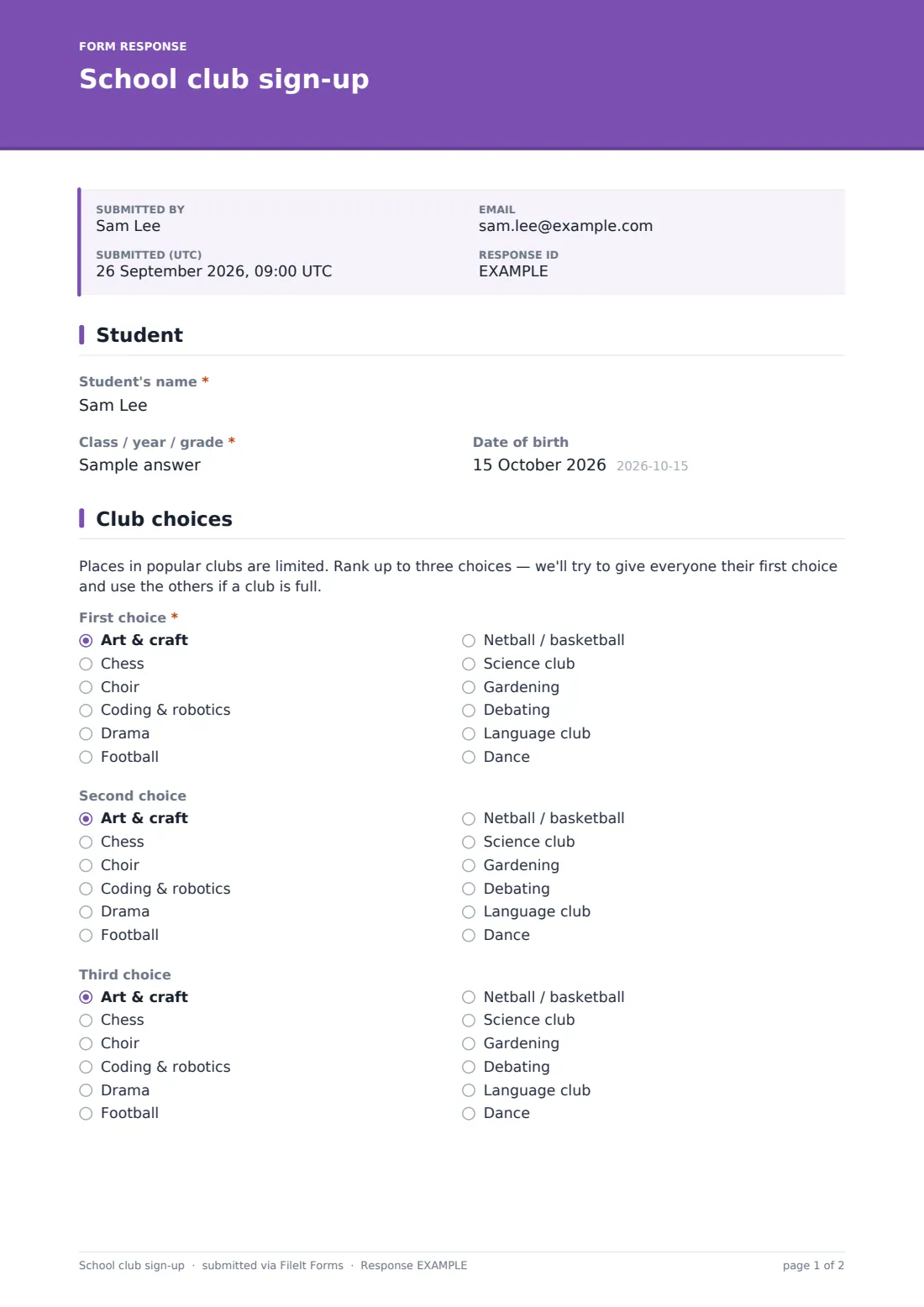
The form starts simply, with Student's name, Class / year / grade and an optional Date of birth — just enough to identify the student without repeating information the school already holds elsewhere.
2 Club choices
A short note explains that places in popular clubs are limited, and that ranking up to three choices helps the school try to give everyone their first choice while having a fallback if a club is full. First choice is required, with optional Second choice and Third choice dropdowns covering clubs like art, chess, choir, coding and robotics, drama, football, netball or basketball, science, gardening, debating, language club and dance. How many clubs would you like to join this term? and Days the student can attend narrow down scheduling, and an optional field for relevant experience or interests gives club leaders useful context before the first session.
3 Getting home & consent
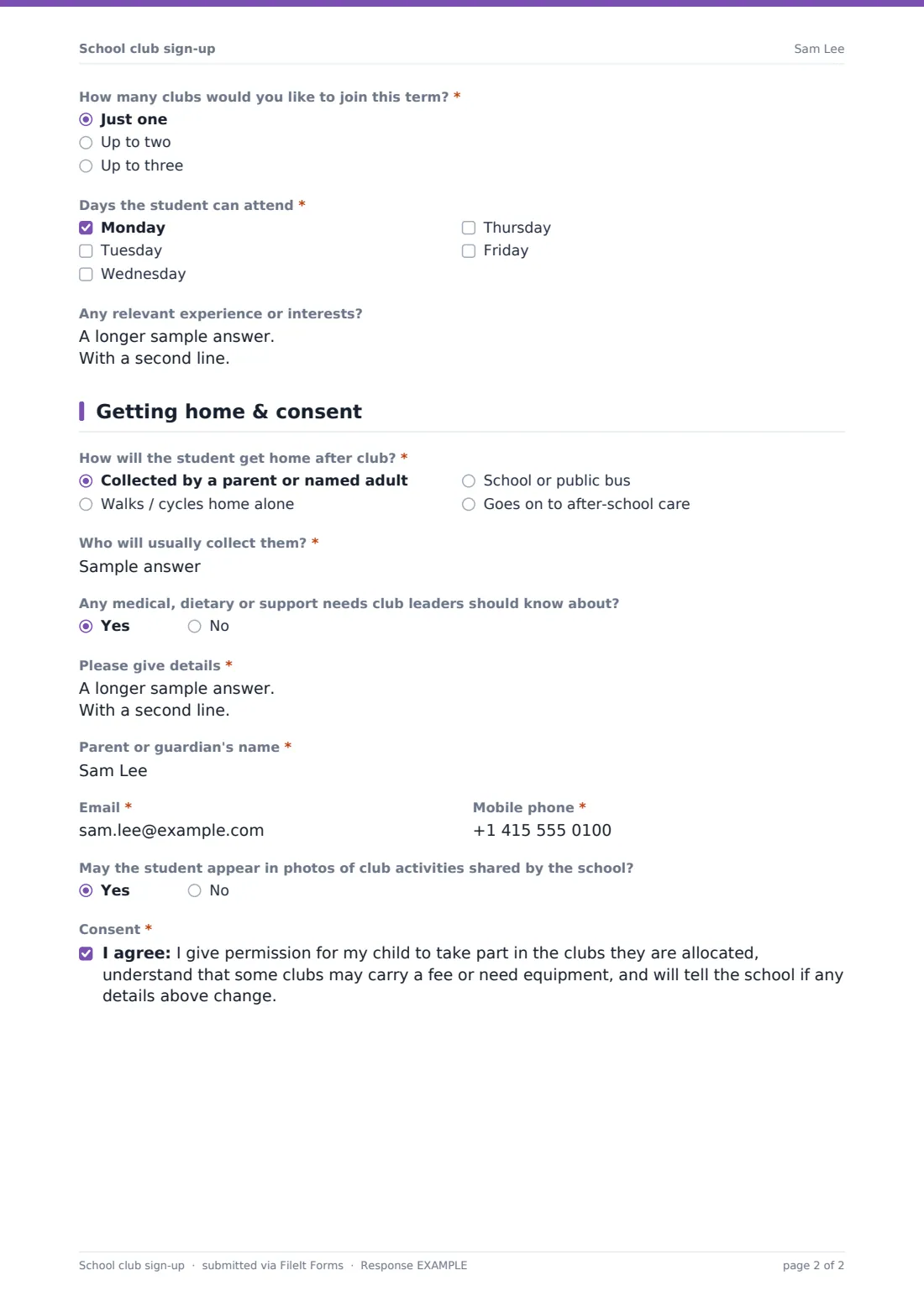
How will the student get home after club? covers being collected, walking or cycling home alone, taking a school or public bus, or going on to after-school care, with a Who will usually collect them? field appearing only when collection is chosen. Any medical, dietary or support needs club leaders should know about? opens a required details field whenever the answer is yes, covering allergies, medication and emergency guidance. Parent or guardian's name, Email and Mobile phone complete the contact details, and an optional photo-consent question sits alongside a final consent statement covering participation, possible fees or equipment, and the responsibility to update the school if details change.
Make the template yours
- Update the club list each term to match what's actually running that season
- Add a fee field or note for clubs that charge, so parents know before they rank a choice
- Route sign-ups into a folder per term so allocation is easy to manage each time
- Turn on a maximum number of responses per club if you're allocating strictly by capacity
- Add a closing date so sign-ups stop automatically ahead of allocation
- Adjust the medical and support question to match your school's own safeguarding forms
Tips for a better school club sign-up form
- Publish clear cut-off dates so families know when ranked choices need to be in
- Allocate popular clubs using the ranking system consistently, rather than case by case
- Make sure medical and support details reach the actual club leader, not just the office
- Confirm allocations promptly so families can adjust pickup plans if a club falls through
- Keep the club list realistic — remove anything that isn't actually running that term
- Review photo consent answers before sharing any club photos externally
Every response becomes a PDF in your vault
As soon as a parent submits the form, FileIt saves it as a PDF named with the student's name and files it in the vault folder you've set up for club sign-ups that term. With owner notification and a copy to the parent both switched on by default, your team is alerted straight away and the family has a record of exactly what they requested.
From there, most schools use the Responses table to see all sign-ups for the term, filter by chosen club, and export the full list to CSV to allocate places and share attendance lists with club leaders. As the built-in confirmation message says, families are told about confirmed places by email before the start of term.
- Start from this template. It opens in the FileIt Forms designer — change any question, add pages, set the rules for when questions appear.
- Share it. Turn on a public link, or send it to people by email, each with their own link. They don’t need a FileIt account.
- Get the answers as PDFs. Each response is saved as a PDF in the vault folder you choose, with uploaded files attached — and listed in a Responses table you can export to CSV.
School club sign-up form: frequently asked questions
Is this school club sign-up form template free?
Yes. It's included with the Forms app on every FileIt account, including the free plan.
Do parents need a FileIt account to sign their child up?
No. Parents fill in and submit the form using only the link you share, without ever needing a FileIt account.
How do I get club sign-ups as PDFs?
Every submission is automatically saved as a PDF in the vault folder you choose, and the full list is browsable and exportable to CSV from the Responses table.
How does ranking club choices actually work?
Students list up to three choices in order of preference; the ranking itself is a guide for your team when allocating places, and you decide the allocation method that best fits your school.
Can this form take club fee payments?
No. FileIt doesn't process payments or e-commerce — this form collects the sign-up details as a PDF, and any club fee needs to be collected through your school's usual payment method.
Can I add clubs or remove ones that aren't running?
Yes. Every option in the designer, including the full club list, can be edited each term to match what's actually available.
Can I collect medical or allergy information safely?
Yes. The medical, dietary and support question is confidential to your school and only opens a details field when a parent indicates there's something to share.
Can I limit the number of places per club?
Yes — you can set a maximum number of responses if allocation is strictly first-come, first-served, or manage allocation manually using the ranked choices.